
Introduction
The RUXINGX G37 Smartwatch is a versatile wearable device designed to enhance your daily life with advanced health monitoring, extensive sports tracking, and convenient communication features. This manual provides detailed instructions on how to set up, operate, and maintain your smartwatch to ensure optimal performance.
Key features include Bluetooth 5.3 calling, over 120 sports modes, 24/7 health monitoring (heart rate, SpO2, blood pressure, sleep), and dedicated women's health tracking. Its elegant design features a 1.39-inch 360x360 resolution 2.5D curved display.
Initial Setup
1. Unboxing and Charging
Carefully remove the smartwatch and its accessories from the packaging. Before first use, fully charge the device. Connect the magnetic charging cable to the charging points on the back of the watch and plug the USB end into a power adapter (not included) or a computer USB port. A full charge typically takes approximately 2 hours.
2. App Installation
To unlock the full functionality of your RUXINGX G37 Smartwatch, download and install the companion application. Search for "FitCloudPro" in your smartphone's app store (available for Android 4.4+ and iOS 9.0+).
3. Pairing with Your Phone
- Ensure Bluetooth is enabled on your smartphone.
- Open the FitCloudPro app and follow the on-screen instructions to add your device.
- The app will search for available devices. Select "G37" from the list to initiate pairing.
- Confirm the pairing request on both your phone and the smartwatch.
- For Bluetooth call functionality, you may need to connect to the watch's Bluetooth audio profile separately in your phone's Bluetooth settings after the initial pairing. Look for a device named "G37_Audio" or similar.

This image illustrates the process of connecting the RUXINGX G37 Smartwatch to a smartphone via Bluetooth, showing the watch display and the phone app interface.
Operating Instructions
Basic Navigation
- Touchscreen: Swipe left/right, up/down to navigate through menus and features. Tap to select.
- Side Button: Press to wake the screen, return to the watch face, or access the main menu.
Bluetooth Calls
Once connected via Bluetooth, you can make, answer, and reject calls directly from your smartwatch. The watch features a built-in microphone and Hi-Fi speakers for clear communication.

This image demonstrates the Bluetooth call functionality of the RUXINGX G37 Smartwatch, showing the watch on a wrist with an incoming call display and a smartphone screen confirming the Bluetooth connection.
Notifications and Voice Assistant
Receive real-time notifications for messages (SMS, WhatsApp, Facebook, etc.) directly on your watch. The smartwatch is also compatible with voice assistants, allowing you to control various functions with voice commands.
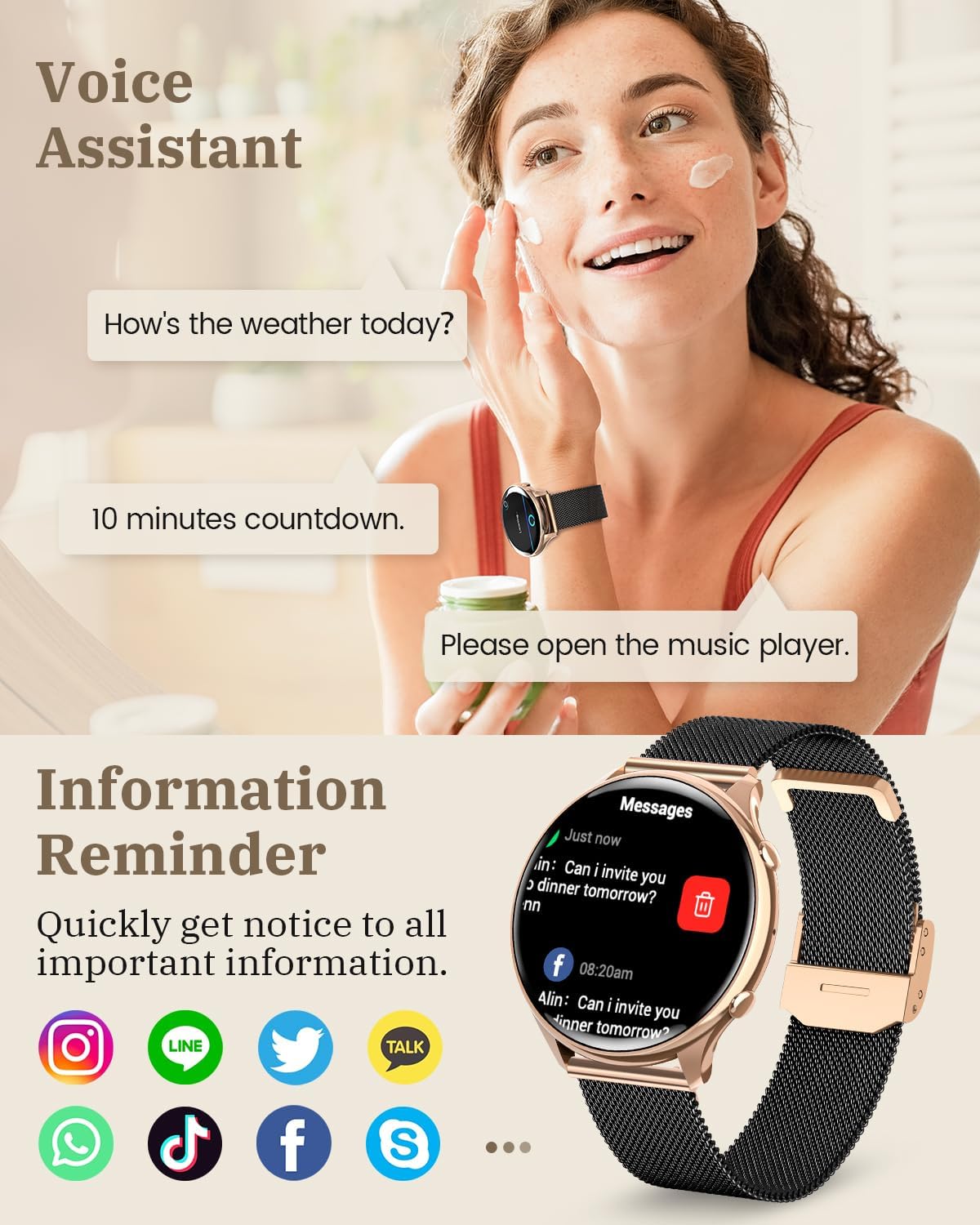
This image highlights the voice assistant and information reminder features of the RUXINGX G37 Smartwatch, showing message notifications from various apps and examples of voice commands.
Health Monitoring
The RUXINGX G37 Smartwatch provides comprehensive 24/7 health monitoring to help you stay informed about your well-being.
- Heart Rate Monitoring: Tracks your heart rate throughout the day.
- SpO2 Monitoring: Measures your blood oxygen saturation levels.
- Blood Pressure Monitoring: Provides estimates of your blood pressure.
- Sleep Monitoring: Analyzes your sleep patterns, including deep sleep, light sleep, and awake times.
- Women's Health Tracking: Features include menstrual period prediction and assistance in determining optimal times for pregnancy and childbirth.

This image demonstrates the 24/7 health monitoring capabilities of the RUXINGX G37 Smartwatch, showing real-time data for heart rate, blood oxygen (SpO2), blood pressure, and sleep patterns.

This image illustrates the women's health tracking features of the RUXINGX G37 Smartwatch, including menstrual period prediction, ovulation period, and pregnancy preparation, displayed on the watch face and a calendar.
Sports Modes
The RUXINGX G37 Smartwatch offers over 120 sports modes to track your physical activities. You can select your preferred sports within the app and add them to the watch for easy access.
- Built-in Modes: Includes 9 integrated sports modes.
- App-based Modes: Access to over 120 additional modes such as yoga, running, fitness, swimming, and more.
- Data Tracking: Monitors key metrics like steps, distance, calories burned, and exercise duration.

This image highlights the extensive range of over 120 sports modes available on the RUXINGX G37 Smartwatch, suitable for various activities from yoga to jogging and dancing, tracking calories and exercise duration.
Battery Life and Weight
The RUXINGX G37 Smartwatch is designed for extended use with efficient power management and a lightweight build.
- Daily Use: Up to 7-9 days on a single charge.
- Always On Display: Approximately 2-3 days.
- Standby Time: Up to 30 days.
- Charging Time: Approximately 2 hours for a full charge.
- Weight: Only 39 grams, ensuring comfortable long-term wear.

This image illustrates the impressive battery life and lightweight design of the RUXINGX G37 Smartwatch, indicating 7-9 days of daily use, 2-3 days with Always On Display, and 30 days standby time, with a weight of only 39 grams.
Maintenance
Proper care and maintenance will extend the lifespan of your smartwatch.
- Cleaning: Regularly wipe the watch screen and body with a soft, dry cloth. For stubborn smudges, slightly dampen the cloth with water. Avoid using harsh chemicals or abrasive materials.
- Strap Care: Clean the watch strap regularly, especially if it's silicone, to prevent skin irritation. For metal mesh straps, use a soft brush to remove debris.
- Water Resistance: The watch is designed to be water resistant (IP68 rating mentioned in product description). However, avoid prolonged submersion in water, hot water, or exposure to steam. Dry the watch thoroughly if it gets wet.
- Storage: When not in use for extended periods, store the watch in a cool, dry place away from direct sunlight.
Troubleshooting
If you encounter issues with your RUXINGX G37 Smartwatch, refer to the following common solutions:
- Watch Not Turning On: Ensure the watch is fully charged. Connect it to the charger and wait a few minutes before attempting to power it on.
- Bluetooth Connection Issues:
- Ensure Bluetooth is enabled on your phone and the watch.
- Restart both your phone and the smartwatch.
- Forget the device in your phone's Bluetooth settings and re-pair through the FitCloudPro app.
- Ensure the FitCloudPro app is running in the background and has necessary permissions.
- Inaccurate Health Data: Ensure the watch is worn snugly on your wrist, about one finger's width above the wrist bone. Keep the sensor clean.
- Notifications Not Appearing: Check app notification settings within the FitCloudPro app and your phone's system settings to ensure permissions are granted.
- Screen Unresponsive: Try restarting the watch by pressing and holding the side button until it powers off, then power it back on.
If problems persist, consult the FitCloudPro app's help section or contact RUXINGX customer support.
Technical Specifications
| Feature | Specification |
|---|---|
| Brand | RUXINGX |
| Model Number | G37 |
| Display Size | 1.39 Inches |
| Display Resolution | 360 x 360 |
| Connectivity | Bluetooth 5.3 |
| Operating System | Proprietary System |
| Battery Capacity | 168 hours (approx. 7 days) |
| Charging Time | Approx. 2 hours |
| Weight | 39g |
| Water Resistance | IP68 (as per product description) |
| Compatible Devices | Android 4.4+ / iOS 9.0+ |
Warranty and Support
Your RUXINGX G37 Smartwatch comes with a standard manufacturer's warranty. Please refer to the warranty card included in your product packaging or the retailer's terms of sale for specific details regarding warranty coverage and duration.
For technical support, troubleshooting assistance beyond this manual, or warranty claims, please contact the retailer where you purchased the product or visit the official RUXINGX website for customer service contact information.