
Introduction
Thank you for choosing the Bewinner D4 Wired Gaming Mouse. This manual provides essential information for setting up, operating, and maintaining your new mouse. Designed for comfort and performance, the D4 features adjustable DPI settings, vibrant RGB lighting, a lightweight hollow design, and an integrated cooling fan to enhance your computing experience.
Package Contents
- 1 x Bewinner D4 Wired Gaming Mouse
Setup Instructions
- Connect the Mouse: Locate an available USB port on your computer (desktop or laptop). Insert the USB connector of the Bewinner D4 mouse into the USB port.
- Automatic Installation: The mouse is designed for plug-and-play functionality. Your operating system (Windows 2000/XP/Vista/7/8/10, OS X, etc.) will automatically detect and install the necessary drivers. No additional software installation is required.
- Ready for Use: Once the installation is complete, the mouse is ready for immediate use.

Image: The USB connector of the Bewinner D4 mouse, ready to be plugged into a computer's USB port.
Operating Instructions
Basic Mouse Functions
- Left Click: Primary button for selecting items, opening files, and executing commands.
- Right Click: Secondary button for accessing context menus and additional options.
- Scroll Wheel: Used for scrolling through documents and web pages. It can also function as a middle click button.
- Side Buttons: Typically function as 'Forward' and 'Backward' navigation buttons in web browsers and file explorers.

Image: The left side of the Bewinner D4 mouse, highlighting the two programmable side buttons for quick navigation.
DPI Adjustment
The Bewinner D4 mouse features 4 adjustable DPI (Dots Per Inch) settings, allowing you to change cursor sensitivity on the fly. This is useful for different tasks, such as precise aiming in games or faster navigation across multiple monitors.
- DPI Levels: 1200 DPI, 2400 DPI, 4800 DPI, 7200 DPI.
- How to Adjust: Press the dedicated DPI button, usually located behind the scroll wheel, to cycle through the available DPI settings. The mouse's RGB lighting may change to indicate the current DPI level.
RGB Lighting Effects
The mouse is equipped with dynamic RGB lighting effects, enhancing its aesthetic appeal. The lighting automatically cycles through various colors and patterns, creating an immersive visual experience.

Image: The Bewinner D4 mouse illuminated with RGB lighting, demonstrating its visual effects during use.
Hollow Design and Integrated Fan
The mouse features a unique hollow design, which significantly reduces its overall weight, contributing to lighter and smoother operation. Additionally, an integrated fan helps to keep your palm cool during extended use and improves the mouse's heat dissipation.
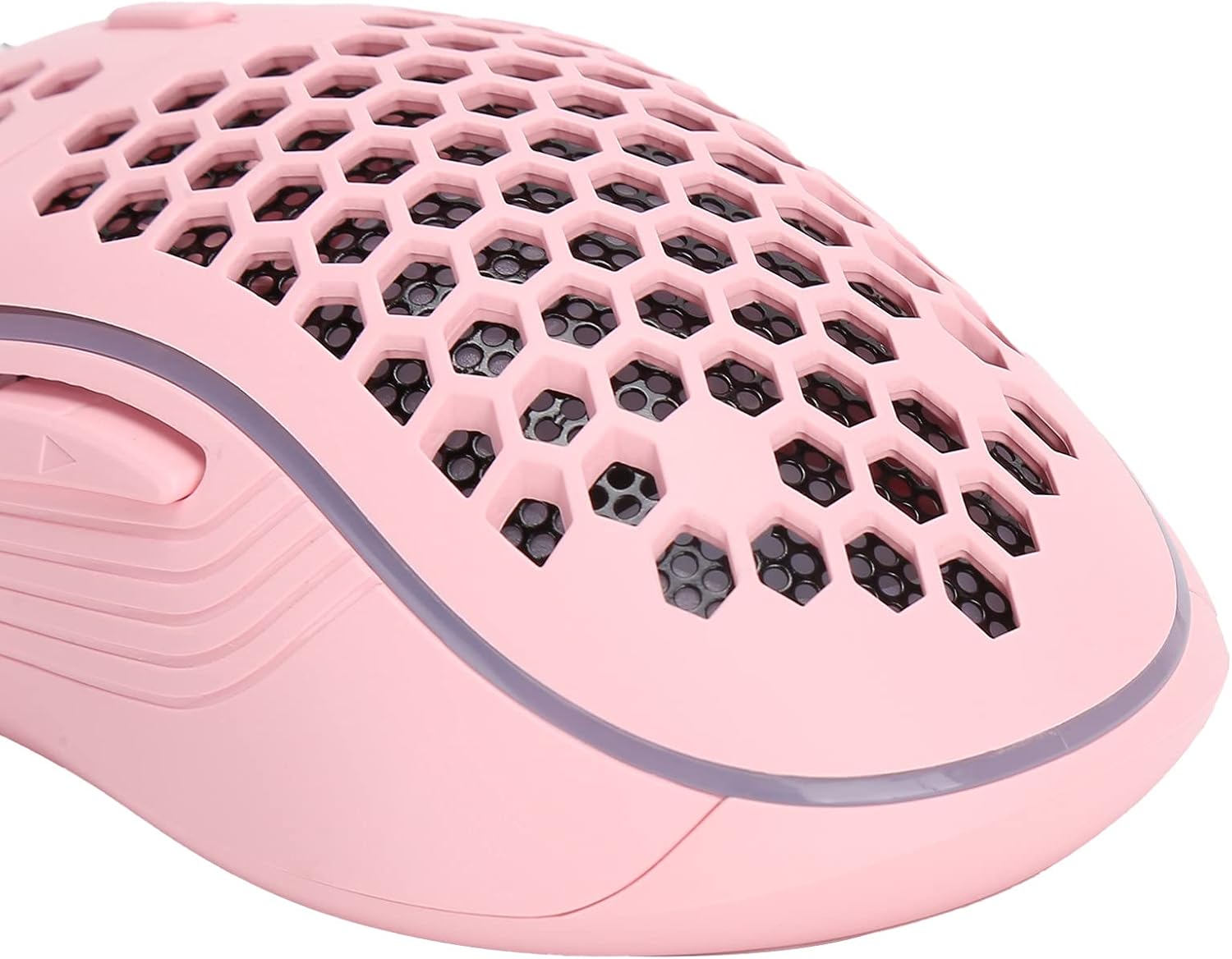
Image: A detailed view of the Bewinner D4 mouse's hollow, honeycomb-patterned shell, designed for reduced weight and improved airflow.
Maintenance
- Cleaning: Use a soft, dry cloth to wipe the surface of the mouse. For dust accumulation in the hollow areas, a can of compressed air can be used. Avoid using liquid cleaners or abrasive materials.
- Cable Care: Do not excessively bend or pull the mouse cable. Store the mouse in a way that prevents the cable from being crimped or tangled.
- Storage: When not in use, store the mouse in a clean, dry environment away from direct sunlight and extreme temperatures.
Troubleshooting
- Mouse Not Responding:
- Ensure the USB connector is securely plugged into a working USB port.
- Try plugging the mouse into a different USB port on your computer.
- Restart your computer.
- Cursor Movement is Erratic or Inaccurate:
- Clean the optical sensor on the bottom of the mouse with a soft, dry cloth.
- Ensure you are using the mouse on a clean, non-reflective surface. A mouse pad is recommended.
- Adjust the DPI setting to a lower level if the cursor is too fast.
- RGB Lighting Not Working:
- Verify the mouse is properly connected and functioning otherwise.
- The RGB lighting is automatic and does not typically have user controls. If it's not lighting up, it may indicate a power issue or a fault with the mouse.
Specifications
| Model | D4 |
| Brand | Bewinner |
| Type | Wired Gaming Mouse |
| Material | ABS |
| DPI Settings | 1200 / 2400 / 4800 / 7200 (Adjustable) |
| Lighting Effect | RGB |
| Cable Length | Approx. 1.5 meters (4.9 feet) |
| System Compatibility | Windows 2000/XP/Vista/7/8/10, OS X, etc. |
| Applicable Equipment | General desktop and laptop computers |
| Item Model Number (Internal) | Bewinner4v3ix85pyn |
Warranty and Support
Information regarding specific warranty terms and customer support channels for the Bewinner D4 Wired Gaming Mouse is not available in the provided product details. Please refer to your purchase documentation or contact the retailer for warranty information and support inquiries.
- Spare Parts Availability: Information not available.
- Software Updates Guaranteed Until: Information not available.