
Introduction
This manual provides essential information for setting up, operating, maintaining, and troubleshooting your Motorola Moto G84 5G smartphone. Please read this guide thoroughly to ensure proper use and to maximize your device's capabilities.
Setup
1. Unboxing and Initial Inspection
Carefully remove all items from the packaging. The box should contain:
- Motorola Moto G84 5G Smartphone
- USB Cable
- Phone Case
- SIM Eject Tool
Inspect the device for any physical damage before proceeding.
2. SIM Card Installation
The Moto G84 5G supports Dual SIM functionality using Nano SIM cards.
- Locate the SIM tray on the side of your device.
- Insert the SIM eject tool into the small hole on the SIM tray. Press firmly until the tray pops out.
- Place your Nano SIM card(s) into the designated slots on the tray, ensuring the gold contacts face downwards.
- Carefully push the SIM tray back into the phone until it clicks into place.

Figure 1: Side view of the Motorola Moto G84 5G, illustrating the location of the SIM card tray for installation.
3. Initial Power On
Press and hold the Power button located on the side of the device until the Motorola logo appears. Follow the on-screen prompts to complete the initial setup, including language selection, Wi-Fi connection, and Google account setup.

Figure 2: Side view of the Motorola Moto G84 5G, highlighting the power and volume buttons for device control.
4. Charging the Device
Before first use, it is recommended to fully charge your device. The Moto G84 5G features a 5000 mAh battery and supports 30W TurboPower charging.
- Connect the USB cable to the USB-C port at the bottom of your phone.
- Connect the other end of the USB cable to a compatible power adapter (sold separately) and plug it into a power outlet.
- The charging indicator will appear on the screen.
Operating Instructions
1. Display
The Moto G84 5G features a 6.55-inch pOLED FHD+ display with a 120 Hz refresh rate, offering vibrant colors and smooth scrolling.
- Touchscreen Navigation: Interact with the device using touch gestures such as tap, swipe, pinch-to-zoom.
- Brightness Adjustment: Adjust screen brightness from the Quick Settings panel or Display settings.
- Refresh Rate: The 120 Hz refresh rate provides a fluid visual experience. This can be adjusted in display settings to optimize battery life.
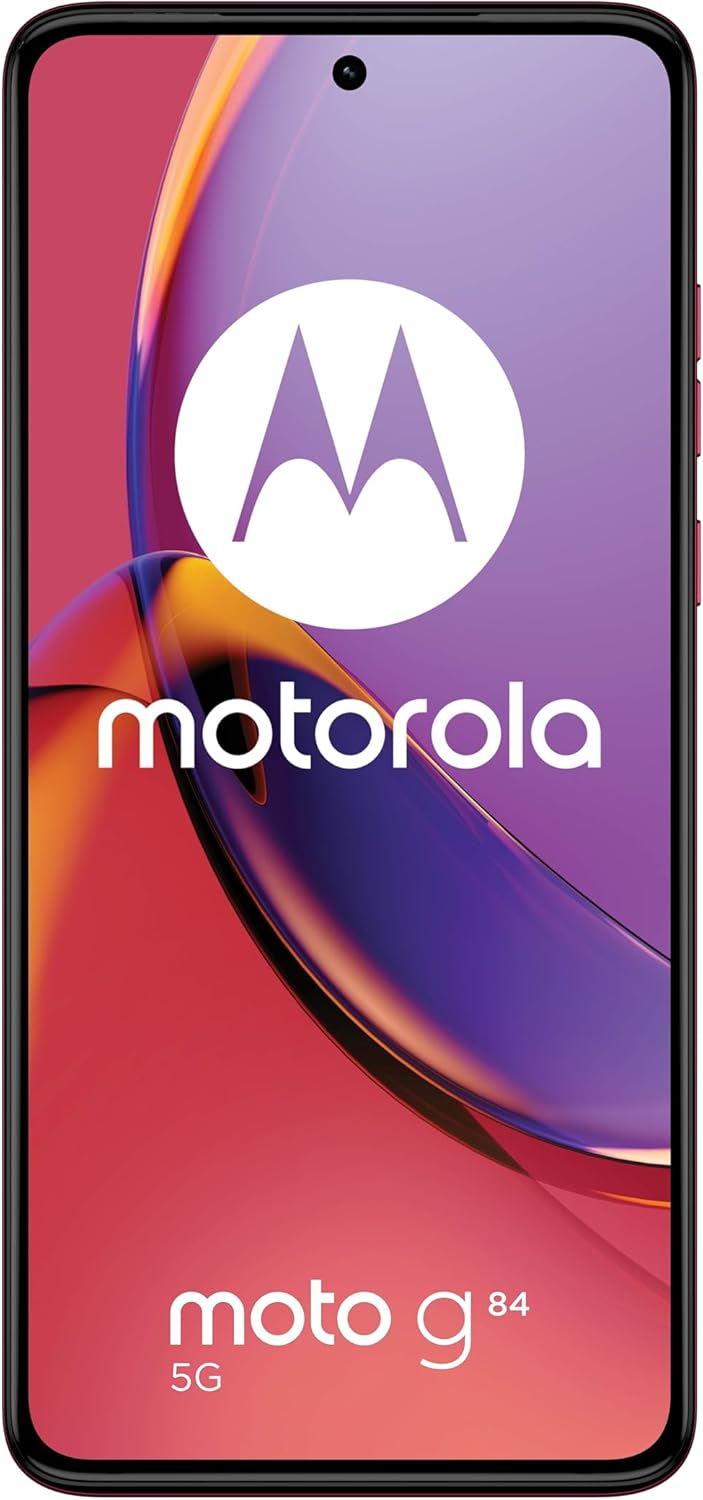
Figure 3: Front view of the Motorola Moto G84 5G, showcasing its vibrant pOLED display.
2. Camera
The device is equipped with a 50 MP Ultra Pixel main camera with Optical Image Stabilization (OIS) and an 8 MP ultra-wide/macro lens on the rear, and a front-facing camera for selfies.
- Taking Photos: Open the Camera app, frame your shot, and tap the shutter button.
- Video Recording: Switch to video mode in the Camera app. The device supports 4K video recording at 30 fps.
- Camera Modes: Explore various modes such as Portrait, Night Vision, Panorama, and Pro mode for advanced controls.

Figure 4: Rear view of the Motorola Moto G84 5G, highlighting the 50MP Ultra Pixel camera system.
3. Audio
Experience immersive audio with Dolby Atmos, Motorola Spatial Audio, and Hi-Res Audio support through stereo speakers.
- Volume Control: Use the volume buttons on the side of the device or the on-screen volume slider.
- Audio Settings: Customize sound profiles and Dolby Atmos settings in the Sound & Vibration menu.
4. Connectivity
The Moto G84 5G offers comprehensive connectivity options.
- 5G Network: Connect to 5G networks for faster data speeds (requires 5G service plan).
- Wi-Fi: Connect to wireless networks via Wi-Fi settings.
- Bluetooth: Pair with Bluetooth devices like headphones or speakers.
- NFC: Use Near Field Communication for contactless payments and quick pairing with compatible devices.
5. Biometric Features
The device supports biometric identification for enhanced security.
- Fingerprint Sensor: Register your fingerprints in the Security settings for quick and secure unlocking.
- Face Unlock: Set up face recognition for convenient unlocking.
6. Software
The Moto G84 5G runs on Android 13, offering a clean user interface and access to a wide range of applications via the Google Play Store.
- System Updates: Regularly check for and install system updates to ensure optimal performance and security.
- App Management: Install, uninstall, and manage applications through the Settings menu or Google Play Store.
Maintenance
1. Cleaning Your Device
To keep your phone clean, gently wipe the screen and body with a soft, lint-free cloth. Avoid using harsh chemicals or abrasive materials.
2. Water Resistance
The Moto G84 5G has an IP52 rating, meaning it is resistant to dust and splashing water. It is not waterproof. Avoid submerging the device in water or exposing it to high-pressure water jets.
Troubleshooting
Common Issues and Solutions
- Device not turning on: Ensure the battery is charged. Connect the phone to a charger and wait a few minutes before attempting to power it on again.
- Charging issues: Check the USB cable and charger for damage. Try a different cable or power outlet. Ensure the charging port is clean and free of debris.
- Poor network signal: Move to an area with better network coverage. Check if your SIM card is properly inserted. Restart the device.
- Apps crashing or freezing: Close and reopen the app. Clear the app's cache and data in Settings > Apps. If the issue persists, uninstall and reinstall the app.
- Screen unresponsive: Perform a forced restart by holding the Power button for approximately 10-15 seconds.
Specifications
| Feature | Specification |
|---|---|
| Model Name | Moto G84 5G |
| Operating System | Android 13 |
| Processor | Snapdragon 695 (up to 2.2 GHz) |
| RAM | 12 GB |
| Internal Storage | 256 GB |
| Display | 6.55-inch pOLED FHD+ (1080x2400), 120 Hz |
| Rear Camera | 50 MP Ultra Pixel (OIS) + 8 MP Ultra-wide/Macro |
| Front Camera | 1 |
| Battery Capacity | 5000 mAh |
| Charging | 30W TurboPower |
| Connectivity | 5G, Wi-Fi, Bluetooth, NFC |
| SIM Card Type | Dual Nano SIM |
| Water Resistance | IP52 (Splash resistant) |
| Dimensions | 16 x 7.4 x 0.8 cm |
| Weight | 160 Grams |
| Included in Box | USB Cable, Phone Case, SIM Eject Tool |
Warranty and Support
Warranty Information
Your Motorola Moto G84 5G comes with a 2-year manufacturer's warranty. Please retain your proof of purchase for warranty claims. The warranty covers manufacturing defects but typically excludes damage caused by misuse, accidents, or unauthorized repairs.
Customer Support
For further assistance, technical support, or warranty service, please visit the official Motorola support website or contact their customer service. Refer to the documentation included with your device for specific contact details in your region.
Important Safety Information
Always follow basic safety precautions when using your phone to reduce the risk of fire, electric shock, and injury. Do not disassemble the device. Use only approved accessories. Avoid extreme temperatures. Dispose of the device and battery responsibly according to local regulations.


