
Introduction
This manual provides detailed instructions for the installation, use, and maintenance of your Ailun Privacy Screen Protector and Camera Lens Protector designed specifically for the iPhone 15 Pro Max (6.7 inch). This product offers enhanced privacy, scratch protection, and maintains original screen sensitivity and camera quality.
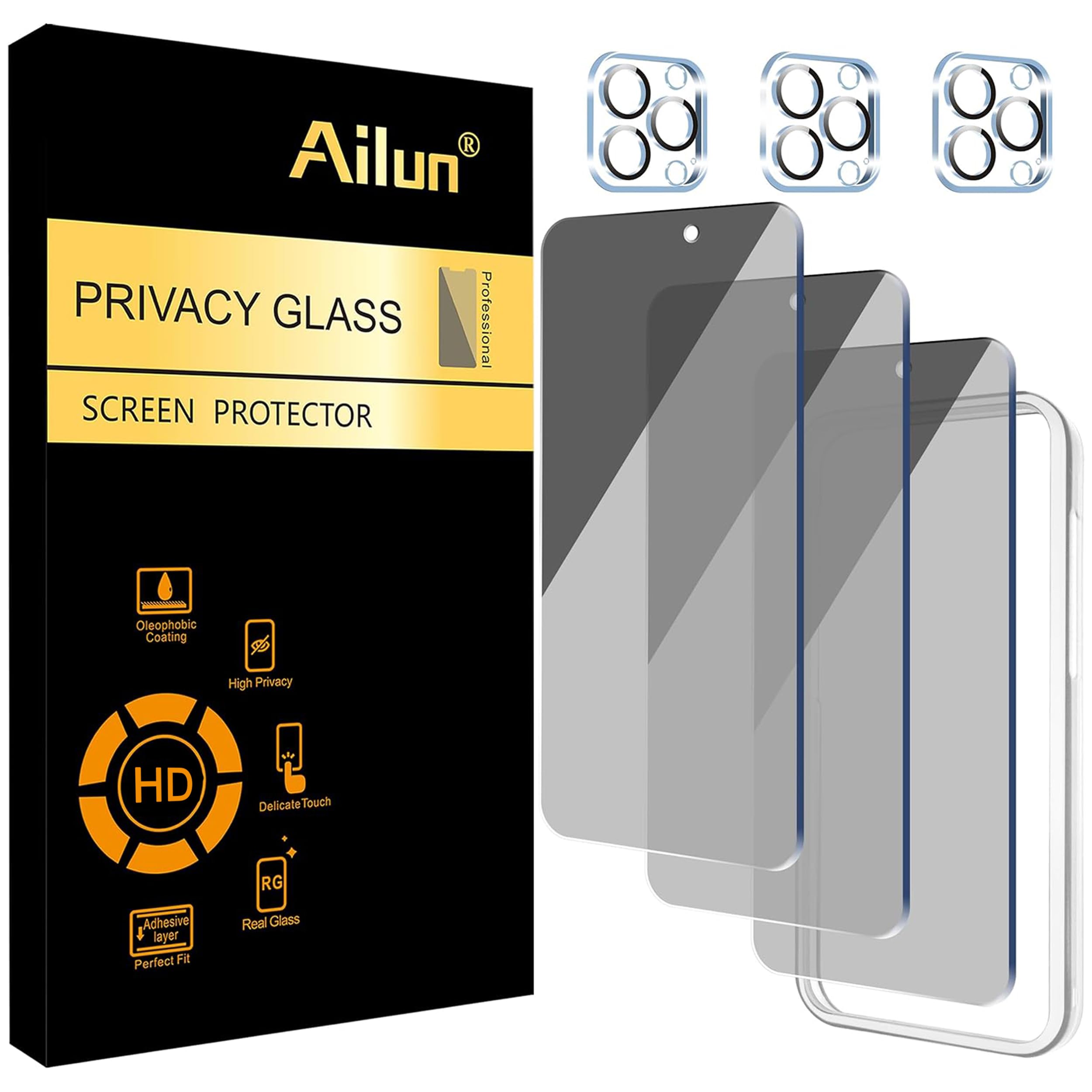
Image: Ailun Privacy Screen Protector and Camera Lens Protector for iPhone 15 Pro Max packaging and product view.
Installation Guide
Proper installation is crucial for optimal performance. Please follow these steps carefully. An installation frame is included to assist with alignment.
What's Included:
- 3 x Privacy Screen Protectors
- 3 x Camera Lens Protectors
- 1 x Installation Frame
- 3 x Wet Wipes
- 1 x Cleaning Cloth
- 3 x Dust Absorbers
Screen Protector Installation Steps:
- Clean the Screen: Use the provided wet wipe to thoroughly clean your iPhone 15 Pro Max screen, removing any dirt or smudges.
- Dry the Screen: Use the dry wipe to ensure the screen is completely dry and free of any liquid residue.
- Remove Dust: Use the dust absorber sticker to dab the screen and eliminate any remaining dust particles.
- Position the Installation Frame: Carefully place the installation frame onto your iPhone, ensuring it fits snugly around the device.
- Prepare the Screen Protector: Remove the bottom protective layer from the screen protector by pulling away the rectangular tab.
- Align and Apply: Without touching the sticky side of the protector, carefully align the cutouts and edges with the phone screen using the installation frame as a guide. Slowly drop the screen protector onto the screen.
- Automatic Adhesion: Gently slide your finger across the center of the screen protector to initiate automatic adhesion. Once adhered, remove the installation frame.

Image: Step-by-step diagram for installing the Ailun Privacy Screen Protector.
Camera Lens Protector Installation Steps:
- Clean the Camera Lens: Use a wet wipe to clean the camera lenses thoroughly.
- Dry the Camera Lens: Use a dry wipe to ensure the camera lenses are completely dry.
- Remove Protective Film: Carefully bend the plastic sheet to remove the camera lens protector.
- Align and Apply: Make sure to accurately align the protector with the camera lens holes on your iPhone.
- Secure Adhesion: Press the protector from all angles to ensure it sticks perfectly to the camera lenses.

Image: Close-up of the Ailun Camera Lens Protector, highlighting its clarity.
Features and Operation
Privacy Protection:
The privacy screen protector is designed to keep your personal and sensitive information hidden from onlookers. The screen is only visible to the person directly in front of it. This feature is particularly useful in public settings such as buses, elevators, or subways. Please note that this privacy feature will slightly darken the screen, so you may need to adjust your device's brightness for optimal viewing.

Image: Illustration of the privacy screen protector's viewing angles, showing visibility only to the direct viewer.
Camera Lens Protection:
The camera lens protector is specifically designed for the iPhone 15 Pro Max. It utilizes advanced technology for seamless integration, ensuring high light transmittance and maintaining the original quality of photos and videos, even when using the flash at night. There is no need to design a separate flash hole position.
High Definition and Sensitivity:
Crafted from precise laser-cut tempered glass with a 0.33mm ultra-thin profile, the screen protector offers high definition clarity and maintains the original response sensitivity and touch experience of your iPhone. It also provides sensor protection.

Image: iPhone screen demonstrating high definition clarity with the Ailun screen protector applied.
Scratch and Impact Resistance:
Both the screen and camera lens protectors are made from tempered glass, offering robust protection against scratches, scrapes, and minor impacts, safeguarding your device's original surfaces.

Image: Visual representation of the screen protector's scratch-proof capabilities.
Face ID Compatibility:
The screen protector is fully compatible with your iPhone's Face ID functionality, ensuring seamless unlocking and authentication without interference.

Image: An iPhone user utilizing Face ID, confirming compatibility with the Ailun screen protector.
Maintenance
To ensure the longevity and clarity of your Ailun screen and camera lens protectors, follow these simple maintenance tips:
- Regular Cleaning: Gently wipe the screen and camera lens protectors with a soft, lint-free cloth (like the one provided) to remove fingerprints, dust, and smudges.
- Avoid Harsh Chemicals: Do not use abrasive cleaners, alcohol, or harsh chemicals, as these can damage the oleophobic coating and the protector's surface.
- Handle with Care: While the protectors are designed to be durable, avoid unnecessary impacts or sharp objects that could cause damage.
Troubleshooting
If you encounter any issues during or after installation, please refer to the following common solutions:
- Bubbles After Installation: Small bubbles often disappear within 24-48 hours. For larger bubbles, gently lift the nearest edge of the protector and re-apply, pushing the bubble out with a soft cloth or squeegee. Ensure the screen is completely dust-free before re-application.
- Misalignment: If the protector is misaligned, carefully lift it from one corner and re-position it using the installation frame. Ensure the screen is clean before attempting to re-align.
- Edges Not Sticking: Ensure the screen is thoroughly clean and dry, especially around the edges. Press firmly along the edges after installation. If the issue persists, it might be due to a case interfering with the protector; try a different case or ensure your case is compatible.
- Reduced Touch Sensitivity: While designed to maintain original sensitivity, if you notice a slight reduction, ensure the protector is fully adhered without air gaps. You may also adjust touch sensitivity settings on your iPhone if available.
- Privacy Effect Too Strong/Screen Too Dark: This is a characteristic of privacy screens. Increase your iPhone's display brightness to compensate.
If these steps do not resolve your issue, please contact Ailun customer support for further assistance.
Specifications
| Brand: | Ailun |
| Compatible Devices: | iPhone 15 Pro Max (6.7 inch) |
| Material: | Tempered Glass |
| Item Hardness: | Hard |
| Product Dimensions: | 6.14"L x 2.87"W |
| Special Features: | Anti Glare, Anti-Fingerprint, Dust Resistant, High Definition Clarity, High Sensitivity Touch, Privacy Filter |
| Screen Surface Description: | Glossy |
| Number of Items: | 6 (3 Screen Protectors, 3 Camera Lens Protectors) |
| Model Number: | iphone15promax 3PGSP+3lens |
Warranty Information
Ailun products are manufactured to high-quality standards. For specific warranty details and terms, please refer to the official Ailun website or contact customer support. Keep your purchase receipt as proof of purchase.
Customer Support
If you have any questions, require assistance with installation, or need to report an issue, please contact Ailun customer support through their official channels. You can often find support information on the product packaging or the official Ailun website.
Visit the official Ailun Store: Ailun Store on Amazon