Introduction
Thank you for choosing the Falowy Open Ear Wireless Headphones. These headphones are designed to provide a comfortable and secure audio experience, utilizing air conduction technology for clear sound while maintaining awareness of your surroundings. With Bluetooth 5.3 connectivity, a built-in microphone, and a waterproof design, they are suitable for various activities including sports, cycling, and daily workouts. This manual provides detailed instructions for setup, operation, maintenance, and troubleshooting to ensure optimal performance and longevity of your device.
Product Overview
The Falowy Open Ear Wireless Headphones (Model 1) come with the following components:
- Falowy Open Ear Wireless Headphones (Left and Right)
- Charging Case
- USB Charging Cable (not explicitly listed but implied for charging case)

Figure 1: Falowy Open Ear Wireless Headphones and Charging Case. The image displays the two black open-ear headphones and their accompanying black charging case, which is open to show the earbud compartments.
These headphones feature an open-ear design that rests comfortably on your ear without blocking the ear canal, allowing you to hear ambient sounds. They incorporate advanced air conduction technology for stereo balanced sound, providing a rich listening experience.

Figure 2: Excellent Stereo Sound Quality. This graphic shows a stylized earbud against a yellow circle with sound waves, emphasizing the rich listening experience provided by the air bone conduction design.

Figure 3: Acoustic Directional Transmission. A transparent view of an earbud revealing its internal circuitry, illustrating how stereo balanced sound is delivered through air conduction for an immersive experience.
Setup
Initial Charging
Before first use, ensure both the headphones and the charging case are fully charged. Place the headphones into the charging case. Connect the charging case to a power source using the provided USB cable. The LED power display on the case will indicate the charging status.
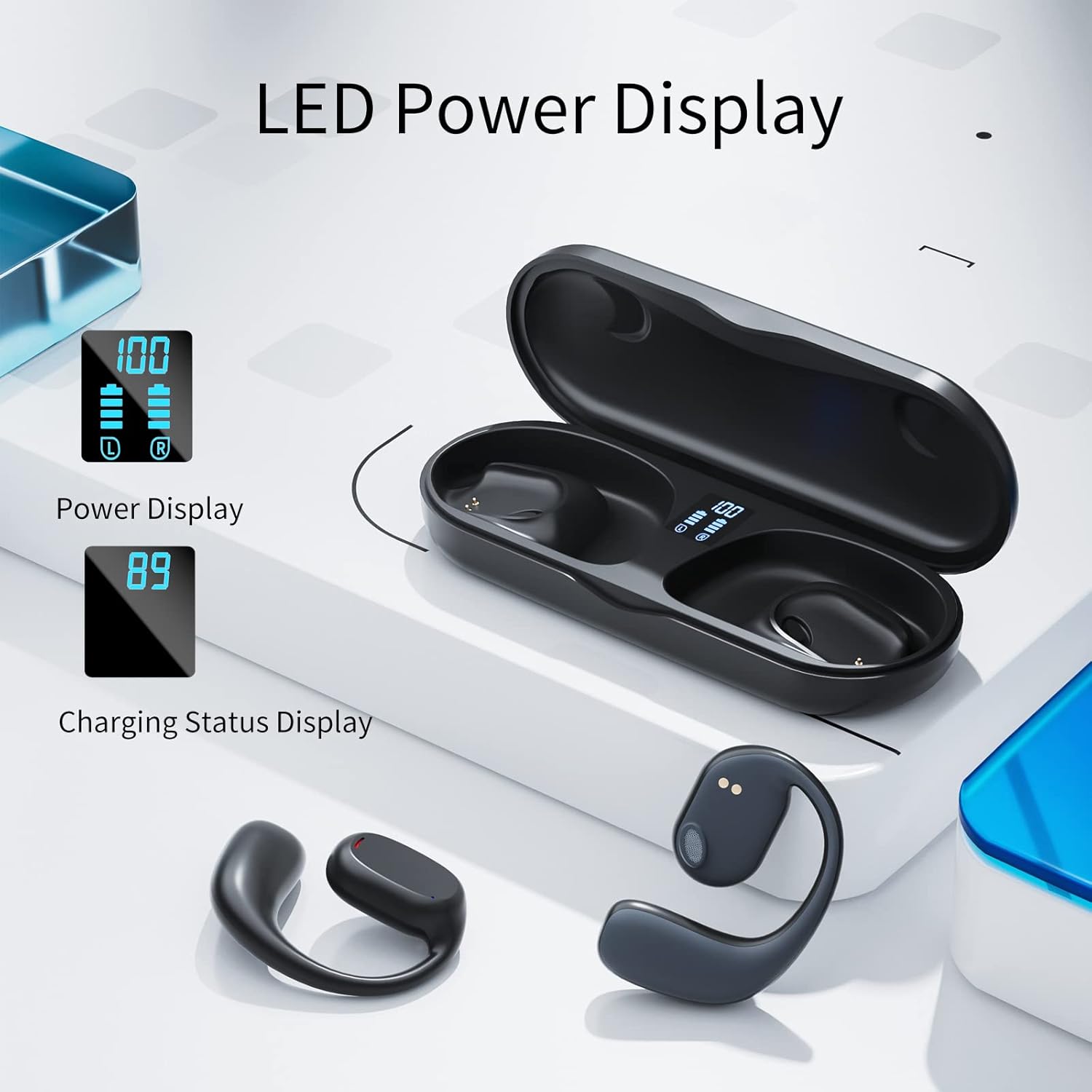
Figure 4: LED Power Display. This image shows the charging case with earbuds inside, displaying digital battery percentages for both the case and individual earbuds.

Figure 5: Dual Digital Power Display. A graphic illustrating the charging case's display, indicating approximately 4 hours of use per single earbud charge and 4 hours of charging time for the earbuds.
Pairing with Your Device
The Falowy Open Ear Headphones feature one-step pairing for convenience.
- Take the headphones out of the charging case. They will automatically enter pairing mode.
- On your mobile phone or Bluetooth-enabled device, go to the Bluetooth settings.
- Turn on Bluetooth and search for available devices.
- Select "GT27" from the list of devices to connect.
- Once connected, you will hear an audible confirmation, and the headphones are ready for use.
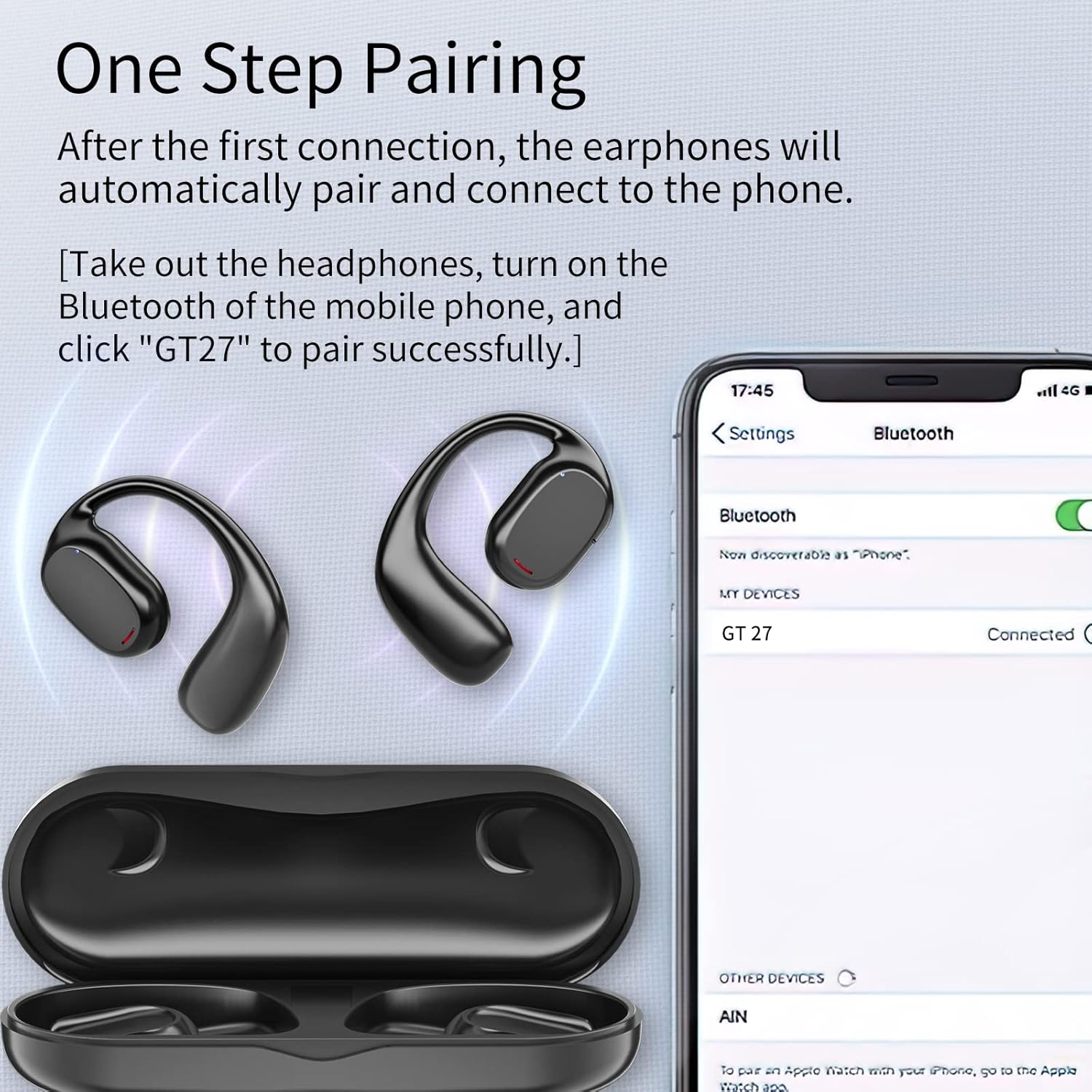
Figure 6: One Step Pairing. This image shows the Falowy headphones and charging case next to a smartphone screen displaying Bluetooth settings, with "GT 27" listed as a connected device.
Operating Instructions
Wearing the Headphones
The headphones are designed for a secure and comfortable fit. Gently place the ear hook over your ear, ensuring the speaker portion is positioned near your ear canal without entering it. The wraparound frame keeps the headphones stable during movement.

Figure 7: Secure Fit. A diagram showing how the earbud wraps around the ear, emphasizing that it stays stable and is not inserted into the ear.

Figure 8: Comfortable & Secure Fit. A woman is shown running outdoors while wearing the Falowy Open Ear Headphones, demonstrating their ergonomic design for stability and comfort during physical activity.
Touch Controls
The headphones feature intuitive touch controls for media playback and call management. Specific functions include:
- Play/Pause: Single tap on either earbud.
- Next Track: Double tap on the right earbud.
- Previous Track: Double tap on the left earbud.
- Answer/End Call: Single tap on either earbud.
- Reject Call: Press and hold on either earbud.
- Activate Voice Assistant: Triple tap on either earbud.

Figure 9: Open Ear Headphone Features. A woman wearing the headphones while drinking, with icons highlighting smart touch control, Bluetooth 5.3, premium sound quality, up to 4 hours of use, lightweight design, and reduced hearing loss.
Charging the Headphones and Case
To charge the headphones, place them back into the charging case. The case will automatically begin charging them. To charge the case itself, connect it to a USB power adapter using the USB cable. The LED display on the case will show the battery level of both the case and the individual earbuds.
Maintenance
To ensure the longevity and optimal performance of your Falowy Open Ear Wireless Headphones, follow these maintenance guidelines:
- Cleaning: Use a soft, dry, lint-free cloth to wipe the headphones and charging case. Do not use abrasive cleaners, alcohol, or chemical solvents.
- Storage: When not in use, store the headphones in their charging case to protect them from dust and damage. Store in a cool, dry place away from extreme temperatures.
- Water Resistance: The headphones are waterproof, but avoid prolonged submersion in water. Dry them thoroughly before placing them back in the charging case to prevent damage to the charging contacts.
- Battery Care: To preserve battery life, avoid fully discharging the headphones and charging case frequently. Charge them regularly, even if not used for extended periods.
Troubleshooting
If you encounter issues with your Falowy Open Ear Wireless Headphones, refer to the following common solutions:
| Problem | Possible Cause | Solution |
|---|---|---|
| Headphones do not power on. | Low battery. | Place headphones in the charging case and ensure the case is charged. |
| Cannot pair with device. | Bluetooth is off; headphones not in pairing mode; device too far. | Ensure Bluetooth is enabled on your device. Take headphones out of case to enter pairing mode. Keep headphones within 10 meters of your device. |
| No sound or low volume. | Volume too low on device; headphones not connected; media paused. | Increase volume on your connected device. Verify headphones are connected. Check if media is paused. |
| Intermittent connection or sound. | Interference; distance from device; low battery. | Move closer to your device. Avoid environments with strong Wi-Fi or other Bluetooth signals. Ensure headphones are charged. |
| Charging case not charging. | Faulty cable or power adapter. | Try a different USB cable and power adapter. Ensure connections are secure. |
If the issue persists after trying these steps, please contact customer support for further assistance.
Specifications
| Feature | Specification |
|---|---|
| Model Name | 1 |
| Connectivity Technology | Wireless (Bluetooth 5.3) |
| Ear Placement | Open Ear |
| Control Type | Touch Control (Media Control) |
| Water Resistance Level | Waterproof |
| Battery Life (Headphones) | Up to 5 Hours |
| Bluetooth Range | 10 Meters |
| Included Components | Charging Case |
| Material | Plastic |
| Item Weight | 0.12 Kilograms (approx. 4.2 ounces) |
| Manufacturer | KESIEME |
Warranty and Support
For warranty information and customer support, please refer to the purchase documentation or contact the seller directly. Keep your proof of purchase for any warranty claims.
For additional assistance, you may visit the KESIEME Store online: KESIEME Store


