
1. Introduction
The OTOFIX TireGo 608 is a professional Tire Pressure Monitoring System (TPMS) tool designed for comprehensive TPMS service. It enables activation of known OE and aftermarket TPMS sensors, programming of OTOFIX MX-Sensors, and performing TPMS relearn procedures. This manual provides detailed instructions for operating the device effectively.

Figure 1.1: OTOFIX TireGo 608 device and accessories.
2. Product Features
The TireGo 608 offers a range of functions to manage your vehicle's TPMS:
- Sensor Activation: Activates all known OE and universal TPMS sensors (315MHz and 433MHz).
- MX-Sensor Programming: Programs OTOFIX MX-Sensors with three distinct methods.
- TPMS Relearn: Guides through two relearn procedures to integrate new sensor IDs with the vehicle's ECU.
- Key Fob Test: Checks the functionality of vehicle key fobs.
- Real-time Sensor Data: Displays sensor ID, tire pressure, tire temperature, battery status, and sensor frequency.
- Extensive Vehicle Coverage: Supports 99% of TPMS-equipped vehicles worldwide.
- Lifetime Free Updates: Ensures the tool remains current with new vehicle models and features.

Figure 2.1: Overview of OTOFIX TireGo 608 key features.
3. Setup
Before initial use, ensure the device is adequately charged and updated.
3.1 Charging the Device
Connect the provided USB cable to the device's charging port and plug the other end into a suitable power adapter or a computer's USB port. The device features a built-in Lithium-ion battery.
3.2 Powering On/Off
- To Power On: Press and hold the power button until the screen illuminates.
- To Power Off: Press and hold the power button until the shutdown prompt appears, then confirm.
3.3 Initial Software Update
It is recommended to perform a software update upon first use to ensure the latest vehicle coverage and functionalities. Connect the device to a computer with internet access and follow the instructions provided by the OTOFIX update software.
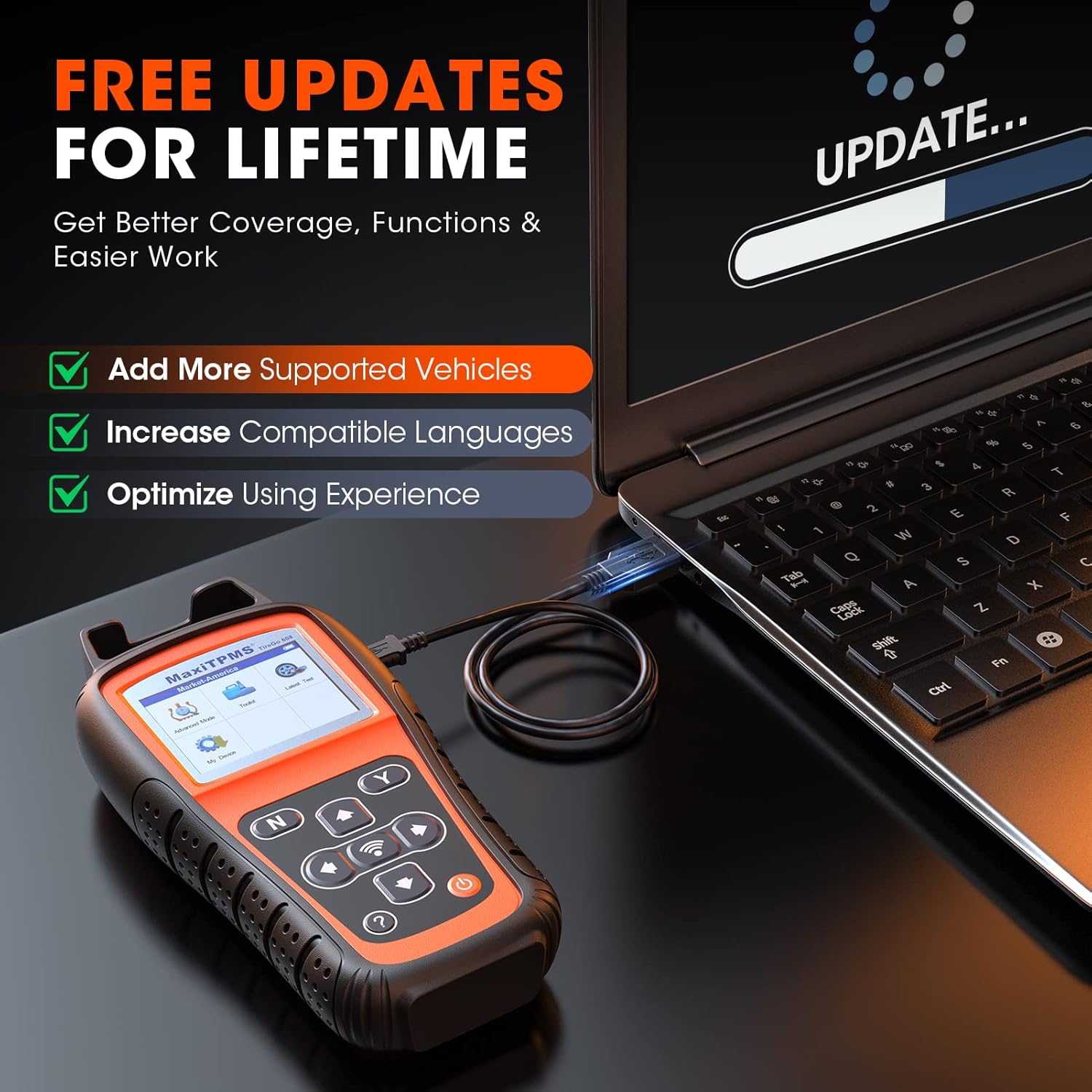
Figure 3.1: Performing a software update.
4. Operating Instructions
This section details the primary functions of the OTOFIX TireGo 608.
4.1 TPMS Sensor Activation
This function allows you to activate TPMS sensors and read their data.
- From the main menu, select the 'Activate' option.
- Position the tool near the tire valve stem.
- Press the activation button on the tool. The tool will display sensor ID, tire pressure, temperature, battery status, and frequency.
- Repeat for all vehicle tires.

Figure 4.1: TPMS sensor activation process.

Figure 4.2: Real-time sensor data display during activation.
4.2 MX-Sensor Programming
The TireGo 608 supports three methods for programming OTOFIX MX-Sensors:
- Auto Create (1-16): This method automatically generates new sensor IDs and programs them into up to 16 MX-Sensors simultaneously.
- Copy by Activation: This method copies the ID from an existing, activated sensor (e.g., a faulty sensor) directly to a new MX-Sensor.
- Manual Create: This method allows you to manually input an existing sensor's ID into a new MX-Sensor.
Note: Only OTOFIX MX-Sensors can be programmed with this tool.

Figure 4.3: MX-Sensor programming options.
4.3 TPMS Relearn Procedures
After replacing or programming TPMS sensors, a relearn procedure is necessary to link the new sensor IDs to the vehicle's Engine Control Unit (ECU). The TireGo 608 provides two methods:
- Automatic Relearn: For vehicles equipped with an automatic sensor relearn system. The tool will guide you through the vehicle-specific steps.
- Stationary Relearn: For vehicles that require a stationary relearn procedure. The tool will provide instructions on how to enter the vehicle's stationary relearn mode.
Follow the on-screen instructions carefully for successful relearning.

Figure 4.4: Two sensor relearn methods.
4.4 Key Fob Test
To test a key fob, select the 'Key Fob Test' option from the main menu and follow the on-screen prompts to check its signal strength and functionality.
5. Maintenance
To ensure optimal performance and longevity of your OTOFIX TireGo 608, adhere to the following maintenance guidelines:
- Software Updates: Regularly connect the device to a computer with internet access to download and install the latest software updates. OTOFIX provides lifetime free updates, which include new vehicle coverage, added functions, and bug fixes.
- Cleaning: Use a soft, dry cloth to clean the device. Avoid using abrasive cleaners or solvents.
- Storage: Store the device in its protective case in a cool, dry place when not in use.
- Battery Care: Avoid fully discharging the battery frequently. Charge the device regularly, even if not in constant use, to maintain battery health.
6. Troubleshooting
If you encounter issues with your OTOFIX TireGo 608, consider the following common solutions:
- Device Not Powering On: Ensure the battery is charged. Connect the device to a power source and attempt to power on again.
- Sensor Not Activating: Verify the tool is positioned correctly near the valve stem. Ensure the sensor is functional and within the tool's supported frequency range (315MHz/433MHz).
- Programming Failure: Confirm you are using OTOFIX MX-Sensors. Check for any error messages on the screen and follow recommended actions.
- Relearn Procedure Fails: Ensure all steps for the specific vehicle's relearn procedure are followed precisely. Consult the vehicle's service manual if necessary.
- Software Issues: Perform a software update to resolve potential bugs or compatibility issues.
For persistent issues, please contact OTOFIX technical support.
7. Specifications
| Feature | Detail |
|---|---|
| Brand | OTOFIX |
| Model Number | TireGo608 |
| Item Weight | 1.57 Kilograms |
| Package Dimensions | 33 x 26.9 x 10.6 cm |
| Battery | 1 Lithium-ion (included) |
| Power Source | Corded Electric |
| Screen Size | 2.8 Inches |
| UPC | 850051166374 |
8. Warranty and Support
OTOFIX is committed to providing reliable products and customer support.
- Product Warranty: The OTOFIX TireGo 608 comes with a 2-year quality guarantee.
- Return and Replacement Policy: A 30-day return and replacement policy is available.
- Lifetime Free Updates: Enjoy complimentary software updates for the lifetime of the product, ensuring access to the latest features and vehicle coverage.
- Technical Assistance: Expert technical assistance is available. For support, please refer to the contact information provided with your product or on the official OTOFIX website.

Figure 8.1: OTOFIX commitment to service and support.


