
Introduction
Thank you for choosing the Wonfoucs Compatible Tepra Tape Cartridge. This manual provides essential information for the proper setup, operation, and maintenance of your tape cartridges. Our 24mm white tape with black text (models SS24K, ES24K) is designed for compatibility with various Kingjim TepraPRO label printers, including SR750, SR950, SR970, SR3900C, SR3900P, and SR5900P. Each cartridge offers 8 meters of tape, providing a reliable and cost-effective labeling solution.
Setup
Follow these steps to correctly install the tape cartridge into your compatible Kingjim TepraPRO label printer:
- Open the Printer Cover: Ensure your label printer is turned off. Locate and open the tape cartridge compartment cover on your printer.
- Prepare the Tape Cartridge: Before insertion, ensure there is no slack in the tape. If there is any looseness, gently turn the gear on the cartridge in the direction of the arrow until the tape is taut. This prevents jamming and ensures proper printing.
- Insert the Cartridge: Align the Wonfoucs tape cartridge with the guides inside the printer's compartment. Gently push the cartridge firmly into place until it clicks.
- Close the Printer Cover: Close the tape compartment cover securely.
- Power On: Turn on your label printer. It should now recognize the new tape cartridge.

Image: A Wonfoucs compatible Tepra tape cartridge being inserted into a label printer, demonstrating the correct installation process.

Image: A diagram illustrating how to tighten any slack in the tape by turning the gear on the cartridge, with a red 'X' for incorrect slack and a green checkmark for correct tautness.
Operating Instructions
Once the tape cartridge is installed, you can begin creating labels. Refer to your specific Kingjim TepraPRO label printer's manual for detailed printing instructions. The Wonfoucs tape is designed for clear, durable printing and easy application.
- Clear Printing: The tape ensures sharp, legible text, making your labels easy to read.
- Easy Peeling: The backing paper features a central cut, allowing for effortless peeling and quick application.
- Versatile Applications: This tape is suitable for a wide range of uses, including organizing folders, managing cables, labeling storage containers, identifying items in the kitchen, and creating custom labels for various purposes.
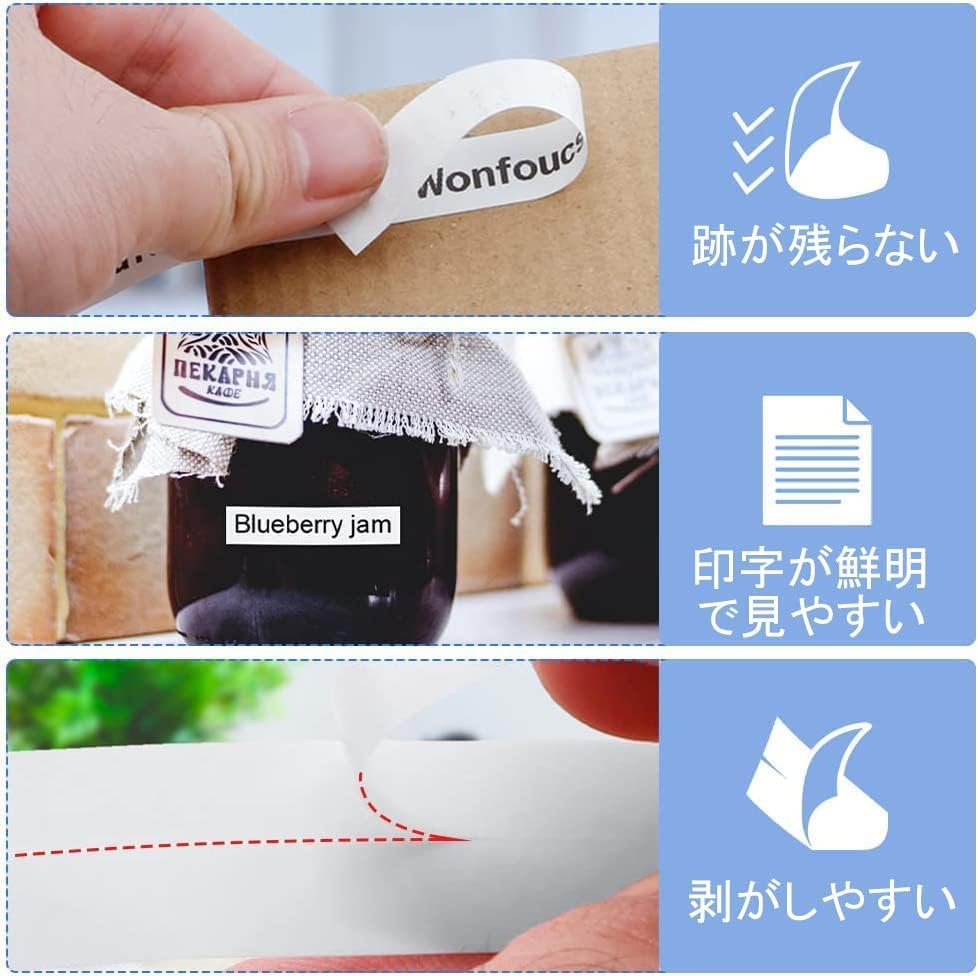
Image: A hand demonstrating the easy peeling of a label from its backing, highlighting the clear print and the split backing for convenience.
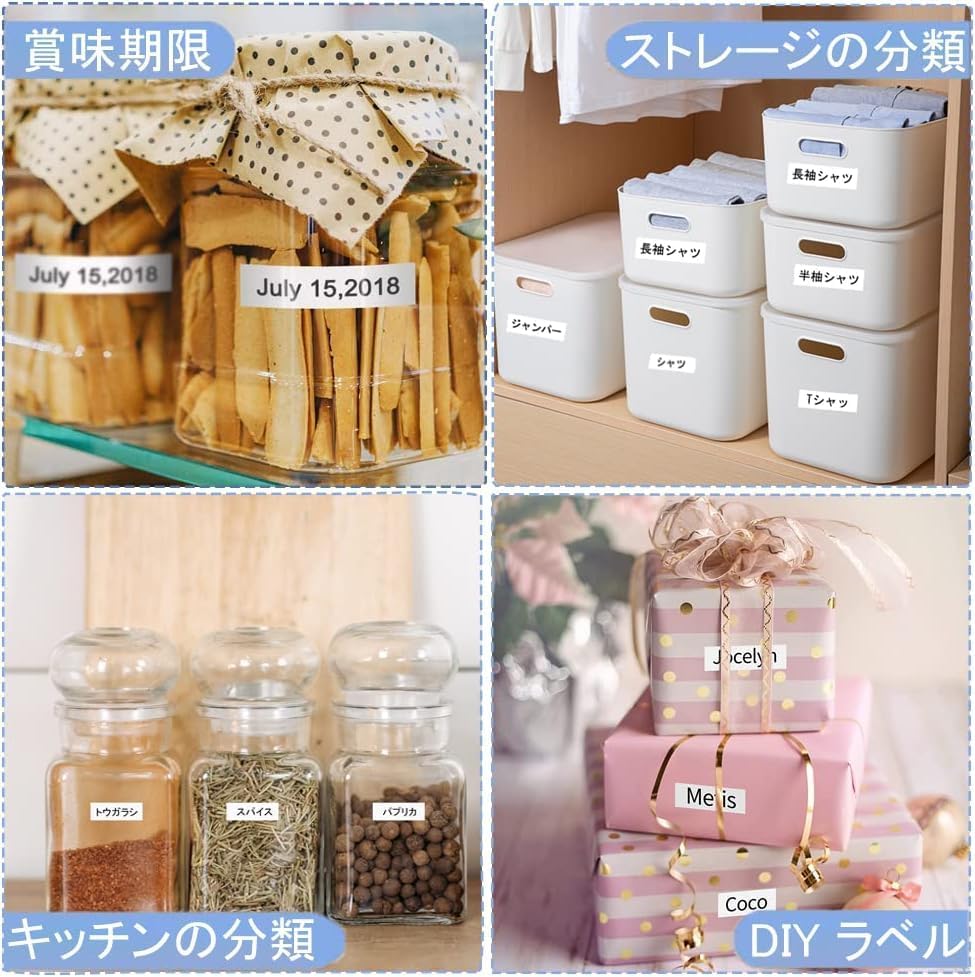
Image: A collage showing labels applied to various items such as food jars, storage boxes, and gift wrapping, illustrating the tape's versatility.

Image: A collage showcasing labels used for practical organization, including asset management on a laptop hub, file organization, medication labeling, and desk item identification.
Maintenance
The Wonfoucs compatible Tepra tape is designed for durability and requires minimal maintenance. To ensure optimal performance and longevity of your labels:
- Storage: Store unused tape cartridges in a cool, dry place away from direct sunlight and extreme temperatures.
- Label Durability: Labels created with this tape are resistant to peeling, water, high/low temperatures, and fading from strong sunlight. They are also resistant to corrosion and abrasion, making them suitable for both indoor and outdoor use.
- Cleaning: If labels become dirty, gently wipe them with a damp cloth. Avoid harsh chemicals that may damage the print or adhesive.

Image: A visual representation of the tape's robust features, including resistance to high temperatures (kettle), low temperatures (ice), strong adhesion (coffee cups), fading (mailbox), water (faucet), corrosion (chemical bottles), and abrasion (wiping a window).
Troubleshooting
If you encounter issues while using your Wonfoucs compatible Tepra tape, consider the following:
- Poor Print Quality or Fading:
- Ensure the tape cartridge is fully inserted and seated correctly in the printer.
- Check if there is any slack in the tape within the cartridge. If so, gently turn the gear to tighten it before re-inserting.
- Clean the print head of your label printer according to its manufacturer's instructions.
- Tape Jams:
- Verify that the tape is not loose inside the cartridge.
- Ensure no foreign objects are obstructing the tape path in the printer.
- Remove and re-insert the cartridge, ensuring it clicks into place.
- Labels Not Peeling Easily:
- Confirm you are using the central cut on the backing paper for easier removal.
- Ensure the labels are fully cut by the printer's cutter.
Specifications
| Brand | Wonfoucs |
| Model Numbers | SS24K, ES24K |
| Color | White Tape with Black Text |
| Material | Paper |
| Tape Width | 24mm |
| Tape Length | 8m |
| Unit Count | 3 per pack |
| Compatible Printers | Kingjim TepraPRO SR750, SR950, SR970, SR3900C, SR3900P, SR5900P, and other models. |
| Package Dimensions | 21.2 x 8.9 x 4 cm |
| Package Weight | 200 g |
| ASIN | B0C9CCXTYV |
Warranty
Wonfoucs is committed to providing high-quality products and customer satisfaction. Our compatible tape cartridges come with a permanent warranty. In the unlikely event of any product defect or incompatibility, we offer a free product exchange. Please contact our support team for assistance.
Support
For further assistance, questions, or to report any issues with your Wonfoucs compatible Tepra tape cartridges, please contact the seller directly through the platform where you made your purchase. Provide your order details and a description of the issue for prompt support.