
Introduction
This manual provides comprehensive instructions for the ACASIS 2.5" External Hard Drive Enclosure. This device allows you to easily connect a 2.5-inch SATA I/II/III HDD or SSD to your computer, gaming console, or other compatible devices via USB 3.0. It supports data transfer speeds up to 5Gbps and features UASP protocol for enhanced performance. The enclosure is designed for tool-free installation and offers robust protection for your drive.
Package Contents
Please verify that all items listed below are included in your package:
- 1x ACASIS 2.5" SATA Enclosure
- 1x 19-inch USB 3.0 to Micro-B Data Cable
- 1x User Manual

Image: Contents of the ACASIS 2.5" Hard Drive Enclosure package, showing the enclosure, data cable, and user manual.
Setup Guide
Follow these steps to install your 2.5-inch HDD or SSD into the enclosure:
- Open the Enclosure: Gently slide open the enclosure cover. The design allows for easy, tool-free access.
- Insert the Drive: Align your 2.5-inch SATA HDD or SSD (7mm or 9.5mm thickness) with the SATA connector inside the enclosure. Push the drive firmly but gently until it is securely seated. The enclosure features a finger buckle design for easy insertion and removal.
- Close the Enclosure: Slide the cover back into place until it clicks, ensuring the drive is fully enclosed and protected.
- Connect to Device: Use the provided USB 3.0 to Micro-B cable to connect the enclosure to a USB port on your computer, laptop, gaming console (PS4, PS5, Xbox), or smart TV.

Image: Exploded view demonstrating the simple, tool-free installation of a 2.5-inch SSD or HDD into the ACASIS enclosure.

Image: A comparison illustrating the ACASIS enclosure's finger buckle design, which facilitates easy removal of the hard drive, unlike other enclosures.
Operating Instructions
Once connected, the enclosure is plug-and-play, requiring no additional drivers for most operating systems. Your device should recognize the connected drive automatically.
- Data Transfer: The enclosure supports USB 3.0 for high-speed data transfer up to 5Gbps. With UASP (USB Attached SCSI Protocol) support, speeds can reach up to 6Gbps, significantly reducing transfer times for large files. It is backward compatible with USB 2.0 and 1.1 ports.
- RGB Light Strip: The integrated RGB light strip indicates the working status of the hard drive. It displays different colorful lights during operation, providing visual feedback.
- Universal Compatibility: The enclosure is compatible with Windows, LINUX, and MacOS 8.0 and above. It can be used with personal computers, laptops, gaming consoles (PS4, PS5, Xbox), and other devices that support external storage.

Image: The ACASIS enclosure connected to a laptop, highlighting its USB 3.0 and UASP capabilities for significantly faster data transfer speeds compared to USB 2.0.

Image: A visual representation of the enclosure's broad compatibility with devices like PCs, TVs, and PS5, and operating systems including Windows, Linux, and MacOS, supporting both SSD and HDD.
Maintenance
To ensure the longevity and optimal performance of your ACASIS Hard Drive Enclosure, please follow these maintenance guidelines:
- Cleaning: Use a soft, dry cloth to wipe the exterior of the enclosure. Avoid using liquid cleaners or abrasive materials, as they may damage the surface.
- Protection: The enclosure is built with high-quality ABS plastic and includes a built-in EVA foam pad to protect the drive from shocks and vibrations. However, avoid dropping the enclosure or subjecting it to excessive force.
- Storage: When not in use, store the enclosure in a cool, dry place away from direct sunlight and extreme temperatures.

Image: A detailed view of the enclosure's internal chip, emphasizing its built-in protections against over-voltage, over-current, and overheating to ensure stable and safe operation.
Troubleshooting
If you encounter issues with your ACASIS Hard Drive Enclosure, please refer to the following common problems and solutions:
- Drive Not Detected:
- Ensure the hard drive is correctly seated within the enclosure.
- Try connecting the enclosure to a different USB port on your device.
- Test with a different USB cable if available.
- Verify the hard drive itself is functional by testing it in another enclosure or directly connecting it to a system if possible.
- For new drives, ensure they are initialized and formatted in your operating system's Disk Management (Windows) or Disk Utility (macOS).
- Slow Data Transfer Speeds:
- Ensure you are connected to a USB 3.0 port on your computer. USB 2.0 ports will result in significantly lower speeds.
- Verify your operating system and drivers support UASP.
- Check the health of your hard drive; a failing drive can cause slow performance.
- Frequent Disconnections:
- Ensure the USB cable is securely connected at both ends.
- Try a different USB port or a different USB cable.
- Avoid placing the enclosure near strong electromagnetic interference.
Specifications
| Feature | Detail |
|---|---|
| Model Number | 2.5'' Hard Drive Eclosure |
| Compatible Drive Type | 2.5-inch SATA I/II/III HDD & SSD (7mm/9.5mm) |
| Max Storage Capacity | Up to 6 TB |
| Hardware Interface | USB 3.0 (Micro-B) |
| Data Transfer Rate | 5 Gbps (USB 3.0), up to 6 Gbps (UASP) |
| Compatible Devices | Personal Computer, Laptop, Gaming Console (PS4, PS5, Xbox), Smart TV |
| Compatible Systems | Windows, LINUX, MacOS 8.0 and above |
| Material | Acrylonitrile Butadiene Styrene (ABS) |
| Dimensions | 4.9 x 0.5 x 0.3 inches |
| Item Weight | 3.52 ounces (0.1 Kilograms) |
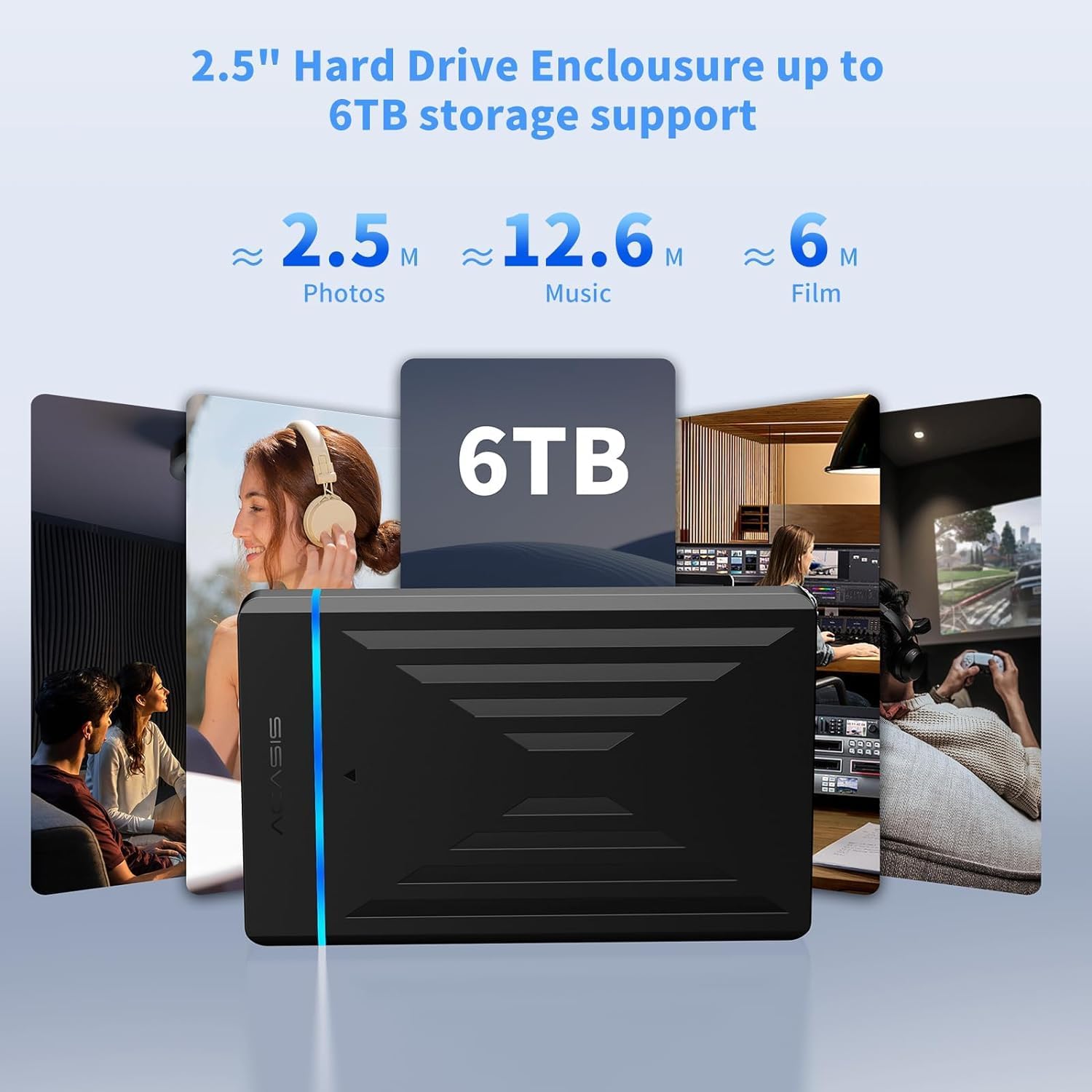
Image: The enclosure's capability to support up to 6TB of storage, illustrating the vast amount of photos, music, and films that can be stored.
Warranty and Support
ACASIS provides an 18-month warranty for this product, ensuring peace of mind regarding its quality and performance.
For technical assistance, customer service, or warranty claims, please contact ACASIS support:
- Email: support@acasis.com
- Service Hours: 24 hours, 7 days a week
ACASIS is committed to 100% customer satisfaction and offers dedicated technical support to address any concerns you may have.