
Agreago GC777
Agreago Projector User Manual
Model: GC777
Introduction
This manual provides comprehensive instructions for the setup, operation, and maintenance of your Agreago Projector. Designed for both indoor and outdoor use, this portable projector offers a native 1080P Full HD resolution with 4K support, 5G WiFi, and Bluetooth 5.2 connectivity, delivering a superior home theater experience.
Key features include a 14000L display, 15000:1 contrast ratio, 3LCD color calibration, and a high-refraction 6-layer glassed lens for clear, eye-caring images. Its compact design and included 100-inch screen make it ideal for various entertainment and presentation needs.
What's in the Box
Upon opening the package, please verify that all the following items are included:
- Agreago Projector (Model: GC777)
- Projector Screen (100-inch)
- Remote Control
- Power Cord
- HDMI Cable
- User Manual (this document)
Setup
1. Placement
Position the projector on a stable, flat surface such as a table, or mount it on a tripod or ceiling. Ensure there is adequate ventilation around the unit.

Image: The Agreago Projector, showcasing its compact design and the variety of content it can display, including movies, sports, and streaming services.

Image: Illustration demonstrating flexible placement options (table, tripod, ceiling mount) and the scalable projection size from 40 to 300 inches, depending on distance.
2. Power Connection
Connect the provided power cord to the projector's power input and then to a standard electrical outlet.
3. Screen Setup (Optional)
If using the included 100-inch projector screen, unfold it and hang it in your desired viewing area. Ensure it is taut and free of wrinkles for optimal image quality.

Image: The Agreago Projector positioned next to its included 100-inch portable screen, highlighting its neat and portable design for outdoor use.
Operating Instructions
1. Power On/Off
Press the power button on the projector or the remote control to turn the unit on or off.
2. Focus and Keystone Correction
Adjust the focus ring on the projector lens until the image is clear. Use the keystone correction feature (if available via menu or physical dial) to correct trapezoidal distortion if the projector is not perfectly perpendicular to the screen.
3. Connectivity Options
The projector supports various input sources:
- HDMI: Connect devices like TV sticks, laptops, gaming consoles (Xbox, PS5) using the HDMI ports.
- USB: Play media directly from a USB disk.
- AV: Connect older devices using the AV port.
- Audio Out: Connect external speakers or headphones via the 3.5mm audio jack.

Image: The projector highlighting its compatibility with multiple devices through various interfaces including Audio, AV, Smartphone, Tablet, Laptop, Speakers, USB, HDMI, USB Disk, TV Stick, Chromecast, and Xbox/PS5.
4. Wireless Connections (WiFi & Bluetooth)
The projector features 5G and 2.4G Dual-Band WiFi for faster and smoother screen mirroring, and Bluetooth 5.2 for audio output.
- WiFi Connection:
- Navigate to the WiFi settings in the projector's menu.
- Select your desired 5G or 2.4G network and enter the password.
- Once connected, you can mirror your smartphone (iOS/Android) or Windows device screen wirelessly.
- Bluetooth Connection:
- Go to the Bluetooth settings in the projector's menu.
- Enable Bluetooth and search for available devices.
- Select your Bluetooth speaker or headphones to pair and enjoy enhanced audio.

Image: Visual representation of the faster and smoother wireless speed provided by 5G WiFi compared to 2.4GHz, with a projector mirroring a smartphone screen.

Image: The projector surrounded by various audio devices, emphasizing its Bluetooth 5.1 functionality for high-quality sound output.
5. Image Adjustment
- Zoom Function: Adjust the image size from 100% down to 50% using the zoom feature in the menu, allowing for flexible screen sizing without moving the projector.
- Native 1080P Display: The projector provides a true 1920x1080 resolution for vivid and sharp images.
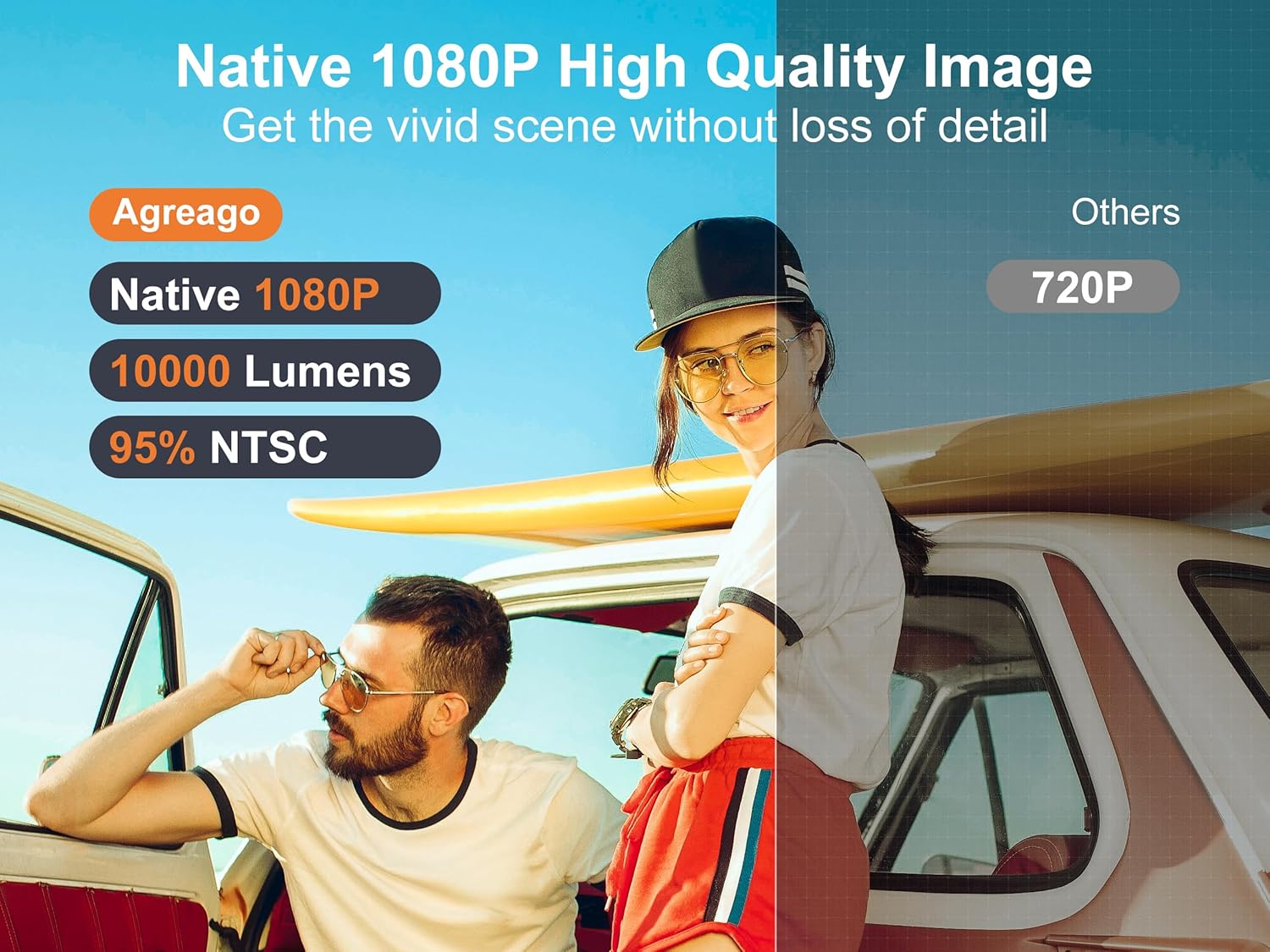
Image: A side-by-side comparison illustrating the superior clarity and detail of Agreago's Native 1080P image quality compared to a standard 720P projector.
6. Audio Output
The projector features built-in 5W dual stereo speakers with an SRS sound system. For louder or external audio, connect Bluetooth speakers or use the 3.5mm audio out port.
7. Sleep Timer
Utilize the auto sleep timer function for convenience, especially during movie nights or when using the projector in a bedroom setting.
Maintenance
Proper maintenance ensures the longevity and optimal performance of your projector.
- Lens Cleaning: Gently wipe the projector lens with a soft, lint-free cloth designed for optical surfaces. Avoid abrasive materials or harsh chemicals.
- Ventilation: Ensure the projector's ventilation ports are clear of dust and obstructions. Do not block the air vents during operation.
- Storage: When not in use, store the projector in a cool, dry place, away from direct sunlight and extreme temperatures.
Troubleshooting
If you encounter issues with your projector, please refer to the following common solutions:
| Problem | Possible Cause / Solution |
|---|---|
| No Image / "No Signal" |
|
| Blurry Image |
|
| No Sound |
|
| WiFi Connection Issues |
|
Specifications
| Feature | Detail |
|---|---|
| Brand | Agreago |
| Model Number | GC777 |
| Native Resolution | 1920 x 1080 (Native 1080P) |
| Supported Resolution | 4K Supported |
| Brightness | 14000L |
| Contrast Ratio | 15000:1 |
| Connectivity Technology | WiFi (5G & 2.4G Dual-Band), Bluetooth 5.2, HDMI, USB, AV, 3.5mm Audio Jack |
| Projection Size | 40" - 300" (Optimal 100") |
| Zoom Function | 100%-50% |
| Built-in Speakers | 5W Dual Stereo Speakers with SRS Sound System |
| Lamp Life | 60,000 Hours (approx.) |
| Product Dimensions | 8.27 x 6.5 x 3.35 inches |
| Item Weight | 4.31 pounds |
Warranty and Support
Agreago is committed to providing high-quality products and excellent customer service. For any questions, technical assistance, or warranty inquiries, please contact our support team.
Online Support: Visit agreago.com
Email Support: support@agreago.com
Please retain your purchase receipt for warranty purposes.
Related documentsGC777


Ask a question about this manual
Ask about setup, troubleshooting, compatibility, parts, safety, or missing instructions. Manuals+ will review the question and use this page’s manual context to help answer it.