
1. Introduction
This manual provides comprehensive instructions for the installation and proper use of the Segway Navimow Antenna Extension Cable HA103. This cable is designed to extend the reach of your Navimow GNSS antenna, ensuring optimal signal reception for precise robotic mower operation. Please read this manual carefully before installation to ensure correct setup and to prevent potential issues.
2. Product Overview
The Segway Navimow Antenna Extension Cable HA103 is an essential accessory for optimizing the placement of your Navimow GNSS antenna. It allows for flexible installation on walls or roofs, providing an unobstructed view of the sky for improved signal stability.
2.1 Key Features
- Extended Reach: Provides 393.7 inches (10 meters) of additional cable length.
- Durable Construction: Made with Polyvinyl Chloride (PVC) outer material for outdoor use.
- Tangle-Free Design: Special feature to prevent tangling during installation and use.
- UL Certified: Meets UL specifications for safety and quality.
2.2 Package Contents
- Antenna Extension Cable (393.7 inches) x 1
2.3 Compatible Models
This antenna extension cable is compatible with the following Segway Navimow robotic mower models:
- Navimow H800N-VF
- Navimow H1500N-VF
- Navimow H3000N-VF
- Navimow i105N
- Navimow i110N
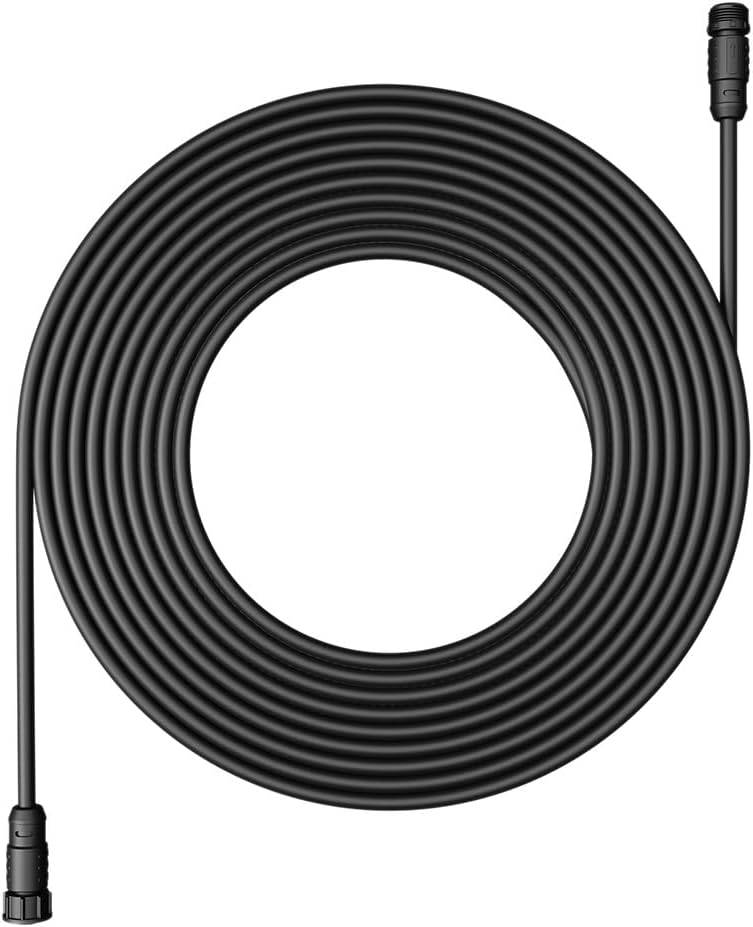
Image 1: Segway Navimow Antenna Extension Cable HA103
3. Installation
Proper installation of the GNSS antenna is critical for the accurate operation of your Navimow robotic mower. The extension cable allows for flexible placement to achieve an optimal, unobstructed view of the sky.
3.1 General Guidelines
- Ensure the antenna is pointing upwards and has a 110° view of the sky.
- The overall antenna extension must not exceed 1181.1 inches (30 meters). Exceeding this limit may lead to a weak signal and impaired mower performance.
3.2 Installing the GNSS Antenna on a Wall or Roof
For detailed visual instructions on mounting the GNSS antenna on a wall or roof, please refer to the video below:
Video 1: How to Install GNSS Antenna on the Wall or Roof. This video demonstrates the steps for securely attaching the GNSS antenna to an elevated surface using the extension kit.
Key steps from the video:
- Unpack the antenna extension kit.
- Assemble the antenna and the pole.
- Mount the antenna assembly on the chosen wall or roof location, ensuring it has a clear 110° view of the sky.
- Secure the base using appropriate fasteners.
- Connect the extension cable to the antenna and route it to the charging station.
Caution: When mounting the antenna on a roof, exercise extreme care and consider contacting a technical support personnel if needed for safety.
3.3 Installing the GNSS Antenna on the Ground
For detailed visual instructions on installing the GNSS antenna on the ground, please refer to the video below:
Video 2: How to Install the GNSS Antenna on the Ground. This video guides you through the process of setting up the GNSS antenna at ground level.
Key steps from the video:
- Bring the antenna kit to the desired location.
- Assemble the antenna kit according to the Quick Start Guide.
- Ensure the ground is flat and free of barriers or obstacles. Leave an empty space of a 2-meter radius minimum around the antenna.
- Place the charging station on the lawn.
- Connect the antenna cable and the power supply cable tightly to the charging station.
- Use the extension cable to place the antenna somewhere unobstructed and with a broader view (within 30 meters of the charging station).
- Plug in the power supply.
- If the GPS signal is stable, the lights on the charging station and the mower will turn green (or blue if the mower is not on the charging station).
- Anchor the charging station to the ground using the provided Allen wrench and screws.
4. Operating Instructions
Once the antenna extension cable and GNSS antenna are properly installed and connected, your Navimow robotic mower will utilize the enhanced signal for navigation. No specific operating steps are required for the cable itself beyond ensuring a secure and stable connection.
- Ensure all connections are tight and free from damage.
- Avoid placing heavy objects on the cable or bending it sharply, as this can damage the internal wiring.
5. Maintenance
Regular inspection of the antenna extension cable can help prolong its lifespan and ensure consistent performance of your Navimow system.
- Visual Inspection: Periodically check the entire length of the cable for any signs of wear, cuts, kinks, or damage.
- Connection Check: Ensure that the connectors at both ends of the cable (to the antenna and the charging station) remain securely fastened.
- Cleaning: If the cable becomes dirty, gently wipe it with a damp cloth. Avoid using harsh chemicals or abrasive materials.
- Environmental Protection: While the cable is designed for outdoor use, extreme weather conditions (e.g., severe storms, prolonged freezing temperatures) may warrant additional protection or temporary relocation if possible.
6. Troubleshooting
If you experience issues with your Navimow robotic mower's navigation after installing the extension cable, consider the following troubleshooting steps:
- Weak Signal: If the mower reports a weak GNSS signal, verify that the total length of the antenna extension does not exceed 1181.1 inches (30 meters). Excessive length can degrade signal quality.
- Antenna Placement: Confirm that the GNSS antenna has a clear, unobstructed 110° view of the sky. Relocate the antenna if necessary to avoid interference from trees, buildings, or other tall structures.
- Cable Connections: Double-check all cable connections to ensure they are tight and properly seated. A loose connection can interrupt the signal.
- Cable Damage: Inspect the extension cable for any visible damage. A damaged cable may need to be replaced.
- Mower Status: Refer to your Navimow robotic mower's main user manual or app for specific error codes or diagnostic information related to GNSS signal.
7. Specifications
| Attribute | Value |
|---|---|
| Brand | Segway |
| Model Name | HA103 |
| Product Dimensions | 393.7 x 0.67 x 0.67 inches (10 meters length) |
| Item Weight | 14.4 ounces |
| Color | Black |
| Outer Material | Polyvinyl Chloride (PVC) |
| Special Feature | Tangle Free |
| Specification Met | UL |
| Indoor/Outdoor Usage | Outdoor |
| UPC | 841450001274 |
8. Support
For further assistance, technical support, or warranty inquiries regarding your Segway Navimow Antenna Extension Cable HA103, please contact Segway customer service or visit the official Segway Navimow website.
You can also refer to the FAQs section on the official website or use the Live Chat feature via the Navimow app for immediate support.