
1. Introduction
This manual provides essential information for the proper setup, operation, and maintenance of your ELP Dual Lens USB Camera Module (Model ELP-USB960P2CAM-V90). This high-speed 960P camera module is designed for various applications requiring synchronized dual-lens imaging, offering clear and accurate visual data. Please read this manual thoroughly before using the product to ensure optimal performance and safety.
Key Features:
- Dual camera synchronization for stereo imaging.
- Equipped with a 1/3" OV9750 Sensor.
- Supports 2560x960 resolution at 60 frames per second (fps).
- Video compression format: MJPEG.
- Features a 90-degree M9 Lens with a horizontal field of view (HFOV) of approximately 77 degrees.
- Compact size: 80mm x 16.5mm.
- Suitable for 3D camera and distance measuring device development, as well as biometric retina applications.
- UVC compliant, supporting Windows, Linux, and Android operating systems.
2. What's in the Box
- 1 x ELP Dual Lens USB Camera Module
- 1 x USB Cable
- 1 x User Manual
3. Safety Information
Please use the ELP 960P Dual Lens USB Camera 3D Stereo Webcam Board for Computer Raspberry Pi AR0330 Binocular USB2.0 PC Camera Mini UVC USB Security Camera Laser Engraver Lightburn Camera strictly according to the guidelines provided in this user manual. Ensure proper handling to prevent damage to the device or injury.
4. Setup Instructions
The ELP Dual Lens USB Camera Module is designed for plug-and-play operation, making setup straightforward.
- Connect the Camera: Locate an available USB port on your computer, laptop, Raspberry Pi, or Android device. Connect the provided USB cable to the camera module and then to the USB port on your host device.
- Driver Installation: As a UVC (USB Video Class) compliant device, no additional drivers are typically required. Your operating system (Windows, Linux, Android, macOS) should automatically recognize and install the necessary drivers.
- Software Usage: Open a compatible camera application or testing software (e.g., PotPlayer, AMCap, QuickTime on Mac) on your host device. Select the '3D USB Camera' or similar device from the list of available video capture devices.
- Configure Settings: Within the software, you can configure camera settings such as resolution and frame rate. For optimal performance, select MJPEG 2560x960 at 60fps.


5. Operating Instructions
Once connected and recognized by your system, the camera module can be operated through your chosen software.
- Live View: Most camera applications will provide a live preview from both lenses simultaneously. This allows for real-time monitoring and adjustment.
- Resolution and Frame Rate: Adjust these settings within your software to match your application's requirements. The module supports up to 2560x960 at 60fps in MJPEG format for smooth, high-definition video.
- Dual Lens Synchronization: The camera provides synchronized images from both lenses, crucial for 3D applications, distance measurement, and other binocular vision tasks.
- Wide Angle and Low Distortion: The 90-degree M9 lenses offer a wide field of view with minimal distortion, ensuring accurate representation of the captured scene.


Video Demonstration:
6. Maintenance
To ensure the longevity and optimal performance of your camera module, follow these maintenance guidelines:
- Cleaning: Use a soft, dry cloth to gently clean the lenses and the module's surface. Avoid using harsh chemicals or abrasive materials that could scratch the lenses or damage the electronic components.
- Storage: Store the camera module in a cool, dry place away from direct sunlight, extreme temperatures, and high humidity.
- Handling: Handle the module with care to avoid physical impact or bending the circuit board.
7. Troubleshooting
If you encounter issues with your ELP Dual Lens USB Camera Module, refer to the following common troubleshooting steps:
- Camera Not Detected:
- Ensure the USB cable is securely connected to both the camera module and the host device.
- Try connecting the camera to a different USB port or a different host device to rule out port or device issues.
- Verify that your operating system is up-to-date.
- Poor Image Quality/Distortion:
- Ensure the lenses are clean and free from dust or smudges.
- Check the lighting conditions. Adequate and even lighting is crucial for good image quality.
- Verify the resolution and frame rate settings in your camera software.
- Software Issues:
- Try using a different camera application to see if the issue persists.
- Ensure your camera software is updated to the latest version.
Video Demonstration:
8. Specifications
| Brand Name | ELP |
| Item Model Number | ELP-USB960P2CAM-V90 |
| Product Dimensions | 3.17 x 0.65 x 0.81 inches |
| Item Weight | 3.17 ounces |
| Color Name | 960P Synchronization |
| Special Features | 960p, Lightweight, camera with UVC for computer, laptop, pc, dual lens synchronization, mini size |
| Photo Sensor Technology | CMOS |
| Video Capture Resolution | 960p |
| Maximum Focal Length | 40000 Millimeters |
| Flash Memory Type | Micro SD |
| Video Capture Format | M-JPEG |
| Connectivity Technology | USB |
9. Applications
The ELP Dual Lens USB Camera Module is versatile and can be used in a wide range of applications:
- 3D Camera & Distance Measuring: Ideal for developing 3D vision systems and devices that require precise depth perception.
- Biometric Retina: Suitable for advanced biometric identification systems.
- Laser Engraver & 3D Printer Monitoring: Provides high-speed, synchronized views for precise monitoring of industrial processes.
- Robotics Projects: Can be integrated into robotic systems for machine vision, navigation, and object recognition.
- Classroom Teaching: Useful for educational demonstrations and interactive learning environments.
- Stereo Photography: Captures dual images for creating stereo photographs.
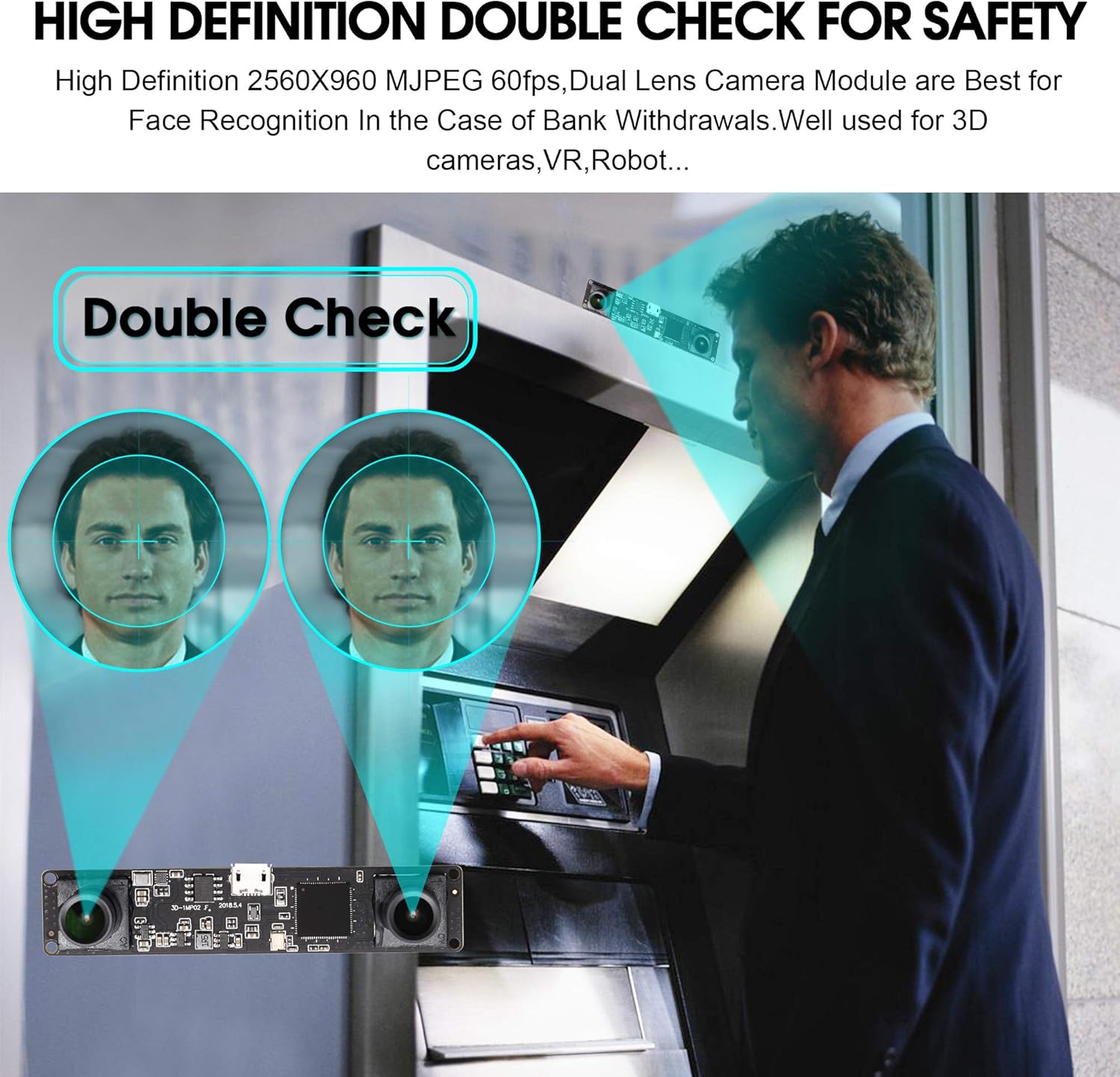
- Face Recognition: Employed in security and access control systems for accurate facial identification.
- Intelligent Driving Systems: Contributes to advanced driver-assistance systems (ADAS) for environmental perception.
- Home Security Monitoring: Can be used as a component in compact surveillance solutions.
- VR Applications: Provides synchronized input for virtual reality experiences.
Video Demonstrations:
10. Warranty and Support
For any questions or issues regarding your ELP Dual Lens USB Camera Module, please contact ELP USB CAMERA directly through your purchase platform. Refer to your purchase documentation for specific warranty details and return policies.