
1. Introduction
Thank you for choosing the MAXLANDER Fast Charger. This charger is designed to provide efficient and reliable charging for your MAXLANDER 20V Lithium-Ion batteries, specifically those used with MAXLANDER Cordless Snow Shovels (models ASYSN0225020, ASYSN0330020) and Cordless Snow Blowers (model ASYSN0150040). Please read this manual thoroughly before first use to ensure proper operation and safety.
2. Safety Information
Always observe basic safety precautions when using electrical appliances to reduce the risk of fire, electric shock, and personal injury.
- Read all instructions before using the charger.
- Do not charge any battery other than MAXLANDER 20V Lithium-Ion batteries. Charging other types of batteries may cause them to burst, leading to personal injury and damage.
- Do not expose the charger to rain or wet conditions. Water entering the charger will increase the risk of electric shock.
- Use only MAXLANDER recommended accessories. Use of any other accessory may result in a risk of fire, electric shock, or injury.
- Do not abuse the cord. Never carry the charger by the cord or yank it to disconnect from an outlet. Keep the cord away from heat, oil, sharp edges, or moving parts.
- Do not operate the charger if it has received a sharp blow, been dropped, or otherwise damaged. Take it to an authorized service center.
- Do not disassemble the charger. Take it to an authorized service center when service or repair is required. Incorrect reassembly may result in a risk of electric shock or fire.
- Unplug the charger from the outlet before attempting any maintenance or cleaning.
- Store the charger indoors in a dry place.
3. Package Contents
Ensure all items are present upon opening the package:
- 1 x MAXLANDER Fast Charger (Model: Maxlander_20V_SnowShovel_Charger)
- 1 x Instruction Manual (this document)
4. Setup
- Unpack the Charger: Carefully remove the charger from its packaging. Inspect it for any signs of damage.
- Choose a Location: Place the charger on a stable, flat, non-flammable surface in a well-ventilated area. Ensure it is away from direct sunlight, heat sources, and moisture.
- Connect to Power: Plug the charger's power cord into a standard 240V AC electrical outlet. The charger is designed for 240V input.
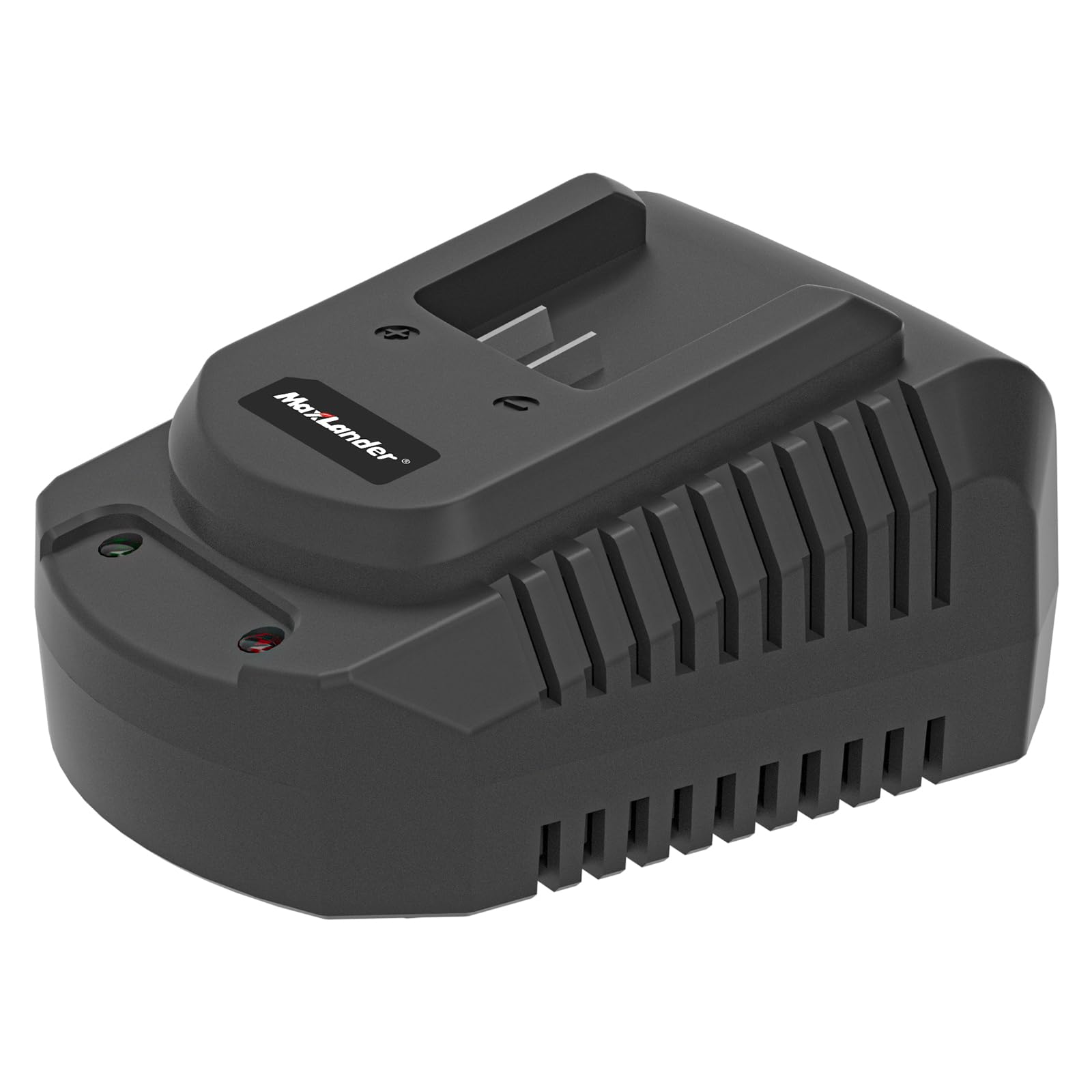
Image: The MAXLANDER Fast Charger, showing its compact design and the battery connection port. The charger is black with a proprietary connector for MAXLANDER 20V batteries.
5. Operating Instructions
Charging a Battery
- Insert Battery: Align the MAXLANDER 20V Lithium-Ion battery with the charger's port. Slide the battery into the charger until it clicks securely into place. Ensure a firm connection.
- Charging Indicator: The charger features an indicator light to show the charging status. Consult the label on your specific charger for exact light indications (e.g., red for charging, green for fully charged).
- Charging Time: Charging time will vary depending on the battery's capacity and its current charge level. The fast charger is designed to optimize charging speed.
- Remove Battery: Once the battery is fully charged (indicated by the charger light), press the battery release button (if present) and slide the battery out of the charger.
- Disconnect Charger: Unplug the charger from the power outlet when not in use.
6. Maintenance
Cleaning
- Always unplug the charger before cleaning.
- Use a soft, dry cloth to wipe the exterior of the charger.
- Do not use water, solvents, or abrasive cleaners.
- Keep the charging terminals clean and free of debris.
Storage
- Store the charger in a cool, dry place, away from direct sunlight and extreme temperatures.
- Do not store the charger with a battery inserted.
- Keep out of reach of children.
7. Troubleshooting
| Problem | Possible Cause | Solution |
|---|---|---|
| Charger indicator light does not illuminate. | No power to the charger; faulty outlet; charger malfunction. |
|
| Battery does not charge. | Battery not properly inserted; battery is faulty; charger is faulty; incompatible battery. |
|
| Charger or battery becomes excessively hot during charging. | Poor ventilation; faulty battery; charger malfunction. |
|
8. Specifications
- Brand: MAXLANDER
- Model: Maxlander_20V_SnowShovel_Charger
- Input Voltage: 240 Volts AC
- Output Voltage: 20 Volts DC
- Connector Type: Proprietary Maxlander connector
- Number of Ports: 1
- Product Dimensions: 22.9D x 10.2W x 7.6H Centimetres (approx. 9.0 x 4.0 x 3.0 inches)
- Item Weight: 0.38 Kilograms (approx. 0.84 lbs)
- Battery Cell Composition: Lithium Ion (for compatible batteries)
- Country of Origin: China
9. Warranty Information
Specific warranty details for your MAXLANDER Fast Charger may vary by region and retailer. Please refer to the warranty card included with your purchase or visit the official MAXLANDER website for the most current and detailed warranty information. Keep your purchase receipt as proof of purchase for any warranty claims.
10. Support
For technical assistance, troubleshooting beyond this manual, or to inquire about replacement parts, please contact MAXLANDER customer support. Contact information can typically be found on the product packaging, the official MAXLANDER website, or through your retailer.
When contacting support, please have your product model number (Maxlander_20V_SnowShovel_Charger) and purchase date available.