
Thermaltake CLW361PL12SWA
Thermaltake TH240 ARGB Sync V2 CPU Liquid Cooler Instruction Manual
Model: CLW361PL12SWA
1. Product Overview
The Thermaltake TH240 V2 ARGB Sync All-in-One (AIO) Liquid Cooler is designed to provide efficient cooling for your CPU while offering customizable ARGB lighting effects. This model features a new industrial cap with an infinity mirror light design, enhancing the aesthetic appeal of your PC build. It is equipped with two high-performance CT120 ARGB fans and a slim 27mm radiator with a thickened 20mm copper chamber for optimal heat dissipation. The cooler is compatible with a wide range of Intel and AMD CPU sockets, making it a versatile solution for various system configurations.

Figure 1: Thermaltake TH240 ARGB Sync V2 CPU Liquid Cooler. This image displays the complete liquid cooler unit, including the radiator with two fans, the water block, and the connecting tubes.
2. Package Contents
Before beginning installation, please verify that all components listed below are present in your package:
- TH240 V2 ARGB All-in-One Liquid Cooler Unit (Radiator, Water Block, Tubes)
- Two (2) CT120 ARGB Fans (120 x 120 x 25 mm)
- Mounting Brackets for Intel and AMD CPUs
- Thermal Paste (pre-applied or included in a tube)
- Installation Manual and Instruction Sheet
- Necessary Screws and Accessories for Installation
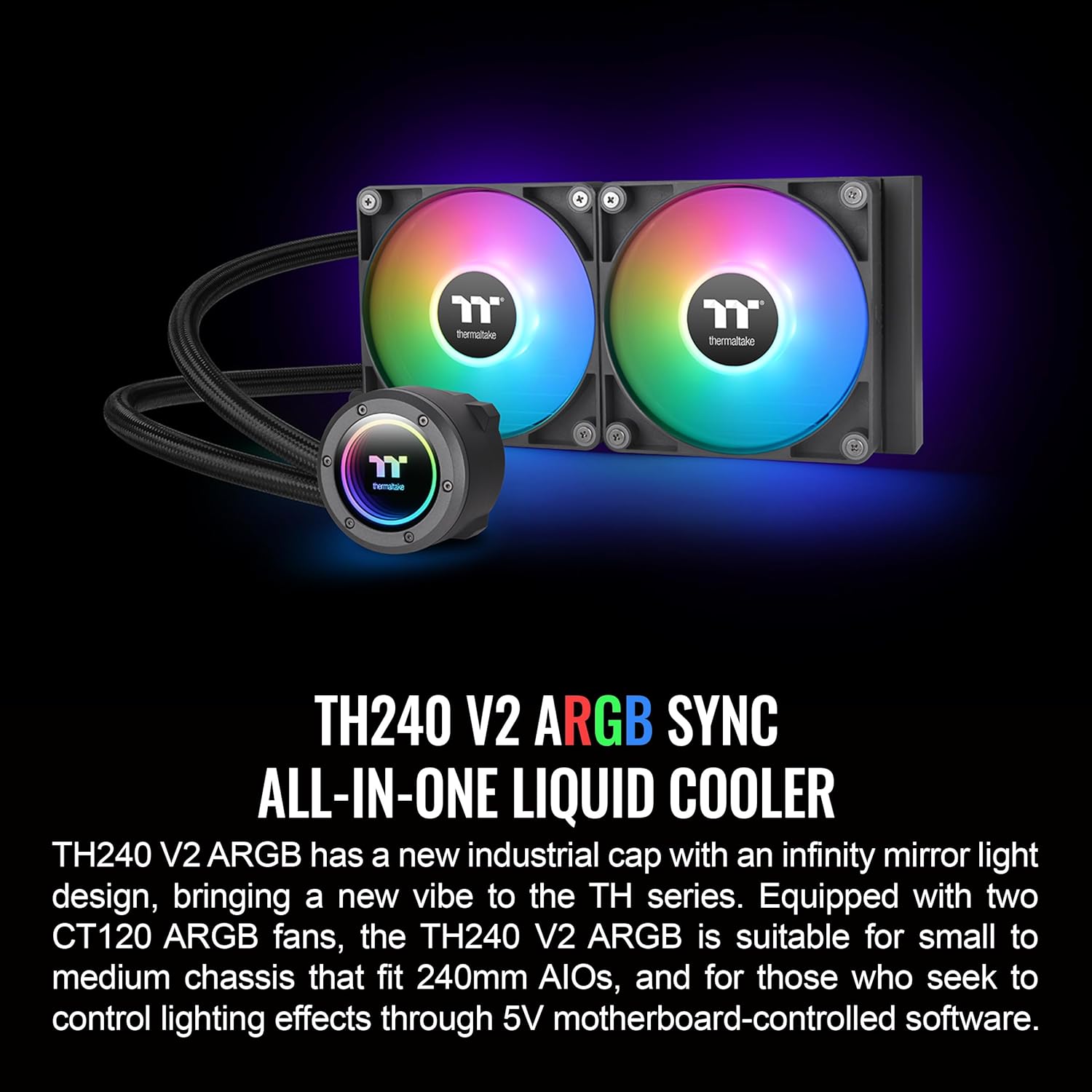
Figure 2: Key components of the TH240 V2 ARGB Sync All-in-One Liquid Cooler. This image highlights the main cooler unit with its fans and water block, emphasizing its ARGB capabilities.
3. Setup and Installation
This section provides general guidance for installing your liquid cooler. For detailed, step-by-step instructions, please refer to the included installation manual specific to your CPU socket type.
- Prepare Your System: Power off your computer and disconnect all cables. Open your PC case to access the motherboard and CPU area.
- CPU Socket Compatibility: Identify your CPU socket type (e.g., Intel LGA 1700, AMD AM5) and select the appropriate mounting brackets from the package.
- Radiator Placement: Determine the optimal location for the 240mm radiator within your PC case. Common locations include the top or front of the case, ensuring adequate airflow.
- Fan Installation: Attach the two CT120 ARGB fans to the radiator using the provided screws. Ensure the fan orientation is correct for desired airflow (intake or exhaust).
- Water Block Installation:
- Apply thermal paste to the CPU's integrated heat spreader (IHS) if not pre-applied on the water block.
- Carefully place the water block onto the CPU, aligning it with the mounting holes.
- Secure the water block using the appropriate screws and backplate (if required by your socket type). Ensure even pressure for optimal contact.
- Cable Management: Connect the fan and pump cables to the appropriate headers on your motherboard. The CT120 ARGB fans can be daisy-chained for simplified wiring. Connect the 5V ARGB header to your motherboard's compatible ARGB header for lighting control.
- Final Checks: Double-check all connections and ensure no cables are obstructing fan blades or airflow. Close your PC case.

Figure 3: CPU Socket Compatibility. This image illustrates the various CPU sockets supported by the cooler, including Intel LGA 1700 and AMD AM5.
4. Operating Instructions
Once installed, the Thermaltake TH240 V2 ARGB Liquid Cooler operates automatically, regulating pump and fan speeds based on CPU temperature. The ARGB lighting can be controlled via compatible motherboard software.
4.1. ARGB Lighting Control
The ARGB lighting of the water block and fans can be synchronized with your motherboard's RGB software. This cooler is designed to work with:
- ASUS Aura Sync
- GIGABYTE RGB Fusion
- MSI Mystic Light Sync
- ASRock Polychrome
Install the respective software for your motherboard to customize lighting effects, colors, and patterns. The infinity mirror design on the water block provides a unique visual depth that can be enhanced through these controls.

Figure 4: Infinity Mirror Water Block. This image showcases the water block's infinity mirror effect, which adds a dynamic visual element to the cooler.
4.2. Fan and Pump Speed Control
The pump and fan speeds are controlled via PWM (Pulse Width Modulation) through your motherboard's fan headers. You can typically adjust fan curves and pump speeds within your motherboard's BIOS/UEFI settings or through dedicated software provided by your motherboard manufacturer. This allows for a balance between cooling performance and noise levels.

Figure 5: CT120 ARGB Fans. This image displays the two CT120 ARGB fans mounted on the radiator, highlighting their vibrant lighting capabilities.
5. Maintenance
Regular maintenance helps ensure optimal performance and longevity of your liquid cooler.
- Dust Removal: Periodically clean dust from the radiator fins and fan blades using compressed air or a soft brush. Accumulation of dust can impede airflow and reduce cooling efficiency.
- Tube and Connection Inspection: Visually inspect the tubes and connections for any signs of leaks or damage. While the system is designed to be maintenance-free with no refill required, regular checks are recommended.
- Fan Operation Check: Ensure that both fans are spinning freely and quietly. If a fan is making unusual noises or not spinning, check its connections.
6. Troubleshooting
If you encounter issues with your Thermaltake TH240 V2 ARGB Liquid Cooler, refer to the following common troubleshooting steps:
| Problem | Possible Cause | Solution |
|---|---|---|
| High CPU Temperatures |
|
|
| ARGB Lighting Not Working |
|
|
| Unusual Noises from Cooler |
|
|
If the issue persists after following these steps, please contact Thermaltake customer support.
7. Technical Specifications
| Component | Specification |
|---|---|
| Model Number | CL-W361-PL12SW-A |
| Compatibility |
|
| Radiator Dimensions | 276 x 120 x 27 mm (L x W x H) |
| Radiator Material | Aluminum |
| Water Block Material | Copper |
| Tube Length | 460 mm |
| Tube Material | Rubber |
| Fan Dimensions | 120 x 120 x 25 mm |
| Fan Speed (PWM) | 500~2000 R.P.M |
| Fan Noise Level | 25.8 dB-A |
| Fan Max. Air Flow | 57.05 CFM |
| Fan Max. Static Pressure | 2.23 mm-H2O |
| Pump Speed (PWM) | 1500~3300 R.P.M |
| Rated Voltage (Pump & Fan) | 12 V & 5V |
| Power Input (Pump & Fan) | Pump: 5.16 W & 1.6 W; Fan: 1.32 W & 1.55 W (one fan) |
| Connector (Pump & Fan) | 2510–4 Pin (PWM), 5V ARGB header–3 Pin |
| Bearing Type (Fan) | Hydraulic Bearing |
| Life Expectation (Fan) | 40,000 hrs, 25℃ |
8. Warranty and Support
The Thermaltake TH240 V2 ARGB Sync CPU Liquid Cooler comes with a 2-Year Warranty. For technical support, warranty claims, or further assistance, please visit the official Thermaltake website or contact their customer service department.
Official Thermaltake Website: www.thermaltake.com
Related documentsCLW361PL12SWA


Ask a question about this manual
Ask about setup, troubleshooting, compatibility, parts, safety, or missing instructions. Manuals+ will review the question and use this page’s manual context to help answer it.