
Introduction
This manual provides essential instructions for setting up, operating, maintaining, and troubleshooting your ATOZEE 10-inch Android Tablet with its accompanying keyboard, wireless mouse, and protective case. Please read this manual thoroughly before using your device to ensure proper function and longevity.
Package Contents
Verify that all items are present in your package:
- 1 x ATOZEE 10-inch Tablet PC
- 1 x Bluetooth Keyboard
- 1 x Wireless Mouse
- 1 x Standable Protective Case
- 1 x Flexible Stylus
- 1 x Type-C Cable
Setup
1. Initial Charging
Before first use, fully charge the tablet using the provided Type-C cable and a compatible 5V2A power adapter (not always included). The charging port is typically located on the side of the tablet.
2. Powering On and Initial Setup
Press and hold the power button (usually on the side or top edge) until the screen illuminates. Follow the on-screen prompts to select your language, connect to a Wi-Fi network, and set up your Google account.
3. Attaching the Protective Case
Carefully insert the tablet into the protective case. Ensure all ports and buttons are accessible. The case can be folded to act as a stand for viewing or typing.

Image: The ATOZEE 10-inch tablet with its included Bluetooth keyboard, wireless mouse, and protective case, ready for use.
4. Connecting Bluetooth Keyboard and Mouse
- Enable Bluetooth on Tablet: Go to Settings > Connected devices > Bluetooth and turn it on.
- Pair Keyboard: Turn on the Bluetooth keyboard. Press the 'Connect' or 'Pairing' button on the keyboard (refer to keyboard's specific instructions if available). On the tablet, select the keyboard from the list of available devices and follow any on-screen pairing instructions.
- Pair Mouse: Turn on the wireless mouse. Ensure it is in pairing mode (often indicated by a blinking light). On the tablet, select the mouse from the list of available devices.

Image: A user interacting with the ATOZEE tablet, keyboard, and mouse, demonstrating the tablet's versatility for productivity.
5. Inserting a MicroSD Card (Optional)
Locate the microSD card slot on the tablet. Gently insert a microSD card (up to 1TB supported) until it clicks into place. This expands the tablet's storage capacity.
Operating Instructions
1. Basic Navigation
- Touchscreen: Tap to select, swipe to scroll, pinch to zoom.
- Home Screen: Access apps, widgets, and notifications.
- Notifications: Swipe down from the top of the screen to view notifications and quick settings.
2. Using the Keyboard and Mouse
Once paired, the Bluetooth keyboard and mouse function similarly to a laptop. The keyboard allows for efficient typing, while the mouse provides precise cursor control for navigation and application interaction.
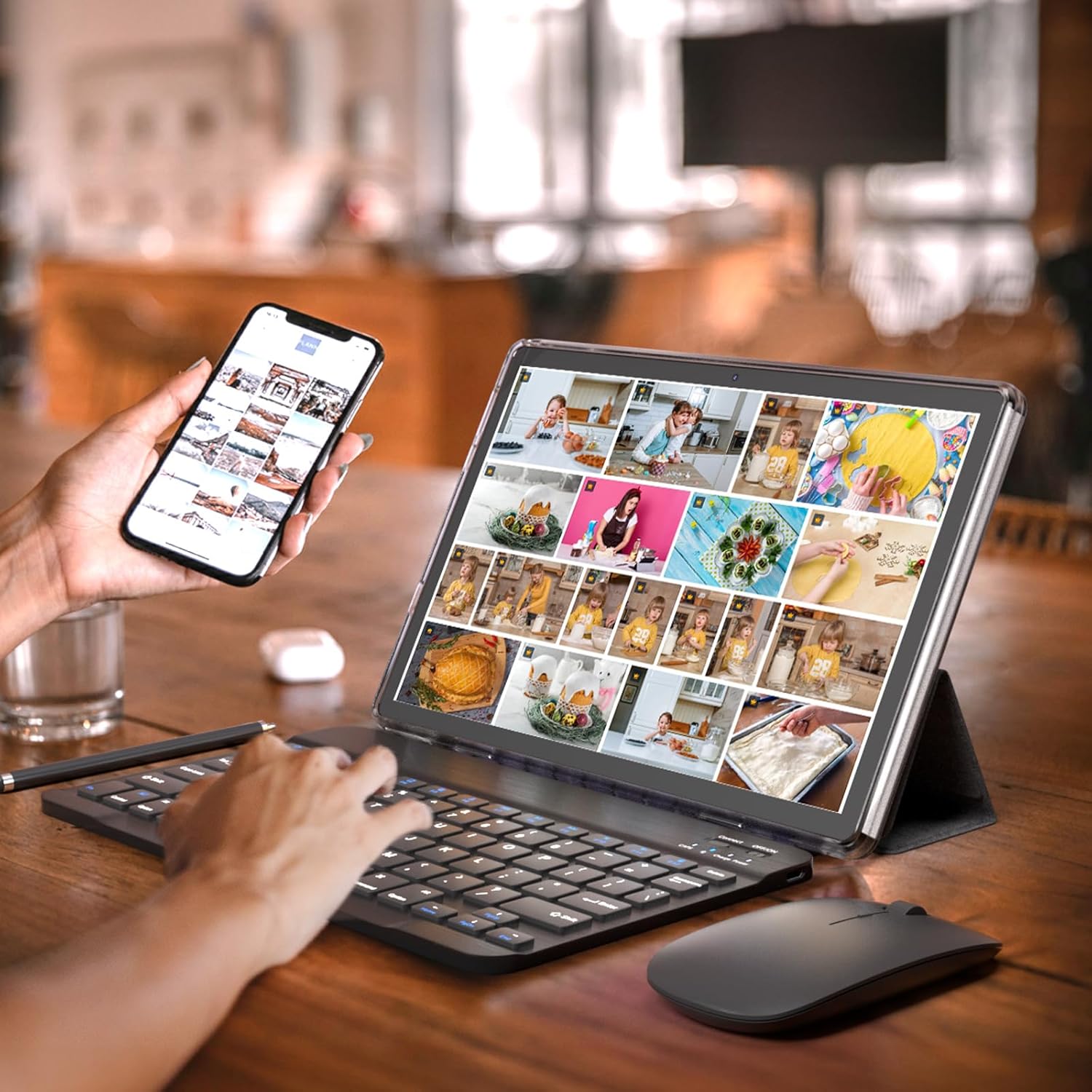
Image: The ATOZEE tablet configured in laptop mode, showing a user browsing content on YouTube, highlighting its multimedia capabilities.
3. Camera Functions
The tablet features an 8MP rear camera with autofocus and flash, and a 2MP front camera. Open the Camera app to capture photos and videos. The front camera is suitable for video calls.

Image: Visual representation of the tablet's 2MP front and 8MP rear camera, with example images of a cyclist and two people, demonstrating photo quality.
4. Connectivity
- Wi-Fi 6: Connect to high-speed wireless networks for internet access.
- Bluetooth 5.0: Connect to wireless accessories like headphones, speakers, and other Bluetooth-enabled devices.
5. Battery Management
The 6000mAh battery provides approximately 6 hours of regular operation and up to 12 hours of standby time. To optimize battery life, adjust screen brightness, close unused applications, and disable unnecessary wireless features.

Image: The ATOZEE tablet highlighting its 6000mAh battery capacity and lightweight design, suitable for extended use.
Maintenance
1. Cleaning
Use a soft, lint-free cloth to clean the tablet screen and body. For stubborn smudges, slightly dampen the cloth with water or a screen-safe cleaner. Avoid harsh chemicals or abrasive materials.
2. Software Updates
Regularly check for system updates in Settings > System > System update. Keeping your Android 14 operating system updated ensures optimal performance and security.
3. Battery Care
To prolong battery life, avoid extreme temperatures. Do not leave the tablet fully charged or fully discharged for extended periods. Charge the tablet when the battery level is low, but avoid overcharging.
Troubleshooting
Device Not Powering On
- Ensure the tablet is sufficiently charged. Connect it to a power source for at least 30 minutes before attempting to power on again.
- Try holding the power button for 10-15 seconds to force a restart.
Slow Performance or Lag
- Close unnecessary background applications.
- Clear cache data for frequently used apps (Settings > Apps > [App Name] > Storage > Clear cache).
- Ensure sufficient free storage space. Delete unused files or move them to the microSD card.
- Restart the tablet periodically.
Bluetooth Connectivity Issues
- Ensure Bluetooth is enabled on both the tablet and the accessory.
- Make sure the accessory is in pairing mode.
- Unpair and re-pair the device.
- Ensure the devices are within Bluetooth range (typically 10 meters).
Wi-Fi Connection Problems
- Restart your Wi-Fi router.
- Forget the network on your tablet and reconnect.
- Ensure the tablet is within range of the Wi-Fi signal.
Specifications

Image: The ATOZEE tablet screen highlighting its 10.1-inch IPS HD display with 1280x800 resolution and Android 12 (note: product description states Android 14).
| Feature | Detail |
|---|---|
| Brand | ATOZEE |
| Model Number | ATYQ10S6IN1 |
| Operating System | Android 14.0 (GMS Certified) |
| Processor | Quad-core CPU |
| RAM | 8GB (6GB virtual memory included) |
| Internal Storage | 64GB ROM |
| Expandable Storage | Up to 1TB via microSD card |
| Screen Size | 10.1 Inches |
| Display Resolution | 1280x800 IPS HD Touch Screen |
| Rear Camera | 8MP with Autofocus and Flash |
| Front Camera | 2MP |
| Battery Capacity | 6000mAh |
| Battery Life (Average) | 6 hours (regular operation), 12 hours (standby) |
| Connectivity | Wi-Fi 6, Bluetooth 5.0 |
| Charging Port | Type-C |
| Item Weight | 1.25 Kilograms |
| Sensor Type | Accelerometer |
Warranty Information
This product comes with a Limited Warranty. Please refer to the warranty card included in your package or contact ATOZEE customer support for specific terms and conditions regarding warranty coverage and duration.
Customer Support
For further assistance, technical support, or warranty claims, please contact ATOZEE customer service through the contact information provided on the product packaging or the official ATOZEE website. Please have your model number (ATYQ10S6IN1) and purchase details ready when contacting support.