
Introduction
This manual provides instructions for the Generic AC Replacement Remote Control, model Easytry20900. This remote is designed to operate specific AIRO Comfort portable air conditioner models. Please verify your air conditioner model number against the list provided in the title to ensure compatibility. This replacement remote may not offer all functions present on your original remote control.
Note: The temperature display on this remote control is in Celsius only.
Setup: Battery Installation
The remote control requires two AAA alkaline batteries (not included) for operation.
- Locate the battery compartment on the back of the remote control.
- Slide the battery compartment cover downwards or outwards to open it.
- Insert two AAA alkaline batteries, ensuring the positive (+) and negative (-) terminals align correctly with the markings inside the compartment.
- Slide the battery compartment cover back into place until it clicks securely.
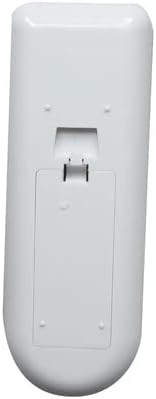
Image: Back of the remote control with the battery cover in place.

Image: Back of the remote control with the battery cover removed, revealing the battery slots.
Operating Instructions
This remote control uses infrared technology and has a maximum operating range of 10 meters (approximately 33 feet). Ensure there is a clear line of sight between the remote and the air conditioner's receiver.
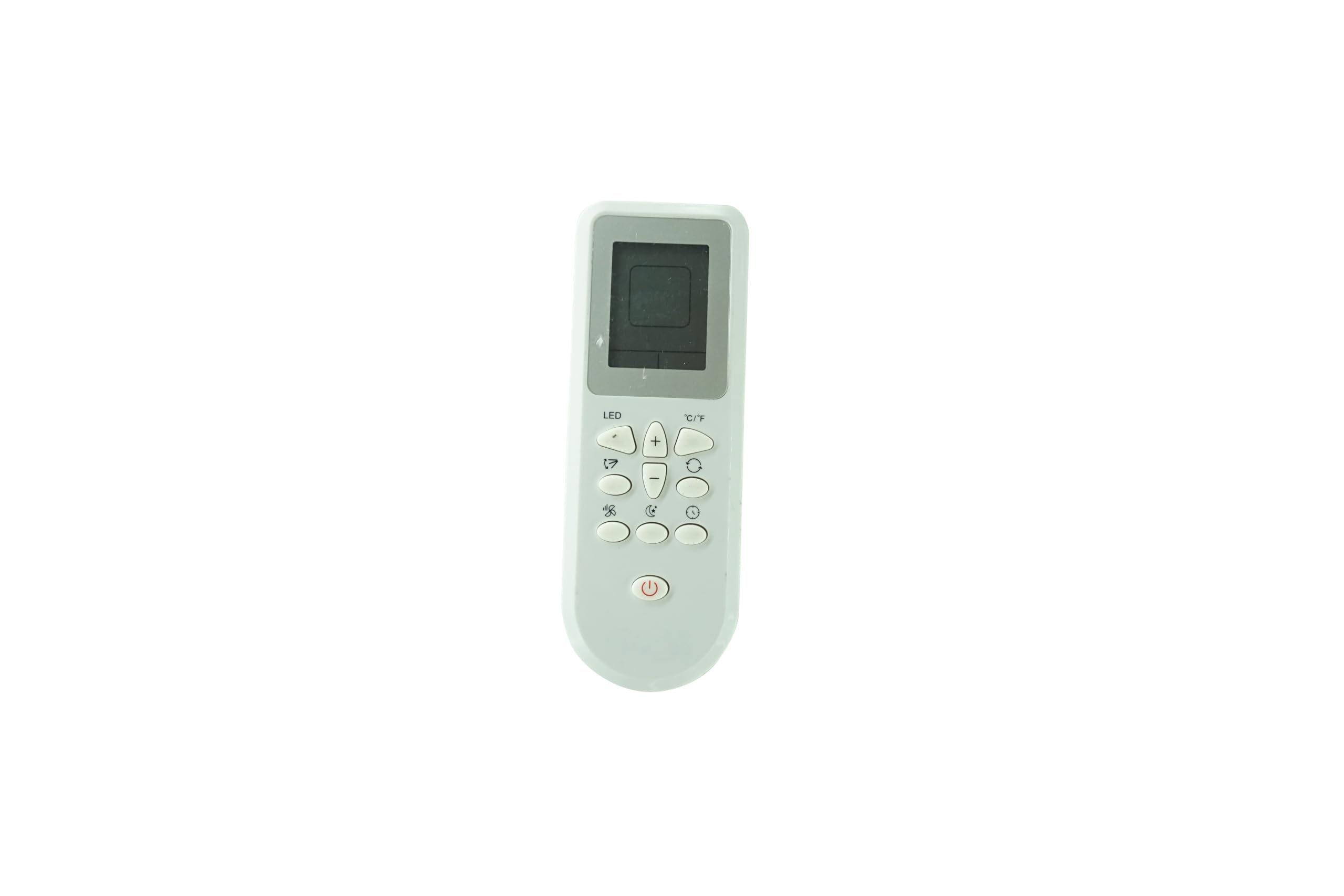
Image: Front view of the remote control with its buttons and display.
Button Functions:
- Power Button (Red Circle with Line): Turns the air conditioner ON or OFF.
- LED Button: Controls the display light on the air conditioner unit.
- Fan Speed Button (Fan Icon): Adjusts the fan speed (e.g., Low, Medium, High, Auto).
- Swing Button (Up/Down Arrows): Activates or deactivates the air swing function.
- Temperature Adjustment (+/- Buttons): Increases or decreases the set temperature.
- °C/°F Button: Switches the temperature display between Celsius and Fahrenheit (Note: This remote displays in Celsius only, this button may not function as expected or at all).
- Mode Button (Circular Arrows): Cycles through operating modes (e.g., Cool, Fan, Dry, Heat - if supported by AC unit).
- Timer Button (Clock Icon): Sets the timer for automatic ON/OFF.
- Sleep Button (Moon Icon): Activates or deactivates sleep mode.
Maintenance
Cleaning the Remote Control:
Wipe the remote control with a soft, dry cloth. Do not use liquid cleaners, abrasive materials, or chemical solvents, as these can damage the remote's surface or internal components.
Battery Replacement:
Replace the batteries when the remote control's range decreases significantly or if it stops responding. Follow the battery installation steps outlined in the 'Setup' section.
Troubleshooting
- Remote control is not working:
- Ensure the batteries are inserted correctly with the correct polarity.
- Replace old batteries with new AAA alkaline batteries.
- Check for any obstructions between the remote control and the air conditioner's receiver.
- Ensure the air conditioner unit is powered on and plugged into an electrical outlet.
- Some functions do not work:
- This is a replacement remote and may not support all advanced functions of your original air conditioner remote.
- Verify that your air conditioner model is listed as compatible. If your model is not listed, the remote may not be fully compatible or functional.
- Temperature display is in Celsius:
- This remote control is designed to display temperature in Celsius only. This is a characteristic of the product and not a malfunction.
Product Specifications
| Brand | Generic |
| Model Number | Easytry20900 |
| Compatible Devices | Air Conditioner (AIRO Comfort specific models) |
| Connectivity Technology | Infrared |
| Controller Type | Button Control |
| Maximum Range | 10 meters |
| Batteries Required | 2 AAA Alkaline batteries |
| Special Feature | Display in Celsius |
| Color | White |
| Number of Items | 1 |
Warranty Information
This product comes with a 90-day warranty from the date of purchase. Please retain your proof of purchase for any warranty claims.
Support
For further assistance or if you encounter issues not covered in this manual, please refer to the original air conditioner's user manual or contact the seller directly for support.