1. Introduction
Thank you for choosing the LEMEGA BK230 Portable Karaoke Machine. This device combines a high-quality Bluetooth speaker with a wireless microphone, offering a versatile and enjoyable audio experience for various occasions. Designed for portability and ease of use, it features multiple connectivity options and fun voice effects.
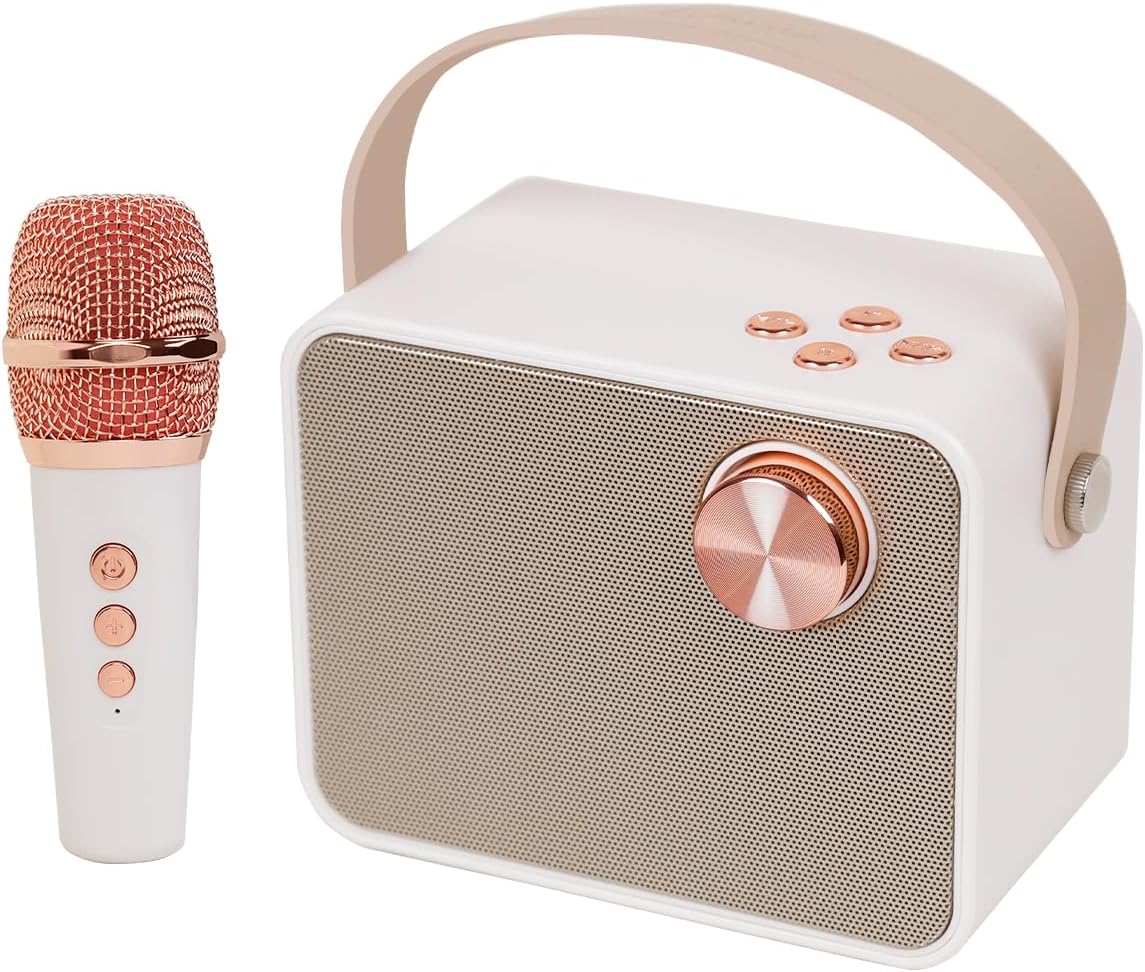
Figure 1: LEMEGA BK230 Karaoke Machine and Wireless Microphone.
The BK230 is equipped with two high-efficiency full-range speakers and DSP audio decoding processor technology, ensuring clear vocals and powerful stereo sound. Its compact size and integrated leather handle make it ideal for both indoor and outdoor activities.
2. What's in the Box
- LEMEGA BK230 Karaoke Machine Unit
- Wireless Microphone
- USB Charging Cable
- User Manual (this document)
3. Setup
3.1 Charging the Device
Before first use, fully charge the karaoke machine and the wireless microphone. The machine has a built-in 3600mAh lithium rechargeable battery. A full charge provides over 10 hours of music playback or over 4 hours of singing.

Figure 2: Battery indicator on the side of the unit.
3.2 Initial Power On
To power on the karaoke machine, turn the main knob on the front panel to the right. To power off, turn it to the left. The microphone has a separate power button.

Figure 3: Rear view showing USB, TF Card, and AUX ports.
4. Operating Instructions
This section details the various functions and how to operate your LEMEGA BK230 Karaoke Machine.
Video 1: LEMEGA BK230 Karaoke Machine Overview and Operation. This video demonstrates power on/off, volume control, Bluetooth pairing, track navigation, microphone controls, and voice effects.
4.1 Bluetooth Connection
The BK230 features Bluetooth 5.3 for quick and stable wireless connection. To connect:
- Ensure the karaoke machine is powered on.
- On your smartphone, tablet, or PC, enable Bluetooth and search for available devices.
- Select "LEMEGA BK230" from the list to pair. A confirmation sound will indicate successful pairing.

Figure 4: The BK230 supports Bluetooth, Flash USB, TF Card, and AUX-in.
4.2 Using the Wireless Microphone
The portable karaoke speaker comes with a wireless microphone that auto-connects to the main unit when both are powered on. The microphone has controls for power, volume, and voice effects.
4.3 Magic Voice Effects
The microphone offers six different magic voice effects to enhance your singing experience:
- Original Voice: Your natural voice.
- KTV Voice: Optimized for karaoke singing.
- Monster Voice: Deep, distorted voice.
- Baby Voice: High-pitched, childlike voice.
- Female Voice: Transforms your voice to a higher pitch.
- Male Voice: Transforms your voice to a lower pitch.
Press the dedicated button on the microphone to cycle through these effects.

Figure 5: Visual representation of the six magic voice effects.
4.4 Other Connectivity Options
In addition to Bluetooth, the BK230 supports:
- TF Card: Insert a TF card with music files into the designated slot.
- Flash USB: Insert a USB flash drive with music files into the USB port.
- AUX-in: Connect external audio devices using an AUX cable (not included) to the AUX-in port.
4.5 Controls
The main unit features a large knob and several buttons for control:
- Main Knob: Turn right to power on, turn left to power off. Rotate to adjust speaker volume.
- Play/Pause Button: Press to play or pause current audio.
- Previous Track Button: Press to go to the previous song.
- Next Track Button: Press to go to the next song.
5. Maintenance
5.1 Cleaning
Wipe the device with a soft, dry cloth. Do not use abrasive cleaners or solvents. Keep the speaker grilles free from dust and debris.
5.2 Storage
Store the karaoke machine in a cool, dry place away from direct sunlight and extreme temperatures. If storing for an extended period, ensure the battery is partially charged (around 50%) to prolong its lifespan.
5.3 Battery Care
To maximize battery life, avoid fully discharging the battery frequently. Recharge the device regularly, even if not in use, to prevent deep discharge.
6. Troubleshooting
If you encounter issues with your LEMEGA BK230, please refer to the table below for common problems and solutions.
| Problem | Possible Cause | Solution |
|---|---|---|
| No power | Battery is depleted. | Charge the device using the provided USB cable. |
| Cannot connect via Bluetooth | Bluetooth is not enabled on your device or the karaoke machine. The device is out of range. | Ensure Bluetooth is on for both devices. Move your device closer to the karaoke machine. Restart both devices. |
| Microphone not working | Microphone is not powered on or battery is low. Microphone is not paired. | Ensure microphone is powered on and charged. It should auto-connect; if not, power cycle both devices. |
| Poor sound quality/feedback | Microphone too close to the speaker. Volume levels are too high. | Increase distance between microphone and speaker. Adjust speaker and microphone volume levels. |
| Cannot play from USB/TF card | Unsupported file format. Drive/card not inserted correctly. | Ensure audio files are in a supported format (e.g., MP3). Reinsert the USB drive or TF card firmly. |
7. Specifications

Figure 6: Product dimensions for the LEMEGA BK230 and its microphone.
| Feature | Detail |
|---|---|
| Model Number | BK230 |
| Item Weight | 2.14 pounds |
| Product Dimensions | 5.9 x 3.7 x 6.1 inches |
| Batteries | 1 Lithium Metal battery required (included) |
| Battery Type | Lithium Ion |
| Charging Time | 3.5 Hours |
| Speaker Count | 2 |
| Connector Type | USB Type A and USB Type C |
| Special Feature | Rechargeable, lightweight, Portable with handle |
| Color | Beige |
8. Warranty and Support
LEMEGA products are designed and manufactured to the highest quality standards. For warranty information and customer support, please refer to the official LEMEGA website or contact their customer service directly. Keep your purchase receipt as proof of purchase for any warranty claims.


