
Product Overview
The KENRONE Fingerprint Padlock offers a secure and convenient locking solution with dual unlocking methods: fingerprint recognition and an electronic emergency key. Designed for durability, it features an IP66 waterproof and dustproof rating, making it suitable for both indoor and outdoor use. Its robust zinc alloy construction ensures resistance against cutting and impact.
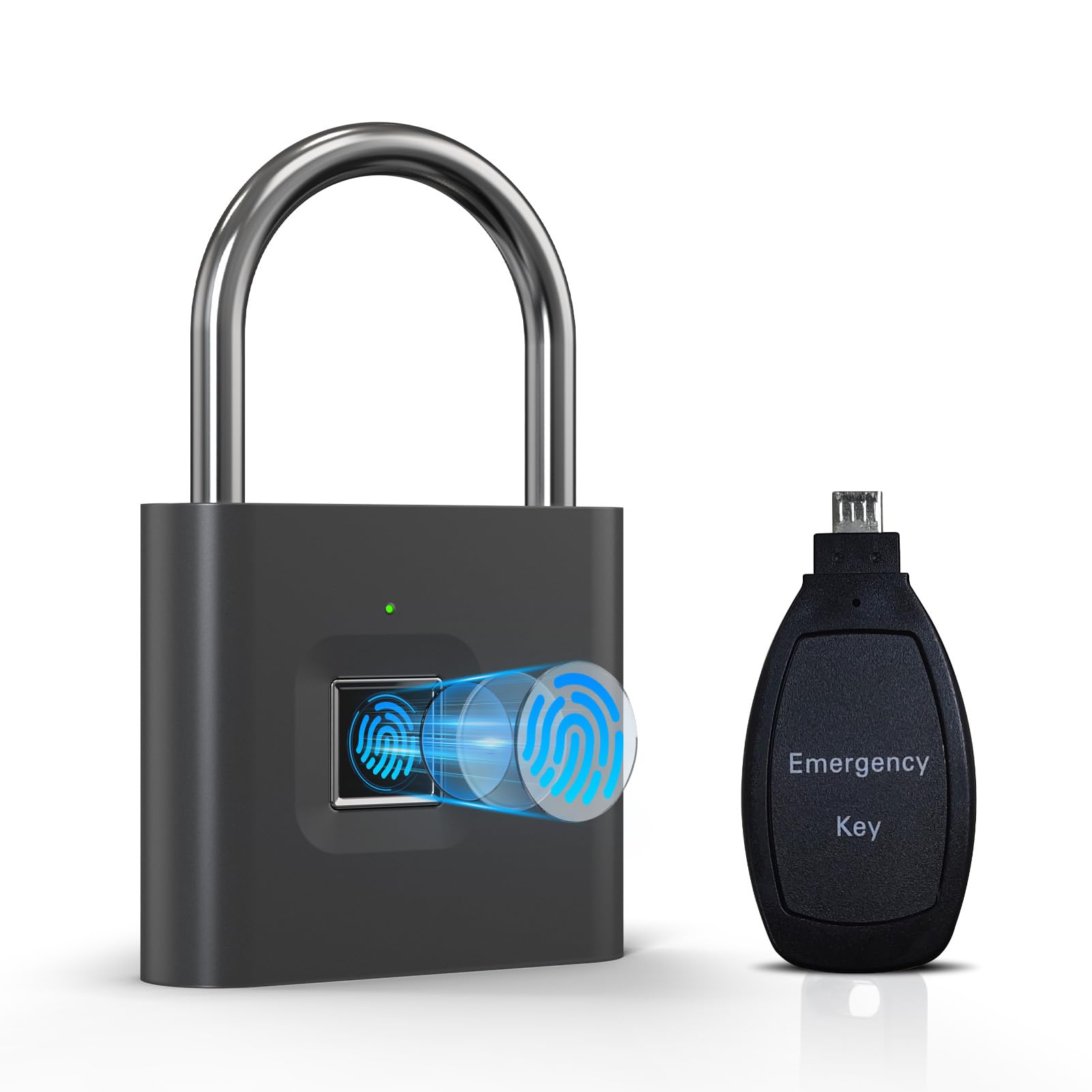
Image: KENRONE Fingerprint Padlock with Emergency Key, showcasing its design and fingerprint sensor.
Key Features:
- Fingerprint Unlocking: Quick access within 0.5 seconds. Supports up to 2 administrator fingerprints and 48 user fingerprints.
- Emergency Electronic Key: Provides an alternative unlocking method for situations where fingerprint access is not possible (e.g., finger injury, damaged sensor, or low battery).
- IP66 Waterproof & Dustproof: Ensures reliable operation in various environmental conditions, protecting against rain and dust.
- Durable Construction: Made from zinc alloy with a rustproof coating and iron nickel plating on the shackle for enhanced security and longevity.
- Long Battery Life & USB Charging: A full charge provides up to 12 months of standby time or 10,000 unlocking operations. Rechargeable via USB.
- Low Power Alarm: Indicates when the battery voltage is low, prompting timely recharging.
Package Contents
Verify that all items are present in the package:
- 1 x KENRONE Fingerprint Padlock
- 1 x USB Charging Cable
- 1 x Electronic Emergency Key (requires a button battery, not included)
- 1 x User Manual (this document)

Image: Contents of the KENRONE Fingerprint Padlock package, including the padlock, charging cable, and electronic key.
Setup
Initial Charging
Before first use, fully charge the padlock. Connect the provided USB charging cable to the padlock's charging port and a standard USB power source. The indicator light will show charging status.

Image: KENRONE Fingerprint Padlock being charged via USB cable.
Registering Administrator Fingerprints
The first two fingerprints registered will automatically be designated as administrator fingerprints. Administrators have the authority to add or delete other user fingerprints.
- Press and hold the fingerprint sensor until the blue light flashes.
- Place your finger on the sensor, lift, and repeat 10 times. Ensure different angles of your finger are scanned for better recognition. The green light will turn on to indicate successful registration.
- Repeat step 2 for a second administrator fingerprint.
For a visual guide on fingerprint setup, please refer to the video below:
Video: Tutorial demonstrating the process of setting up fingerprints on the KENRONE Fingerprint Padlock.
Registering User Fingerprints
After registering administrator fingerprints, you can add up to 48 user fingerprints. Only an administrator can add new user fingerprints.
- Unlock the padlock using an administrator fingerprint.
- While the padlock is unlocked, press and hold the fingerprint sensor until the blue light flashes.
- Place the new user's finger on the sensor, lift, and repeat 10 times. The green light will confirm successful registration.
Deleting Fingerprints
To delete a specific user fingerprint, an administrator must perform the following steps:
- Unlock the padlock using an administrator fingerprint.
- While the padlock is unlocked, press and hold the fingerprint sensor for approximately 5 seconds until the red light flashes.
- Place the user fingerprint you wish to delete on the sensor. The green light will flash, indicating successful deletion.
For a visual guide on deleting fingerprints, please refer to the video below:
Video: Detailed guide on how to delete fingerprints from the KENRONE Fingerprint Padlock.
Factory Reset
A factory reset will delete all registered fingerprints (both administrator and user) and restore the padlock to its default settings. This action can only be performed by an administrator.
- Unlock the padlock using an administrator fingerprint.
- While the padlock is unlocked, press and hold the fingerprint sensor for approximately 10 seconds until the red light flashes continuously.
- Release your finger. The padlock is now reset to factory settings.
For a general smart lock tutorial that may cover factory reset, please refer to the video below:
Video: A general smart lock tutorial that may provide additional guidance on setup and reset procedures.
Operating Instructions
Unlocking with Fingerprint
To unlock the padlock using a registered fingerprint:
- Place a registered finger firmly on the fingerprint sensor.
- The padlock will unlock within 0.5 seconds if the fingerprint is recognized.

Image: A hand unlocking the KENRONE Fingerprint Padlock with a fingerprint, illustrating quick access.
Emergency Unlocking with Electronic Key
The electronic emergency key is designed for situations where fingerprint unlocking is not feasible, such as:
- Finger injury preventing fingerprint recognition.
- Damage to the fingerprint sensor.
- Padlock battery is completely depleted.
To use the electronic emergency key:
- Ensure the electronic key has a working button battery installed (battery not included).
- Insert the electronic key into the designated port on the padlock.
- The padlock will receive power from the key and unlock.
Note: The electronic key requires its own button battery to function. This battery is not included in the package.

Image: The KENRONE Fingerprint Padlock alongside its electronic emergency key, showing how it connects for unlocking.
Low Power Alarm
When the padlock's battery voltage drops to 3.5V or below, the red light will flash 3 times after each unlock attempt. This serves as a reminder to recharge the padlock promptly to avoid complete power depletion.
Maintenance
- Cleaning: Wipe the padlock body and fingerprint sensor with a soft, dry cloth. Avoid using abrasive cleaners or solvents that could damage the finish or electronic components.
- Battery Care: Recharge the padlock when the low power alarm activates. Avoid completely draining the battery for extended periods to prolong its lifespan.
- Emergency Key Battery: Periodically check and replace the button battery in the electronic emergency key to ensure it is functional when needed.
- Environmental Protection: While the padlock is IP66 rated, prolonged exposure to extreme conditions (e.g., continuous submersion, direct saltwater spray) should be minimized to ensure optimal performance and longevity.
Troubleshooting
| Problem | Possible Cause | Solution |
|---|---|---|
| Padlock does not unlock with fingerprint. | Finger not registered, incorrect placement, wet/wrinkled finger, low battery. | Ensure finger is clean and dry. Place finger firmly and completely on the sensor. Try different registered fingers. Recharge the padlock if battery is low. If issue persists, re-register fingerprint. |
| Electronic emergency key does not unlock the padlock. | No battery in the emergency key, dead battery in key, poor contact. | Install a fresh button battery in the emergency key. Ensure the key is fully inserted into the padlock's port and held firmly to establish proper contact. |
| Cannot register new fingerprints. | Not using an administrator fingerprint, memory full, incorrect procedure. | Ensure you are using one of the first two registered administrator fingerprints. Follow the registration steps precisely. If memory is full (50 fingerprints), delete some user fingerprints. |
| Padlock is unresponsive. | Completely depleted battery. | Connect the padlock to a USB power source for charging. If it still doesn't respond, use the electronic emergency key to unlock and then charge. |
Specifications
| Feature | Detail |
|---|---|
| Brand | KENRONE |
| Model Number | KR-PL4943-gun-E65 |
| Lock Type | Biometric |
| Unlocking Methods | Fingerprint, Electronic Key |
| Fingerprint Capacity | 2 Administrator, 48 User |
| Material | Zinc Alloy (Body), Iron Nickel Plating (Shackle) |
| Waterproof Rating | IP66 |
| Dimensions (L x W x H) | 7.9 x 5 x 1.4 Centimetres |
| Battery Type | 300mAh Lithium Battery |
| Charging Port | USB |
| Standby Time | Up to 12 months |
| Low Power Alarm | Flashes red light when voltage ≤3.5V |

Image: The KENRONE Fingerprint Padlock is rated IP66 for water and dust resistance, suitable for harsh environments.

Image: Diagram illustrating the durable construction of the KENRONE Fingerprint Padlock, including zinc alloy body and rustproof coating.
Wide Application
The KENRONE Fingerprint Padlock is versatile and can be used in various settings:
- Gyms and School Lockers
- Office Cabinets and File Cabinets
- Warehouses and Outdoor Sheds
- Backpacks, Luggage, and Bicycles
- Gates and Trunks

Image: Collage of images showing the KENRONE Fingerprint Padlock used on various items like file cabinets, lockers, warehouses, backpacks, luggage, and bicycles.
Warranty and Support
For warranty information, technical support, or any unanswered questions regarding your KENRONE Fingerprint Padlock, please contact the manufacturer directly through their official channels or the retailer where the product was purchased. Keep your purchase receipt as proof of purchase for warranty claims.