
Product Overview
The Bitnovol 5MP Ultra HD Video Doorbell Camera provides advanced home security with crystal clear video and comprehensive monitoring features. Designed for ease of use and flexible power options, this wireless doorbell camera offers head-to-toe viewing, intelligent AI detection, two-way audio, and local storage capabilities without recurring monthly fees. It is built to withstand various weather conditions and integrates seamlessly with smart home ecosystems.

Figure 1: Bitnovol 5MP Ultra HD Video Doorbell Camera and Chime.
Key Features
- 5MP Ultra HD Video: Provides crystal clear images and video recording, allowing for head-to-toe viewing of visitors and packages. Features super night vision up to 33ft.
- Flexible Power Options: Operates on battery power and supports Bitnovol Solar Panel (sold separately, ASIN: B0CZRZHXGZ or B0DK4NQSR8) for continuous charging.
- Smart AI Detection: Built-in PIR sensor triggers alarms and notifications upon detection. AI recognition distinguishes between people, pets, packages, and vehicles, reducing false alarms.
- Two-Way Audio & Voice Changer: Integrated microphone and speaker enable real-time two-way communication with visitors. Voice changer feature enhances privacy.
- 100% Wireless & Easy Installation: Completely cordless design for quick and straightforward installation. Setup is facilitated via the CloudEdge App.
- No Monthly Subscription Fees: Offers local storage via a pre-installed 128GB SD card for all motion events. Includes free 7-day cloud storage with automatic overwrite.
- Anti-Theft Device: Features a tamper alarm that triggers an alert to your phone if the doorbell camera is moved.
- Wireless Chime Pro: Includes a customized chime with a reliable wireless range, 38 music options, mute mode, and 5 adjustable volume levels.
- Multiple-User Sharing: Allows sharing of the device with multiple users via the CloudEdge App.
- Smart Home Integration: Compatible with Amazon Alexa Echo and Google Home for voice control and integration into smart home routines.
What's Included
The Bitnovol 5MP Ultra HD Video Doorbell Camera package typically includes the following components:
- Bitnovol 5MP Video Doorbell Camera
- Wireless Chime Pro
- Pre-installed 128GB Micro SD Card
- Mounting Bracket
- USB Charging Cable
- Mounting Screws and Wall Anchors
- User Manual
Figure 2: Package Contents of the Bitnovol Video Doorbell System.
Setup Guide
Follow these steps to set up your Bitnovol Video Doorbell Camera:
- Charge the Doorbell: Ensure the doorbell camera is fully charged using the provided USB cable.
- Download the CloudEdge App: Scan the QR code on the product packaging or search for "CloudEdge" in your device's app store (iOS/Android) to download and install the application.
- Create an Account: Open the CloudEdge App and create a new user account or log in if you already have one.
- Add Device: In the app, select to add a new device. Follow the on-screen prompts to pair your doorbell camera with your smartphone. This typically involves connecting to the doorbell's temporary Wi-Fi network and scanning a QR code displayed on your phone with the doorbell camera.
- Connect to Home Wi-Fi: Enter your home 2.4GHz Wi-Fi network details (SSID and password) into the app to connect the doorbell to your home network.
- Mount the Doorbell: Choose a suitable location for installation, typically around 5 feet (160cm) from the ground. The doorbell can be screwed into place using the mounting bracket or attached with adhesive strips (if provided). Ensure the camera has a clear view of the desired area.
- Pair the Chime: Follow the chime's instructions to pair it with the doorbell camera. This usually involves pressing a pairing button on both devices.
Video 1: Demonstration of connecting the Bitnovol doorbell camera wirelessly.

Figure 3: Visual guide for wireless setup and physical mounting.
Operating Instructions
Once your Bitnovol Video Doorbell Camera is set up, you can utilize its various functions through the CloudEdge App:
- Live View: Open the CloudEdge App to access a real-time video feed from your doorbell camera. This allows you to monitor your doorstep at any time.
- Two-Way Audio: When a visitor presses the doorbell or you initiate a live view, you can speak and listen through the app. Use the microphone icon in the app to enable two-way communication.
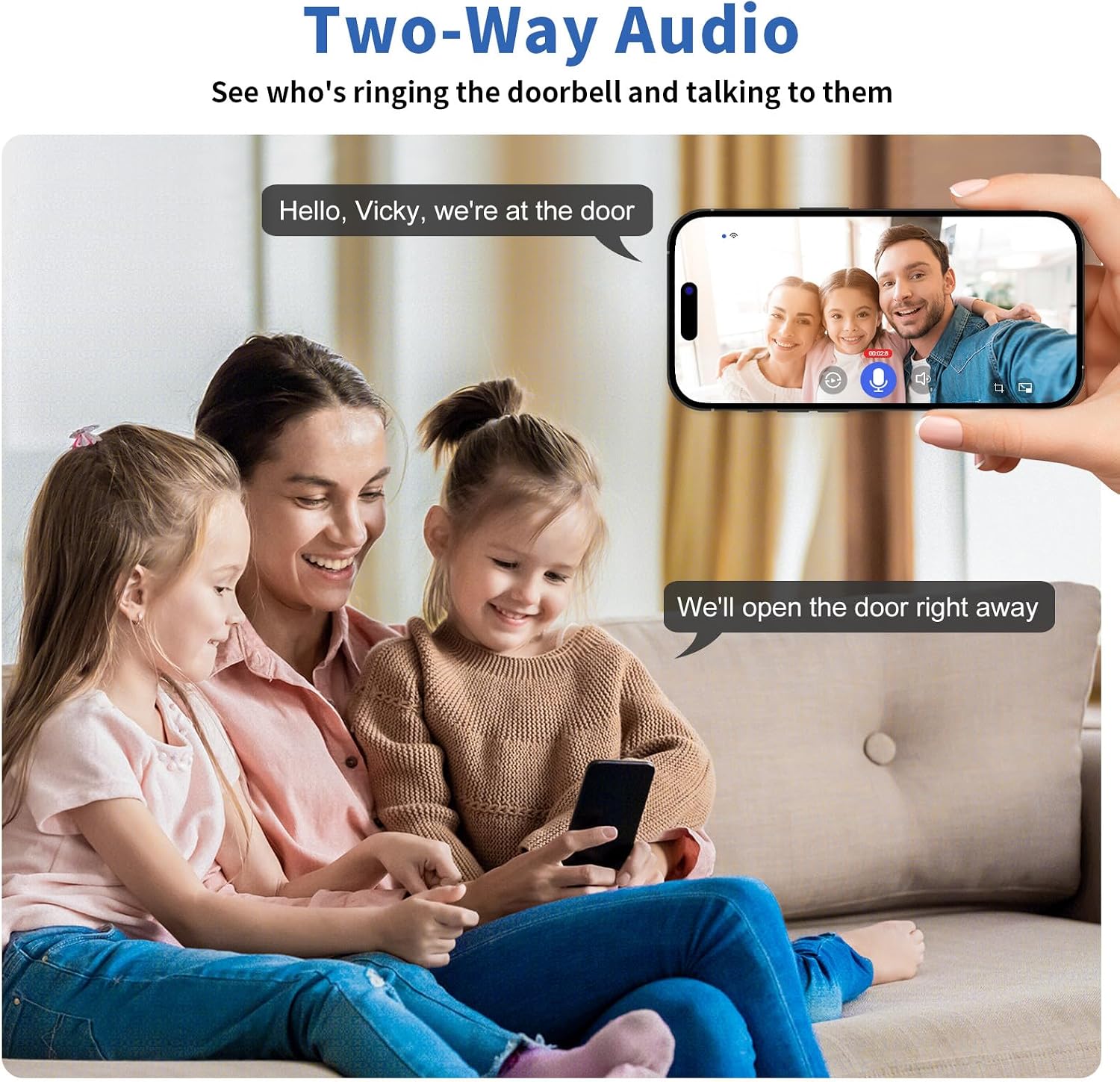
Figure 4: Two-way audio communication via the app.
- Voice Changer: The app includes a voice changer feature, allowing you to alter your voice during two-way audio calls for added privacy.

Figure 5: Voice changer feature for privacy.
- Motion Detection & Alerts: The doorbell's AI PIR detection system identifies motion and sends instant notifications to your phone. You can customize detection zones and sensitivity settings within the app.

Figure 6: AI Human Detection in action.
- Local & Cloud Storage: Videos are stored on the pre-installed 128GB SD card. A free 7-day cloud storage trial is also available, with older footage automatically overwritten. Access recordings via the app.

Figure 7: Storage options for recorded footage.
- Anti-Theft Alarm: If the doorbell is tampered with or moved, an alarm will sound, and a notification will be sent to your phone.
Specifications
| Feature | Detail |
|---|---|
| Video Resolution | 5MP Ultra HD |
| Power Source | Battery Powered, Solar Panel Powered (Solar Panel Sold Separately) |
| Connectivity | 2.4GHz Wi-Fi 6 & Bluetooth |
| Storage | Pre-installed 128GB SD Card, 7-day Free Cloud Storage |
| Night Vision Range | Up to 33 feet |
| Viewing Angle | 150 Degrees |
| Motion Detection | AI PIR Detection (Human, Pet, Package, Vehicle recognition) |
| Two-Way Audio | Yes, with Voice Changer |
| Weather Resistance | IP65 Rated |
| Compatibility | Android, iOS, Amazon Alexa, Google Assistant |
| Dimensions | 6 x 5 x 2 inches |
| Weight | 8 ounces |
Maintenance
To ensure optimal performance and longevity of your Bitnovol Video Doorbell Camera, regular maintenance is recommended:
- Clean the Lens: Periodically wipe the camera lens with a soft, clean cloth to remove dust, dirt, or smudges that may affect video clarity.
- Check Battery Level: Monitor the battery status through the CloudEdge App. Recharge the doorbell promptly when the battery is low to avoid interruptions in service.
- Inspect Mounting: Ensure the doorbell remains securely mounted to prevent accidental falls or tampering.
- Software Updates: Keep the CloudEdge App and doorbell firmware updated to benefit from the latest features, security enhancements, and bug fixes.
- Clear Storage: While the 128GB SD card offers ample space and automatic overwrite, periodically review and delete unnecessary recordings to manage storage effectively.
Troubleshooting
If you encounter issues with your Bitnovol Video Doorbell Camera, try the following troubleshooting steps:
- No Connection/Offline:
- Ensure your Wi-Fi network is active and the doorbell is within range.
- Check if the doorbell's battery is charged.
- Restart the doorbell camera by pressing and holding the reset button (refer to the manual for exact location).
- Verify your Wi-Fi password in the CloudEdge App settings.
- Poor Video Quality:
- Clean the camera lens.
- Ensure a strong Wi-Fi signal at the doorbell's location. Consider moving your Wi-Fi router closer or using a Wi-Fi extender.
- Check app settings for video resolution and adjust if necessary.
- Motion Detection Issues:
- Adjust motion sensitivity settings in the app.
- Ensure the detection zone is correctly configured to cover the desired area.
- Remove any obstructions in the camera's field of view.
- Chime Not Ringing:
- Ensure the chime is plugged in and powered on.
- Re-pair the chime with the doorbell camera.
- Check the chime's volume settings.
Warranty & Support
Bitnovol stands behind the quality of its products. The 5MP Ultra HD Video Doorbell Camera comes with a 24-month Limited Warranty. For any technical assistance, product inquiries, or warranty claims, please utilize the following support resources:
- 7*24-hour Service Support: Access round-the-clock customer service for immediate assistance.
- Lifetime Technical Support: Benefit from ongoing technical support for the lifespan of your product.
Refer to the contact information provided in your product packaging or visit the official Bitnovol website for detailed support options.

Figure 8: Bitnovol Customer Support Team.