1. Introduction
This manual provides essential instructions for setting up, operating, and maintaining your SKMEI S232 Smartwatch. Please read this guide thoroughly to ensure proper use and to maximize the device's features.
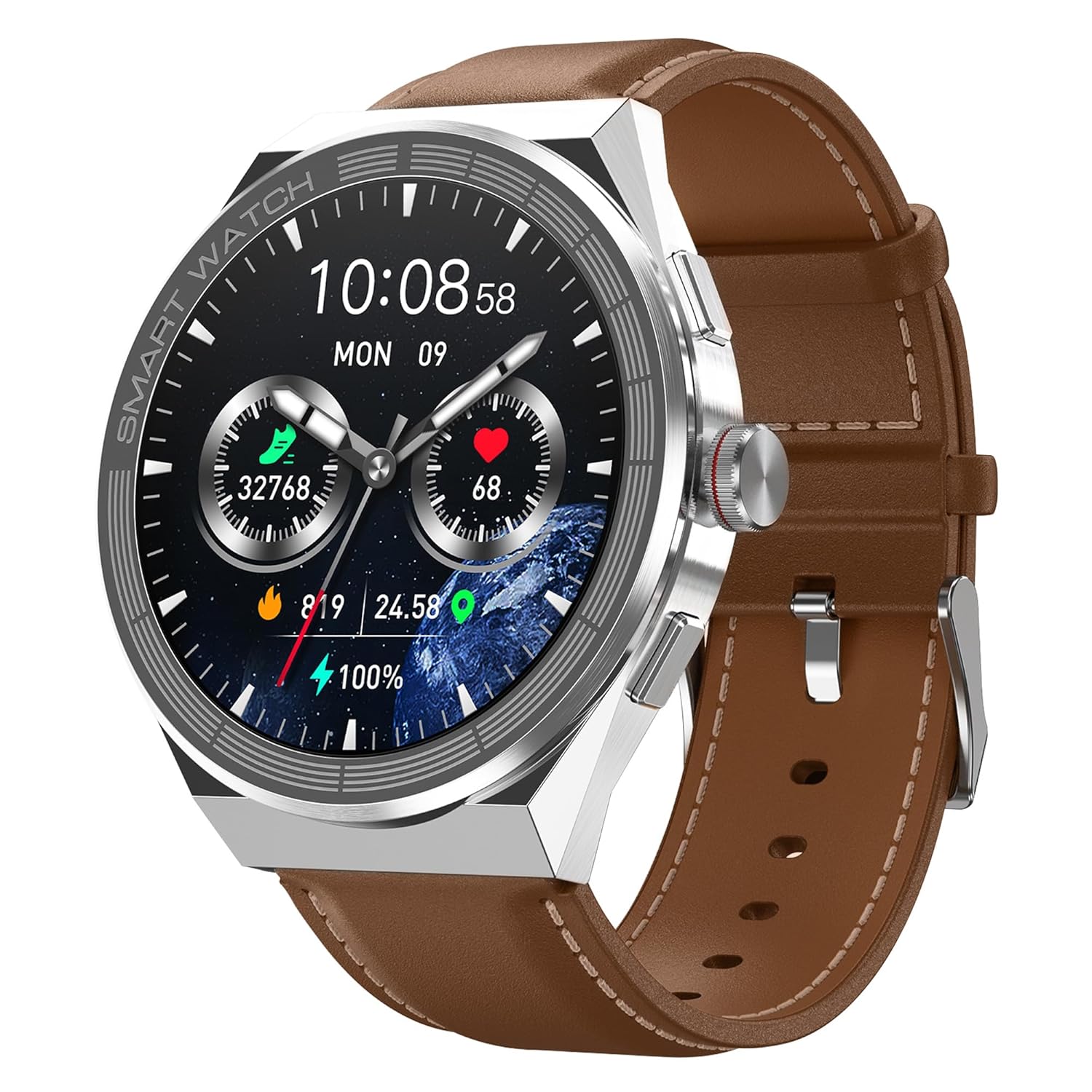
Image 1.1: The SKMEI S232 Smartwatch with a brown leather band, displaying time and health metrics.
2. Package Contents
Verify that all items are present in your product package:
- SKMEI S232 Smartwatch
- Charging Cable
- User Manual (this document)
- Watch Band (pre-installed or separate)
3. Getting Started (Setup)
3.1. Charging the Smartwatch
Before initial use, fully charge your smartwatch. Connect the magnetic charging cable to the charging points on the back of the watch and plug the USB end into a power adapter (not included) or a computer's USB port. A full charge typically takes approximately 60 minutes.

Image 3.1: The smartwatch connected to its magnetic charging cable, illustrating its 300mAh battery capacity and up to 20 days of normal use.
3.2. Downloading the Companion Application
To unlock all features and synchronize data, download the official SKMEI companion application on your smartphone. The application is compatible with Android Wear 5.0+ and iOS 10.0+ devices. Scan the QR code in the manual or search for 'SKMEI' in your device's app store.
3.3. Pairing with Your Smartphone
- Ensure Bluetooth is enabled on your smartphone.
- Open the SKMEI companion application.
- Follow the in-app instructions to search for and connect to your S232 Smartwatch.
- Confirm the pairing request on both your smartphone and smartwatch.
4. Using Your Smartwatch (Operating)
4.1. Basic Navigation
The SKMEI S232 Smartwatch features a 1.45-inch AMOLED touchscreen display with a resolution of 390x390 pixels. Navigate through menus and functions by swiping across the screen and tapping icons. The side buttons provide additional control, typically for power, back, or quick access to specific features.
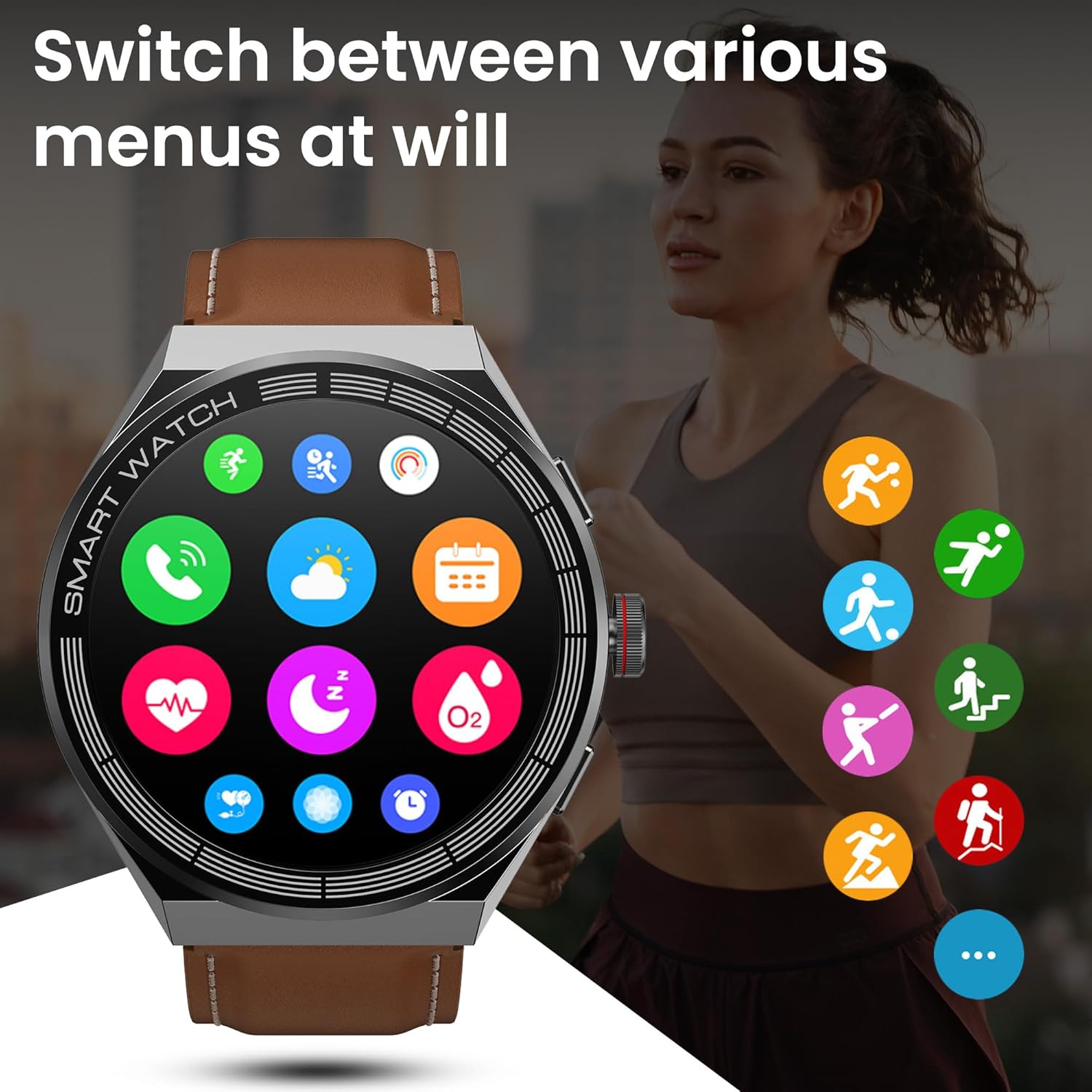
Image 4.1: The smartwatch interface showing a grid of application icons for various functions.
4.2. Bluetooth Calling
Once paired with your smartphone, the smartwatch supports Bluetooth calling, allowing you to make and receive calls directly from your wrist. This feature includes caller ID display, hands-free calls, and phonebook synchronization.

Image 4.2: The smartwatch showing an incoming call screen and a dial pad for making calls.
4.3. AI Voice Assistant
The integrated AI Voice Assistant allows for hands-free control. Activate the assistant and use voice commands to perform various tasks, such as checking weather, playing music, or initiating navigation.

Image 4.3: The smartwatch's voice assistant screen, demonstrating various voice commands like playing music, checking weather, and making calls.
4.4. Sports Modes and Fitness Tracking
The smartwatch offers 173 sports modes to accurately track your physical activities. It monitors steps, calories burned, and real-time heart rate during workouts. Data is synchronized with the companion app for detailed analysis and personalized exercise plans.

Image 4.4: The smartwatch showing various sports mode icons and a display of fitness tracking data.
4.5. Health Monitoring
The S232 Smartwatch includes advanced health monitoring features:
- Heart Rate Monitor: Provides 24-hour real-time heart rate tracking.
- Blood Oxygen Levels: Measures blood oxygen saturation (SpO2).
- Sleep Monitor: Analyzes sleep patterns to help understand sleep quality.
These sensors provide data to help you stay informed about your well-being. Consult a medical professional for any health concerns.

Image 4.5: The smartwatch interface showing detailed health monitoring data, including heart rate graphs and daily activity summaries.
4.6. Customizing Watch Faces
Personalize your smartwatch by choosing from a variety of available watch faces. These can be changed directly on the device or through the companion application.
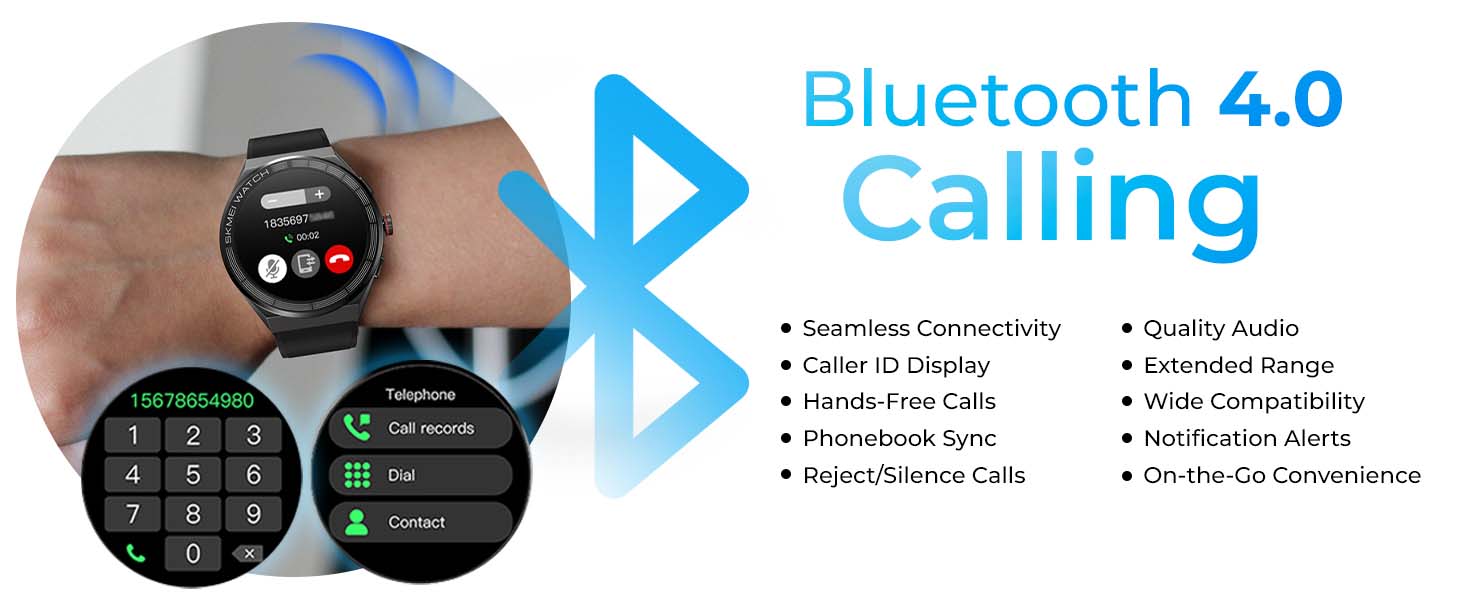
Image 4.6: A visual representation of the smartwatch offering multiple customizable watch face options.
5. Care and Maintenance
5.1. Water Resistance
The SKMEI S232 Smartwatch has an IP68 waterproof rating, meaning it is resistant to dust and can withstand immersion in water up to 1.5 meters for 30 minutes. It is suitable for daily use, including hand washing and light rain exposure. Avoid hot water, steam, or prolonged immersion in water.
5.2. Cleaning
Clean the smartwatch regularly with a soft, dry cloth. If necessary, use a slightly damp cloth and mild soap, then dry thoroughly. Avoid harsh chemicals or abrasive materials that could damage the device.
5.3. Battery Life and Charging Tips
To prolong battery life, avoid extreme temperatures. Charge the device using the provided magnetic charging cable. The smartwatch offers up to 20 days of standby time on a single charge.
6. Troubleshooting
- Device Not Turning On: Ensure the smartwatch is fully charged. Connect it to the charger for at least 10 minutes before attempting to power it on.
- Cannot Pair with Smartphone:
- Verify Bluetooth is active on your phone.
- Ensure the smartwatch is within range of your phone.
- Restart both the smartwatch and your phone.
- Check if the companion app is updated to the latest version.
- Inaccurate Health Data: Ensure the smartwatch is worn snugly on your wrist, not too tight or too loose. Clean the sensor on the back of the watch. Environmental factors and movement can affect readings.
- Short Battery Life: Reduce screen brightness, disable unnecessary notifications, and limit continuous heart rate monitoring if not required. Ensure background app refresh is managed.
7. Product Specifications
| Model | S232 |
| Brand | SKMEI |
| Display Type | AMOLED |
| Screen Size | 1.45 Inches |
| Resolution | 390 x 390 |
| Battery Capacity | 300 mAh |
| Battery Life (Average) | 20 Days (standby) |
| Charging Time | 60 Minutes |
| Water Resistance | IP68 |
| Memory Storage Capacity | 128 MB |
| RAM Memory Installed Size | 192 KB |
| Operating System Compatibility | Android Wear 5.0+, iOS 10.0+ |
| Connectivity | Bluetooth, NFC |
| Item Weight | 58 g |
| Product Dimensions | 26 x 4.7 x 1.1 cm |
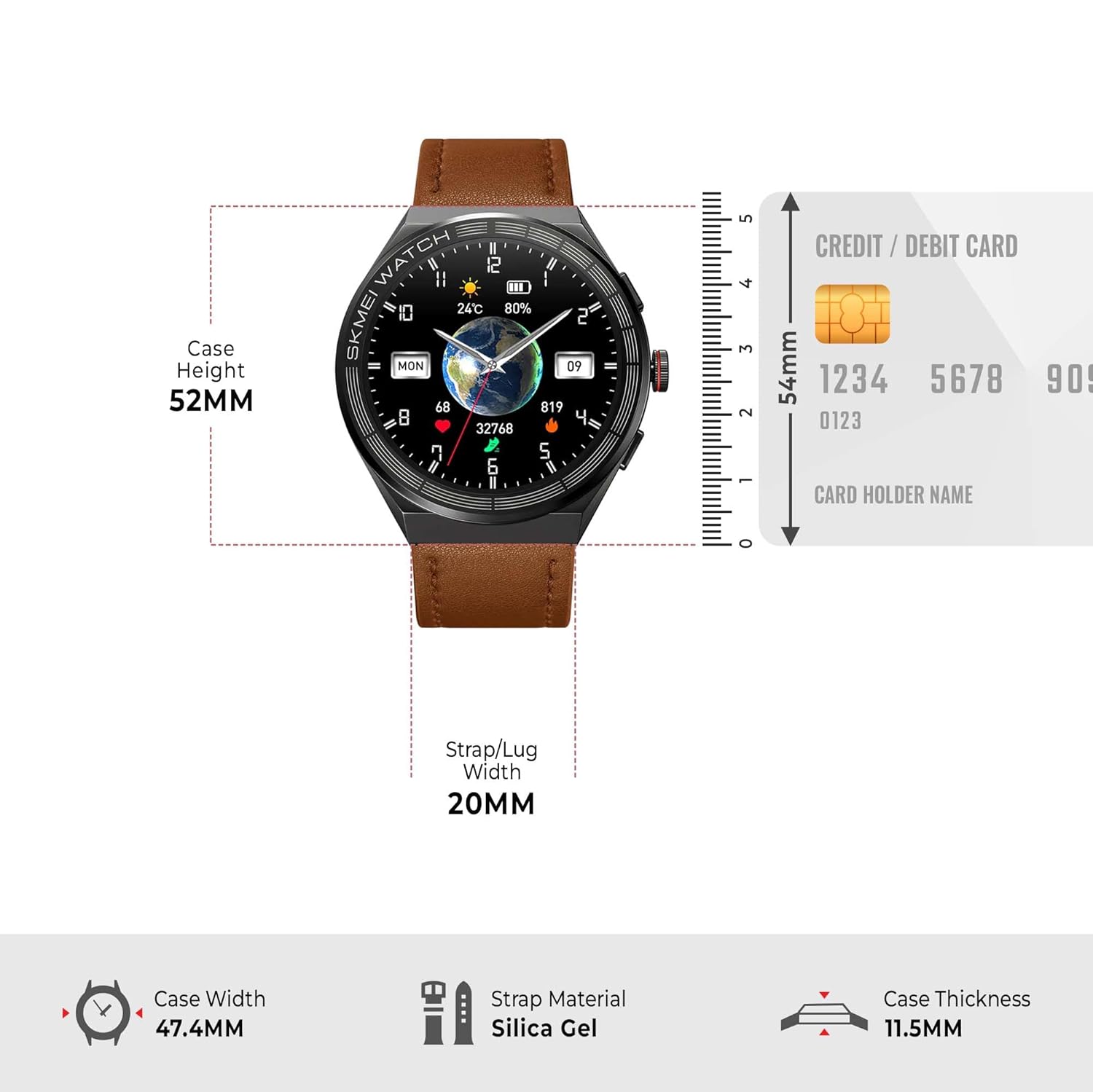
Image 7.1: Detailed dimensions of the SKMEI S232 Smartwatch.
8. Warranty and Support
For warranty information and customer support, please refer to the warranty card included in your package or visit the official SKMEI website. Keep your purchase receipt as proof of purchase for warranty claims.