
Introduction
This manual provides comprehensive instructions for the safe and efficient use, maintenance, and troubleshooting of your De'Longhi 1500W Ceramic Digital Tower Heater, model HFXR28S15W. Please read all instructions carefully before operating the appliance and retain this manual for future reference.
This De'Longhi heater incorporates sustainable design, utilizing 40% recycled plastic in its construction and packaging made from 80% recycled materials.
Important Safety Information
WARNING: When using electrical appliances, basic precautions should always be followed to reduce the risk of fire, electric shock, and injury to persons, including the following:
- Read all instructions before using this heater.
- This heater is hot when in use. To avoid burns, do not let bare skin touch hot surfaces. Use handles when moving this heater. Keep combustible materials, such as furniture, pillows, bedding, papers, clothes, and curtains at least 3 feet (0.9 m) from the front of the heater and keep them away from the sides and rear.
- Extreme caution is necessary when any heater is used by or near children or invalids and whenever the heater is left operating and unattended.
- Always unplug heater when not in use.
- Do not operate any heater with a damaged cord or plug or after the heater malfunctions, has been dropped or damaged in any manner. Return heater to authorized service facility for examination, electrical or mechanical adjustment, or repair.
- Do not use outdoors.
- This heater is not intended for use in bathrooms, laundry areas, and similar indoor locations. Never locate heater where it may fall into a bathtub or other water container.
- Do not run cord under carpeting. Do not cover cord with throw rugs, runners, or similar coverings. Do not route cord under furniture or appliances. Arrange cord away from traffic area and where it will not be tripped over.
- To disconnect heater, turn controls to OFF, then remove plug from outlet.
- Do not insert or allow foreign objects to enter any ventilation or exhaust opening as this may cause an electric shock or fire, or damage the heater.
- To prevent a possible fire, do not block air intakes or exhaust in any manner. Do not use on soft surfaces, like a bed, where openings may become blocked.
- A heater has hot and arcing or sparking parts inside. Do not use it in areas where gasoline, paint, or flammable liquids are used or stored.
- Use this heater only as described in this manual. Any other use not recommended by the manufacturer may cause fire, electric shock, or injury to persons.
- Always plug heaters directly into a wall outlet/receptacle. Never use with an extension cord or relocatable power tap (outlet/power strip).
- This heater includes an internal tip-over safety switch that automatically turns the unit off if it falls over.
- This heater is equipped with a two-stage overheat protection system, including a thermal shutoff and a thermal fuse, to prevent overheating.
- Do not cover the heater. The warning "DO NOT COVER" is printed on the appliance.
Product Overview
The De'Longhi HFXR28S15W is a ceramic digital tower heater designed for efficient heating in small spaces. It features a digital display, remote control, oscillation, and multiple operating modes.
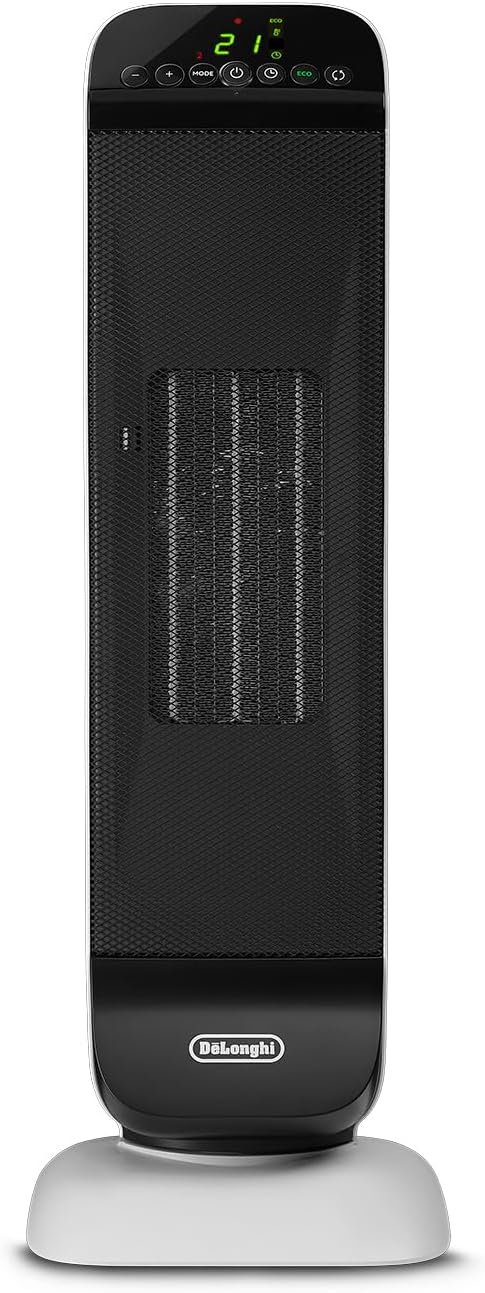
Image: Front view of the De'Longhi HFXR28S15W Ceramic Digital Tower Heater, showing its sleek black and white tower design with a digital display at the top.
Components
- Main Unit: The primary heating appliance.
- Control Panel: Located on the top of the unit for manual operation.
- Digital Display: Shows temperature, timer, and mode settings.
- Remote Control: Allows convenient operation from a distance.
- Base: Provides stability and houses the oscillation mechanism.
- Cool Touch Handle: Integrated into the top rear for safe relocation.

Image: Top-rear view of the heater, highlighting the integrated cool-touch handle and a slot for remote control storage.
Control Panel and Remote Control
The heater can be operated using the control panel on the unit or the included remote control. Both offer similar functionalities.

Image: Close-up of the heater's digital control panel, displaying buttons for power, mode, timer, ECO, oscillation, and temperature adjustment, along with a digital temperature reading.

Image: The compact black remote control for the De'Longhi heater, featuring buttons for power, mode, ECO, timer, oscillation, and temperature adjustment.
Control Buttons:
- Power Button (⏻): Turns the heater ON or OFF.
- Mode Button: Cycles through heating modes (Low, High, Fan Only, ECO).
- Temperature Adjustment (+/-): Increases or decreases the desired temperature setting.
- Timer Button (⏱): Sets the auto-off timer.
- ECO Button: Activates the energy-saving ECO function.
- Oscillation Button (↻): Activates or deactivates the oscillation function.
Setup
Unpacking
- Carefully remove the heater from its packaging.
- Remove all packaging materials and any promotional labels or stickers from the heater.
- Inspect the heater for any signs of damage. If damaged, do not use and contact customer support.
Placement
Place the heater on a firm, level surface. Ensure there is at least 3 feet (0.9 m) of clear space around the front, sides, and rear of the heater to prevent obstruction of air intake and exhaust openings.
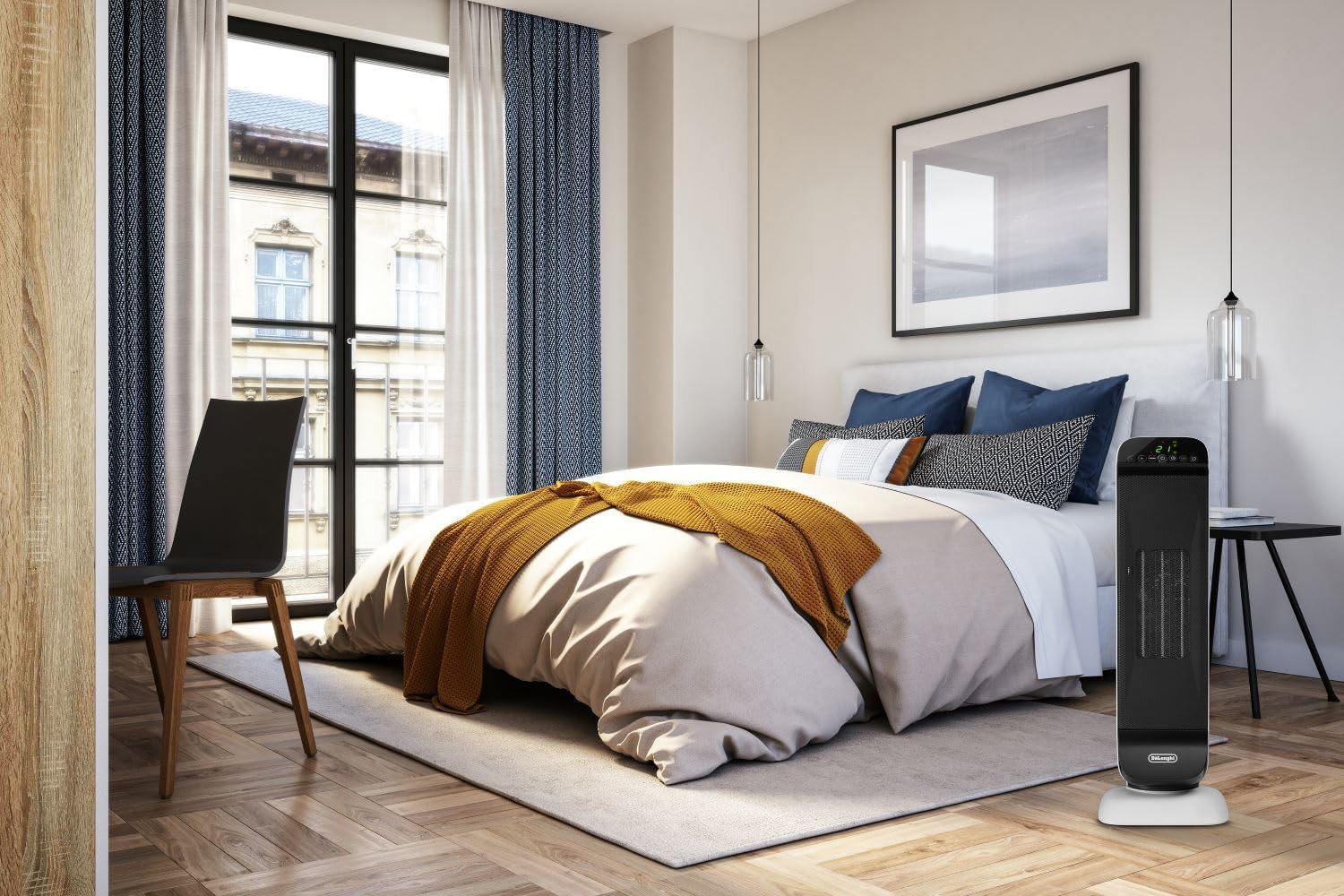
Image: The De'Longhi tower heater positioned in a bedroom, demonstrating appropriate placement away from bedding and curtains.
Power Connection
Plug the power cord directly into a 120V AC electrical wall outlet. Do not use extension cords, power strips, or surge protectors with this appliance. Ensure the outlet is not shared with other high-wattage appliances.
Remote Control Battery Installation
The remote control requires 1 Lithium Ion battery (included). Open the battery compartment on the back of the remote control, insert the battery with the correct polarity, and close the compartment.
Operating Instructions
Power On/Off
Press the Power button (⏻) on the control panel or remote control to turn the heater ON or OFF.
Setting the Desired Temperature
When the heater is ON, use the + or - buttons to adjust the desired room temperature. The digital display will show the set temperature. The heater will cycle ON and OFF to maintain the set temperature.
Mode Selection
Press the Mode button to cycle through the available operating modes:
- Heat Low: Provides lower heat output.
- Heat High: Provides maximum 1500W heat output.
- Fan Only: Circulates air without heat, suitable for year-round use.
- ECO Function: Automatically adjusts heat and power settings for optimal comfort and energy efficiency.
Oscillation Function
Press the Oscillation button (↻) to activate or deactivate the motorized oscillation, which distributes heat across a wider area.

Image: The De'Longhi tower heater shown with red arrows indicating its oscillation movement, illustrating how it distributes warmth.
Timer Function
Press the Timer button (⏱) to set the heater to automatically turn OFF after a specified period (up to 24 hours). Each press of the button increases the timer setting. The display will show the remaining time.
Anti-Freeze Setting
The anti-freeze setting helps prevent pipes from freezing in cold environments. When activated, if the room temperature drops below 41°F (5°C), the heater will automatically turn on to maintain this temperature. This feature is particularly useful in basements or vacation homes.
Maintenance and Storage
Cleaning
- Always unplug the heater from the electrical outlet and allow it to cool completely before cleaning.
- Wipe the exterior of the heater with a soft, damp cloth. Do not use abrasive cleaners or solvents.
- Ensure no water enters the appliance.
- Do not immerse the heater in water or any other liquid.
Storage
When not in use, store the heater in a cool, dry place. If possible, store it in its original packaging to protect it from dust and damage.
Troubleshooting
If your heater is not operating correctly, please consult the following common issues before contacting customer support.
| Problem | Possible Cause | Solution |
|---|---|---|
| Heater does not turn on. | Not plugged in; power outage; tip-over switch activated; overheat protection activated. | Ensure the power cord is securely plugged into a wall outlet. Check the household fuse/circuit breaker. If the heater was tipped, place it upright on a flat surface. If overheated, unplug and allow to cool for 30 minutes before restarting. |
| Heater produces no heat or insufficient heat. | Temperature setting too low; ECO mode active; air intake/exhaust blocked. | Increase the desired temperature setting. Switch to a higher heat mode (e.g., Heat High). Ensure air intakes and exhaust are not blocked. |
| Heater turns off unexpectedly. | Overheat protection activated; tip-over switch activated; timer expired. | Unplug and allow to cool for 30 minutes. Ensure the heater is on a stable, flat surface. Check if the timer function is active. |
| Remote control not working. | Dead battery; obstruction between remote and heater. | Replace the remote control battery. Ensure there are no obstructions between the remote and the heater's sensor. |
Specifications
| Feature | Detail |
|---|---|
| Model Number | HFXR28S15W |
| Power Output | 1500 Watts |
| Voltage | 120 Volts (AC) |
| Dimensions (D x W x H) | 7.72"D x 6.1"W x 23.35"H |
| Item Weight | 5.4 pounds |
| Heating Type | Ceramic |
| Special Features | Digital Display, On/Off Timer, Oscillating, Remote Control, Tip-Over Protection, ECO Function, Anti-Freeze Setting |
| Included Components | Ceramic Heater, Remote Control |
| Recycled Content | 40% recycled plastic (product), 80% recycled materials (packaging) |

Image: Diagram illustrating the dimensions of the De'Longhi HFXR28S15W heater: 23.25 inches high, 6.1 inches wide, and 7.7 inches deep.
Warranty and Support
For warranty information, product registration, or technical assistance, please refer to the warranty card included with your product or visit the official De'Longhi website. You may also contact De'Longhi customer support directly for service inquiries.
De'Longhi Customer Support: www.delonghi.com/en-us/customer-support