1. Product Overview
This manual provides detailed instructions for the installation, operation, and maintenance of your Real HD 4-Channel PoE IP Security Camera System. This system includes a 4K 8-Channel Network Video Recorder (NVR) with a pre-installed 2TB hard drive and four 6MP PoE IP dome cameras, designed for both indoor and outdoor surveillance.
1.1 Package Contents
Verify that all items listed below are present in your package. If any items are missing or damaged, please contact customer support.

Image 1.1: Package Contents. This image displays the components included in the box: one 8-channel PoE NVR, four IP cameras, one mouse, one quick start guide, four waterproof lids, four mounting templates, and four sets of screws. Note that network cables are not included.
- 1 x 4K 8-Channel PoE NVR with 2TB HDD
- 4 x 6MP PoE IP Dome Cameras
- 1 x USB Mouse
- 1 x Quick Start Guide
- 4 x Waterproof Lids
- 4 x Mounting Templates
- 4 x Sets of Mounting Screws
1.2 Key Features
- High Resolution: 6MP (3072x2048) IP cameras for clear video.
- 4K NVR: 8-channel Network Video Recorder supports up to 4K resolution input.
- 2TB Storage: Pre-installed 2TB surveillance-grade hard drive for 24/7 recording.
- PoE Connectivity: Power over Ethernet for simplified installation with a single cable for power and video.
- Advanced Compression: H.265 video compression saves storage space without sacrificing video quality.
- Smart Detection: Person and Vehicle Detection for accurate alerts.
- Audio Recording: Built-in microphone in each camera for audio capture.
- Weatherproof Design: IP66-rated cameras suitable for indoor and outdoor use.
- Wide Viewing Angle: 102° wide viewing angle (108° for 2.8mm lens variant).
- Night Vision: Infrared LEDs provide clear night vision up to 100ft (30m).
2. System Setup
2.1 NVR Connection
- Connect Monitor: Connect the NVR to a monitor using an HDMI or VGA cable.
- Connect Mouse: Plug the included USB mouse into a USB port on the NVR.
- Connect Network: Connect the NVR to your router or network switch using an Ethernet cable (not included).
- Connect Power: Connect the NVR to a power outlet using the provided power adapter. The NVR will power on automatically.
2.2 Camera Installation
The cameras utilize Power over Ethernet (PoE) technology, simplifying installation by delivering both power and data through a single Ethernet cable.

Image 2.1: Power Over Ethernet (PoE) Connection. This image demonstrates how a single Ethernet cable provides both power and data connectivity to the camera, simplifying wiring.
- Mount Cameras: Choose suitable locations for your cameras, ensuring optimal viewing angles and coverage. Use the provided mounting templates and screws to securely attach the cameras.
- Connect Ethernet Cables: Connect each PoE IP camera to an available PoE port on the NVR using Ethernet cables (not included). The cameras will power on automatically.
- Waterproof Connections: For outdoor installations, use the provided waterproof lids to protect the Ethernet cable connections from moisture.
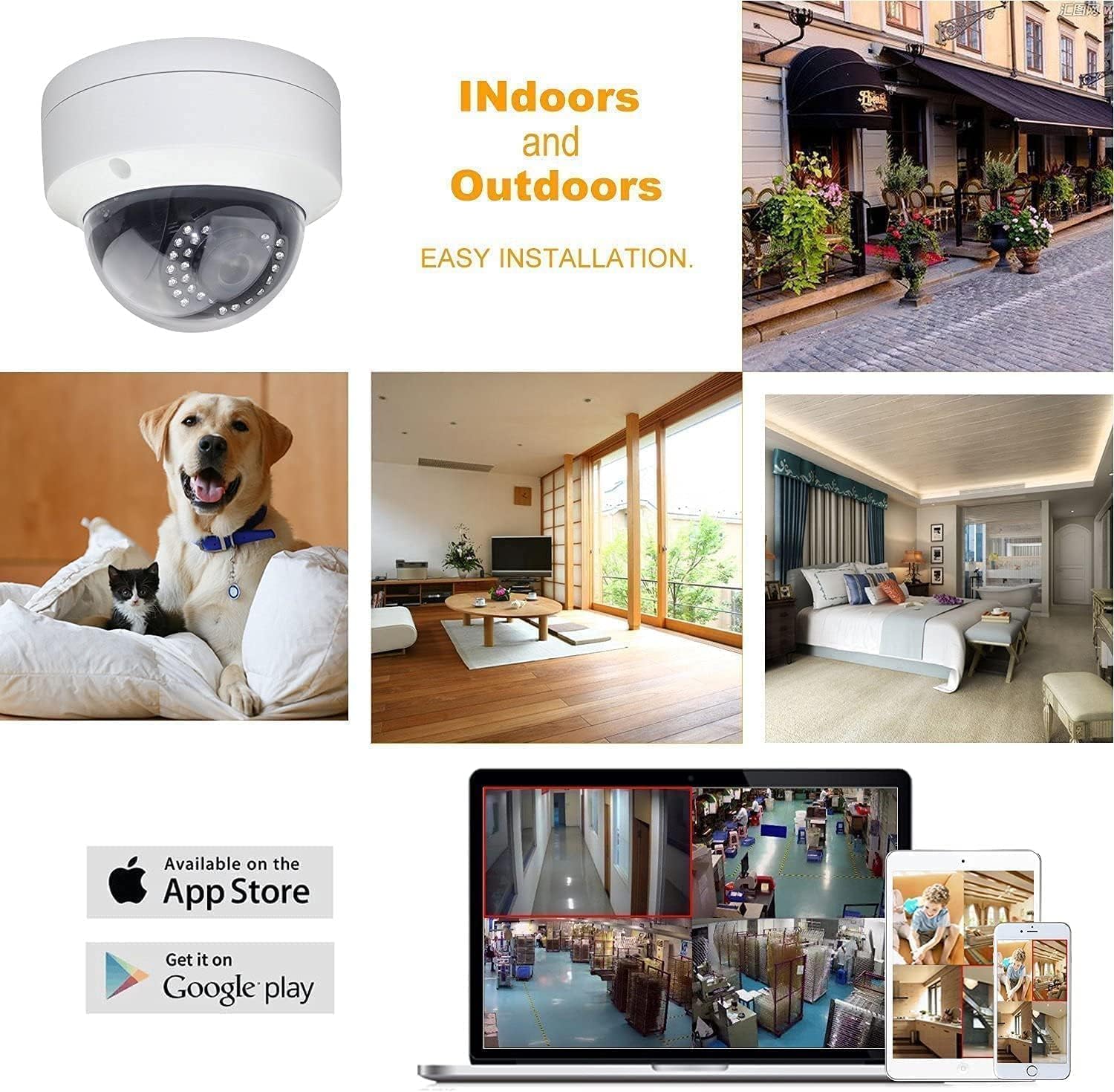
Image 2.2: Indoor and Outdoor Installation. This image illustrates the versatility of the cameras for both indoor and outdoor environments, highlighting their easy installation and compatibility with mobile viewing applications.
2.3 Initial Configuration
Upon first power-up, the NVR will guide you through an initial setup wizard. Follow the on-screen prompts to:
- Create a strong password for the NVR administrator account.
- Configure date, time, and network settings.
- Verify camera connections and video feeds.
3. System Operation
3.1 Live View
After initial setup, the NVR will display the live video feeds from all connected cameras on your monitor. You can switch between single-camera view, multi-camera grid view, and customize display settings using the NVR's interface and mouse.
3.2 Recording
The NVR is configured for 24/7 continuous recording by default, utilizing the pre-installed 2TB hard drive. The advanced H.265 video compression technology optimizes storage space, allowing for longer recording durations without compromising video quality.
3.3 Playback
To review recorded footage:
- Access the 'Playback' menu on the NVR interface.
- Select the desired date and time range.
- Choose the camera feed you wish to review.
- Use the playback controls (play, pause, fast forward, rewind) to navigate through the footage.
3.4 Remote Access
Access your security system remotely from anywhere using the 'Guard Viewer' mobile application.

Image 3.1: Easy Remote Access. This image illustrates the convenience of accessing live and recorded video feeds from your security system anytime, anywhere, using the 'Guard Viewer' mobile application on various devices.
- Download App: Download the 'Guard Viewer' app from the Apple App Store or Google Play Store.
- Scan QR Code: Open the app and scan the QR code displayed on your NVR's monitor (or found in the NVR's network settings) to add your device.
- Live View & Playback: Once connected, you can view live feeds, play back recordings, and receive alerts directly on your mobile device.
3.5 Person and Vehicle Detection
The system features intelligent Person and Vehicle Detection, which helps reduce false alarms by distinguishing human and vehicle movement from other motion sources. Configure detection zones and sensitivity settings within the NVR's menu to optimize performance.
3.6 Night Vision
The cameras are equipped with infrared (IR) LEDs and a smart IR-cut filter for effective day and night monitoring. The IR-cut filter automatically switches between day (color) and night (black and white infrared) modes to provide clear images in varying light conditions, with night vision range up to 100ft.

Image 3.2: Day and Night Vision Comparison. This image demonstrates the camera's wide 108-degree viewing angle during the day and its effective infrared night vision capability in low-light conditions.

Image 3.3: True Day and Night Monitoring. This image illustrates how the smart IR-cut filter provides realistic pictures with minimal color cast during the day and clear, detailed night vision up to 100ft, ensuring continuous 24-hour safeguarding.
4. Maintenance
4.1 Hard Drive Management
The 2TB hard drive provides ample storage. The H.265 compression technology helps maximize recording time. For long-term archiving or to free up space, utilize the USB backup feature to transfer recorded footage to an external storage device.
4.2 Firmware Updates
Periodically check the manufacturer's website or contact technical support for available firmware updates. Keeping your NVR and cameras updated ensures optimal performance, security, and access to new features.
4.3 Cleaning
Regularly clean the camera lenses with a soft, damp cloth to ensure clear image quality. Keep the NVR free from dust by gently wiping its exterior and ensuring proper ventilation.
5. Troubleshooting
This section addresses common issues you might encounter. For more complex problems, please contact technical support.
- No Video Display:
- Ensure the NVR is powered on and connected to a monitor.
- Check HDMI/VGA cable connections.
- Verify cameras are powered via PoE and connected to the NVR.
- No Recording:
- Check NVR hard drive status in settings; ensure it's initialized and healthy.
- Verify recording schedules are correctly configured.
- Ensure sufficient free space on the hard drive.
- Remote Access Issues:
- Ensure the NVR is connected to the internet.
- Verify network settings (DHCP or static IP).
- Check firewall settings on your router.
- Ensure the 'Guard Viewer' app is updated and correctly configured with the NVR's device ID.
- Poor Image Quality:
- Clean camera lenses.
- Check for obstructions in the camera's field of view.
- Ensure sufficient lighting for night vision (if applicable).
6. Technical Specifications
6.1 NVR Specifications
| Feature | Specification |
|---|---|
| Channels | 8-Channel |
| Video Capture Resolution | 2160p (4K) |
| Memory Storage Capacity | 2 TB (Pre-installed HDD) |
| Hardware Interface | Ethernet, USB |
| Recording Mode | Continuous |
| Power Source | Corded Electric |
| Item Weight | Approximately 25 pounds (System total) |
6.2 Camera Specifications
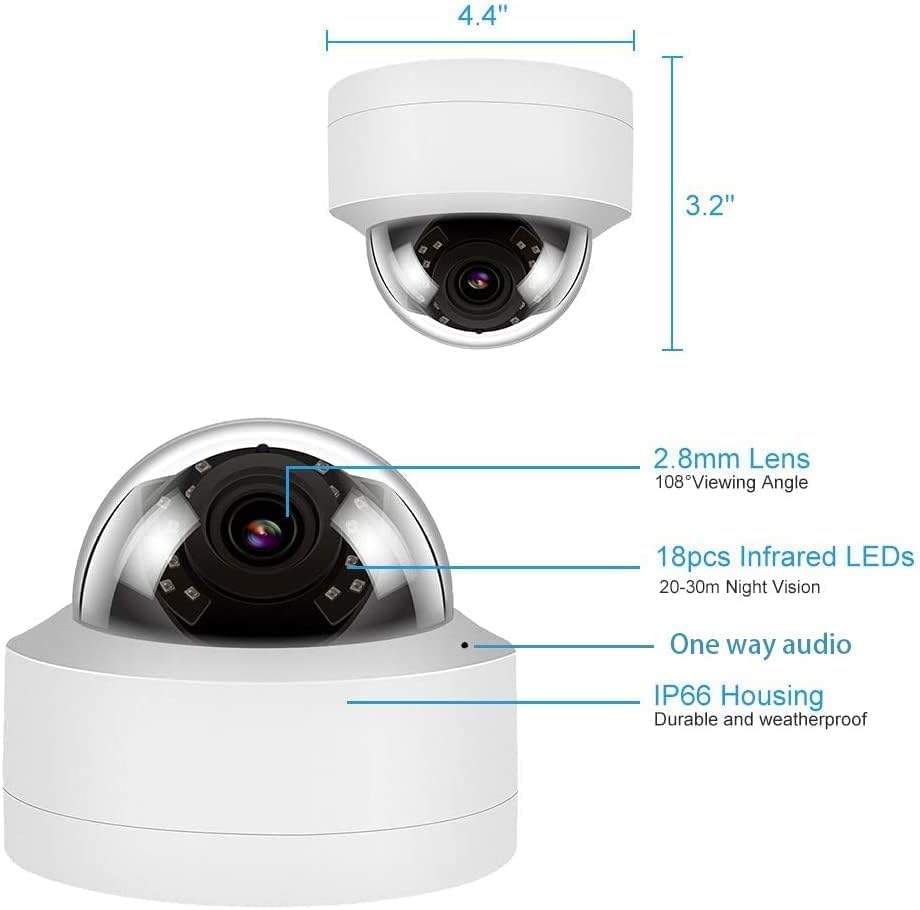
Image 6.1: Camera Dimensions and Features. This image provides a detailed view of the dome camera, highlighting its physical dimensions (4.4" width, 3.2" height) and key features such as the 2.8mm lens, 108° viewing angle, 18 infrared LEDs for night vision, one-way audio capability, and IP66 weatherproof housing.
| Feature | Specification |
|---|---|
| Resolution | 6MP (3072x2048) |
| Lens Type | 2.8mm Wide Angle |
| Viewing Angle | 102° (up to 108° with 2.8mm lens) |
| Frame Rate | 20fps |
| Special Features | Image Sensor, Person Detection, Vehicle Detection, Built-in Microphone |
| Weather Resistance | IP66 Rated |
| Connectivity Technology | Wired (PoE) |
| Dimensions | 4.4" (Width) x 3.2" (Height) |
7. Warranty and Technical Support
This product is manufactured by Real HD. For any technical assistance or support inquiries, please contact the seller directly. Technical support hours are 9 am-5 pm CST.
Both the NVR and IP Cameras are NDAA compliant, meaning they are not manufactured by nor utilize components from prohibited companies or contain specific HiSilicon SoCs.
For information regarding product warranty, please refer to the documentation provided with your purchase or contact the seller.


