
Introduction
This manual provides detailed instructions for the installation, operation, and maintenance of your Fortdows Car Stereo Radio. Designed specifically for Chevy Sonic models from 2011 to 2015, this 9.2-inch touchscreen unit features Android 11, Bluetooth 5.0, GPS navigation, Wi-Fi connectivity, Steering Wheel Control (SWC) compatibility, and an AHD backup camera. Please read this manual thoroughly before installation and use to ensure optimal performance and safety.
Package Contents
Before beginning installation, please verify that all components listed below are included in your package:
- Fortdows Car Stereo Head Unit
- Power Cable
- USB Cables (x2)
- GPS Module
- RCA Cable
- Antenna Adapter Cable
- Antenna
- Reversing Line
- AHD Backup Camera
- Can Bus Decoder
- Crowbar (Installation Tool)

Figure 1: Complete Package Contents
Installation Guide
Pre-Installation Checklist
- Ensure the vehicle's ignition is off and the battery is disconnected.
- Gather necessary tools (e.g., screwdrivers, trim removal tools).
- Familiarize yourself with your vehicle's dashboard and existing stereo removal process.
Installation Steps
- Carefully remove the original car stereo and dashboard trim using the provided crowbar and appropriate tools.
- Disconnect all wiring harnesses from the original unit.
- Connect the Fortdows car stereo's wiring harnesses to the vehicle's corresponding connectors. Ensure all connections are secure.
- Install the GPS module, USB cables, and AHD backup camera (if applicable), routing cables neatly and securely.
- Transfer the two air vents and four metal clips from the stock trim to the new head unit's frame.
- Carefully insert the new Fortdows car stereo into the dashboard opening, ensuring it fits snugly.
- Reconnect the vehicle's battery and test the unit's functionality before fully reassembling the dashboard.
- Reassemble the dashboard trim, ensuring all clips and screws are properly secured.

Figure 2: Before and After Installation View
Operating Instructions
Power On/Off
The unit powers on automatically with the vehicle's ignition. To manually turn off or restart the unit, press and hold the power button located on the front panel.
Touchscreen Operation
The 9.2-inch capacitive touchscreen offers intuitive control. Tap icons to open applications, swipe to navigate menus, and use pinch-to-zoom gestures for maps and images. The high-resolution display (1280*800) ensures clear visuals.

Figure 3: Touchscreen Interface
Wireless Apple CarPlay & Android Auto
Connect your iPhone or Android smartphone wirelessly to access navigation, make calls, send messages, and stream music directly from your phone. Activate CarPlay or Android Auto from the main menu and follow the on-screen pairing instructions.
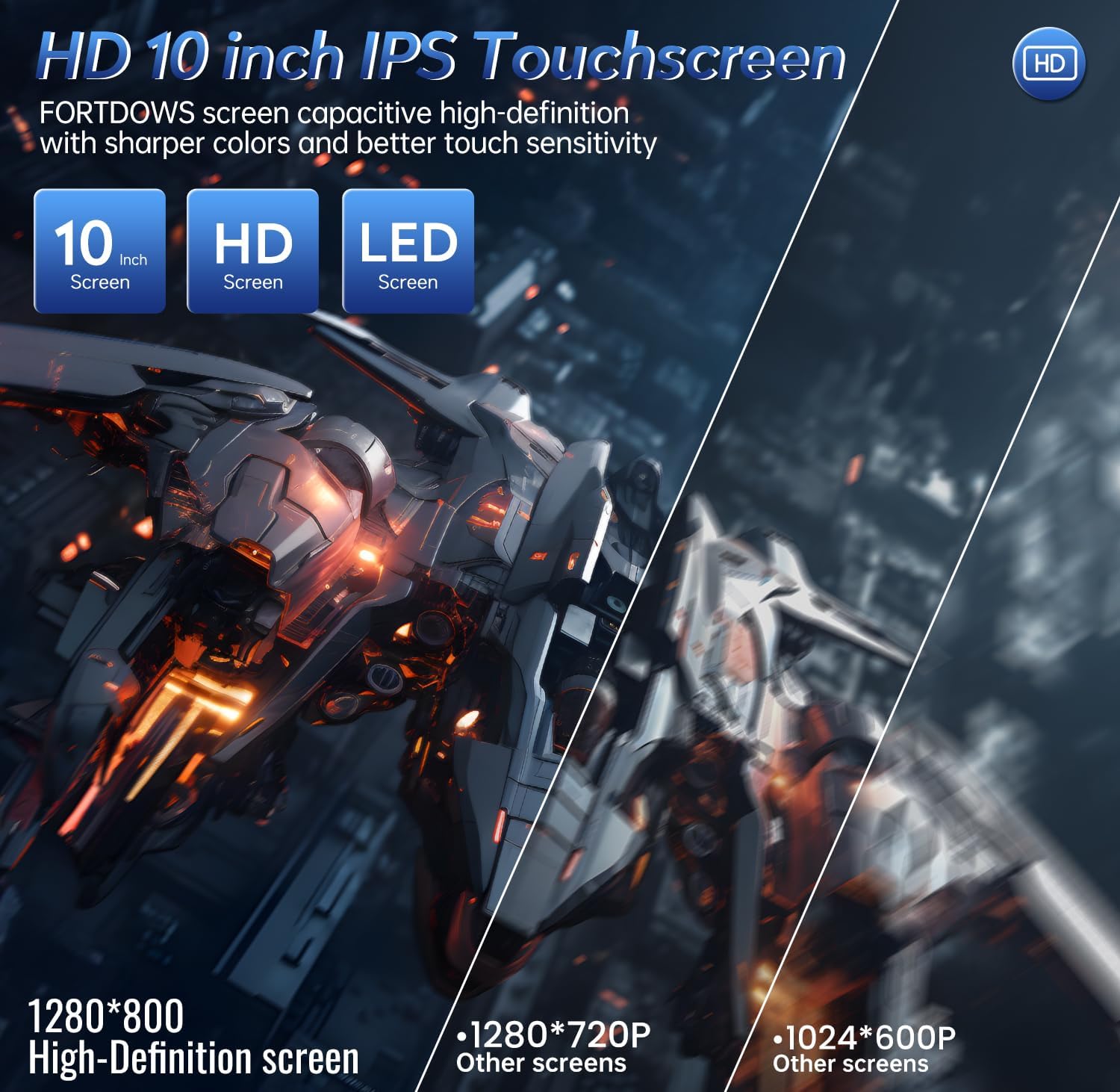
Figure 4: Wireless CarPlay & Android Auto
Bluetooth 5.0 Connectivity
Pair your mobile device via Bluetooth 5.0 for hands-free calling and audio streaming. Navigate to the Bluetooth settings, enable Bluetooth on your phone, and select the car stereo from the list of available devices. The unit supports A2DP for high-quality audio playback.

Figure 5: Bluetooth Functionality
FM Radio
Access your favorite radio stations with the built-in FM tuner. The unit supports automatic scanning and allows you to save preferred stations for quick access. Enjoy real-time radio, weather forecasts, and news updates.
DSP Sound Enhancement
Customize your audio experience with the integrated Digital Signal Processor (DSP). Adjust equalizer settings, sound field, surround sound, stereo sound enhancement, and bass enhancement to achieve superior sound quality tailored to your preferences.

Figure 6: DSP Sound Settings
GPS Navigation
The unit features built-in GPS functionality with offline maps for North America. You can also use online navigation applications via Wi-Fi. The navigation system provides accurate directions and real-time traffic updates to help you reach your destination efficiently.
Steering Wheel Control (SWC)
The Fortdows car stereo supports your vehicle's original steering wheel controls, allowing you to manage audio playback, answer calls, and navigate without taking your hands off the wheel. This enhances both safety and convenience.
AHD Backup Camera
For enhanced safety, the system includes an AHD (Analog High Definition) backup camera. When the vehicle is shifted into reverse, the high-resolution screen automatically displays a clear and detailed view of the area behind your car, assisting with parking and eliminating blind spots.
Wi-Fi Functionality
Connect the car stereo to a Wi-Fi hotspot to access online features, download applications from the Play Store, browse the internet, and stream content. This allows for a fully connected in-car experience.
Feature Overview Video
Video 1: This video provides a comprehensive overview of the Fortdows Car Stereo's key features, including Wi-Fi connectivity, Bluetooth pairing, Apple CarPlay and Android Auto setup, DSP sound adjustments, FM radio operation, split-screen functionality, and GPS navigation. It demonstrates the user interface and various settings.
Troubleshooting
If you encounter any issues with your Fortdows Car Stereo, please refer to the following common problems and their solutions:
- Steering Wheel Controls Not Functioning Correctly: Ensure the correct Canbus settings are selected in the unit's system settings. Verify that the vehicle model and year are accurately configured. If issues persist, contact customer support for specific Canbus programming guidance.
- Unit Freezes or Glitches: Try restarting the unit by pressing the reset button (if available) or by turning off the vehicle's ignition and restarting. Ensure the firmware is up to date. If the problem continues, a factory reset may be necessary (note: this will erase all user data).
- Backup Camera Not Displaying: Check all connections to the AHD backup camera and the reversing line. Ensure the camera is properly powered and the video input is selected correctly in the unit's settings.
- No Sound or Poor Audio Quality: Verify speaker connections and check the DSP sound settings. Ensure volume levels are adequate and no audio outputs are muted.
- Bluetooth Pairing Issues: Ensure Bluetooth is enabled on both the car stereo and your mobile device. Delete previous pairings and attempt to re-pair. Move closer to the unit if experiencing connection drops.
- Missing Parts Upon Delivery: If any components listed in the 'Package Contents' section are missing, please contact Fortdows customer support immediately with your purchase details.
- Key Fobs Not Working After Installation: This unit does not directly control vehicle key fob functionality. If your key fobs are affected, it may indicate an issue with the vehicle's wiring or a conflict with the new stereo's electrical system. Consult a professional auto electrician or Fortdows customer support.
Product Specifications
| Feature | Specification |
|---|---|
| Model Compatibility | Chevy Sonic 2011-2015 |
| Operating System | Android 11 (or later, as per product details) |
| Screen Size | 9.2-Inch |
| Display Resolution | 1280*800 |
| Processor | Quad Core |
| RAM | 2GB |
| ROM | 32GB |
| Bluetooth Version | 5.0 |
| Audio Output Power | 4*50W |
| Connectivity | Bluetooth, Wi-Fi, USB |
| Special Features | Touchscreen, Built-in GPS, Apple CarPlay, Android Auto, DSP Sound, SWC, AHD Backup Camera |
| Item Weight | 3.68 pounds |
| Package Dimensions | 15.28 x 13.54 x 5.47 inches |
Warranty and Customer Support
Fortdows is committed to providing high-quality products and excellent customer service. Your Fortdows Car Stereo Radio comes with the following:
- 1-Year Warranty: Covers manufacturing defects and malfunctions under normal use.
- 7-Day Return Policy: Allows for returns within 7 days of receipt, subject to terms and conditions.
- Return on Defects: Products with confirmed defects are eligible for return or replacement.
Contact Information
For any inquiries, technical support, or warranty claims, please contact us:
- Email: fortdows.cam@gmail.com
- Website: www.fancygod.com

Figure 7: Warranty and Support Information


