
1. Important Safety Information
Please read all instructions carefully before using the CEARTRY TM-14 Treadmill. Retain this manual for future reference. Failure to follow these safety guidelines may result in injury or damage to the product.
- Ensure the treadmill is placed on a flat, stable surface.
- Keep children and pets away from the treadmill during operation.
- Do not operate the treadmill if it is damaged or malfunctioning.
- Wear appropriate athletic footwear during use.
- Consult a physician before starting any new exercise program.
- The maximum user weight capacity is 265 lbs (120 kg).
- Always use the emergency stop function on the remote control if you feel unwell or need to stop quickly.
2. Package Contents
Verify that all components are present in the package:
- Treadmill (1 unit)
- Allen Wrench (1 unit)
- Silicone Lubricant (1 bottle)
- Battery (1 unit for remote control)
- Remote Control (1 unit)
- Power Cord (1 unit)
- User Manual (1 unit)
3. Setup
3.1 Unpacking and Placement
The CEARTRY TM-14 Treadmill requires no assembly and is ready to use out of the box. Carefully remove the treadmill from its packaging. Place the treadmill on a firm, level surface, ensuring adequate space around it for safe operation.

Image: The CEARTRY TM-14 Treadmill positioned on a rug in a living room, demonstrating its compact design and readiness for use.
3.2 Manual Incline Adjustment
The treadmill features two levels of manual incline adjustment: 2% and 4%. To adjust the incline, lift the rear of the treadmill and manually set the support legs to the desired incline level. Ensure both sides are securely locked into place before use.

Image: Visual representation of the treadmill's 2% and 4% manual incline settings, illustrating how the incline can be adjusted for a more challenging workout.
4. Operating Instructions
4.1 Powering On/Off
Connect the power cord to a standard electrical outlet and to the treadmill's power port. Press the power button located on the treadmill to turn it on. The LED display will illuminate. To turn off, press the power button again or use the remote control.
4.2 Using the Remote Control
The treadmill is operated using the included wrist remote control. Ensure the battery is correctly installed. The remote allows you to start/stop the treadmill, adjust speed, switch modes, and activate the emergency stop function.
- Start/Stop: Press the play/pause button to start or stop the running belt.
- Speed Adjustment: Use the '+' and '-' buttons to increase or decrease the speed. The speed range is 0.5 MPH to 4 MPH.
- Mode Selection: Press the 'MODE' button to cycle through different operating modes (e.g., manual, preset programs).
- Emergency Stop: The remote control includes an emergency stop function for immediate cessation of the treadmill's operation.

Image: The LED display clearly showing workout metrics and a hand operating the remote control, highlighting the ease of control during exercise.
4.3 LED Display
The integrated LED display provides real-time feedback on your workout. It shows:
- Distance: Total distance covered.
- Speed: Current speed in miles per hour (MPH).
- Time: Duration of your workout.
- Calories: Estimated calories burned.
4.4 Preset Programs
The treadmill offers 12 preset programs and two modes (automatic/countdown) to vary your workout intensity. Refer to the remote control's 'MODE' button to select and activate these programs based on your fitness goals.
4.5 Bluetooth Connectivity and App Usage
The CEARTRY TM-14 Treadmill supports Bluetooth 5.0 connectivity, allowing you to connect to compatible fitness applications for enhanced tracking and interactive workouts. Follow the app's instructions to pair your device.
Video: A quick guide demonstrating how to connect the treadmill to a fitness application via Bluetooth, including selecting the treadmill type and brand (FTMS) within the app.
Video: A demonstration of the Upreign walking pad in use, showcasing its minimalist design and ease of operation with a wireless remote control for quick adjustments.
5. Maintenance
5.1 Lubrication
Regular lubrication of the running belt is essential for optimal performance and longevity. Use the provided silicone lubricant. Apply a small amount of lubricant under the running belt every few months, or as needed, depending on usage frequency. Consult the detailed lubrication instructions in the full manual for precise application.
5.2 Cleaning
Wipe down the treadmill surfaces with a damp cloth after each use to remove sweat and dust. Do not use abrasive cleaners or solvents. Ensure the treadmill is unplugged before cleaning.
5.3 Running Belt
The treadmill features a 5-layer anti-slip textured running belt designed for cushioning and safety. Periodically inspect the belt for wear and tear. If the belt feels loose or misaligned, refer to the full manual for adjustment instructions.
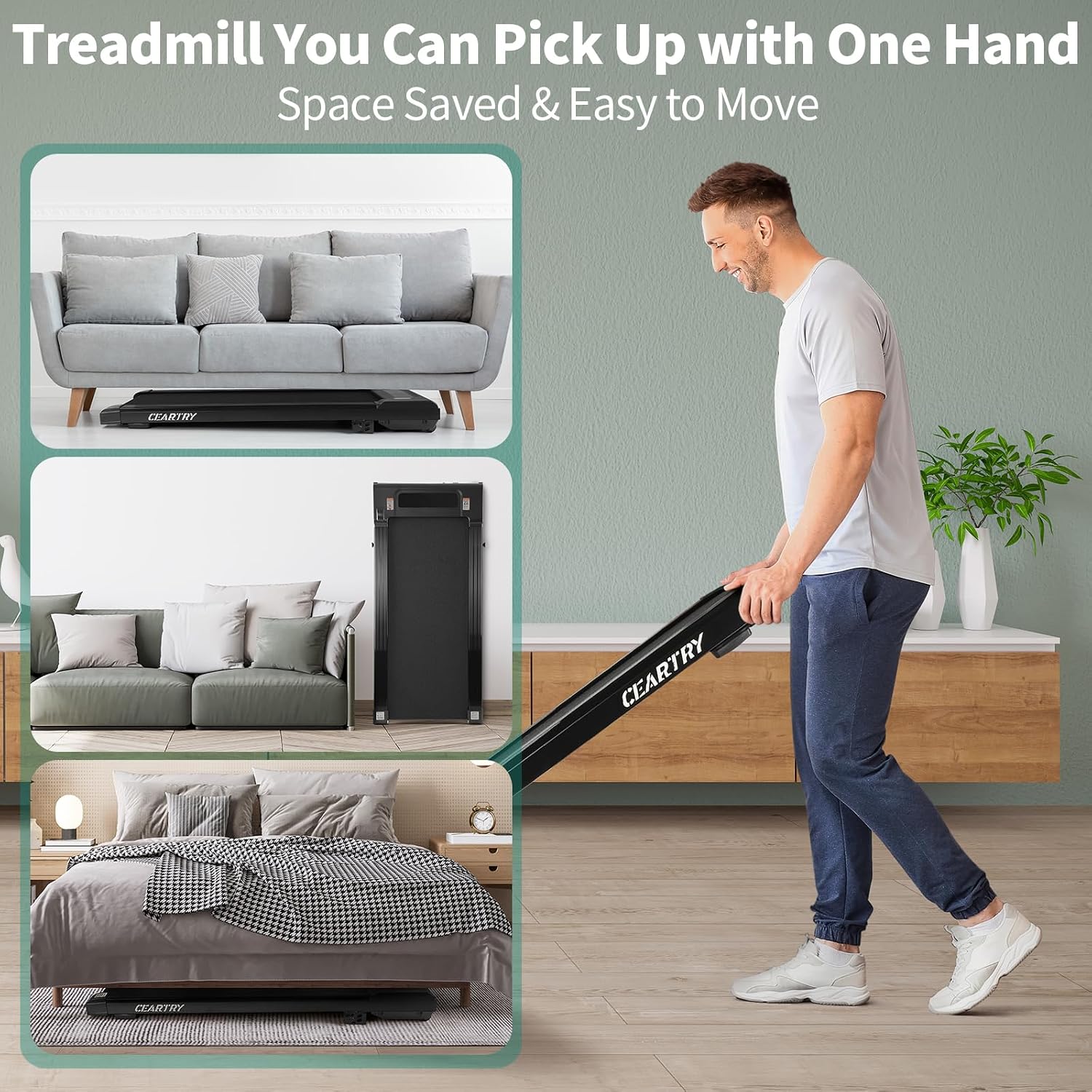
Image: An exploded view diagram detailing the five distinct layers of the treadmill's running belt, emphasizing its construction for durability and comfort.
6. Troubleshooting
If you encounter issues with your CEARTRY TM-14 Treadmill, refer to the following common problems and solutions:
- Treadmill not powering on: Check if the power cord is securely plugged into both the treadmill and the electrical outlet. Ensure the power switch on the treadmill is in the 'ON' position.
- Running belt making noise: A common cause for noise is the seam of the running belt. Ensure the belt is properly lubricated. If the noise persists, check for any obstructions or contact customer support.
- Remote control not responding: Check the battery in the remote control and replace if necessary. Ensure there are no obstructions between the remote and the treadmill's receiver.
- Inconsistent speed: Ensure the treadmill is on a level surface. If the issue continues, contact customer support.
7. Specifications
| Feature | Specification |
|---|---|
| Model Number | TM-14 |
| Color | Black |
| Material | Aluminum Alloy |
| Product Dimensions (L x W x H) | 120.14 x 53.34 x 11.68 cm (47.3" x 21" x 4.6") |
| Running Area (L x W) | 100.0 cm x 40.0 cm (39.4" x 15.7") |
| Net Weight | 20.87 kg (46 lbs) |
| Maximum Weight Capacity | 265 lbs (120 kg) |
| Speed Range | 0.5 - 4.0 MPH |
| Incline Levels | 2 (Manual 2% and 4%) |
| Horsepower | 1.25 HP |
| Display Type | LED (Distance, Speed, Time, Calories) |
| Number of Programs | 12 Preset Programs |
| Power Source | Corded Electric (AC110V/60Hz) |
| Special Features | Lightweight, Manual Incline, Wheeled, Quiet Motor (<45db) |

Image: A visual representation of the treadmill's key dimensions, including the running area (39.4" x 15.7") and overall product size (47.3" x 21" x 4.6").

Image: An internal view of the treadmill's powerful and quiet motor, indicating its 1.25 HP, 0.5-4.0 MPH speed range, 265 lbs weight capacity, and low noise level.
8. Storage
The CEARTRY TM-14 Treadmill is designed for easy movement and storage. It features built-in transport wheels, allowing it to be easily moved and stored under a desk or bed to save space.

Image: Demonstrates the treadmill's portability and compact storage options, showing it being easily moved and placed under furniture.
9. Warranty and Support
The CEARTRY TM-14 Treadmill comes with a three-year after-sales service. For warranty claims, technical support, or any questions regarding your product, please contact CEARTRY customer service through the retailer where you purchased the item. Please have your model number (TM-14) and purchase date available when contacting support.