
1. Introduction
Thank you for choosing the Ontel Turbo Sweeper Electric Broom. This manual provides essential information for the safe and efficient operation, maintenance, and troubleshooting of your new electric broom. Please read these instructions carefully before initial use and retain them for future reference.
Important Safety Information
- Always ensure the sweeper is turned off before cleaning or performing maintenance.
- Do not immerse the sweeper in water or other liquids.
- Keep hair, loose clothing, fingers, and all parts of the body away from openings and moving parts.
- Use only the charging adapter provided by the manufacturer.
- Store the sweeper in a dry place when not in use.
2. Product Components
Familiarize yourself with the main components of your Ontel Turbo Sweeper.

Image 2.1: The Ontel Turbo Sweeper Electric Broom, illustrating its compact and cordless design.
- Handle: Ergonomic grip for comfortable use.
- Main Unit: Houses the motor, battery, and dust collection bin.
- Brush Roll: Rotating brush for effective debris collection.
- Power Button: Activates and deactivates the sweeper.
- Dust Bin Release: Mechanism to open and empty the dust bin.
- Charging Port: For connecting the power adapter.
3. Setup and Initial Use
3.1 Assembly
Your Turbo Sweeper requires minimal assembly.
- Carefully unpack all components from the packaging.
- Connect the handle sections by aligning and pushing them together until they click securely into place.
- Attach the assembled handle to the main sweeper unit, ensuring a firm connection.
3.2 Charging the Battery
Before first use, fully charge the sweeper's battery.
- Locate the charging port on the main unit.
- Plug the provided charging adapter into the charging port.
- Plug the adapter into a standard electrical outlet.
- Allow the unit to charge until the charging indicator light (if present) signals a full charge. A full charge provides approximately 60 minutes of cordless operation.
- Disconnect the charger once charging is complete.
4. Operating Instructions
4.1 Basic Operation
- Ensure the sweeper is fully charged and the dust bin is empty.
- Press the power button to turn on the sweeper. The brush roll will begin to rotate.
- Gently push the sweeper across the floor surface to collect dirt and debris.
- The 360-degree swivel head allows for easy maneuverability around furniture and obstacles. The unit can also lay flat to reach under low furniture.
- When finished, press the power button again to turn off the sweeper.

Image 4.1: The sweeper's flexible design allows it to lay flat for cleaning under furniture.
4.2 Cleaning Different Surfaces
The Ontel Turbo Sweeper is designed for effective cleaning on various floor types.
- Hardwood and Tile Floors: The rotating brush efficiently sweeps up crumbs, dust, and pet hair.
- Carpets: Suitable for low-pile carpets to pick up surface debris and pet hair.

Image 4.2: The sweeper effectively cleans debris from carpeted surfaces.

Image 4.3: Demonstrating the sweeper's ability to collect larger debris on hardwood floors.
5. Care and Maintenance
Regular maintenance ensures optimal performance and extends the life of your sweeper.
5.1 Emptying the Dust Bin
Empty the dust bin after each use or when it appears full.
- Ensure the sweeper is turned off.
- Locate the dust bin release mechanism on the main unit.
- Press the release button and lift the dust bin away from the main unit.
- Hold the dust bin over a trash receptacle and open its lid to empty the collected debris.
- Close the dust bin lid and reattach it to the main unit, ensuring it clicks securely into place.
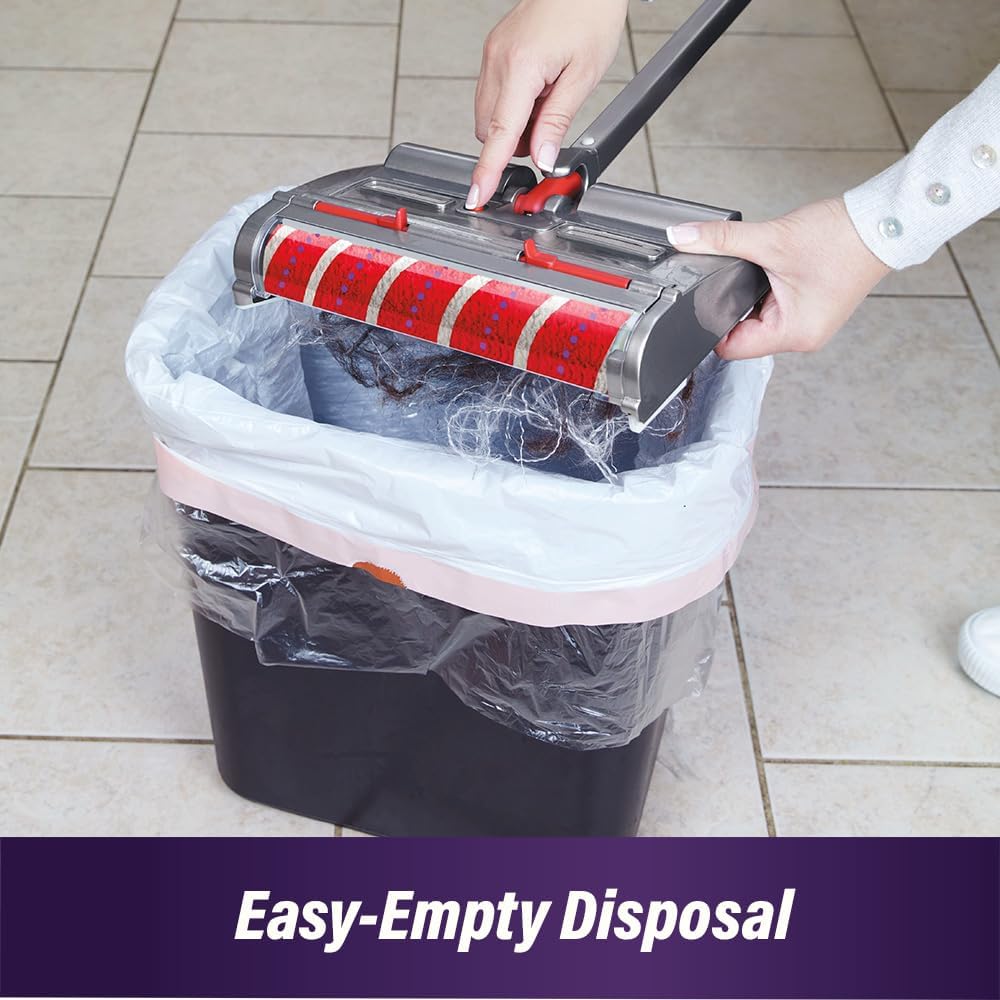
Image 5.1: Easy-empty disposal of collected debris into a trash bin.
5.2 Cleaning the Brush Roll
The Turbo Sweeper features a self-cleaning brush roll. However, occasional manual inspection and cleaning may be necessary, especially with long hair.
- Turn off the sweeper and disconnect it from any power source.
- Carefully remove any tangled hair or debris from the brush roll using scissors or a brush cleaning tool.
- Wipe the brush roll and surrounding areas with a dry cloth. Do not use water.

Image 5.2: Illustrates the effectiveness of the self-cleaning brush roll in preventing hair tangles compared to standard brush rolls.
5.3 Battery Care
- Avoid completely draining the battery before recharging to prolong its lifespan.
- Store the sweeper with a partial charge if it will not be used for an extended period.
- Do not expose the battery to extreme temperatures.
6. Troubleshooting Guide
Refer to this guide for common issues and their solutions.
| Problem | Possible Cause | Solution |
|---|---|---|
| Sweeper does not turn on. | Battery is depleted. | Charge the battery fully. |
| Sweeper does not pick up debris effectively. | Dust bin is full. | Empty the dust bin. |
| Brush roll is tangled with hair or debris. | Clean the brush roll as described in Section 5.2. | |
| Reduced run time. | Battery not fully charged or aging battery. | Ensure battery is fully charged. If issue persists, battery may need replacement (contact support). |
| Unusual noise during operation. | Debris caught in brush roll or motor. | Turn off and inspect brush roll and main unit for obstructions. Remove any foreign objects. |
7. Technical Specifications
- Model: TBSW-MC4
- Motor Speed: 1200 RPM
- Battery Type: 1 Lithium Ion (included)
- Cordless Operation Time: Up to 60 minutes (on full charge)
- Item Weight: Approximately 2 pounds
- Package Dimensions: 17.72 x 7.87 x 4.41 inches
- Manufacturer: Ontel
8. Warranty Information
Ontel products are manufactured to high-quality standards. For specific warranty details, including coverage period and terms, please refer to the warranty card included with your product or visit the official Ontel website. Keep your purchase receipt as proof of purchase for any warranty claims.
9. Customer Support
If you have any questions, require assistance, or encounter issues not covered in this manual, please contact Ontel customer support. Contact information can typically be found on the product packaging, the official Ontel website, or through your retailer.