
1. Product Overview
This manual provides detailed instructions for the ZdalaMit Replacement Remote Commander, designed to be fully compatible with a wide range of ATYME TV models. This remote control offers a direct replacement solution, requiring no complex programming for immediate use.

Figure 1: Front view of the ZdalaMit Replacement Remote Commander. This image displays the full layout of the remote control, including the power button, channel and volume controls, navigation pad, number keys, and various function buttons.
2. Setup and Battery Installation
The ZdalaMit Replacement Remote Commander is designed for ease of use, requiring no programming. Simply install the batteries, and the remote will be ready to operate your compatible ATYME TV.
2.1 Battery Requirements
- Requires 2 x AAA size alkaline batteries.
- Batteries are not included with the remote control.
2.2 Installing Batteries
- Locate the battery compartment on the back of the remote control.
- Slide open the battery compartment cover.
- Insert two AAA alkaline batteries, ensuring the positive (+) and negative (-) terminals align correctly with the markings inside the compartment.
- Close the battery compartment cover securely until it clicks into place.
Once batteries are installed, the remote control is ready for immediate use with your ATYME TV.
3. Operating Instructions
This remote commander provides full functionality for your ATYME TV. Below is a general guide to the common buttons and their functions.
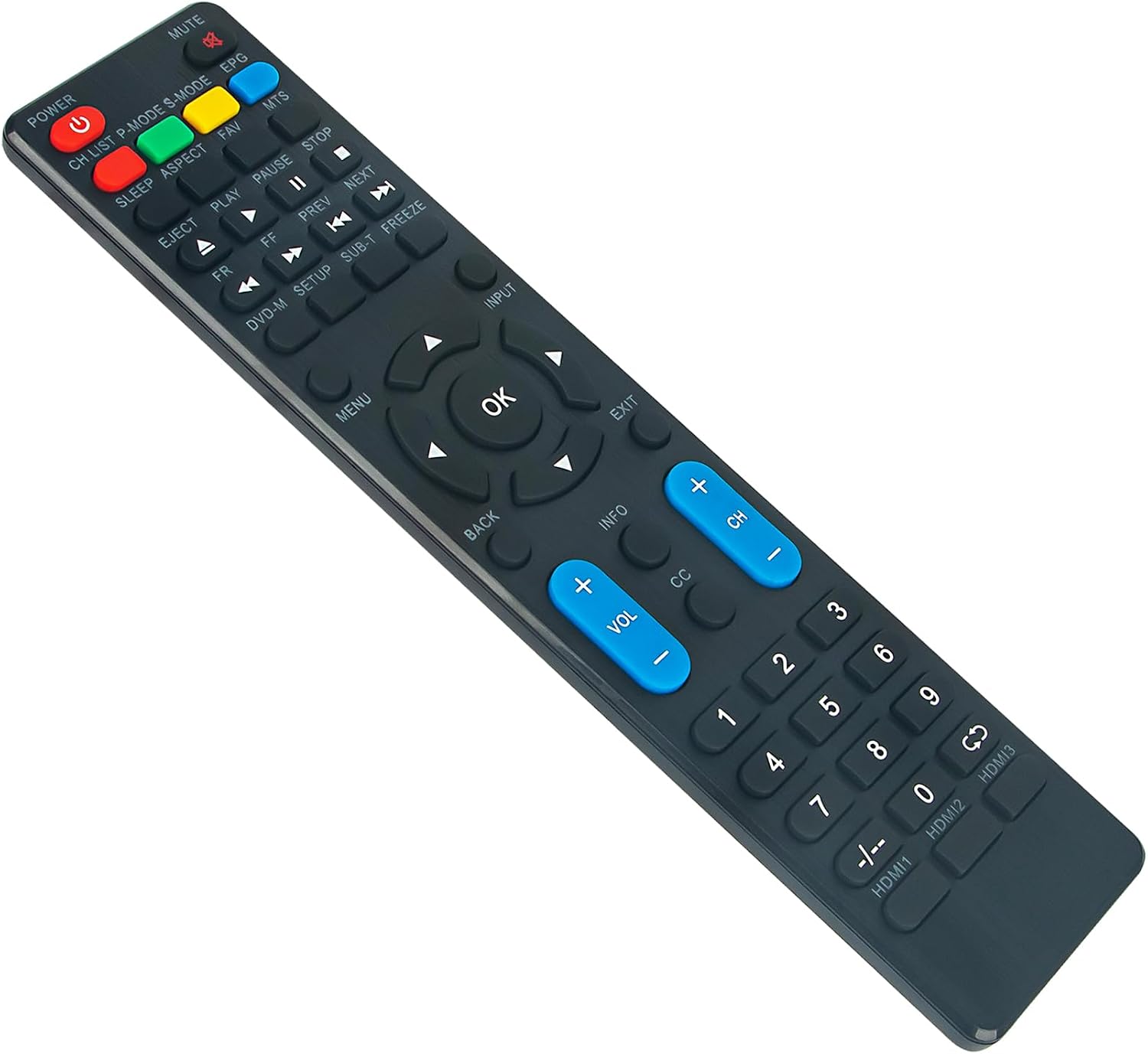
Figure 2: Angled view of the ZdalaMit Replacement Remote Commander. This perspective shows the ergonomic shape and the arrangement of buttons, including the power, mute, volume, channel, and input selection keys.
3.1 Key Functions
| Button | Function |
|---|---|
| POWER | Turns the TV on or off. |
| MUTE | Mutes or unmutes the TV sound. |
| VOL +/- | Adjusts the volume level up or down. |
| CH +/- | Changes the TV channel up or down. |
| INPUT | Selects the input source (HDMI, AV, etc.). |
| MENU | Opens the TV's main menu. |
| OK / Navigation Arrows | Navigates through menus and confirms selections. |
| BACK / EXIT | Returns to the previous screen or exits the current menu. |
| Number Keys (0-9) | Direct channel input. |
| Play/Pause/Stop/FF/FR/Prev/Next | Controls for media playback (if supported by TV). |
| HDMI1, HDMI2, HDMI3 | Direct selection of HDMI input sources. |
3.2 Compatible ATYME TV Models
This remote control is compatible with the following ATYME TV models:
- 395AH7HD
- 430AM7UD
- 400AM7DVD
- 320AM5HD
- 650GM7UD
- 416AM7HD
- 320PM5HD
- 650PM9HD
- 480AM7HD
- 416AM7DVD
- 500AM7UD
- 240AM5HD
- 490AM7HD
- 395AM7DVD
- 400PM7HD
- 500PM7HD
- 320GM5HD
- 650PM7UD
- 320AM5DVD
- 500PM7UD
- 650AM7UD
- 550AM7UD
- 490AM7UD
- 550PM7UD
- 550PM8HD
- 395AM7HD
- 500AM7HD
- 400AM7HD
4. Maintenance
Proper maintenance ensures the longevity and optimal performance of your remote control.
4.1 Cleaning
- Wipe the remote control with a soft, dry cloth.
- Do not use liquid cleaners, sprays, or abrasive materials, as these can damage the remote's surface or internal components.
4.2 Battery Care
- Replace batteries when the remote's responsiveness decreases.
- If the remote will not be used for an extended period, remove the batteries to prevent leakage and potential damage.
- Dispose of used batteries responsibly according to local regulations.
4.3 Storage
Store the remote control in a cool, dry place, away from direct sunlight, extreme temperatures, and high humidity.
5. Troubleshooting
If you experience issues with your remote control, refer to the following common problems and solutions:
| Problem | Possible Cause / Solution |
|---|---|
| Remote is not working. |
|
| Some buttons are not responding. |
|
| Remote works intermittently. |
|
If the issue persists after trying these solutions, please refer to the Support section.
6. Specifications
| Feature | Detail |
|---|---|
| Product Dimensions | 6 x 2 x 0.5 inches |
| Item Weight | 2 ounces |
| Battery Type | 2 x AAA alkaline batteries (not included) |
| Compatible Devices | ATYME Televisions (various models listed in Section 3.2) |
| Color | Black |
| Special Feature | Ergonomic design |
7. Support
For any questions, concerns, or further assistance regarding your ZdalaMit Replacement Remote Commander, please do not hesitate to contact our customer support team. We are committed to providing prompt and helpful service.
Please refer to the contact information provided with your purchase or on the product packaging for the most direct support channels.