
1. Assembly and Initial Setup
Before operating your Dirt Devil Multi-Surface Rewind+ vacuum cleaner, ensure all components are correctly assembled. Refer to the 'What's in the Box' diagram to identify all parts.
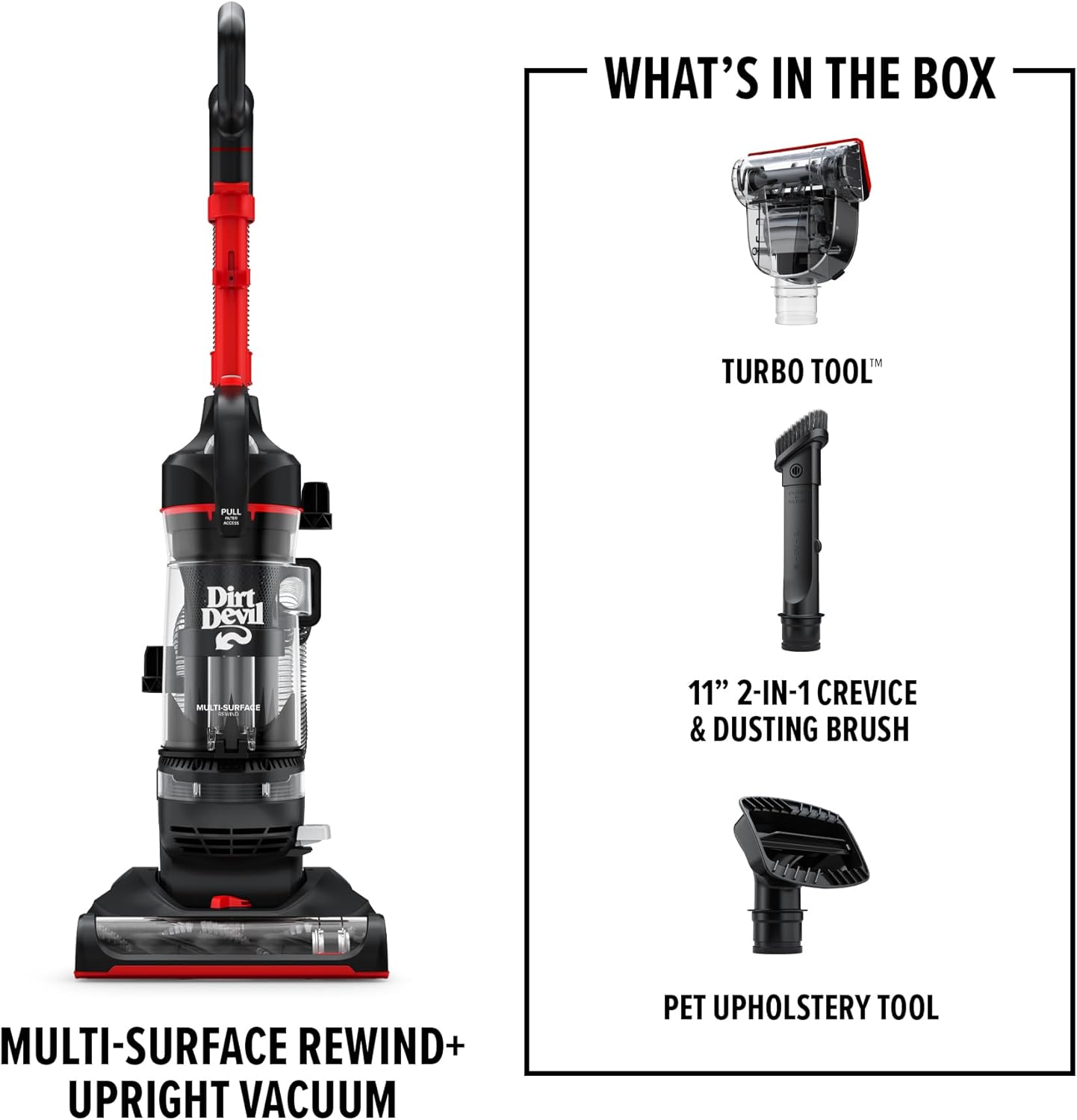
Figure 1: Included Components
- Handle Assembly: Insert the upper handle into the main vacuum body until it clicks securely into place.
- Hose Connection: Connect the flexible hose to the designated port on the vacuum body. Ensure a tight fit to maintain suction.
- Tool Storage: Attach the included cleaning tools (Pet Upholstery tool, Turbo tool, 2-in-1 Dusting Brush and Crevice tool) to the onboard storage clips for easy access.

Figure 2: Assembled Vacuum with Tools
2. Operating Instructions
2.1 Powering On/Off
Plug the power cord into a suitable electrical outlet. To turn the vacuum on, step on the power pedal located near the base. Step on it again to turn the vacuum off.
2.2 Cleaning Surfaces
The Multi-Surface Rewind+ is designed for effective cleaning on both carpets and hard floors. The PowerPass Technology helps prevent dust and dirt from scattering on hard surfaces.

Figure 3: Multi-Surface Cleaning
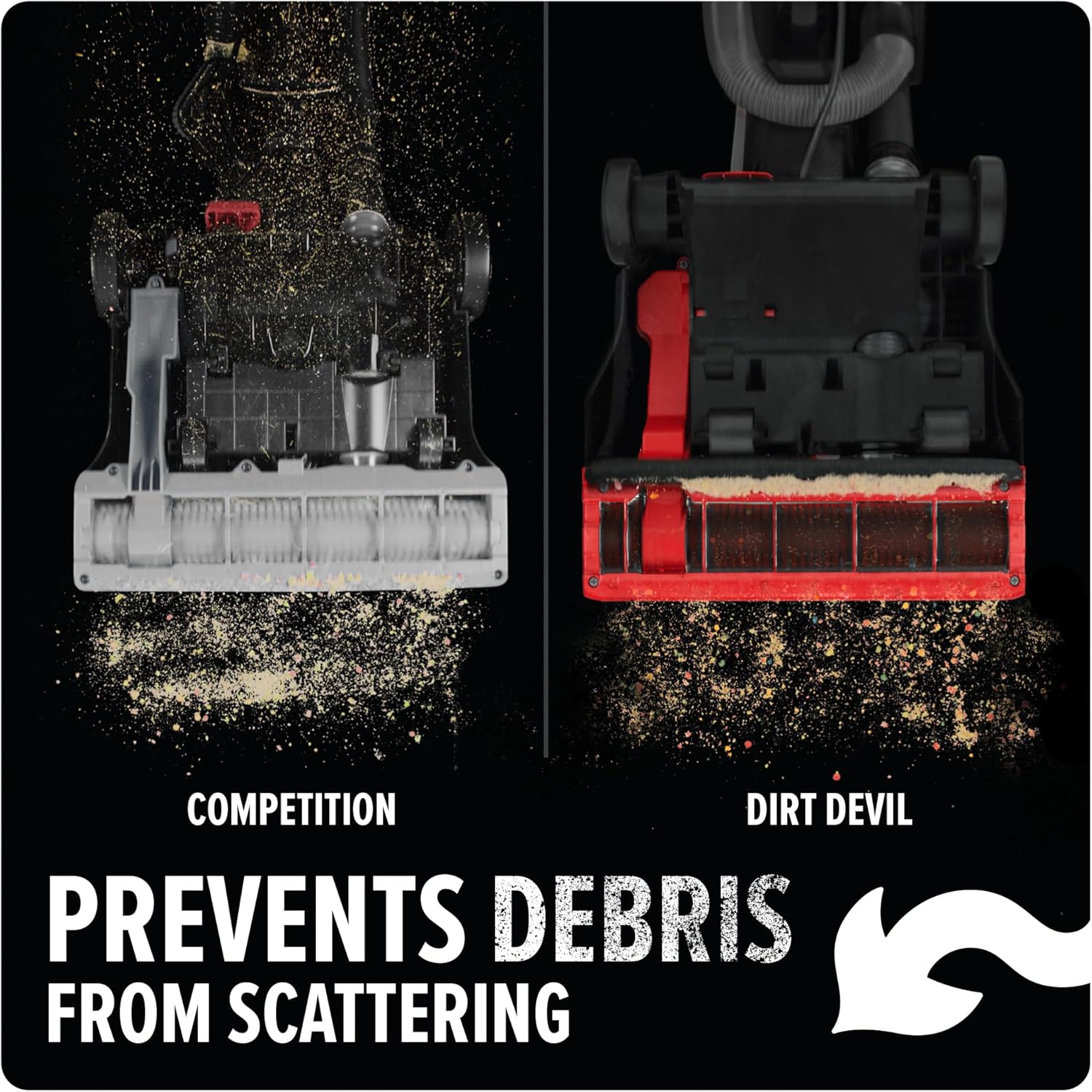
Figure 4: Debris Containment
2.3 Using Attachments
The removable wand and Click Lock tool kit allow for versatile cleaning. Detach the wand and attach the desired tool for above-floor cleaning, upholstery, or tight spaces.
- Pet Upholstery Tool: Ideal for removing pet hair from furniture and stairs.
- Turbo Tool: Provides concentrated suction for stubborn dirt and debris.
- 2-in-1 Dusting Brush and Crevice Tool: Use the brush for dusting delicate surfaces and the crevice tool for narrow gaps.
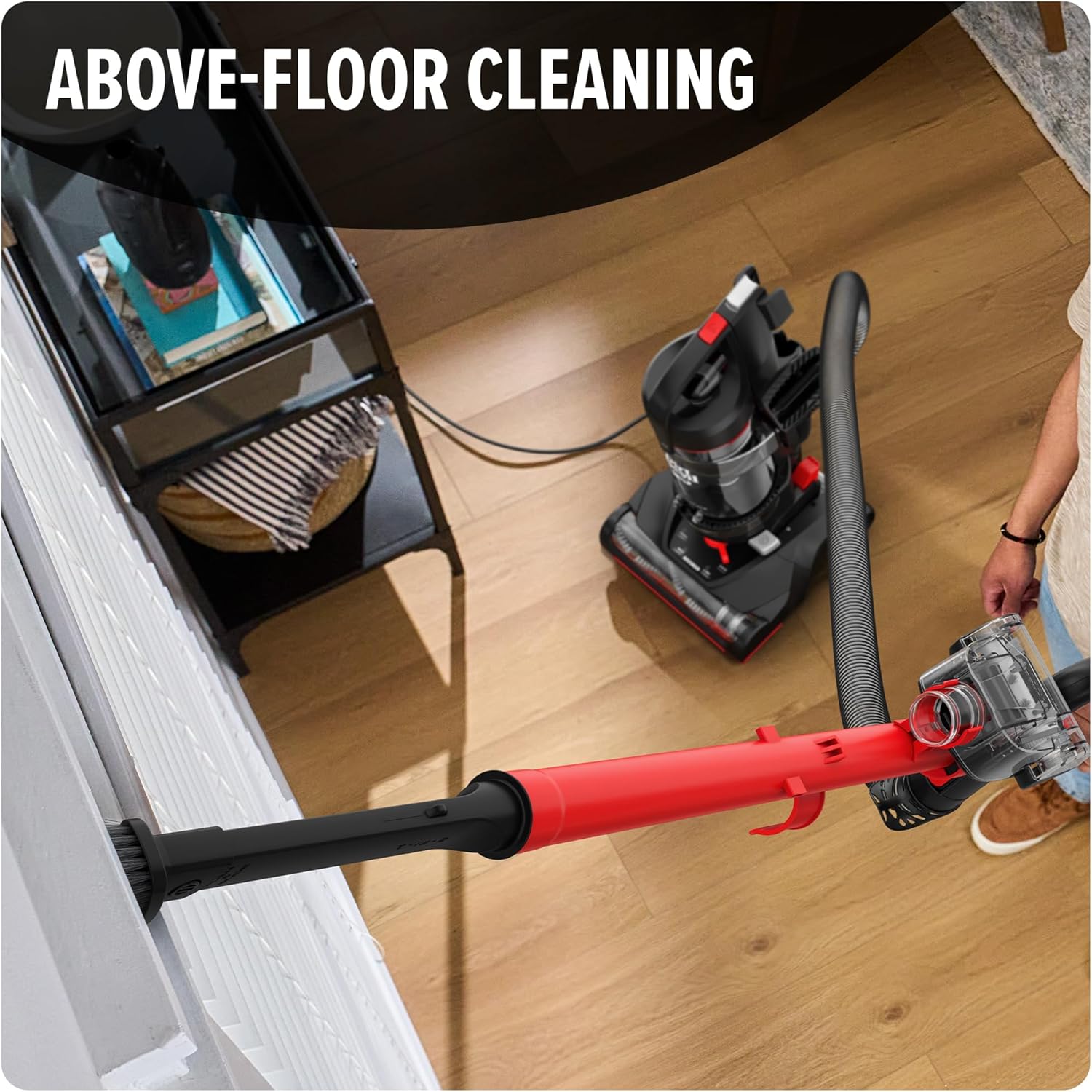
Figure 5: Above-Floor Cleaning
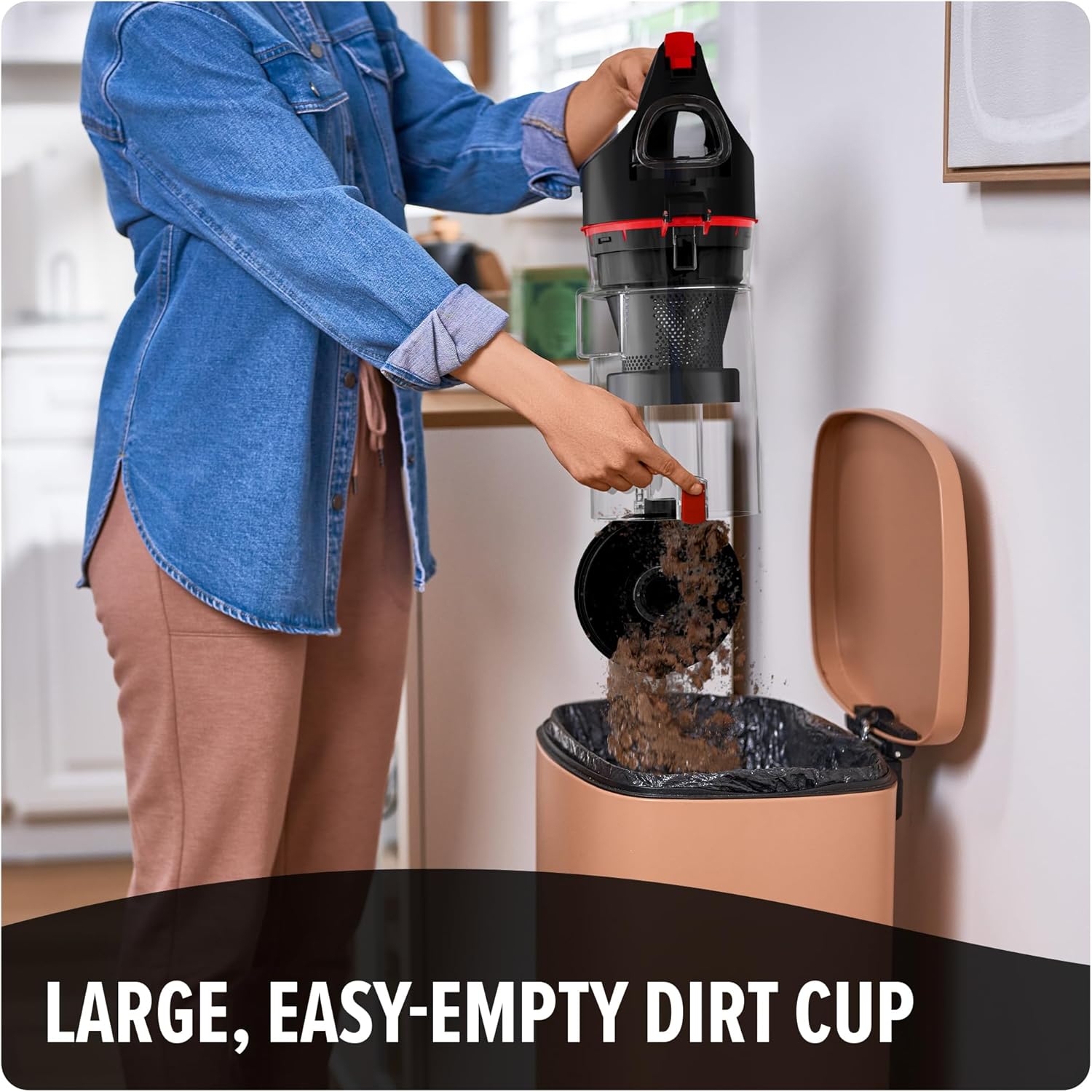
Figure 6: Pet Hair Cleaning
2.4 Cord Management
The vacuum features a one-touch cord rewind system. To retract the power cord, gently press the cord rewind pedal located on the side of the vacuum.

Figure 7: One-Touch Cord Rewind
3. Maintenance
3.1 Emptying the Dirt Cup
For optimal performance, empty the dirt cup regularly, especially when debris reaches the 'Max Fill' line. The large, easy-release dirt cup features a one-touch button for convenient emptying.
- Ensure the vacuum is unplugged.
- Press the dirt cup release button to detach the dirt cup from the vacuum.
- Position the dirt cup over a trash receptacle.
- Press the one-touch button on the bottom of the dirt cup to open the lid and release debris.
- Close the lid and reattach the dirt cup to the vacuum until it clicks into place.
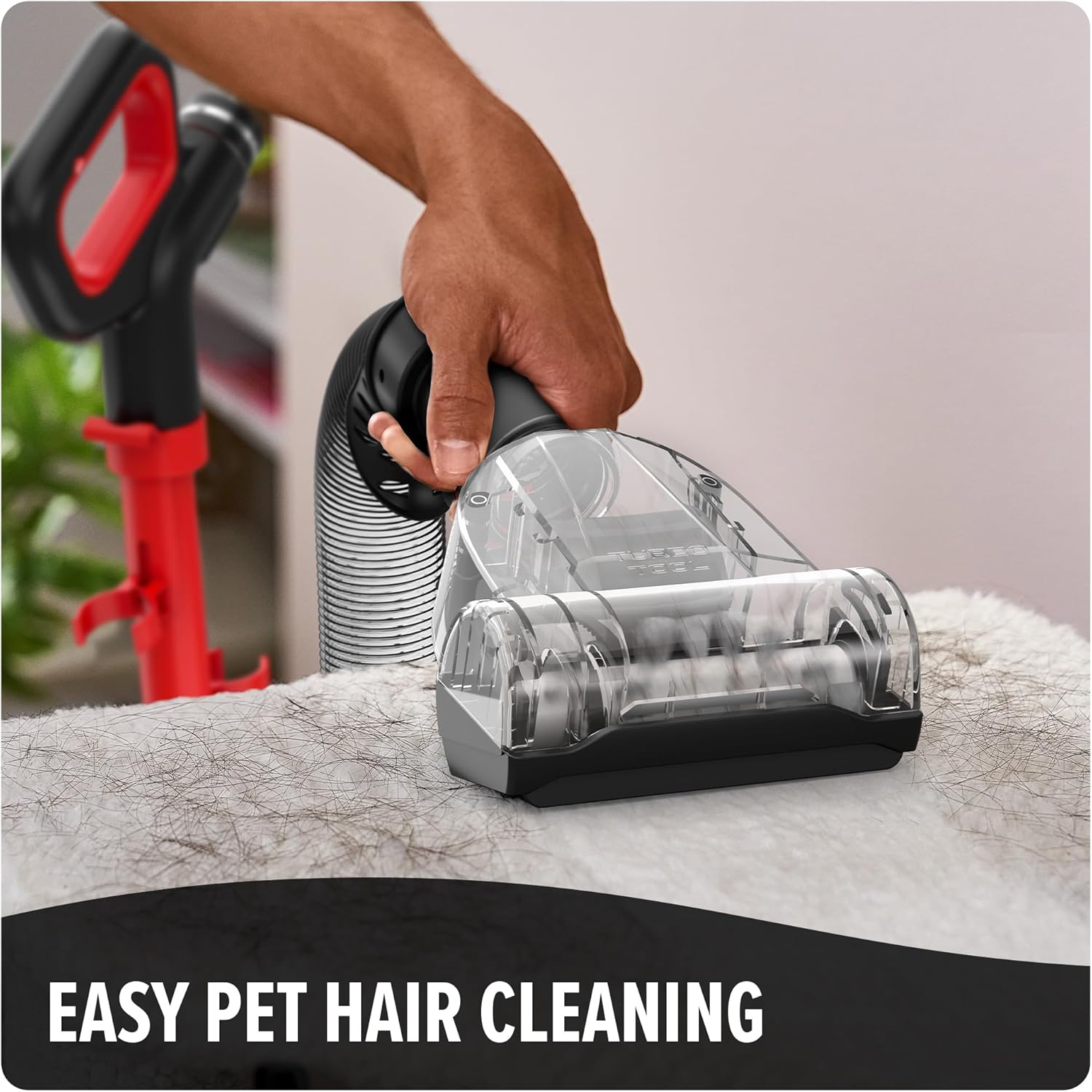
Figure 8: Emptying the Dirt Cup
3.2 Filter Maintenance
The vacuum features extended life filtration with a washable filter. Regularly check and clean the filter to maintain suction power and reduce dust particles released into the air.
- Unplug the vacuum and remove the dirt cup.
- Locate and remove the filter assembly from the dirt cup.
- Tap the filter over a trash can to remove loose dirt.
- Rinse the filter under running water until the water runs clear. Do not use detergent.
- Allow the filter to air dry completely for at least 24 hours before reinserting it into the vacuum. Do not operate the vacuum with a wet filter.
3.3 Brush Roll Cleaning
Periodically inspect the brush roll for tangled hair or debris. Unplug the vacuum before attempting to clean the brush roll. Use scissors to carefully cut away any tangled hair or threads.
4. Troubleshooting
If you encounter issues with your vacuum, refer to the following common problems and solutions:
| Problem | Possible Cause | Solution |
|---|---|---|
| Vacuum does not turn on | Not plugged in; no power to outlet; thermal protector activated | Check power cord connection; check circuit breaker; allow vacuum to cool for 30 minutes if thermal protector activated. |
| Loss of suction | Dirt cup full; filter clogged; hose or nozzle clogged | Empty dirt cup; clean or replace filter; check hose and nozzle for obstructions. |
| Brush roll not spinning | Brush roll jammed; belt broken | Unplug vacuum and remove obstructions from brush roll; contact customer support if belt is broken. |
| Dust escaping from vacuum | Dirt cup not properly installed; filter missing or damaged | Ensure dirt cup is securely latched; check that filter is correctly installed and undamaged. |
If the problem persists after attempting these solutions, please contact Dirt Devil customer support.
5. Product Specifications
| Feature | Specification |
|---|---|
| Brand | Dirt Devil |
| Model Name | Dirt Devil Multi-Surface Rewind+ Upright Vacuum |
| Model Number | UD76800V |
| Dimensions (L x W x H) | 18.25" x 12.75" x 44" |
| Item Weight | 14.21 pounds |
| Capacity | 1.5 Liters |
| Filter Type | Washable |
| Included Components | Crevice Tool, Dusting Brush, Pet Upholstery Tool, Turbo Tool |
| Is Cordless? | No |
| Recommended Uses | Carpet, Hard Floor, Rug, Bare Floor |
| Control Method | Touch (Push Button) |
6. Warranty and Support
For information regarding product warranty, please refer to the documentation included with your purchase or visit the official Dirt Devil website. For additional support, parts, or service, you may also visit the Dirt Devil Store on Amazon.
