
propulsion Life ZQ10135EU
Fog Machine Instruction Manual
Model: ZQ10135EU
Brand: propulsion Life
Introduction
Thank you for purchasing the propulsion Life Handheld Fog Machine. This device is designed to produce atmospheric fog effects for various applications, including theatre, film and TV shooting, Halloween, Christmas, parties, and family celebrations. Featuring a built-in rechargeable battery and dual control modes, this fog machine offers portability and convenience. Please read this manual thoroughly before operation to ensure safe and optimal performance.
Safety Information
WARNING: To reduce the risk of electric shock, do not open the housing. Refer all servicing to qualified service personnel. This product contains a built-in heat protection system; the machine will automatically stop if the working temperature is too high to prevent damage.
- Do not use other chargers to charge the battery than the one provided.
- Ensure the battery is fully charged for 12 hours before first use to maximize battery life.
- During charging, the charger light will be red, turning green when fully charged. The lights on the device itself do not illuminate during charging.
- When using the device, ensure sufficient fog fluid is present. Operating without fluid can cause serious damage.
- Do not overfill the cigarette oil barrel, especially when using outdoors, to prevent overflow and internal malfunction.
- Keep out of reach of children.
- Use only approved fog fluid.

Image: Caution label on product packaging emphasizing shock hazard and the importance of reading the manual.
Package Contents
Verify that all items are included in your package:
- 1 x Fog Machine
- 1 x Charger
- 1 x Remote Control
- 1 x User Manual (This document)
Specifications
| Parameter | Value |
|---|---|
| Colour | Black |
| Material | Iron |
| Operating Voltage | 12 V |
| Power | 400 W |
| Control Mode | Manual, Remote Control |
| Charging Voltage | 110-240 V |
| Oil Barrel Capacity | 250 ml |
| Battery Capacity | 21000 mAh (Built-in rechargeable) |
| Continuous Work Time | Up to 3 hours (approx.) |
| Product Dimensions (L x W x H) | 30.5 x 22 x 27 cm (approx. 12 x 8.7 x 10.6 inches) |
| Item Weight | 3.92 kg (approx. 8.64 lbs) |
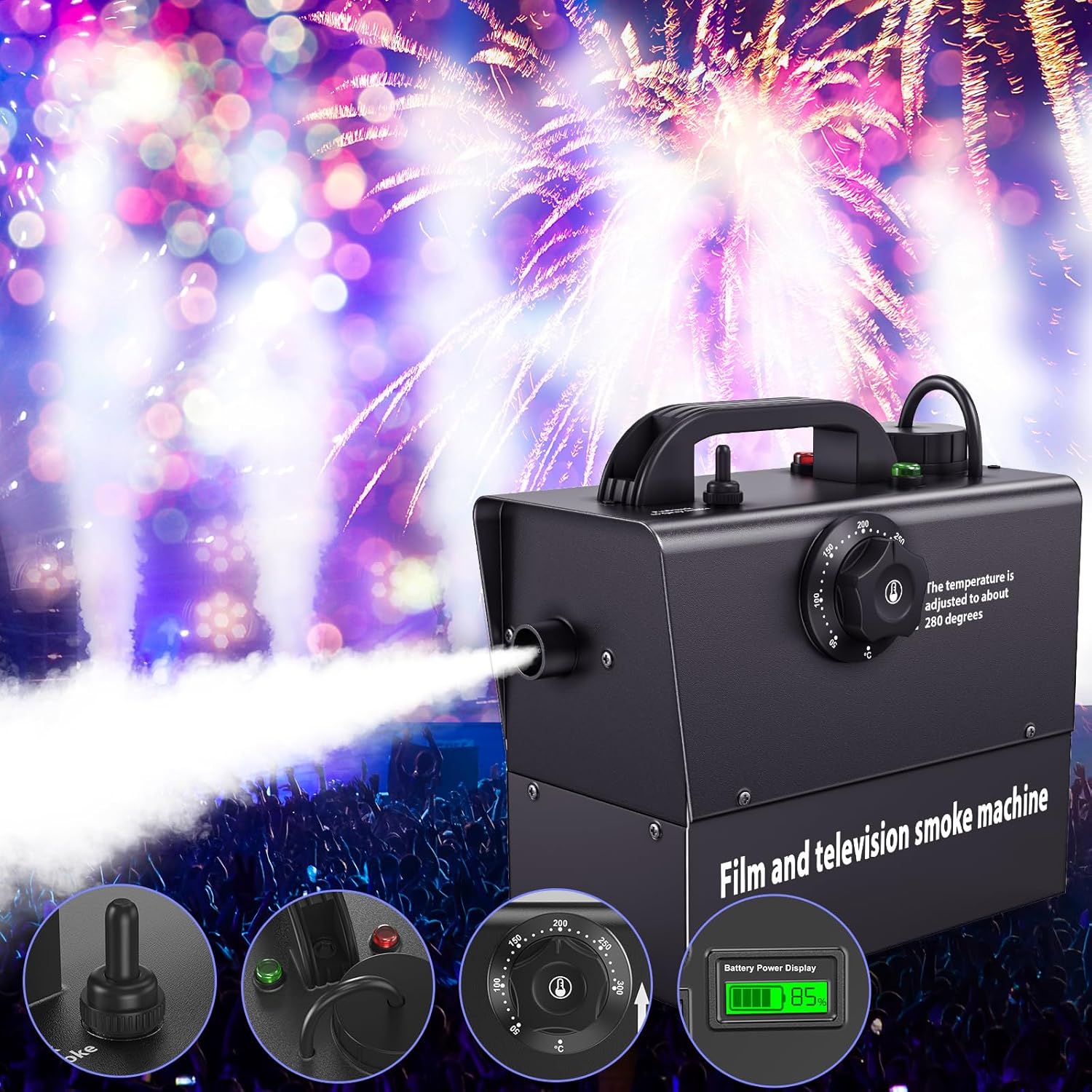
Image: Product dimensions and key specifications.
Setup
- Initial Battery Charge: Upon receiving the device, ensure the battery is fully charged for 12 hours. This initial charge is crucial for the battery's long-term durability. The charger light will be red during charging and turn green when charging is complete.
- Add Fog Fluid: Twist the bottle cap to open the oil barrel. Carefully pour the appropriate fog fluid into the barrel. Do not overfill. Securely close the cap after filling.
- Connect Remote Receiver (if using remote): If you plan to use the remote control, connect the receiver to the designated port on the machine. The indicator light on the receiver will light up red.

Image: Visual guide for adding fluid, connecting remote, and initial setup steps.
Operation
- Power On: Locate the power switch on the machine and turn it to the "ON" position.
- Preheating: Adjust the temperature dial to approximately 280 degrees Celsius. Allow the machine to preheat for approximately 8 minutes. The machine is ready for use when the green indicator light illuminates.
- Manual Operation: Once preheated (green light on), you can manually press the lever on the machine to spray fog.
- Remote Control Operation: If the remote receiver is connected and the machine is preheated, use the remote control to spray fog. The remote typically has buttons (e.g., A, B, C, D) to activate the fog output.
- Monitoring Battery: The machine features a power LCD display to show the remaining battery capacity.

Image: The fog machine in operation, demonstrating its primary function.
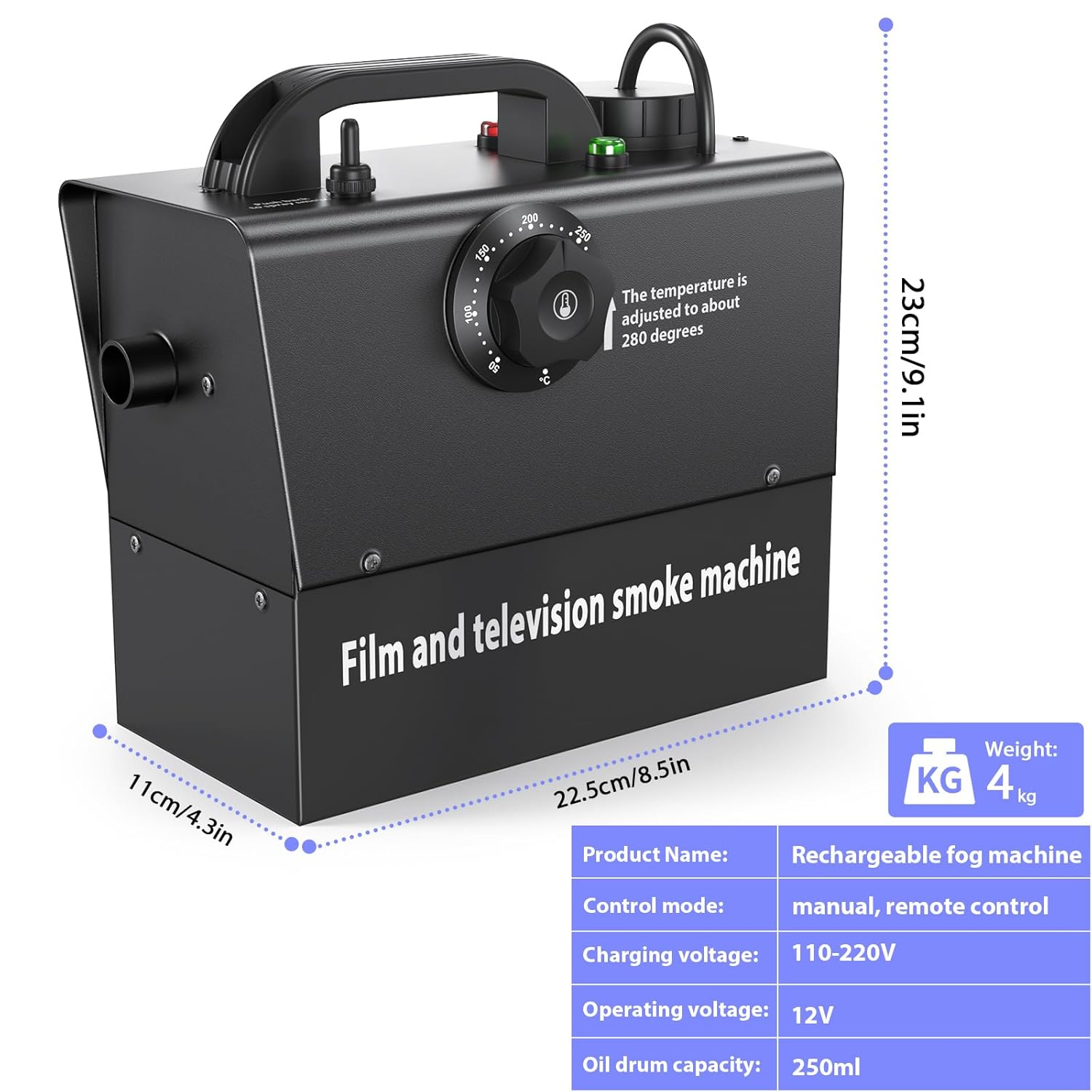
Image: Close-up of the machine's controls and battery display, highlighting operational indicators.
Maintenance
- Regular Cleaning: If the machine is not used for a long period, it is recommended to clean it with water. Simply spray with water for 60 seconds.
- Deep Cleaning: After approximately 40 hours of continuous operation, clean the inside of the fireproof pipe. Use a mixture of 80% distilled water and 20% vinegar for this cleaning process. This helps maintain the machine's performance and extends its lifespan.
- Storage: Store the fog machine in a cool, dry place when not in use.
Troubleshooting
| Problem | Possible Cause | Solution |
|---|---|---|
| Machine does not turn on. | Battery is depleted or not charged. | Charge the battery fully (refer to Setup section). |
| No fog output. | No fog fluid, insufficient preheating, or clogged nozzle. | Ensure sufficient fog fluid. Wait for the green indicator light. Perform maintenance cleaning. |
| Machine stops during operation. | Overheating protection activated. | Allow the machine to cool down. Ensure proper ventilation. |
| Remote control not working. | Remote receiver not connected or machine not preheated. | Ensure the remote receiver is properly connected and its indicator light is red. Wait for the machine's green light to indicate preheating is complete. |
Warranty and Support
For warranty information and technical support, please refer to the contact details provided with your purchase documentation or visit the official propulsion Life website. Keep your purchase receipt as proof of purchase for any warranty claims.
Related documentsZQ10135EU


Ask a question about this manual
Ask about setup, troubleshooting, compatibility, parts, safety, or missing instructions. Manuals+ will review the question and use this page’s manual context to help answer it.