
Introduction
This manual provides detailed instructions for the operation and maintenance of your Retevis RA89 Ham Radio. Please read this manual thoroughly before using the device to ensure proper function and safety. The Retevis RA89 is a high-power, dual-band amateur radio designed for reliable long-distance communication, featuring IP68 waterproofing and advanced noise reduction technology.
Package Contents
Upon opening the package, please verify that all items are present and in good condition. The standard package for the Retevis RA89 includes:
- Retevis RA89 Two-Way Radio (x1)
- Speaker Microphone (x1)
- Rechargeable Lithium-ion Battery (2500mAh) (x1)
- Charging Base (x1)
- USB-C Charging Cable (x1)
- Belt Clip (x1)
- Hand Strap (x1)
- Multilingual User Manual (x1)
- Data Cable (x1)

Image: All components included in the Retevis RA89 package, laid out clearly. This includes the main radio unit, a speaker microphone, a rechargeable battery, a charging base, a USB-C charging cable, a belt clip, a hand strap, and a data cable.
Setup
1. Battery Installation and Charging
Before initial use, ensure the battery is fully charged. The RA89 comes with a 2500mAh Lithium-ion battery.
- Align the battery with the battery compartment on the back of the radio.
- Gently push the battery into place until it clicks securely.
- To charge, place the radio in the charging base or connect the USB-C cable directly to the radio. The charging indicator light will show charging status.

Image: The Retevis RA89 radio demonstrating two charging methods: using the included desktop charging base and direct charging via a USB-C cable connected to the side of the radio.

Image: An illustration highlighting the 2500mAh Lithium-ion battery, emphasizing its large capacity and extended standby time of up to 75 hours, reducing the need for frequent charging.
2. Attaching the Antenna and Speaker Microphone
- Screw the antenna clockwise onto the antenna connector on top of the radio until it is finger-tight. Do not overtighten.
- Plug the speaker microphone into the accessory jack on the side of the radio. Ensure it is firmly seated.

Image: The Retevis RA89 Ham Radio shown with its speaker microphone attached, illustrating the complete setup of the device ready for use.
Operating Instructions
1. Power On/Off and Volume Control
- To power on, rotate the top knob clockwise until you hear a click.
- Continue rotating the knob to adjust the volume.
- To power off, rotate the knob counter-clockwise until it clicks.
2. Frequency Selection and Dual Band Operation
The RA89 supports dual-band operation (2m and 70cm) and dual standby, allowing you to monitor two frequencies simultaneously.
- Use the keypad to directly input desired frequencies.
- Press the A/B button to switch between the upper and lower display frequencies.
- The radio can display both 2m (144-148 MHz) and 70cm (420-450 MHz) bands.

Image: The Retevis RA89 radio's display showing two active frequencies, illustrating its dual-band and dual-standby capabilities for monitoring multiple channels simultaneously.
3. Transmitting and Receiving
- To transmit, press and hold the PTT (Push-To-Talk) button on the side of the radio or the speaker microphone. Speak clearly into the microphone.
- Release the PTT button to receive.
- The built-in noise reduction chip significantly reduces background noise for clear reception, even in noisy environments.
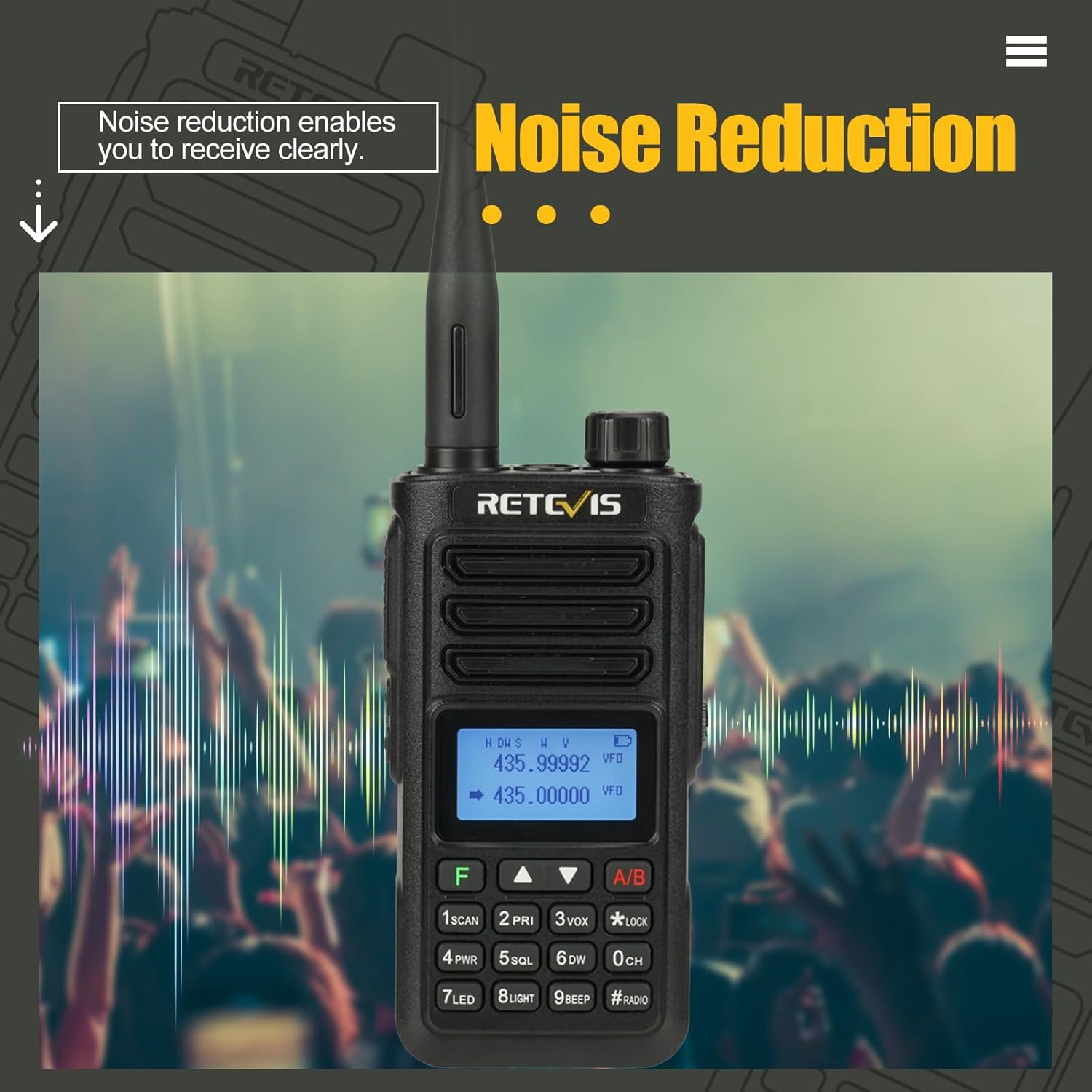
Image: The Retevis RA89 radio depicted in a noisy environment, with visual cues indicating its noise reduction feature, which ensures clear audio reception by minimizing background interference.
4. Easy Pairing Function
The RA89 features a one-key pairing function for quick setup with other compatible radios.
- Long press the A/B key to scan different frequencies within a certain range.
- This function allows for one-key pairing with another RA89 radio of the same model.

Image: The Retevis RA89 radio's screen showing "Seek..." during the easy pairing process, indicating it is searching for another compatible radio to establish a connection.
5. IP68 Waterproofing
The RA89 is designed with IP68 waterproofing, allowing it to withstand harsh weather conditions.
- The radio can remain in 1 meter of water for up to 1 hour without damage.
- Ensure all ports and covers are securely closed before exposing the radio to water.

Image: The Retevis RA89 radio partially submerged in water, visually confirming its IP68 waterproof capability, which allows it to function even after being immersed.
Maintenance
- Cleaning: Use a soft, damp cloth to clean the radio's surface. Do not use harsh chemicals or abrasive cleaners.
- Battery Care: To prolong battery life, avoid fully discharging the battery frequently. Store the radio and battery in a cool, dry place when not in use for extended periods.
- Storage: Store the radio in a dry, dust-free environment away from direct sunlight and extreme temperatures.
Troubleshooting
| Problem | Possible Cause | Solution |
|---|---|---|
| Radio does not power on. | Battery is low or not installed correctly. | Charge the battery or re-install it securely. |
| Cannot transmit or receive. | Incorrect frequency, antenna not attached, or out of range. | Verify frequency settings, ensure antenna is attached, move closer to the other radio. |
| Poor audio quality / Noise. | Weak signal, interference, or volume too low/high. | Adjust volume, check signal strength, move away from sources of interference. |
| Speaker microphone not working. | Not properly connected. | Ensure the speaker microphone is fully plugged into the accessory jack. |
Specifications
- Model: RA89
- Brand: Retevis
- Frequency Range: 144-148 MHz (2m), 420-450 MHz (70cm)
- Number of Channels: 200
- Battery Capacity: 2500mAh Lithium-ion
- Water Resistance: IP68 (1 meter for 1 hour)
- Voltage: 7.4 Volts (DC)
- Weight: 310 Grams
- Compatible Devices: Speaker Microphone
Warranty and Support
Retevis offers a comprehensive warranty and support for the RA89 Ham Radio:
- Warranty Period: 2 years for the radio body, 1 year for accessories.
- Return Policy: 30 days no-reason return.
- Post-Warranty Service: Maintenance service is available beyond the warranty period; buyers are responsible for associated costs.
- Contact Support: For any inquiries or support, please contact Retevis through Amazon. Responses are typically provided within 12 hours.
For more information, you can visit the official Retevis store: Retevis Store on Amazon