
BFOUR BF-40
BFOUR Wireless Meat Thermometer User Manual
Model: BF-40
1. Product Overview
The BFOUR Wireless Meat Thermometer is designed to provide accurate temperature readings for various cooking methods, including grilling, smoking, BBQ, and oven use. It features a wireless booster with an LCD screen and two rechargeable meat probes, offering convenience and precision for monitoring food temperatures.

Image: The BFOUR Wireless Meat Thermometer system, showing the booster unit with two probes and a smartphone displaying the companion app interface.
Key Features:
- Booster with LCD Display: Allows real-time temperature monitoring without needing the app. It is visible, chargeable, and remotely controllable.
- Dual Probe System: Includes two distinct probes (black and white) for easy identification and simultaneous monitoring of different food items.
- Rechargeable: The booster offers 40 hours of battery life, and probes provide 60 hours of use from a 2-minute charge.
- 100% Wire-Free: Provides remote wireless freedom up to 328 feet (100 meters), eliminating tangled wires.
- IP67 Rated Waterproof Probes: Crafted from food-grade 304 stainless steel and high-quality ceramic, making them heat-resistant, waterproof, easy to clean, and dishwasher safe.
- Smart App Control: A registration-free app with multiple USDA meat presets, customizable temperatures, downloadable charts, save history, and smart alerts.
2. What's Included
Upon unboxing your BFOUR Wireless Meat Thermometer, please verify that all components listed below are present and in good condition.

Image: The complete package contents, including the BFOUR meat thermometer booster, two stainless steel probes, a Type-C charging cable, and the user manual.
- 1 x BFOUR Meat Thermometer Booster
- 2 x Stainless Steel Probes (one black, one white)
- 1 x Type-C Charging Cable
- 1 x User Manual
3. Setup
3.1 Charging the Device
Before first use, ensure both the booster and the probes are fully charged. The booster has a 40-hour battery life, and each probe can last 60 hours on a 2-minute charge.
- Connect the booster to a power source using the provided Type-C cable.
- Insert the probes into their respective slots in the booster for charging.
- The display on the booster will indicate charging status. Ensure probes are charged for at least 2 minutes before use to show "Fully Charged".

Image: The Smart Booster unit, highlighting its rechargeable battery, large LCD display, button design, and smart alarm features.
3.2 App Installation and Pairing
The BFOUR thermometer utilizes a smart app for enhanced control and monitoring. The app is registration-free.
- Scan the QR code on the packaging or in the manual to download the companion app from your device's app store (App Store for iOS, Google Play for Android).
- Ensure Bluetooth is enabled on your smartphone.
- Open the BFOUR app. The app will automatically search for and connect to your BFOUR thermometer booster.
- Once connected, the app will display the current temperatures from the probes.
4. Operating Instructions
4.1 Inserting the Probes
Proper probe insertion is crucial for accurate temperature readings and to prevent damage to the probe.
- Insert the probe into the thickest part of the meat, avoiding bones or gristle.
- The probe must be inserted deeply enough to completely cover the safety notch on the probe shaft. This ensures the internal temperature sensor is fully within the food.

Image: Diagram illustrating the correct depth for probe insertion, ensuring the safety notch is fully covered by the meat, and indicating the ceramic handle and internal temperature ranges.
4.2 Monitoring Temperatures
You can monitor temperatures directly on the booster's LCD screen or through the connected smartphone app.
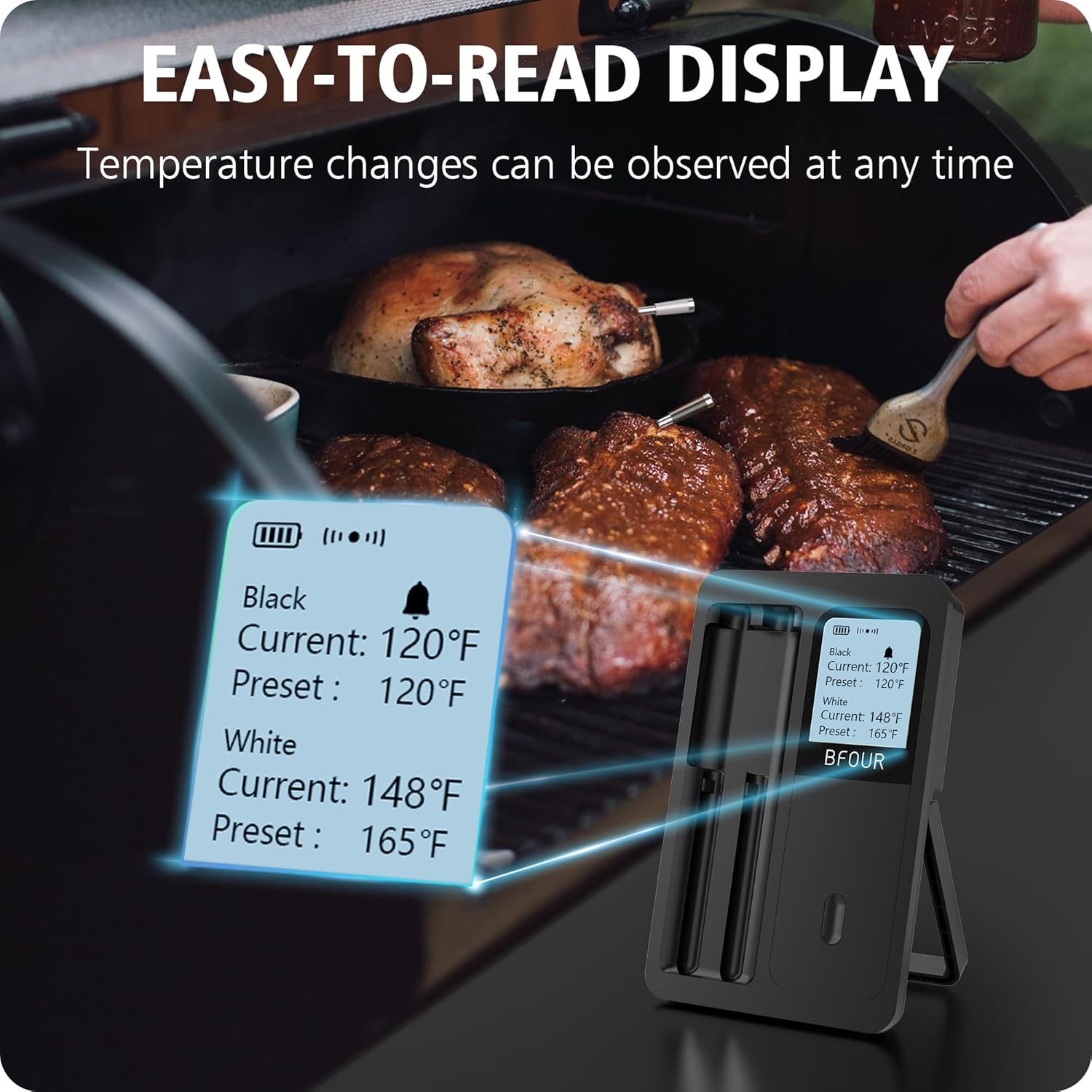
Image: The booster's easy-to-read LCD display showing current and preset temperatures for both black and white probes, visible during cooking.
- Booster Display: The LCD screen on the booster shows real-time current temperatures for both probes, along with their respective preset target temperatures.
- Smartphone App: The app provides a more detailed interface, including:
- Multiple USDA meat presets for various types of meat and desired doneness.
- Option to customize target temperatures.
- Live data graphs to track temperature changes over time.
- Smart alerts to notify you when the target temperature is reached.
- Ability to save cooking history.

Image: A smartphone displaying the BFOUR app interface, showing temperature graphs and cooking history, demonstrating remote monitoring capabilities.
5. Maintenance
5.1 Cleaning the Probes
The wireless probes are IP67 rated waterproof, making them easy to clean.
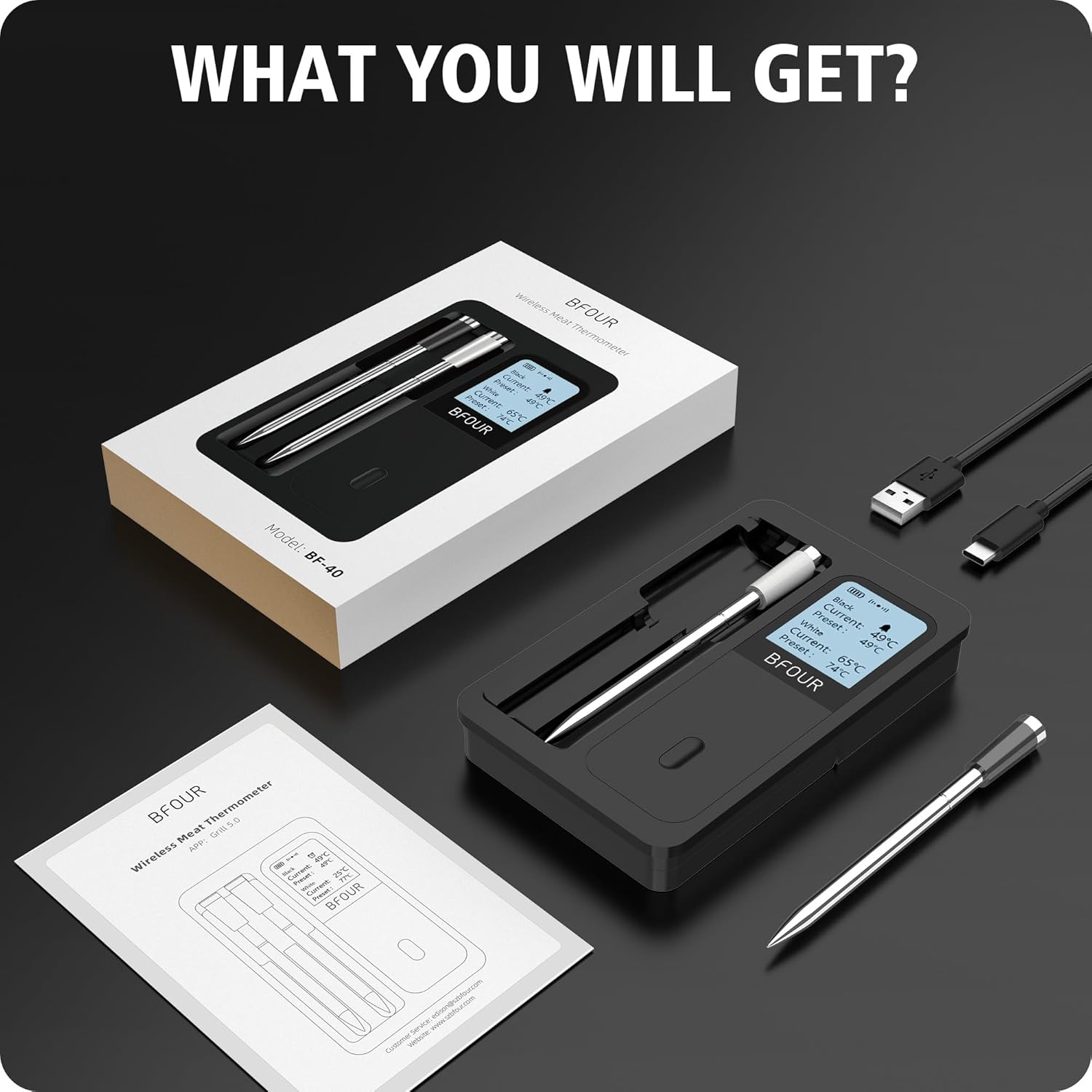
Image: A hand washing a BFOUR meat probe under running water, demonstrating its IPX7 waterproof rating and ease of cleaning.
- After each use, clean the probes thoroughly with warm, soapy water.
- The probes are dishwasher safe for convenient cleaning.
- Ensure the probes are completely dry before storing them back in the booster.
5.2 Booster Care
- Wipe the booster unit with a damp cloth. Do not submerge the booster in water.
- Store the device in a cool, dry place when not in use.
6. Troubleshooting
If you encounter issues with your BFOUR Wireless Meat Thermometer, please refer to the following troubleshooting steps.
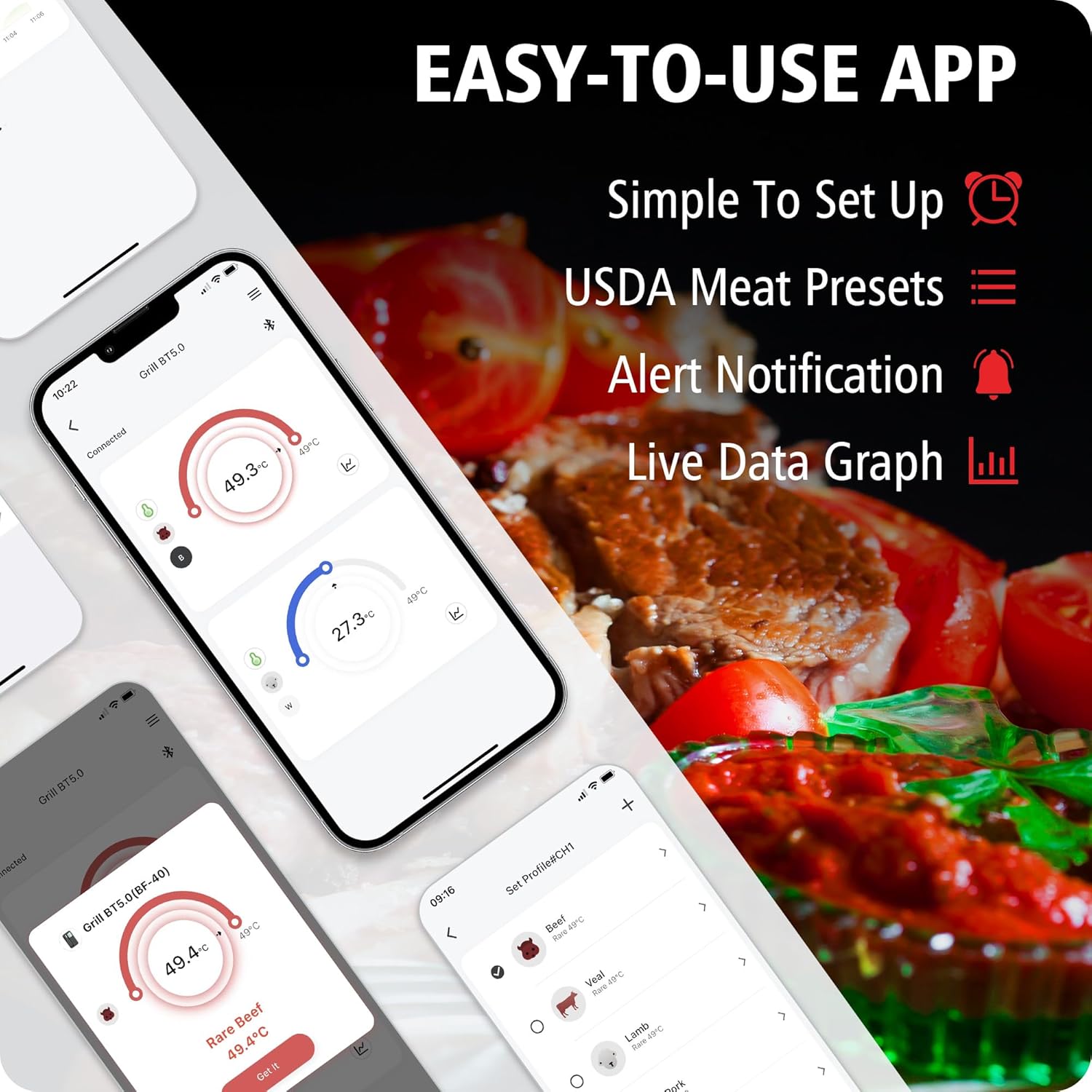
Image: A visual guide to troubleshooting common issues, including charging, connection distance, probe insertion, and re-adding probes to the app.
- Probe Not Reading/Displaying
Related documentsBF-40

Ask a question about this manual
Ask about setup, troubleshooting, compatibility, parts, safety, or missing instructions. Manuals+ will review the question and use this page’s manual context to help answer it.