
1. Introduction
The RunSTAR Smart Body Composition Scale is designed to provide comprehensive and precise measurements of your body composition. Utilizing 8-electrode segmented Bioelectrical Impedance Analysis (BIA) technology, it measures the body in five sections (limbs and torso) for a more accurate analysis compared to traditional 4-electrode scales.
This manual provides detailed instructions for setting up, operating, and maintaining your scale, ensuring you get the most out of its advanced features.
2. Setup
2.1. Unboxing and Initial Charge
Upon unboxing, ensure all components are present: the RunSTAR scale unit and the USB-C charging cable. The scale features a built-in rechargeable lithium polymer battery. Before first use, it is recommended to fully charge the device.
- Locate the USB-C port on the side of the scale.
- Connect the provided USB-C cable to the scale and a compatible USB power source.
- A full charge typically takes approximately 2 hours and can provide up to 3 months of use.
2.2. App Installation and Connection
The RunSTAR scale integrates with the Starfit app for detailed body composition analysis and tracking. The app is available for both iOS and Android devices.
- Download the Starfit App: Scan the QR code provided on the scale's quick start guide or search for "Starfit" in your device's app store.
- Register and Log In: Follow the on-screen prompts to create an account and log in.
- Pair the Scale:
- Ensure Bluetooth is enabled on your smartphone.
- Open the Starfit app and navigate to "Account" > "My Devices".
- Tap the "+" icon in the upper right corner, then select the Bluetooth pairing option.
- Lightly tap the scale with your foot to activate its display. The app should detect "Runstar-RX" (or similar Bluetooth name).
- Tap "Connect" to complete the pairing process. A connected logo will appear on the scale's screen once successfully paired.
3. Operating Instructions
3.1. Basic Weighing
- Placement: Place the scale on a hard, flat, and clean surface. Avoid carpets or uneven flooring for accurate readings.
- Activate: Lightly tap the scale with your foot until the display lights up. Wait for the display to show "0.0" before stepping on.
- Weigh: Step onto the scale with bare feet. Stand still with your weight evenly distributed. The display will show your weight.
3.2. Full Body Composition Measurement
For a complete body composition analysis, including all 20 metrics, follow these steps:
- Prepare: Ensure the scale is on a flat surface and you are barefoot.
- Step On: Step onto the scale with both bare feet, ensuring they are positioned correctly on the electrode pads.
- Lift Handle: Pull up the retractable handle with both hands. Hold it at a 45-degree angle from your body, ensuring your thumbs are fully in contact with the metal electrodes on the handle.
- Measurement: The scale will begin its measurement process. The display will show various metrics as it scans. Keep still until the process is complete.
- View Results: Once the color icons on the display stop flashing (after approximately 10 seconds), your full body composition data will be displayed on the screen. More detailed information will be available in the Starfit app.

Image: RunSTAR Scale with handle extended and app display showing various body composition metrics.
3.3. Understanding Display Readings
The scale's large color display shows key metrics directly. For a full breakdown of all 20 body composition metrics, refer to the Starfit app.

Image: Close-up of the RunSTAR Scale's digital display, illustrating various body composition metrics.
4. Understanding Your Data with the Starfit App
The Starfit app is your central hub for tracking and understanding your health data. It provides detailed insights beyond what is shown on the scale's display.
4.1. Detailed Body Composition Analysis
The app provides 20 different body composition measurements, offering a holistic view of your health. These include:
- Weight, BMI, Body Fat Rate, Body Water Rate, Body Age
- Skeletal Muscle, Muscle Mass, Bone Mass, Protein
- Subcutaneous Fat, Visceral Fat, Fat-Free Body Weight
- BMR (Basal Metabolic Rate), WHR (Waist-to-Hip Ratio)
- Ideal Body Weight, Obesity Level, Obesity Body Type
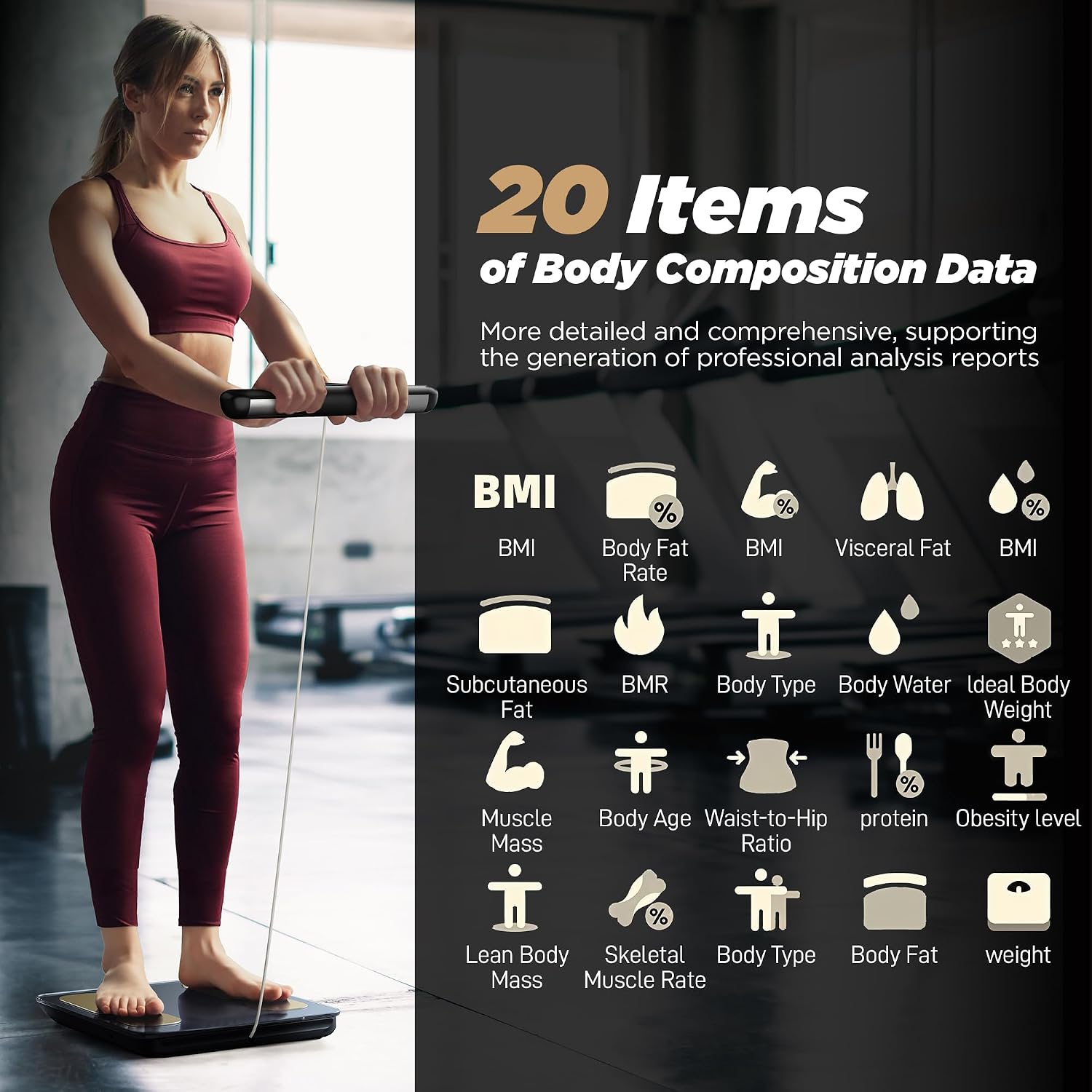
Image: Starfit App interface displaying 20 different body composition metrics with icons.
4.2. Data Tracking and Progress Charts
The Starfit app allows you to track your data over time with daily, weekly, monthly, and yearly progress charts. This helps you visualize trends and monitor your fitness journey effectively.
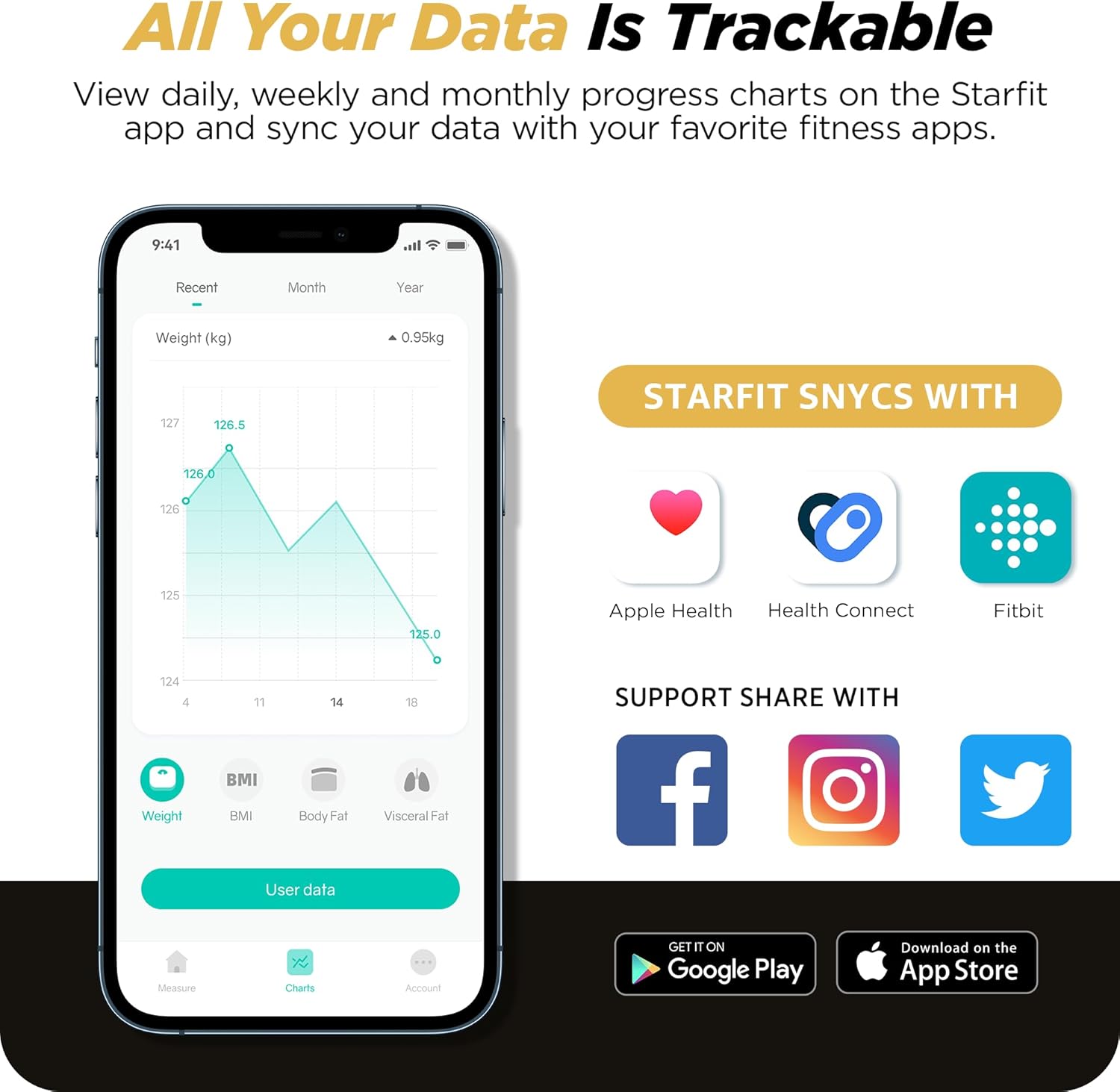
Image: Starfit App showing weight progress chart over time, and integration icons for Apple Health, Health Connect, and Fitbit.
4.3. Multi-User Support and Sharing
The scale supports the creation of up to 24 user profiles, making it ideal for families or fitness groups. The scale can instantly recognize the user when they step on it. Data can also be synchronized with popular fitness apps like Apple Health, Health Connect, and Fitbit, and shared on social media platforms.

Image: Starfit App interface showing multiple user profiles and an example of a printable professional analysis report.
5. Maintenance
To ensure the longevity and accuracy of your RunSTAR scale, follow these maintenance guidelines:
- Cleaning: Wipe the scale surface with a soft, damp cloth. Avoid abrasive cleaners or chemicals that could damage the electrodes or display.
- Storage: Store the scale in a cool, dry place. Avoid extreme temperatures or direct sunlight.
- Charging: Recharge the scale using the provided USB-C cable when the battery indicator is low. Avoid overcharging.
- Placement: Always use the scale on a hard, flat surface. Do not place it on carpets or soft surfaces, as this can affect accuracy.
6. Troubleshooting
6.1. Common Issues and Solutions
- Scale not turning on: Ensure the scale is charged. Connect it to a power source using the USB-C cable.
- Inaccurate readings:
- Ensure the scale is on a hard, flat surface, not carpet.
- Make sure you are barefoot and your feet are properly positioned on all electrode pads.
- For full body composition, ensure your thumbs are fully in contact with the handle electrodes and arms are extended at a 45-degree angle.
- If the scale displays an incorrect zero point, press the reset button on the side of the scale.
- App connection issues:
- Ensure Bluetooth is enabled on your device.
- Restart the Starfit app and try pairing again.
- Ensure the scale is activated (display is on).
6.2. FAQ from RunSTAR Brand Story
How to connect the Starfit APP with the scale?
- Download Starfit APP and complete registration.
- Click on "Account" and find "My Devices".
- Click on the "+" in the upper right corner, then click on the "Bluetooth" logo on the page and you will enter the searching for the smart devices.
- Click on the "Bluetooth logo" on the page and it will go to "Searching for the smart devices". When you find "Runstar-RX" (Bluetooth name of scale), click to complete the connection. At this point, please note that a connected logo will appear on the screen of the scale.
7. Specifications
- Product Dimensions: 10 x 8 x 2 inches
- Item Weight: 5.4 Pounds
- Model Number: FG2015ULB
- Batteries: 1 Lithium Polymer battery required (included)
- Display Type: LCD (Large Color Display)
- Special Features: 8 Electrodes, High Precision, Retractable Handle, Auto Shut Off, Type-C Charging
- Max Capacity: 396 lbs (180 kg)
- Measurement Resolution: 0.1 lb (0.05 kg)
8. Warranty and Support
For warranty information and customer support, please refer to the documentation included in your product packaging or visit the official RunSTAR website. Protection plans may also be available for purchase separately.
Legal Disclaimer: Statements regarding dietary supplements have not been evaluated by the FDA and are not intended to diagnose, treat, cure, or prevent any disease or health condition.


