
1. Introduction
This manual provides detailed instructions for the safe and effective operation of your Retevis RA89 Dual Band Ham Radio. Please read this manual thoroughly before using the device to ensure proper functionality and to prevent damage.
2. Package Contents
Verify that all items listed below are included in your package:
- 1 x RA89 Two Way Radio
- 1 x 2500mAh Li-ion Battery
- 1 x Speaker Microphone
- 1 x USB-C Charging Cable
- 1 x Belt Clip
- 1 x Charging Base
- 1 x Hand Strap
- 1 x User Manual (this document)

3. Product Overview
The Retevis RA89 is a robust dual-band ham radio designed for reliable communication in various environments. It features a durable construction, extended battery life, and advanced audio capabilities.

Key Features:
- IP68 Waterproof Rating: Designed to withstand submersion in 1.5 meters of water for 30 minutes, offering protection against dust, dirt, and shocks.
- Long-lasting 2500mAh Battery: Provides extended operation time with convenient USB-C charging.
- CHIRP & VFO Support: Allows seamless frequency switching and easy programming of channels and settings.
- Emergency SOS Alarm & Flashlight: Integrated features for distress signaling and illumination in low-light conditions.
- Clear Audio with Noise Reduction: Advanced voice compression and noise cancellation ensure clear communication in noisy environments.
Product Overview Video:
Video 3.1: An overview of the Retevis RA89 Dual Band Two Way Radio, highlighting its design and primary functions.
4. Setup
4.1 Battery Installation and Charging
The RA89 is powered by a 2500mAh Li-ion battery. Ensure the battery is fully charged before first use.
- Align the battery with the back of the radio, ensuring the contacts match.
- Slide the battery into place until it clicks securely.
- To charge, place the radio in the charging base or connect the USB-C cable directly to the battery.


4.2 Antenna Attachment
Carefully screw the antenna onto the connector at the top of the radio until it is finger-tight. Do not overtighten.
5. Operating Instructions
5.1 Power On/Off and Volume
Rotate the knob on the top of the radio clockwise to power on and increase volume. Rotate counter-clockwise to decrease volume and power off.
5.2 Dual Band Operation
The RA89 supports dual-band display and standby, allowing you to monitor two frequencies simultaneously.

5.3 Using the Speaker Microphone
Attach the included speaker microphone to the side port for convenient hands-free communication.
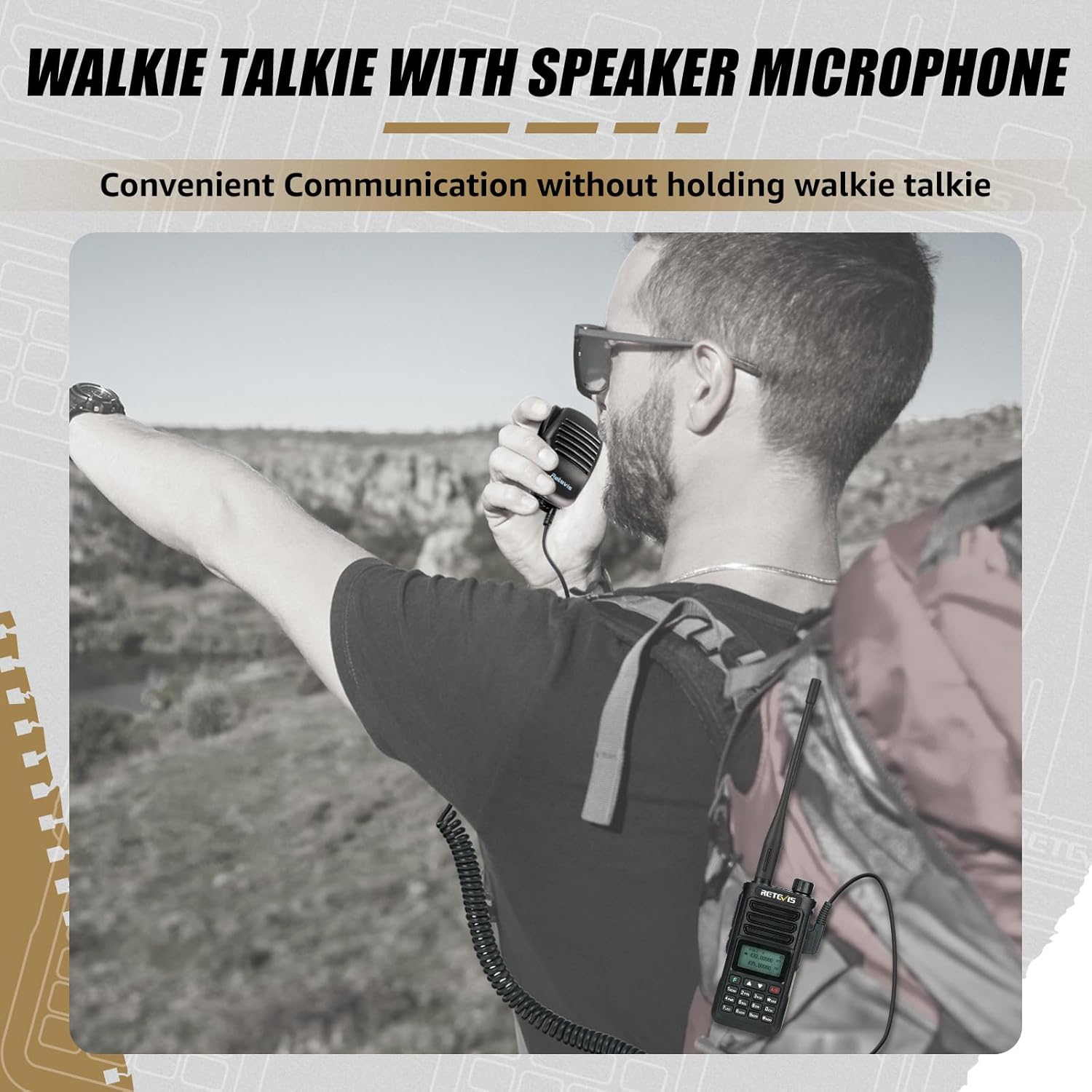
5.4 Noise Reduction
The RA89 features a built-in noise reduction chip for clear reception, filtering out background noise.

Noise Reduction Feature Video:
Video 5.1: Demonstration of the noise reduction capabilities of the Retevis RA89 Dual Band Radio.
5.5 Emergency SOS Alarm and Flashlight
Activate the emergency SOS alarm to send a distress signal. The integrated LED flashlight provides illumination when needed.
5.6 Long Range Communication
The 10W output power of the RA89 ensures long-range communication capabilities.

Long Range Feature Video:
Video 5.2: Highlighting the long-range capabilities of the Retevis RA89 Walkie Talkie.
6. Programming
The Retevis RA89 supports CHIRP software for computer-based programming, allowing for quick and easy setup of multiple channels and settings. It also supports VFO mode for on-the-fly manual tuning.
One Key Frequency Copy Video:
Video 6.1: Demonstrating the one-key frequency copy feature of the Retevis RA89 Dual Band Radio.
7. Maintenance
7.1 IP68 Waterproofing
The RA89 is IP68 rated, meaning it can withstand being submerged in 1.5 meters of water for 30 minutes. Ensure all port covers are securely closed to maintain waterproofing.

IP68 Waterproof Feature Video:
Video 7.1: Showcasing the IP68 waterproof capabilities of the Retevis RA89 Two Way Radio.
IP68 Torture Test Video:
Video 7.2: A demonstration of the Retevis RA89 undergoing an IP68 'torture test' to highlight its durability.
7.2 Battery Care
To prolong battery life, avoid extreme temperatures and fully discharge and recharge the battery periodically.
8. Troubleshooting
If you encounter issues with your RA89 radio, try the following:
- No Power: Ensure the battery is correctly installed and fully charged. Check the power knob.
- No Reception/Transmission: Verify antenna connection. Check frequency settings and ensure you are within range. Confirm correct CTCSS/DCS tones.
- Poor Audio Quality: Adjust volume. Check speaker microphone connection. Ensure noise reduction is configured appropriately for your environment.
- Programming Issues: Refer to the programming section or consult the CHIRP software documentation.
9. Specifications
| Feature | Specification |
|---|---|
| Item Weight | 10.4 ounces |
| Product Dimensions | 1.69 x 2.44 x 4.96 inches |
| Item Model Number | RA89 |
| Batteries | 1 Lithium Ion batteries required (included) |
| Display Type | LCD |
| Brand | Retevis |
| Number of Channels | 200 |
| Special Features | IP68 Waterproof, Noise Reduction, Speaker Microphone, Long Range, Rechargeable |
| Frequency Range | 144-148Mhz/420-450Mhz |
| Talking Range Maximum | 5 Kilometer |
| Voltage | 7.4 Volts (DC) |
| Water Resistance Level | Waterproof |
10. Warranty and Support
Retevis provides a 2-year warranty for the radio body and a 1-year warranty for accessories. For any issues or inquiries, please contact Retevis customer support on Amazon. We aim to reply within 12 hours.


