1. Product Overview
The Herwicm 40x-2000x Monocular Compound Microscope is designed for detailed observation of microscopic specimens. It features a robust construction, dual LED illumination, and a wide range of magnification options suitable for educational and laboratory environments.
Key Features:
- Powerful Magnification: 360-degree rotating monocular head with WF10/WF25 eyepieces and 4x/10x/40x objective lenses, offering 6 levels of magnification from 40X to 2500X.
- Dual Illumination System: Equipped with incident (top) and transmitted (bottom) LED light sources, allowing observation of both opaque and translucent specimens. Brightness is adjustable via a dimmer knob.
- Dual-Control Focusing: Features coarse and fine adjustment knobs for precise focusing and clear image presentation.
- Five-Color Filter Wheel: A rotating disc with yellow, red, blue, green, and violet filters to enhance contrast for transparent specimens without staining.
- User-Friendly Design: Includes a phone adapter for easy observation, photo, and video capture, and a 360° rotating eyepiece for comfortable viewing.
2. Microscope Components
Familiarize yourself with the main parts of your microscope:
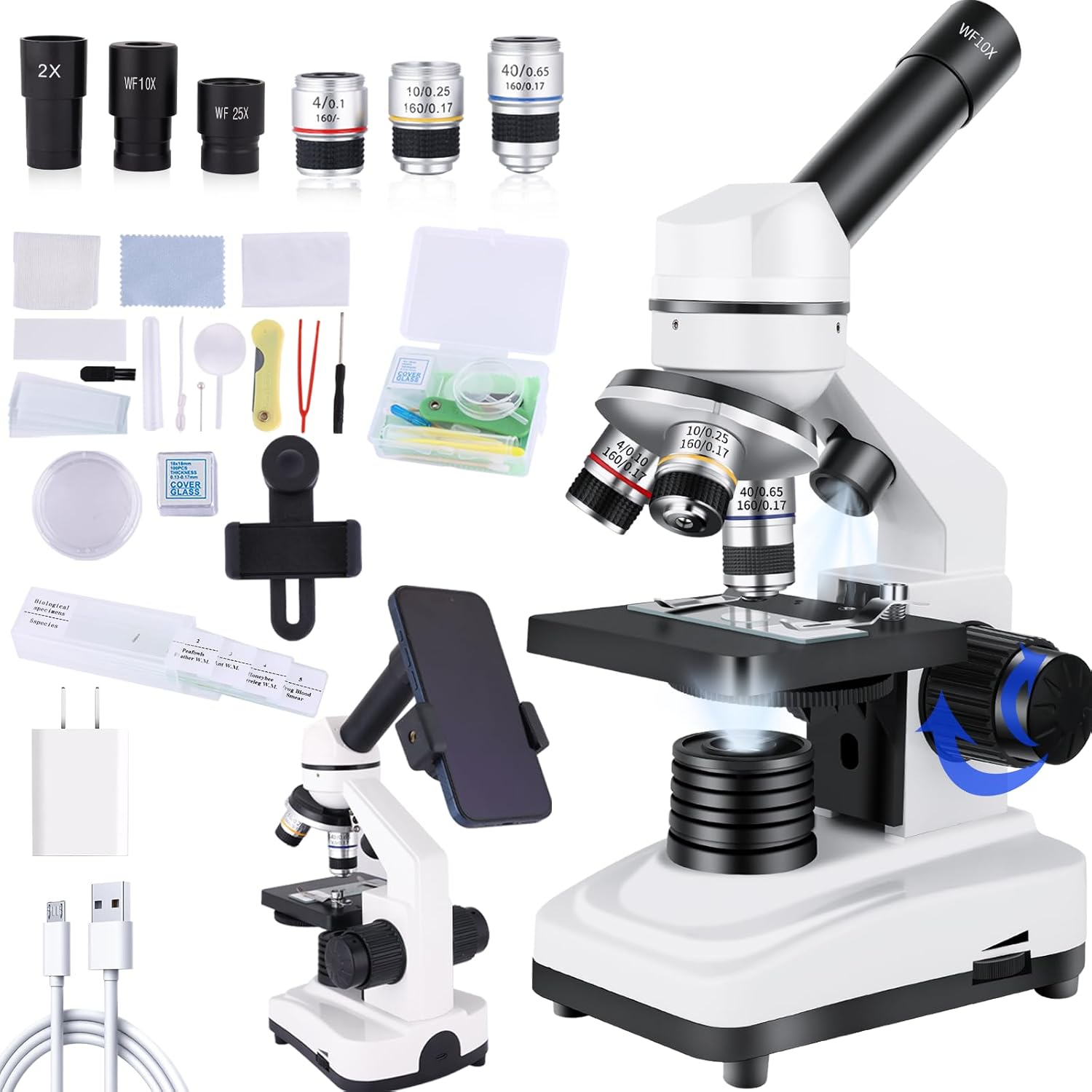
- Eyepiece: Where you look to view the specimen. Interchangeable (WF10x, WF25x).
- Monocular Head: Rotates 360 degrees for flexible viewing.
- Objective Lenses: Multiple lenses (4x, 10x, 40x) mounted on a revolving nosepiece to change magnification.
- Stage: Flat platform where slides are placed for observation. Equipped with slide clips.
- Coarse Focus Knob: Large knob for initial, rapid focusing.
- Fine Focus Knob: Smaller knob for precise, sharp focusing.
- Illuminator (Bottom): Transmitted LED light source for translucent specimens.
- Illuminator (Top): Incident LED light source for opaque specimens.
- Brightness Adjustment Knob: Controls the intensity of the LED illumination.
- Power Switch: Turns the microscope's illumination on/off.
- Filter Wheel: Rotatable disc with colored filters beneath the stage.
- Phone Adapter: Attachment for securing a smartphone to the eyepiece for digital viewing and capture.
3. Setup Instructions
- Unpacking: Carefully remove the microscope and all accessories from the packaging. Place the microscope on a stable, flat surface.

Figure 2: All components of the microscope kit, including the main unit, eyepieces, objective lenses, power adapter, phone holder, and various slides, neatly arranged on a table. - Install Eyepiece: Insert the desired eyepiece (WF10x or WF25x) into the monocular head.
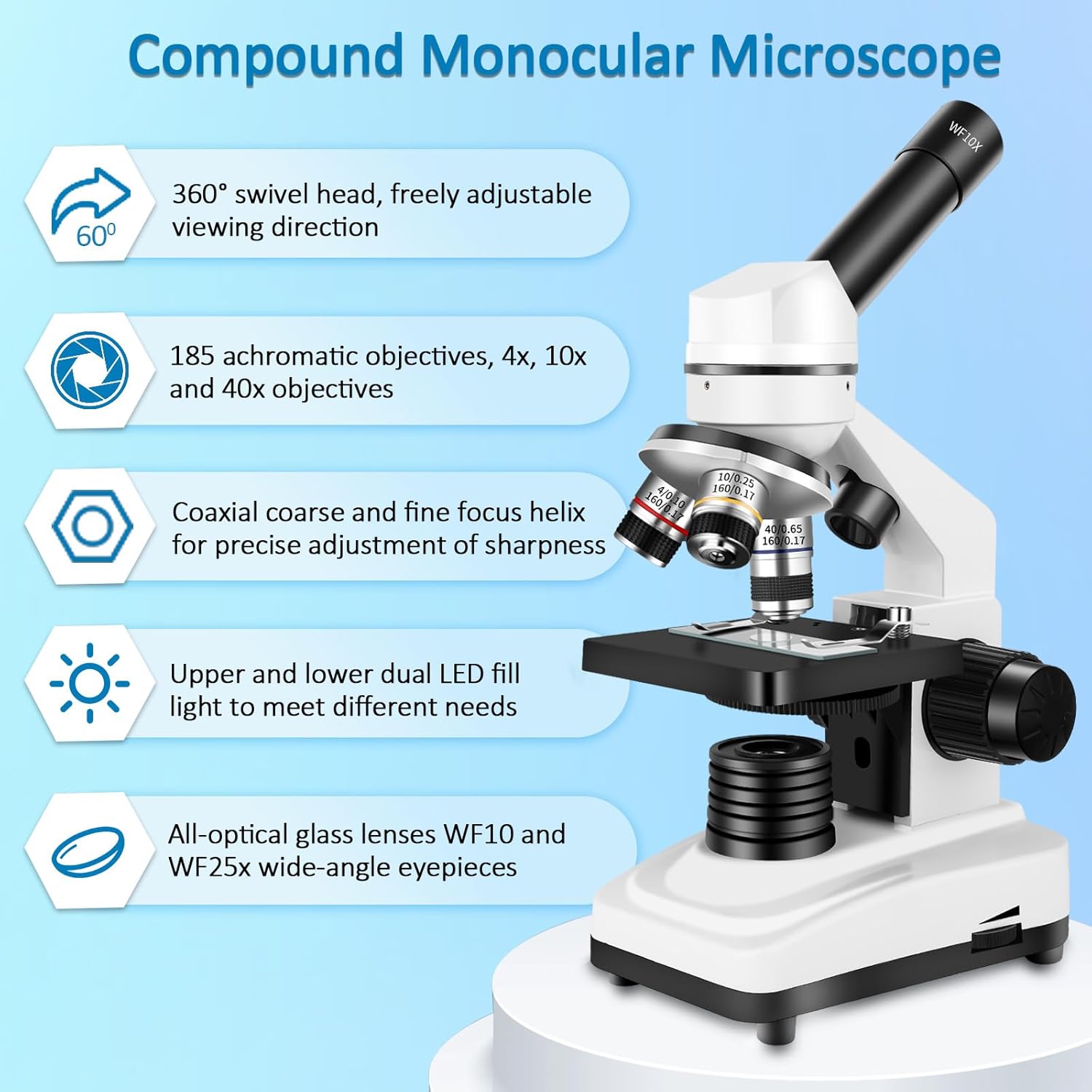
Figure 3: A close-up view of the monocular head with an eyepiece securely inserted, ready for observation. - Power Connection: Connect the power adapter to the microscope's power input port and plug it into a wall outlet. Alternatively, for portable use, ensure 3x AAA batteries (not included) are installed in the battery compartment at the base.
Video 1: Demonstrates the initial setup of the microscope, including eyepiece insertion, power connection, and basic light adjustments. This video highlights the ease of getting started with the device. - Prepare a Slide: Select a prepared slide or create your own. Place the slide on the stage and secure it with the slide clips.

Figure 4: A prepared specimen slide is shown placed on the microscope stage and held firmly by the metal clips, ready for viewing.
4. Operating the Microscope
- Turn on Illumination: Flip the power switch to turn on the LED lights. Adjust the brightness using the dimmer knob. Choose between top, bottom, or dual illumination based on your specimen type.
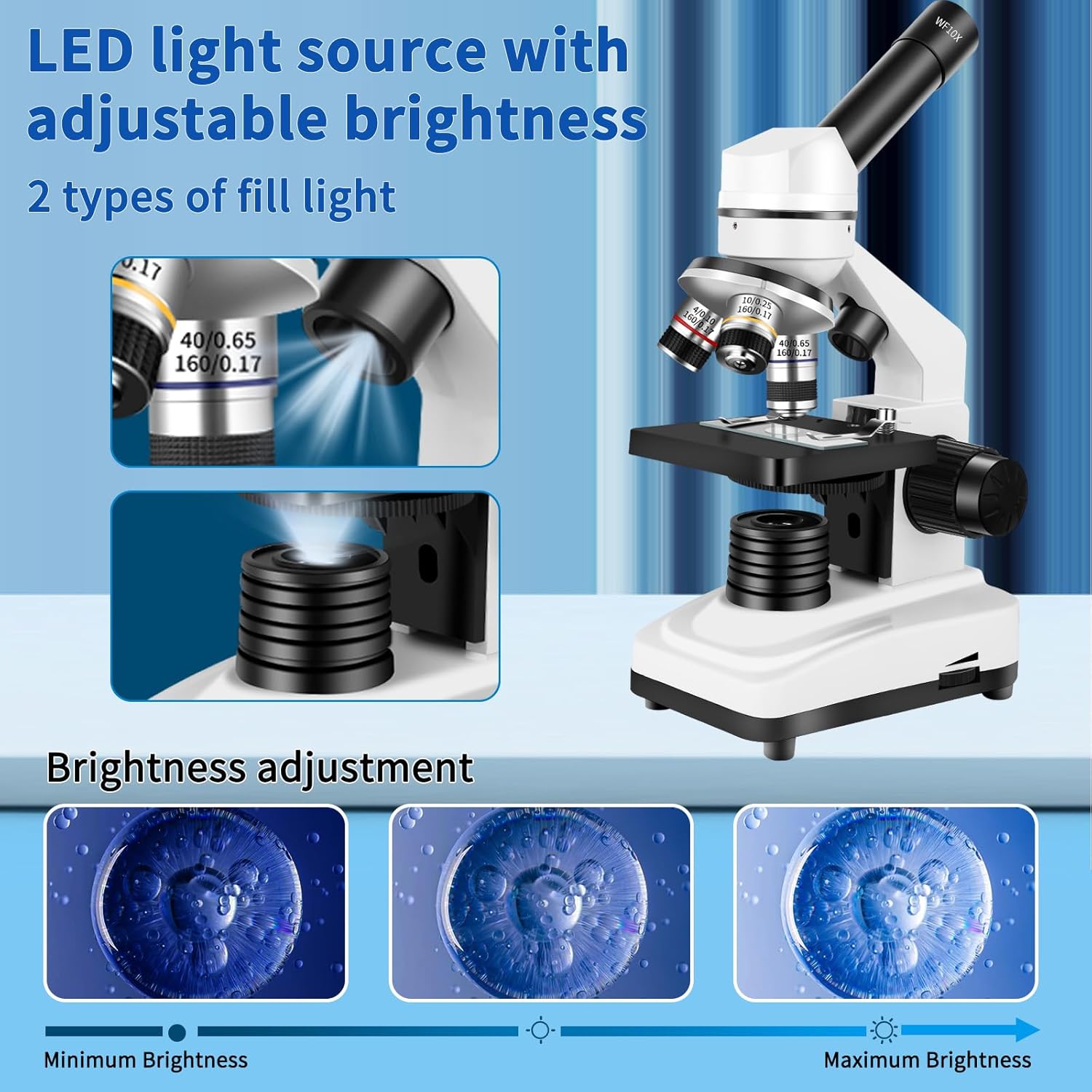
Figure 5: This image illustrates the dual LED illumination system, showing how light can be directed from above (incident) or below (transmitted) the specimen, or both, with adjustable brightness. - Select Objective Lens: Rotate the revolving nosepiece to select the lowest magnification objective lens (4x) first. This provides the widest field of view for initial specimen location.
- Focusing:
- Use the coarse focus knob to bring the specimen into approximate focus.
- Use the fine focus knob for sharp and detailed focusing.
- Adjust Magnification: Once the specimen is in focus at low power, rotate the nosepiece to a higher magnification objective (10x, 40x). Re-adjust focus using the fine focus knob.

Figure 6: A detailed view of the microscope's objective lenses, highlighting the 4x, 10x, and 40x magnifications available for observing specimens. - Using the Filter Wheel: Rotate the filter wheel located beneath the stage to select a colored filter. This can enhance contrast and visibility for transparent specimens.
- Smartphone Integration: Attach the phone adapter to the eyepiece. Secure your smartphone in the adapter. Open your phone's camera app and align it with the eyepiece to view, capture photos, or record videos of the magnified image.

Figure 7: A smartphone is mounted on the microscope's eyepiece using the included adapter, showing a magnified view of a specimen on the phone's screen, enabling easy photo and video capture.
5. Maintenance and Care
- Cleaning Lenses: Use a soft lens cleaning cloth or lens paper with a specialized lens cleaning solution. Avoid touching the lens surfaces with fingers.
- Cleaning Body: Wipe the microscope body with a soft, dry cloth. Do not use harsh chemicals or abrasive cleaners.
- Storage: Store the microscope in a dry, dust-free environment. Use the provided dust cover when not in use.
- Handling: Always carry the microscope by its arm and base. Avoid sudden impacts or vibrations.
6. Troubleshooting
| Problem | Possible Cause | Solution |
|---|---|---|
| No illumination | Power not connected; batteries drained; power switch off. | Check power adapter connection; replace batteries; turn on power switch. |
| Image blurry | Incorrect focus; dirty lens/slide; wrong objective lens. | Adjust coarse/fine focus; clean lenses/slide; select appropriate objective. |
| Dark field of view | Insufficient illumination; diaphragm closed; wrong filter. | Increase brightness; open diaphragm; change filter. |
7. Technical Specifications
- Brand: Herwicm
- Model: 40x-2000x Monocular Compound Microscope
- Magnification: 40x-2500x (with WF10x/WF25x eyepieces and 4x/10x/40x objective lenses)
- Eyepieces: WF10x, WF25x
- Objective Lenses: 4x, 10x, 40x
- Illumination: Dual LED (transmitted and incident), adjustable brightness
- Focusing: Coarse and Fine adjustment knobs
- Stage: Plain stage with slide clips
- Filter Wheel: 5-color rotating filter disc
- Power Source: AC adapter or 3x AAA batteries (not included)
- Product Dimensions: 12.59 x 6.29 x 11.41 inches
- Item Weight: 3.5 pounds
- Material: Metal
8. Warranty and Support
For warranty information or technical support, please refer to the contact information provided with your purchase or visit the official Herwicm website. Keep your proof of purchase for warranty claims.


