1. Introduction
This user manual provides essential information for the proper use and maintenance of your CATCHWELL LIFE Vacuum Bags, designed specifically for the CX PRO Magic Tower vacuum cleaner. These dust bags are crucial for effective dust containment and maintaining optimal vacuum performance.
2. Product Overview
The CATCHWELL LIFE Vacuum Bags are high-capacity replacement dust bags engineered for seamless compatibility with the CX PRO Magic Tower. Each pack contains four bags, ensuring extended use before needing replenishment.
- Large Capacity: Each bag offers a generous capacity of up to 3 liters, reducing the frequency of bag changes.
- Superior Dust Containment: Designed with a reverse airflow prevention structure, these bags effectively trap dust and allergens, preventing leakage and ensuring cleaner air.
- Easy Replacement and Disposal: The design facilitates hassle-free installation and convenient, hygienic disposal.

Figure 2.1: A pack of four CATCHWELL LIFE Vacuum Bags. The main bag is shown prominently with a light blue plastic top and a 'PULL' tab, indicating its design for easy handling. Three smaller bags are stacked to the right, showing the compact nature of the product.
3. Setup and Installation
Follow these steps to correctly install a new vacuum bag into your CX PRO Magic Tower:
- Ensure the CX PRO Magic Tower is unplugged from the power outlet before beginning installation.
- Locate and open the dustbin compartment door on the Magic Tower.
- If a used bag is present, carefully remove it by pulling the 'PULL' tab. The bag's safe cap structure will automatically seal to prevent dust leakage.
- Take a new CATCHWELL LIFE vacuum bag from the pack.
- Align the bag's opening with the slot inside the dustbin compartment. Gently push the bag into place until it is securely seated. Ensure the 'PULL' tab is accessible for future removal.
- Close the dustbin compartment door firmly until it clicks into place.

Figure 3.1: Proper insertion of the vacuum bag into the Magic Tower. The image shows a hand holding the light blue plastic top of the bag, guiding it into the designated slot within the white vacuum base.
4. Operating Instructions
Once the vacuum bag is correctly installed, the CX PRO Magic Tower is ready for operation. The vacuum bag functions passively by collecting dust and debris as the vacuum cleaner operates and automatically empties into the tower.
- Ensure the Magic Tower is connected to power.
- Operate your CX PRO vacuum cleaner as per its own user manual.
- When the vacuum cleaner docks with the Magic Tower, the automatic dust emptying function will transfer collected debris into the installed vacuum bag.
5. Maintenance and Replacement
Regular replacement of the vacuum bag is essential for maintaining optimal suction power and hygiene. The frequency of replacement depends on usage and the amount of debris collected.
- When to Replace: The Magic Tower typically indicates when the dust bag is full or needs replacement. You may also notice a decrease in suction power or a visible accumulation of dust in the bag compartment.
- Replacement Procedure:
- Unplug the Magic Tower from the power outlet.
- Open the dustbin compartment door.
- Grasp the 'PULL' tab on the used bag and carefully pull it out. The bag's self-sealing mechanism will activate upon removal, preventing dust and odors from escaping.
- Dispose of the full bag in a sealed trash receptacle.
- Install a new bag as described in the "Setup and Installation" section.
- Safe Cap Structure: The integrated safe cap structure ensures that the bag opens only when automatic dust emptying is activated, preventing dust and odor leaks during handling and disposal.
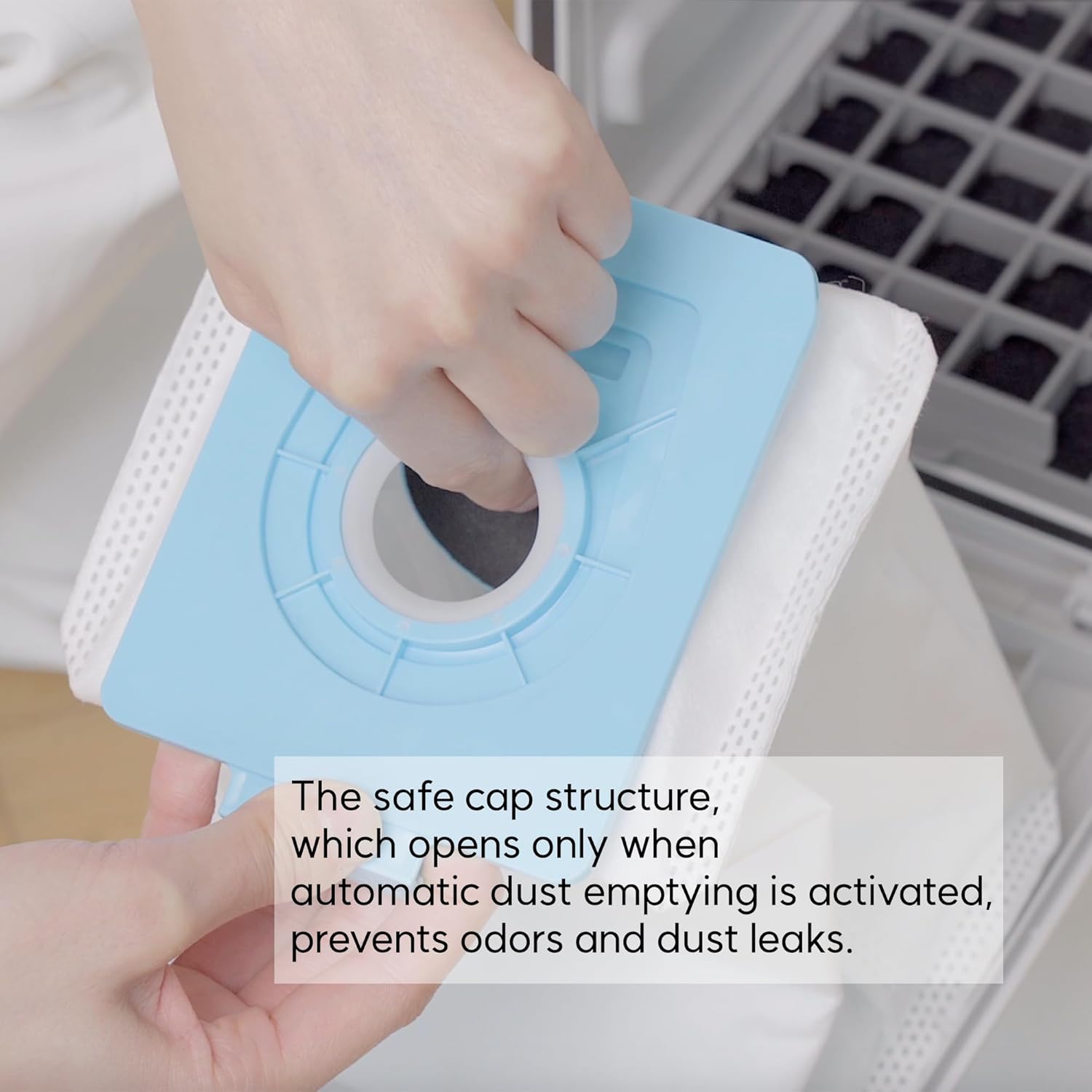
Figure 5.1: The safe cap structure of the vacuum bag. This close-up shows the light blue plastic top of the bag, highlighting the circular opening and the 'PULL' tab. The design ensures the bag remains sealed until activated for dust transfer, preventing spills and odors.
6. Troubleshooting
If you encounter issues related to the vacuum bags, refer to the following common problems and solutions:
| Problem | Possible Cause | Solution |
|---|---|---|
| Reduced suction from vacuum cleaner. | Bag is full or nearly full. | Replace the vacuum bag. |
| Dust leakage from Magic Tower. | Bag not installed correctly or compartment door not fully closed. | Ensure the bag is securely seated and the compartment door is latched. |
| Unpleasant odor from Magic Tower. | Bag is full of odorous debris. | Replace the vacuum bag. |
| Automatic dust emptying not working. | Bag is not properly aligned or Magic Tower has a separate issue. | Re-install the bag. If the issue persists, consult the CX PRO Magic Tower's user manual. |
7. Specifications
| Feature | Detail |
|---|---|
| Brand | CATCHWELL LIFE |
| Model Number | magictower-dustbag-4 (SB0040WH01) |
| Product Dimensions | 5.9 x 3.9 x 8.66 inches |
| Capacity (per bag) | 3 Liters |
| Color | White |
| Material Type | Plastic |
| Compatible Device | CX PRO Magic Tower Vacuum Cleaner |
| Included Components | Bag (4 per pack) |
| Special Features | Lightweight, Reverse Airflow Prevention Design |


