1. Introduction
This user manual provides detailed instructions for the Hosyond Bluetooth 5.0 2.1 Channel Subwoofer Amplifier Board (Model H017). This amplifier board is designed for DIY home theater and wireless speaker projects, offering high-fidelity audio output with versatile connectivity options.
Key Features:
- TPA3116D2 HiFi Chip Solution: Delivers stereo dual-channel output (50W+50W) and a dedicated subwoofer channel (100W) for continuous high-power operation with low total harmonic distortion (THD 0.1%). Features high-quality filter inductors for clear and full sound.
- Bluetooth 5.0 and AUX Audio Input: Supports Bluetooth 5.0 for efficient and long-distance wireless audio streaming. A 3.5mm AUX jack is also available for wired audio input from non-Bluetooth devices.
- Comprehensive Safety Protection: Equipped with overheat protection, reverse connection protection, circuit breaker protection, and overvoltage/undervoltage protection to ensure safe and reliable operation.
- User-Friendly Design: Features copper DC connectors and barrier terminals for secure and heat-resistant wiring. Includes a free DC head lead for easy power connection.
- Independent Tone Controls: Independent knobs for high and low bass control, along with master volume, allow for precise audio customization and a theater-like sound experience.
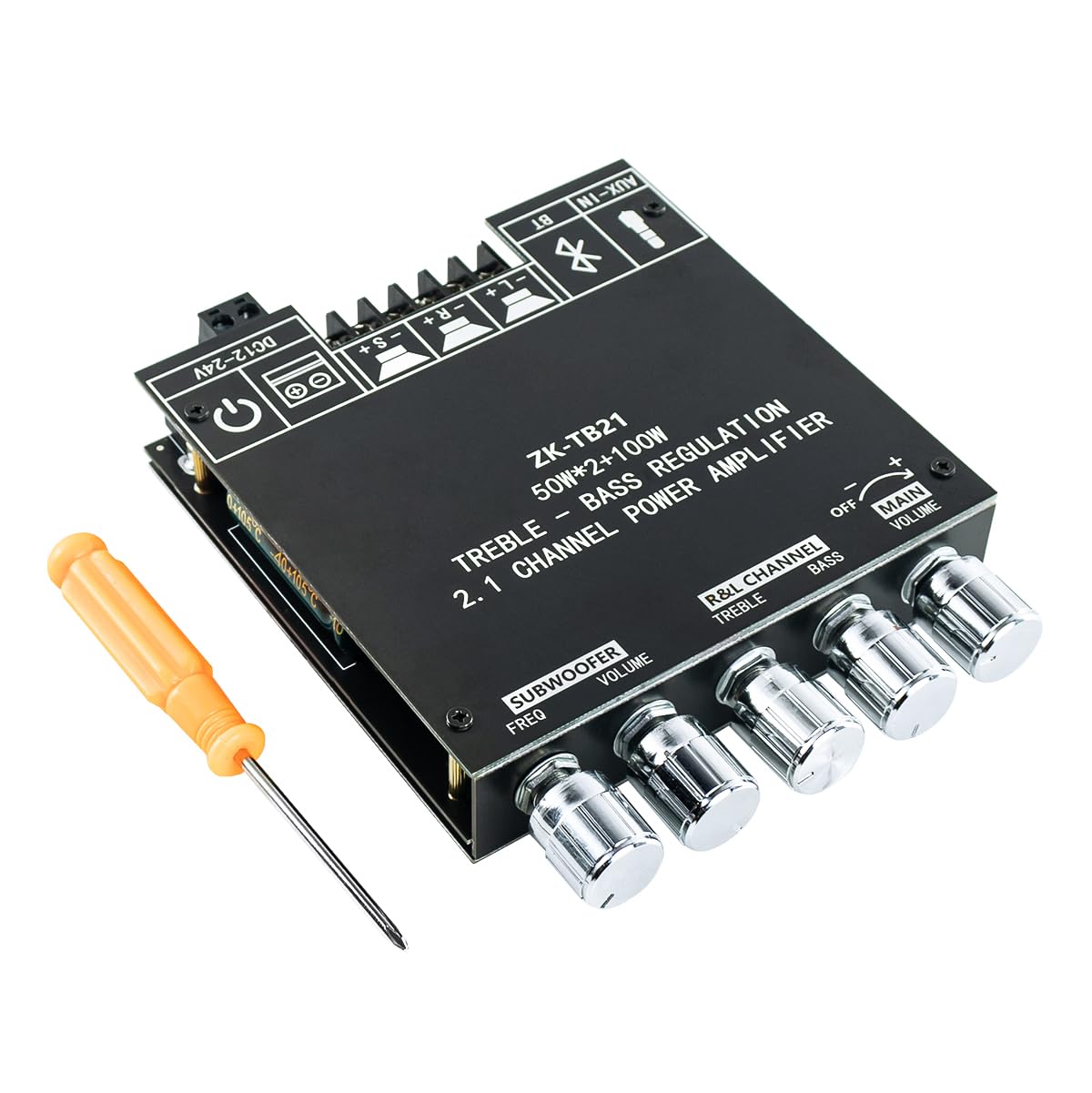
Figure 1.1: The Hosyond Bluetooth 5.0 2.1 Channel Subwoofer Amplifier Board, shown with a small screwdriver for terminal connections.
2. Setup
Follow these steps to set up your amplifier board:
- Power Supply Connection: Connect a DC 12-24V power supply to the amplifier board. The board supports both 2-pin input socket and 5.5*2.1MM socket. Ensure the power supply meets the voltage and current requirements (recommended 24V, 5A or higher for full potential).
- Speaker Connections:
- Connect your passive stereo speakers to the R+ / R- (Right Channel) and L+ / L- (Left Channel) terminals.
- Connect your subwoofer to the S+ / S- (Subwoofer Channel) terminals.
- Use thicker speaker wires for optimal performance and secure connections.
- Audio Input Selection:
- For Bluetooth audio, ensure your device's Bluetooth is enabled and pair with the amplifier board.
- For wired audio, connect your audio source (e.g., MP3 player, PC, TV) to the 3.5mm AUX IN jack.

Figure 2.1: Detailed connection diagram for the amplifier board, illustrating speaker outputs, power input, and audio input options.
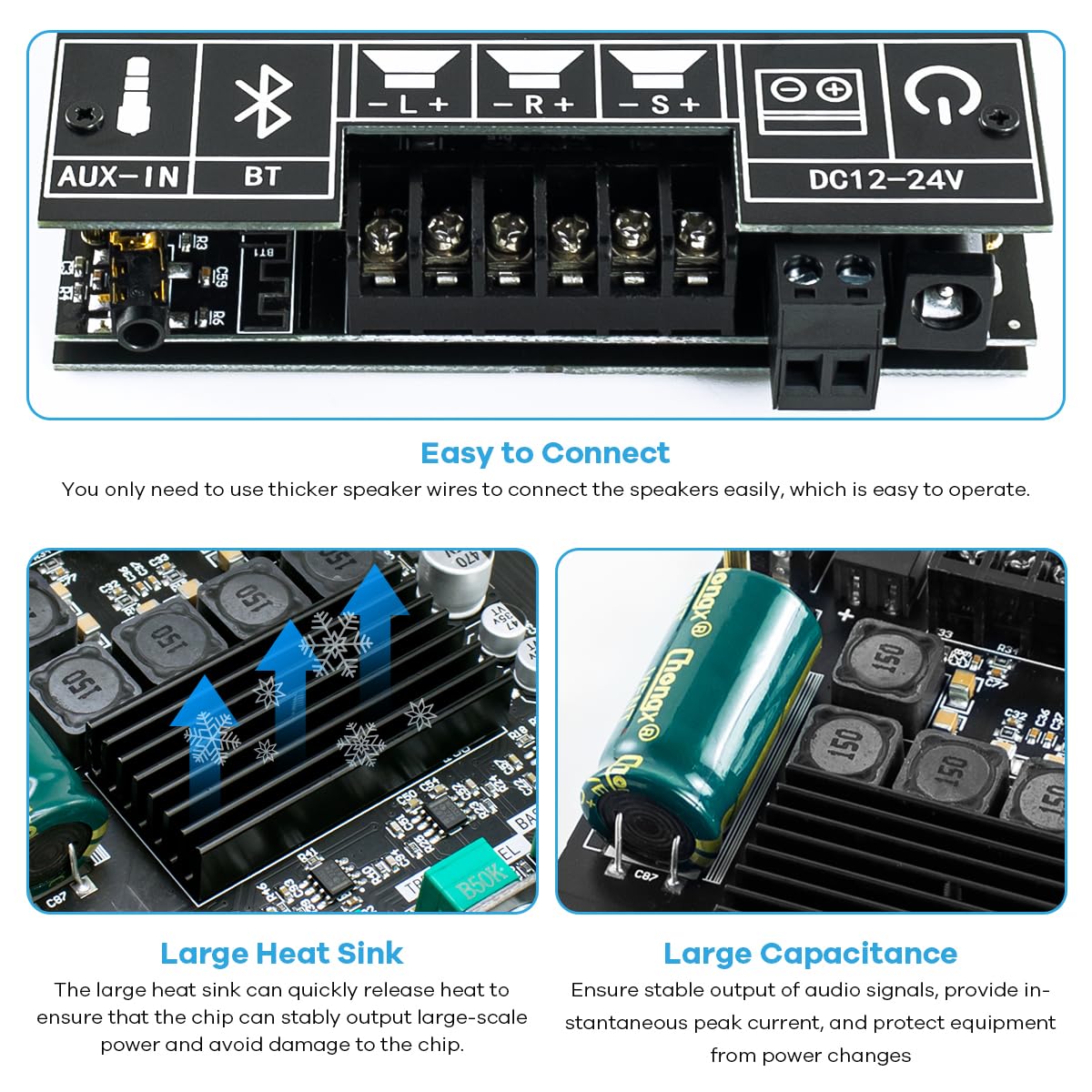
Figure 2.2: Close-up view of the easy-to-connect barrier terminals and internal components like the large heat sink and capacitance, ensuring stable power delivery.
Setup Demonstration Video:
Video 2.1: This video demonstrates the physical setup of the Hosyond Bluetooth 5.0 2.1 Channel Subwoofer Amplifier Board, including power and speaker connections, and initial power-on.
3. Operating Instructions
Once connected, operate the amplifier board using the following methods:
Audio Input Modes:
- Bluetooth Mode:
After powering on, the amplifier board will automatically enter Bluetooth pairing mode. Search for "Hosyond H017" (or similar name) on your Bluetooth-enabled device and connect. A confirmation sound will indicate successful pairing. You can then stream audio wirelessly.
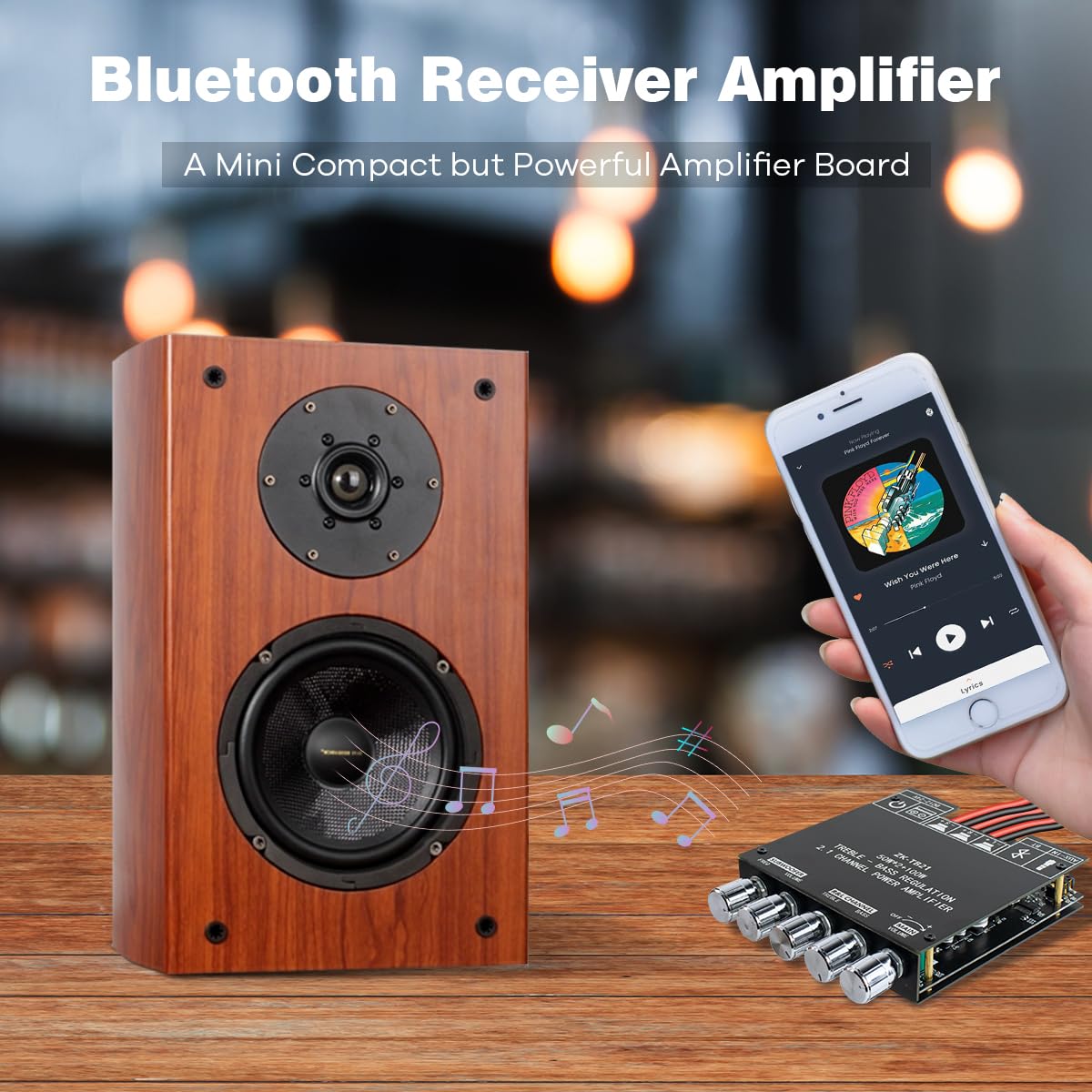
Figure 3.1: The amplifier board seamlessly integrates with a smartphone for wireless audio streaming via Bluetooth 5.0.
- AUX Input Mode:
Connect your audio source to the 3.5mm AUX IN jack. The amplifier will automatically switch to AUX input. Disconnect the AUX cable to revert to Bluetooth mode.
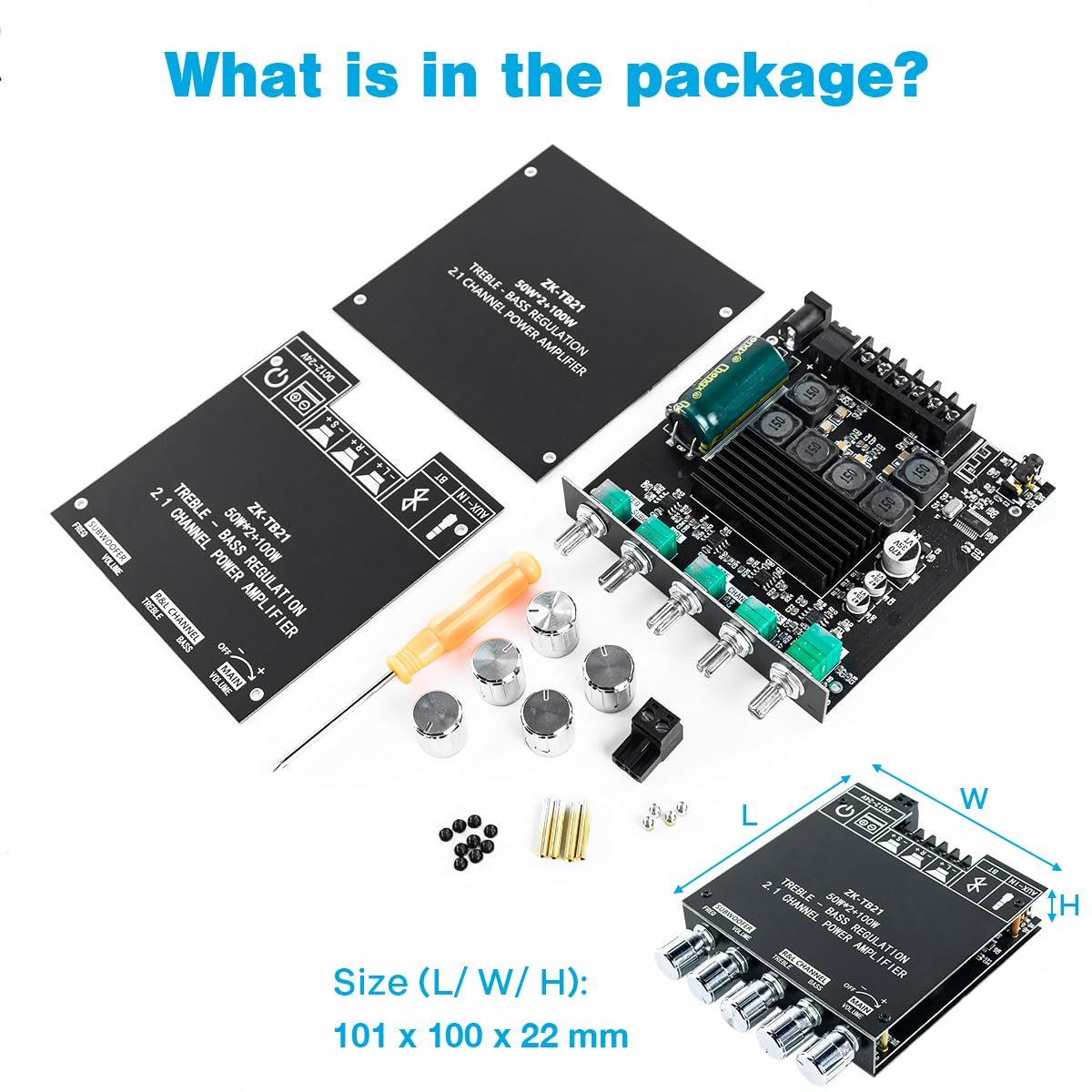
Figure 3.2: The amplifier board supports wired audio input through its 3.5mm AUX jack, connecting to devices like laptops.
Control Knobs:
The amplifier board features five control knobs for precise audio adjustment:
- Main Volume: Adjusts the overall output volume of all channels.
- R&L Channel Treble: Controls the high-frequency response of the right and left stereo channels.
- R&L Channel Bass: Controls the low-frequency response of the right and left stereo channels.
- Subwoofer Volume: Adjusts the volume level of the dedicated subwoofer output.
- Subwoofer Freq (Frequency): Adjusts the crossover frequency for the subwoofer, allowing you to fine-tune its integration with your main speakers.
4. Maintenance
To ensure the longevity and optimal performance of your amplifier board, follow these maintenance guidelines:
- Cleaning: Use a soft, dry cloth to clean the surface of the amplifier board. Do not use liquid cleaners or solvents, as they may damage the components.
- Ventilation: Ensure adequate airflow around the amplifier board to prevent overheating. Do not obstruct the heat sink.
- Storage: When not in use for extended periods, store the amplifier board in a cool, dry place away from direct sunlight and extreme temperatures.
- Handling: Handle the board with care to avoid damaging sensitive electronic components. Avoid dropping or subjecting it to strong impacts.
5. Troubleshooting
If you encounter issues with your amplifier board, refer to the following common problems and solutions:
| Problem | Possible Cause | Solution |
|---|---|---|
| No sound output. |
|
|
| Distortion or "screeching" at higher volumes. |
|
|
| Humming, buzzing, or clicking noise. |
|
|
| Bluetooth connection issues. |
|
|
6. Specifications
| Feature | Detail |
|---|---|
| Model Number | H017 |
| Audio Chip | TPA3116D2 |
| Channels | 2.1 Channel (Stereo R&L + Subwoofer) |
| Output Power (R&L) | 50W + 50W |
| Output Power (Subwoofer) | 100W |
| Total Harmonic Distortion (THD) | 0.1% |
| Bluetooth Version | 5.0 |
| Audio Inputs | Bluetooth, 3.5mm AUX |
| Input Voltage (DC) | 12-24V |
| Output Impedance | 4-8 |
| Protection Features | Overheat, Reverse Connection, Circuit Breaker, Overvoltage, Undervoltage |
| Dimensions (L x W x H) | 5.16 x 4.41 x 1.97 inches (approx. 13.1 x 11.2 x 5 cm) |
| Weight | 7.9 ounces (approx. 224 grams) |
| Mounting Type | Surface Mount |
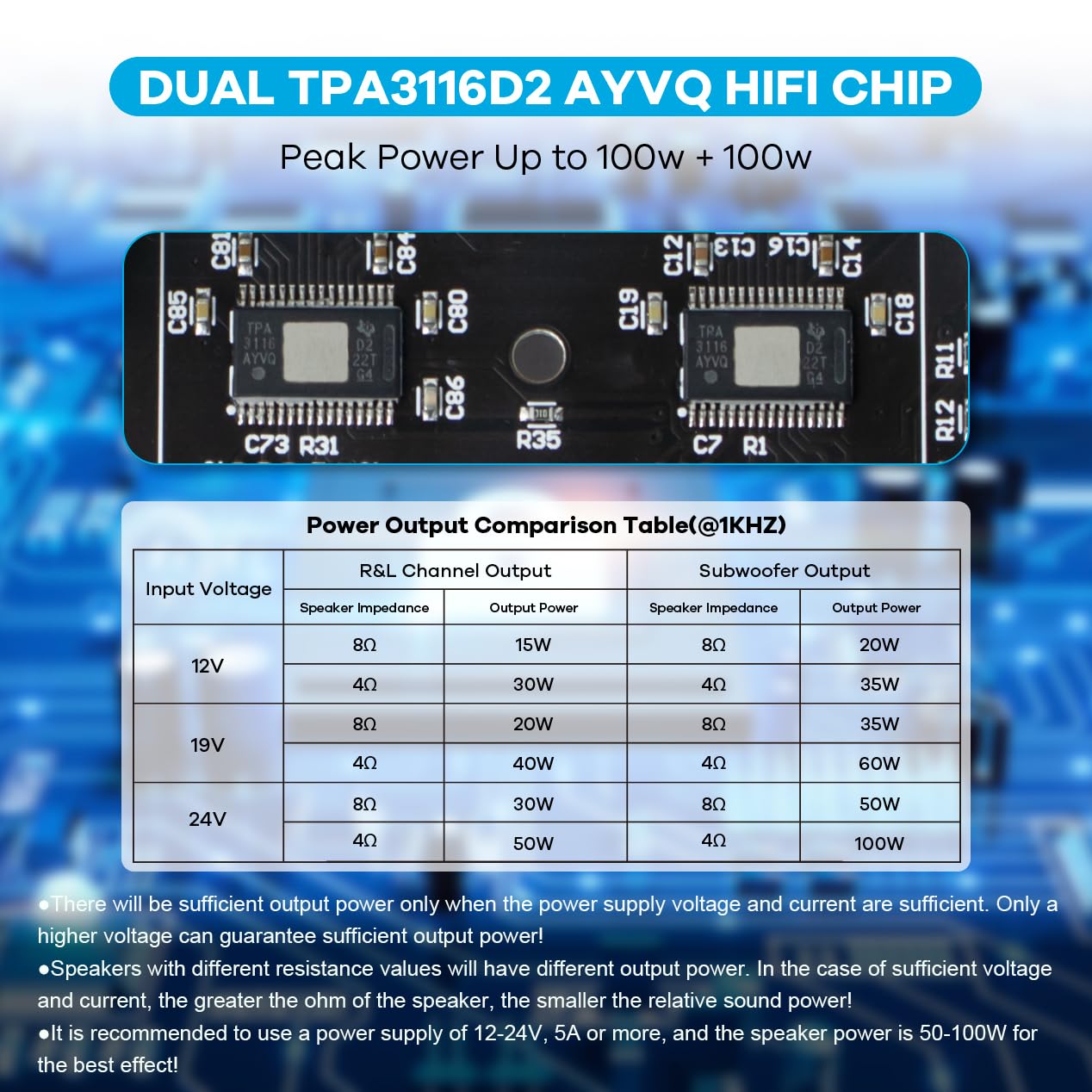
Figure 6.1: Power Output Comparison Table at 1KHz, detailing R&L Channel and Subwoofer Output Power based on Input Voltage and Speaker Impedance.
7. Warranty and Support
For warranty information or technical support, please refer to the product packaging or contact Hosyond customer service directly. Keep your purchase receipt for warranty claims.


