
Dreo DR-HSH013
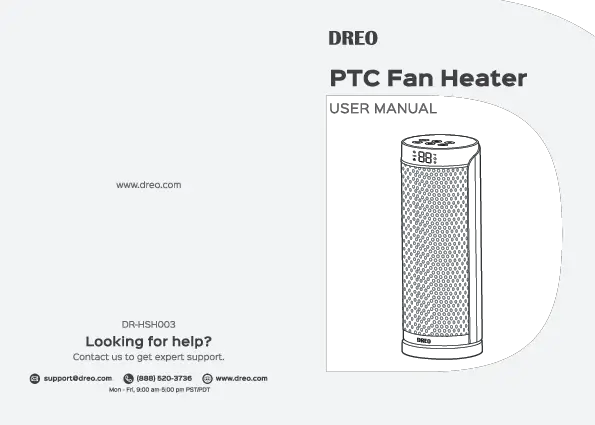
Dreo Space Heater User Manual
Model: DR-HSH013
Brand: Dreo
1. Introduction
Welcome to your new Dreo Space Heater. This manual provides essential information for safe and efficient operation of your 25" 11.5ft/s Fast Electric Heater. Please read it thoroughly before use and retain it for future reference.
2. Safety Information
Your Dreo Space Heater is designed with multiple safety features to ensure safe operation. Adhere to all warnings and instructions to prevent electric shock, fire, or injury.
Important Safety Precautions:
- Constructed with V0 flame retardant material for enhanced fire safety.
- Features a reinforced plug to prevent electrical issues.
- Equipped with 45° tip-over protection, automatically shutting off if accidentally knocked over.
- Includes overheat protection, certified by ETL, to prevent internal components from reaching unsafe temperatures.
- An additional child lock setting reduces the risk of accidental operation by children.
Always ensure the heater is placed on a stable, level surface and away from flammable materials. Do not cover the heater during operation.

Image description: A visual representation of the Dreo space heater highlighting its safety features including tip-over protection, V0 flame retardant material, enhanced safety plug, and ETL certification.

Image description: A close-up of the heater's control panel showing the child lock icon, emphasizing the added safety for households with children.
3. Product Overview & Features
The Dreo Space Heater combines advanced technology with user-friendly design to provide optimal heating comfort.
Key Features:
- The Ultimate Heating Experience: Features Dreo's upgraded Hyperamics thermal design for 11.5 ft/s fast heat and an extended impeller doubling the heat range, ideal for large rooms (100-270 sq ft).
- Ultra Quiet Operation: New airflow design reduces noise to as low as 32dB, ensuring a quiet environment.
- Precise Temperature Control: A dedicated thermal sensor allows for temperature settings between 41-95°F with 1°F precision, adjusting automatically in ECO Mode.
- Expanded Heating Capabilities: 70° Wide Angle oscillation distributes warm air to every corner of your room.
- Versatile Modes: Choose from four heating modes (H1/H2/H3/ECO) or use it as a fan to circulate air.
- Convenient Timer: Set an auto-off timer for up to 12 hours.
- Smart Display: Auto-brightness screen adjusts to ambient light.
- Remote Control: Full control from a distance with a dedicated remote holder.

Image description: The Dreo space heater in gold, showing warm air flowing from its grille, with the remote control positioned nearby.

Image description: The Dreo space heater in a living room setting, emphasizing "Mega Heat. Supreme Comfort." with indicators for 200% air heating volume and 2x longer reach.

Image description: The heater in a kitchen/living area, illustrating its "2x Longer heat range" with a comparison of new (280mm) vs. old (200mm) impeller sizes.

Image description: A person relaxing in a bedroom with the Dreo heater, highlighting its ultra-quiet operation (25dB) compared to others (42dB) and older models (38dB).

Image description: A close-up of the heater's digital display showing temperature settings from 41°F to 95°F, emphasizing the dedicated thermal sensor for ±1°F accuracy.
4. Setup
Unboxing and Placement:
- Carefully remove the heater and all packaging materials from the box.
- Place the heater on a firm, level surface. Ensure there is at least 12 inches (30 cm) of clear space on all sides of the heater.
- Plug the power cord into a grounded 120V AC outlet.

Image description: The Dreo space heater with its dimensions (7.87"D x 7.87"W x 25"H) clearly marked, indicating its compact tower design.
5. Operating Instructions
The heater can be operated using the touch control panel on top or the included remote control.
Control Panel and Remote Functions:
- Power On/Off: Press the Power button (circle with vertical line icon) to turn the heater on or off.
- Mode Selection: Press the Mode button (three horizontal lines icon) to cycle through heating modes (H1, H2, H3, ECO) and Fan Only mode.
- Temperature Adjustment: In ECO mode, use the '+' and '-' buttons to set your desired temperature (41-95°F).
- Oscillation: Press the Oscillation button (curved arrows icon) to activate or deactivate the 70° wide-angle oscillation.
- Timer Function: Press the Timer button (clock icon) to set an auto-off timer from 1 to 12 hours.
- Child Lock: Press and hold the Mode and Oscillation buttons simultaneously for 3 seconds to activate/deactivate the child lock.
6. Maintenance
Cleaning and Storage:
- Always unplug the heater and allow it to cool completely before cleaning.
- Use a soft, damp cloth to wipe the exterior surfaces. Do not use abrasive cleaners.
- For storage, cover the heater to protect it from dust and store it in a cool, dry place.
7. Troubleshooting
Common Issues:
| Problem | Solution |
|---|---|
| Heater does not turn on | Check power connection, ensure tip-over switch is engaged, check for overheating. |
| No heat output | Verify heating mode is selected (not Fan Only), check temperature setting. |
| Unusual noise | Ensure heater is on a stable surface, check for obstructions in air inlets/outlets. |
| Heater trips circuit breaker | Ensure heater is plugged directly into a wall outlet, not an extension cord or power strip. Reduce other appliances on the same circuit. |
For further assistance, please contact Dreo customer support.
8. Specifications
Technical Details:
| Attribute | Value |
|---|---|
| Brand | Dreo |
| Model Number | DR-HSH013 |
| Color | Gold |
| Product Dimensions | 7.87"D x 7.87"W x 25"H |
| Item Weight | 7.26 pounds |
| Heating Coverage | 100-270 sq.ft. |
| Fuel Type | Electric |
| Burner Type | PTC Ceramic |
| Voltage | 120 Volts |
| Amperage | 16 Amps |
| Min Temperature Setting | 41 Degrees Fahrenheit |
| Max Temperature Setting | 95 Degrees Fahrenheit |
| Special Features | Overheat and Tip-over Protection, Smart Memory, Fast Heating, Oscillating, Adjustable Digital Thermostat |
9. Warranty and Support
Customer Service:
For warranty information or technical support, please refer to the contact details provided in your product packaging or visit the official Dreo website.
Keep your purchase receipt for warranty claims.
Related documentsDR-HSH013


Ask a question about this manual
Ask about setup, troubleshooting, compatibility, parts, safety, or missing instructions. Manuals+ will review the question and use this page’s manual context to help answer it.