
1. Product Overview
The Retekess TA007 are versatile wireless headphones designed for an enhanced audio experience. They feature dual connectivity modes: 2.4G wireless for TV viewing with low latency, and Bluetooth for connecting to other audio devices. The headphones are built for comfort and provide a stable signal for uninterrupted listening.
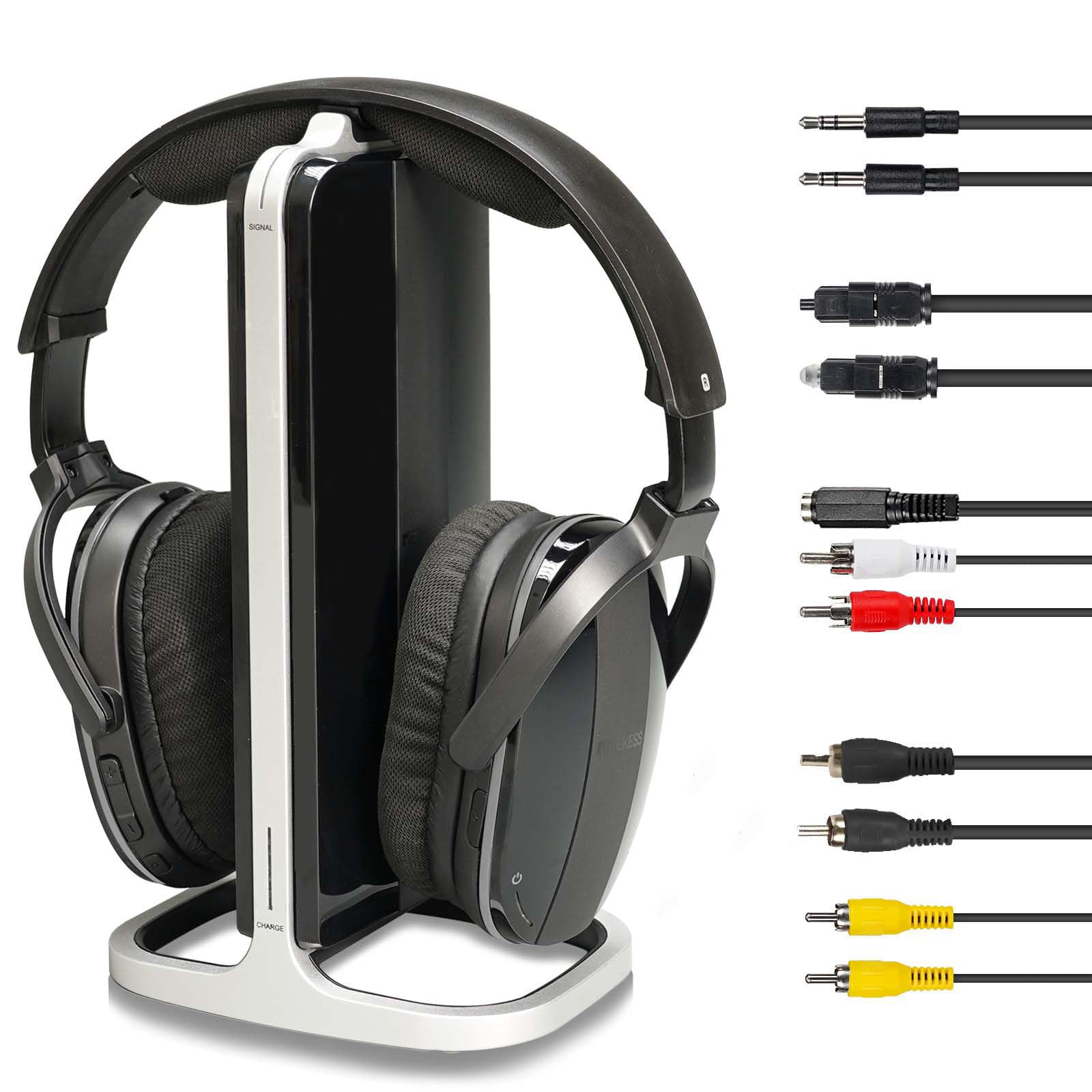
Image 1.1: Retekess TA007 Wireless TV Headphones and Transmitter.

Image 1.2: Users enjoying a quiet listening experience with the headphones, whether watching TV or listening to music outdoors.
2. Setup Guide
2.1 Package Contents
Before starting, ensure all components are present in the package:
Image 2.1: Included accessories: Power adapter, Headphones, 2x 700mAh batteries, RCA adapter cable, AUX audio cable, Instruction manual, Digital to analog adapter, Coaxial cable, Fiber optic cable.
2.2 Charging the Headphones
The headphones use two removable 700mAh AAA rechargeable batteries. Insert the batteries into the headphone compartments. Place the headphones on the transmitter base to charge. A full charge takes approximately 3 hours.

Image 2.2: Illustration of removable 700mAh AAA batteries and charging time.

Image 2.3: Headphones charging on the transmitter base, highlighting charging contacts.
2.3 Connecting the Transmitter to Your TV
The transmitter supports multiple audio input options. Identify the available audio output ports on your TV or audio source.
- RCA Audio Out: Use the provided RCA adapter cable to connect the transmitter to your TV's red and white RCA audio output ports.
- AUX Audio Out (3.5mm): Use the provided AUX audio cable to connect the transmitter to your TV's 3.5mm headphone jack or audio out port.
- Digital Audio Out (Optical/Coaxial): If your TV only has digital audio output, use the included Digital to Analog Audio Converter. Connect the converter to your TV via optical or coaxial cable, then connect the converter to the transmitter using an RCA or AUX cable.

Image 2.4: Detailed view of the transmitter's audio input (AUDIO IN) and power input (DC IN) ports, along with headphone controls.

Image 2.5: Illustration of various connection methods including Coaxial, RCA, Optical, and AUX with the digital to analog converter.
2.4 Pairing 2.4G Wireless Mode (TV Mode)
Once the transmitter is connected to your TV and powered on, and the headphones are charged and powered on, they should automatically connect in 2.4G mode. The headphones are designed for an easy, cable-free connection to the transmitter.
2.5 Pairing Bluetooth Mode
To use the headphones with other Bluetooth-enabled devices (e.g., smartphone, tablet):
- Ensure the headphones are powered on and not currently connected in 2.4G mode.
- Activate Bluetooth on your desired device.
- Search for available Bluetooth devices and select "Retekess TA007" (or similar) from the list.
- The headphones will indicate a successful connection.

Image 2.6: Headphones connected via Bluetooth to various devices like computers, tablets, and phones.
3. Operating Instructions
3.1 Switching Between Modes
The Retekess TA007 headphones support both 2.4G (TV mode) and Bluetooth modes. Use the mode selection button on the headphones to switch between these two connectivity options as needed.

Image 3.1: Visual representation of switching between 2.4G TV Headphones mode and Wireless Bluetooth Headphones mode.
3.2 Volume Control
Adjust the volume using the dedicated volume control buttons located on the headphones. Refer to Image 2.4 for the exact location of the 'Volume +' and 'Volume -' buttons.
3.3 Wearing the Headphones
The earcups are adjustable by 15 degrees to ensure a comfortable and secure fit. Adjust them to your preference for extended listening sessions. The over-ear design helps reduce background noise.

Image 3.2: Illustration of the 15-degree adjustable earcups for enhanced comfort.
3.4 Wireless Range
The effective wireless range varies by mode:
- 2.4G TV Mode: Up to 30 meters (100 feet) indoors, providing freedom of movement without signal interruption.
- Bluetooth Mode: Approximately 10 meters (33 feet).

Image 3.3: Comparison of wireless range for 2.4G TV mode (>30m) and Bluetooth headset mode (>10m).
3.5 Sound Quality and Low Latency
The 2.4G wireless mode offers a low latency of 15 milliseconds, ensuring that audio and video are synchronized, which is ideal for TV viewing and gaming.

Image 3.4: Visual representation of 20ms low latency for synchronized picture and sound in 2.4G mode.
4. Maintenance
4.1 Battery Care
The headphones use removable and rechargeable AAA batteries. To maximize battery lifespan:
- Fully charge the batteries before first use.
- Avoid completely draining the batteries regularly.
- If storing the headphones for an extended period, charge them partially (around 50%) and store in a cool, dry place.
- Replace batteries when their capacity significantly diminishes.
4.2 Cleaning
To clean your headphones:
- Use a soft, dry cloth to wipe the exterior surfaces.
- For ear cushions, gently wipe with a slightly damp cloth and allow to air dry completely before use.
- Do not use harsh chemicals, solvents, or abrasive cleaners.
- Avoid getting moisture into any openings.
5. Troubleshooting
| Problem | Possible Cause | Solution |
|---|---|---|
| No sound from headphones (2.4G mode) |
|
|
| No sound from headphones (Bluetooth mode) |
|
|
| Poor sound quality or static |
|
|
| Headphones not charging |
|
|
6. Technical Specifications
| Feature | Detail |
|---|---|
| Brand | Retekess |
| Model Number | TA007 |
| Color | Black |
| Ear Placement | Over Ear |
| Headphone Form Factor | Over-Ear Headphones |
| Impedance | 32 Ohms |
| Noise Control | Active Noise Cancellation |
| Sensitivity | 32 Ohm |
| Headphone Jack | RCA |
| Connectivity Technology | Wireless (2.4G RF, Bluetooth) |
| Included Components | Transmitter, Batteries |
| Wireless Communication Technology | Radio Frequency |
| Bluetooth Range | 10 Meters |
| Bluetooth Version | 4.0 |
| Control Type | Volume Control |
| Control Method | Remote |
| Charging Time | 3 Hours |
| Battery Life | 12 Hours (General), 13 Hours (2.4G TV Mode), 17 Hours (BT Mode) |
| Audio Latency | 15 Milliseconds |
| Frequency Range | 2.4 GHz |
| Material | Plastic and Metal |
| Recommended Uses | Listening to music, video games, watching TV |
| Compatible Devices | Televisions |
| Special Features | Lightweight |
| Item Weight | 1106 Grams (including packaging/accessories) |
7. Warranty and Support
7.1 Warranty Information
Retekess provides a 2-year warranty for the TA007 headphones, along with a 30-day no-reason return policy. This warranty covers manufacturing defects and ensures product quality.
7.2 After-Sales Service
Even beyond the warranty period, Retekess continues to offer service. Buyers are responsible for any associated costs for repairs or services outside the warranty. For any inquiries or support needs, please contact Retekess directly through Amazon. We aim to respond to all queries within 12 hours.


