
Introduction
This manual provides detailed instructions for the safe and effective operation of your Godox KNOWLED F400Bi Foldable Waterproof Flexible Bi-Color LED Mat Panel. The F400Bi is designed for professional on-set lighting, featuring a unique foldable design for portability and durability, IP65 water resistance for outdoor use, and accurate color reproduction with a flicker-free frame speed. Please read this manual thoroughly before use to ensure optimal performance and longevity of the product.
Safety Information
- Do not disassemble or modify the product. Unauthorized repairs will void the warranty.
- Keep the product dry. Do not handle the control box with wet hands. The LED mat is IP65 water-resistant, but the control box is not.
- Ensure the power supply voltage matches the product's requirements.
- Avoid direct eye exposure to the LED light.
- Keep out of reach of children.
- Always disconnect power before cleaning or maintenance.
- Use only Godox-approved accessories.
Package Contents

Image: The Godox KNOWLED F400Bi LED Mat Panel kit, including the foldable LED mat, control box, X-frame, softbox, grid, power cables, and carrying bag.
Please check that all the following items are included in your package:
- Godox KNOWLED F400Bi Flexible LED Mat Panel
- Control Box
- X-Frame Support
- Softbox
- Grid
- Power Cable(s)
- Carrying Bag
Product Overview
LED Mat Panel (Front View)
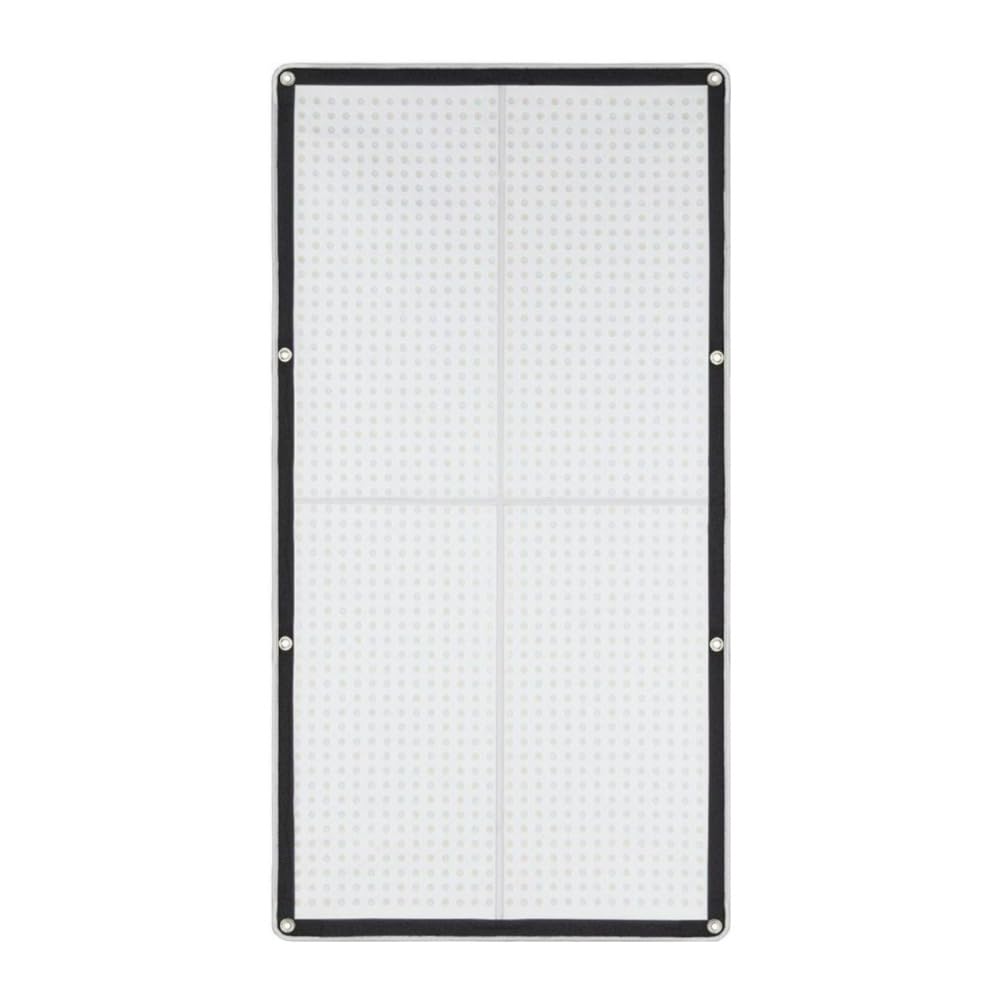
Image: Front view of the Godox KNOWLED F400Bi LED Mat Panel mounted on a light stand, showing the illuminated LED surface.
The flexible LED mat features numerous bi-color LED beads, providing adjustable color temperature and brightness. Its foldable design allows for compact storage and enhanced durability. The mat is IP65 water-resistant, suitable for various shooting environments.
LED Mat Panel (Rear View)

Image: Rear view of the Godox KNOWLED F400Bi LED Mat Panel on a light stand, showing the Godox logo, model name, and connection points for the X-frame and control box.
The rear of the LED mat includes attachment points for the X-frame and hook-and-loop fasteners for securing the light. It also features the Godox branding and model information.
Control Box

Image: Close-up of the Godox KNOWLED F400Bi control box, showing the display screen, control knobs, and various ports for power and DMX connections.
The control box manages all functions of the LED mat, including power, brightness, color temperature, and various control modes (DMX, 2.4G wireless, APP). It features an intuitive display and control knobs. Note: The control box is not waterproof.
Setup
- Attach the X-Frame: Unfold the LED mat. Secure the X-frame support to the designated corners on the rear of the LED mat. Ensure it is firmly attached.
- Mount the LED Mat: Attach the assembled LED mat (with X-frame) to a light stand using the mounting bracket on the X-frame. Tighten securely. Alternatively, use the hanging rings or hook-and-loop fasteners to secure the mat in desired locations.
- Connect the Control Box: Connect the power cable from the LED mat to the input port on the control box. Ensure a secure connection.
- Power Connection: Connect the AC power adapter to the control box, then plug it into a suitable power outlet.
- Optional Accessories: If using the softbox and grid, attach them to the front of the LED mat according to their respective instructions.
Operating Instructions
1. Power On/Off
- Press the power button on the control box to turn the unit on or off.
2. Adjusting Brightness and Color Temperature
- Use the dedicated control knobs on the control box to adjust the light intensity (brightness) and Color Correlated Temperature (CCT).
- The display screen will show the current brightness percentage and CCT value.
3. Control Methods
The KNOWLED F400Bi offers multiple control options for flexibility:
- Control Box: Direct manual control via knobs and buttons.
- 2.4G Wireless Control: Use a compatible Godox 2.4G wireless remote control (sold separately) to adjust settings from a distance. Refer to the remote's manual for pairing instructions.
- DMX Control: Connect the control box to a DMX console using standard DMX cables. The F400Bi supports RDM protocol. Refer to the DMX section in the full manual for channel assignments and setup.
- Godox Light APP: Download and install the Godox Light APP (version 3.0 or later) on your smartphone or tablet. Pair the device via Bluetooth to control the light wirelessly.
4. Special Features
- Flicker-Free Operation: The F400Bi maintains flicker-free performance up to 120fps, suitable for high-speed video recording.
- IP65 Water Resistance: The LED mat is designed to withstand water spray from any angle, making it suitable for outdoor use in light rain. Ensure the control box remains dry.
- Color Accuracy: With a CRI and TLCI rating of 96+, the light provides accurate color reproduction.
Maintenance
- Cleaning: Before cleaning, ensure the unit is powered off and unplugged. Use a soft, dry cloth to wipe the LED mat and control box. For stubborn dirt on the mat, a slightly damp cloth can be used, but ensure no moisture enters the control box. Do not use harsh chemicals or abrasive cleaners.
- Storage: When not in use, fold the LED mat along its designated lines and store it in the provided carrying bag. Keep the product in a cool, dry place, away from direct sunlight and extreme temperatures.
- Inspection: Regularly inspect cables and connections for any signs of wear or damage. Replace damaged components immediately.
Troubleshooting
| Problem | Possible Cause | Solution |
|---|---|---|
| Light does not turn on. | No power, loose connection, faulty power adapter. | Check power cable connections. Ensure power outlet is functional. Verify power adapter is working. |
| Cannot adjust brightness/CCT. | Control box malfunction, remote control issue, APP not connected. | Try adjusting directly from the control box. Check remote battery or APP connection. Restart the unit. |
| Light flickers. | Incompatible power source, internal fault. | Ensure stable power supply. If flickering persists, contact customer support. |
| Wireless control not working. | Remote not paired, interference, APP not connected. | Ensure remote is paired correctly. Check for signal interference. Reconnect the Godox Light APP. |
If you encounter problems not listed here, or if solutions do not resolve the issue, please contact Godox customer support.
Specifications
| Model | KNOWLED FLEX (F400Bi) |
| Product Dimensions | 29 x 16 x 8.1 inches |
| Item Weight | 27.8 pounds |
| Color Temperature | Bi-Color (Adjustable) |
| CRI/TLCI | 96+ |
| Flicker-Free Frame Speed | Up to 120fps |
| Water Resistance | IP65 (LED Mat only, Control Box is not waterproof) |
| Control Methods | Control Box, DMX (RDM protocol), 2.4G Wireless, Godox Light APP (v3.0+) |
| Manufacturer | Godox |
Warranty and Support
Godox products are designed and manufactured to the highest quality standards. For information regarding warranty coverage, technical support, or service, please refer to the official Godox website or contact your local authorized dealer. Keep your purchase receipt as proof of purchase.
Online Resources: www.godox.com