1. Introduction
Thank you for choosing the Sportstech Swalk Walking Pad & LED Treadmill. This manual provides essential information for the safe and effective use, setup, operation, and maintenance of your new fitness device. Please read this manual thoroughly before first use and keep it for future reference.
2. Important Safety Instructions
- Read all instructions in this manual before using the treadmill.
- Keep children and pets away from the treadmill during operation.
- Place the treadmill on a flat, stable surface. Ensure there is adequate clear space around the device.
- Do not operate the treadmill if it has a damaged cord or plug, or if it is not working properly.
- The maximum user weight for this treadmill is 120 kg. Do not exceed this limit.
- Wear appropriate exercise clothing and footwear. Avoid loose clothing that could get caught in moving parts.
- Always hold onto the handrails (if applicable) when starting or stopping the treadmill.
- Disconnect the power cord when not in use or before cleaning and maintenance.
- This treadmill is designed for home and office use. Do not use it in a commercial setting.
3. Package Contents
Please check the package contents carefully. If any items are missing or damaged, contact Sportstech customer support.
- Sportstech Swalk Walking Pad & LED Treadmill
- Power Cord
- Remote Control
- User Manual
- Lubricant (for maintenance)
4. Product Overview
The Sportstech Swalk is a compact walking pad designed for fitness sessions at home or in the office. It features an integrated LED display and wheels for easy storage.
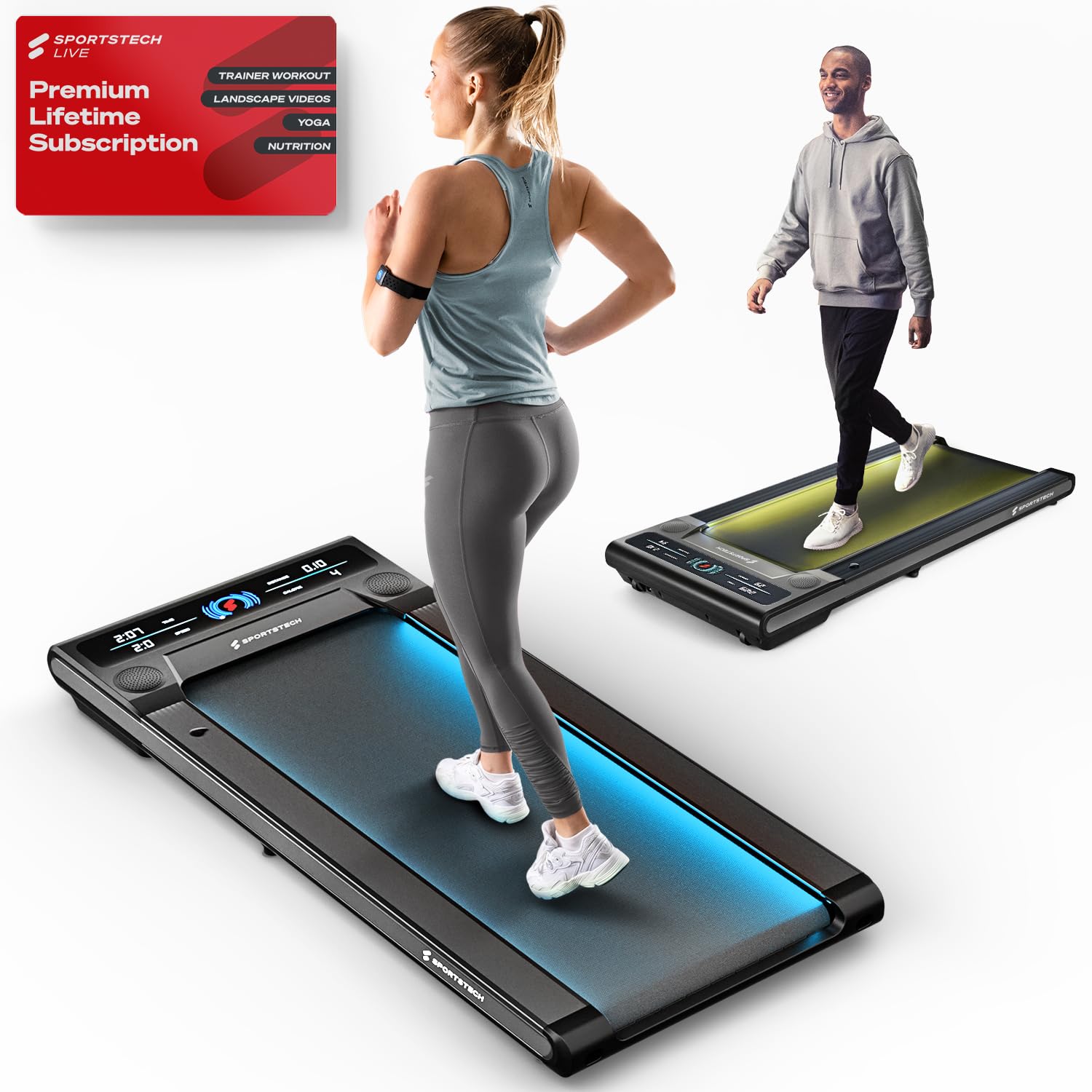
Image: The Sportstech Swalk Walking Pad Treadmill, showcasing its sleek, compact design suitable for home and office environments.
Key Components:
- Walking Belt: The primary surface for walking.
- LED Display: Shows real-time workout data.
- Motor: Powers the walking belt.
- Power Port: For connecting the power cord.
- Transport Wheels: For easy movement and storage.
- Remote Control: For adjusting speed and controlling functions.
5. Setup
5.1 Unpacking
- Carefully remove the treadmill from its packaging.
- Remove all packing materials and protective films.
- Inspect the treadmill for any signs of damage.
5.2 Placement
- Place the treadmill on a firm, level surface.
- Ensure there is at least 0.6 meters (2 feet) of clear space behind the treadmill and 0.3 meters (1 foot) on each side.
- Avoid placing the treadmill on thick carpets, as this may interfere with ventilation.
5.3 Power Connection
- Connect the power cord to the treadmill's power port.
- Plug the power cord into a grounded electrical outlet.
- Ensure the power switch (if present) is in the OFF position before plugging in.
6. Operating Instructions
6.1 Powering On/Off
- To power on, ensure the treadmill is plugged in and press the power button on the remote control. The LED display will illuminate.
- To power off, press and hold the power button on the remote control until the display turns off.
6.2 Using the Remote Control
The remote control allows you to start, stop, and adjust the speed of the treadmill.
- Start/Stop Button: Press to begin or end a workout.
- Speed +/- Buttons: Use to increase or decrease the walking speed. The speed can be adjusted up to 6 km/h.
6.3 Understanding the LED Display
The high-resolution LED display monitors your activities in real-time, showing:
- Distance: Total distance traveled during your workout.
- Calories: Estimated calories burned.
- Speed: Current walking speed.
- Time: Duration of your workout.
6.4 Patented LED Function
The treadmill features a patented LED function with 7 different colors. These colors change according to your speed or pulse, providing visual feedback during your workout.
6.5 Sportstech Live App Connection
Enhance your fitness experience by connecting your Swalk treadmill to the Sportstech Live app via Bluetooth. The app allows you to:
- Access workouts with professional trainers.
- Participate in challenges with the fitness community.
- Connect to your TV via Bluetooth for a more immersive session.
7. Maintenance
7.1 Cleaning
- Always unplug the treadmill before cleaning.
- Wipe down the treadmill's surfaces with a damp cloth. Avoid using abrasive cleaners or solvents.
- Regularly clean the area around the walking belt to prevent dust and debris buildup.
7.2 Lubrication
Regular lubrication of the walking belt is crucial for smooth operation and longevity. Refer to the included lubricant instructions for proper application frequency and method.
- Typically, apply lubricant every 30-50 hours of use, or as indicated by the treadmill.
- Lift the edge of the walking belt and apply a thin line of silicone lubricant to the center of the deck.
- Run the treadmill at a low speed for a few minutes to distribute the lubricant evenly.
7.3 Belt Adjustment
If the walking belt starts to slip or drift to one side, it may need adjustment. Use the provided hex key to adjust the tension bolts at the rear of the treadmill. Make small, quarter-turn adjustments and test the belt after each adjustment until it runs smoothly and centrally.
7.4 Storage
Thanks to its space-saving design and integrated wheels, the Swalk can be easily stored. Simply roll it under a sofa or bed after use.
8. Troubleshooting
If you encounter issues with your Sportstech Swalk, refer to the following common problems and solutions:
| Problem | Possible Cause | Solution |
|---|---|---|
| Treadmill does not power on. | Power cord not properly connected; power outlet issue; remote control battery low. | Check power cord connection; test outlet with another device; replace remote control batteries. |
| Walking belt slips or stops when stepped on. | Belt tension too loose; insufficient lubrication; oil on drive belt/spindle. | Adjust belt tension (see Section 7.3); apply lubricant (see Section 7.2); inspect for oil on internal drive components and clean thoroughly if present. |
| Walking belt drifts to one side. | Belt alignment issue. | Adjust belt alignment (see Section 7.3). |
| Unusual noise during operation. | Lack of lubrication; loose components; foreign object. | Lubricate belt; check for loose screws; inspect for foreign objects under the belt. |
If the problem persists after attempting these solutions, please contact Sportstech customer support for further assistance.
9. Specifications
| Feature | Detail |
|---|---|
| Brand | Sportstech |
| Model Name | Swalk |
| Item Model Number | SP_WalkMate |
| Product Dimensions (D x W x H) | 127D x 56.5W x 11.5H Centimeters |
| Item Weight | 23 Kilograms |
| Maximum Speed | 6 Kilometers per Hour |
| Maximum Weight Recommendation | 120 Kilograms |
| Display Type | LCD |
| Metrics Measured | Distance |
| Special Features | App, Bluetooth, LCD display, Patented LED Function |
| Frame Material | Alloy Steel |
| Power Source | Battery Powered (for remote control, main unit is electric) |
10. Warranty and Support
Sportstech products are manufactured to high-quality standards. For information regarding your product's warranty, please refer to the warranty card included in your package or visit the official Sportstech website.
If you require technical assistance, have questions about operation, or need to report a defect, please contact Sportstech customer support. Contact details can typically be found on the official Sportstech website or on your purchase documentation.