
Introduction
This manual provides essential information for the safe and efficient operation, installation, and maintenance of your Candy RapidÓ CF 6C4F1X Dishwasher. Please read these instructions carefully before using the appliance and keep them for future reference.
The Candy RapidÓ CF 6C4F1X is a free-standing dishwasher designed for domestic dish cleaning, offering a capacity of 16 place settings. It features Wi-Fi and Bluetooth connectivity, 8 washing programs, and innovative functions like Smart Basket and Smart Door for enhanced convenience and performance.
Safety Information
Always follow basic safety precautions when using electrical appliances to reduce the risk of fire, electric shock, or injury to persons.
- Ensure the appliance is properly grounded.
- Do not operate the dishwasher if it is damaged.
- Keep children away from the dishwasher, especially when it is operating.
- Use only detergents and rinse aids specifically designed for automatic dishwashers.
- Do not open the door during operation, as hot water may spray out.
Setup and Installation
The Candy RapidÓ CF 6C4F1X is a free-standing dishwasher. Proper installation is crucial for optimal performance and safety. Refer to the detailed installation instructions provided in the separate user manual included with your appliance for specific steps regarding electrical, water supply, and drainage connections.
Placement
Position the dishwasher in a suitable location, ensuring adequate space for its dimensions (59.8P x 59.7l x 82H cm). Ensure the floor is level and capable of supporting the appliance's weight (approximately 50.65 kg).
Connections
- Electrical Connection: Connect the dishwasher to a grounded electrical outlet with the specified voltage (230 Volts).
- Water Supply: Connect the water inlet hose to a cold water supply.
- Drainage: Connect the drain hose to a suitable drain pipe or sink trap.
It is recommended that installation be performed by a qualified technician to ensure correct setup and prevent potential issues.
Operating Instructions
Loading the Dishwasher
Proper loading ensures effective cleaning. Utilize the adjustable baskets and cutlery tray to maximize space and allow water to reach all surfaces.
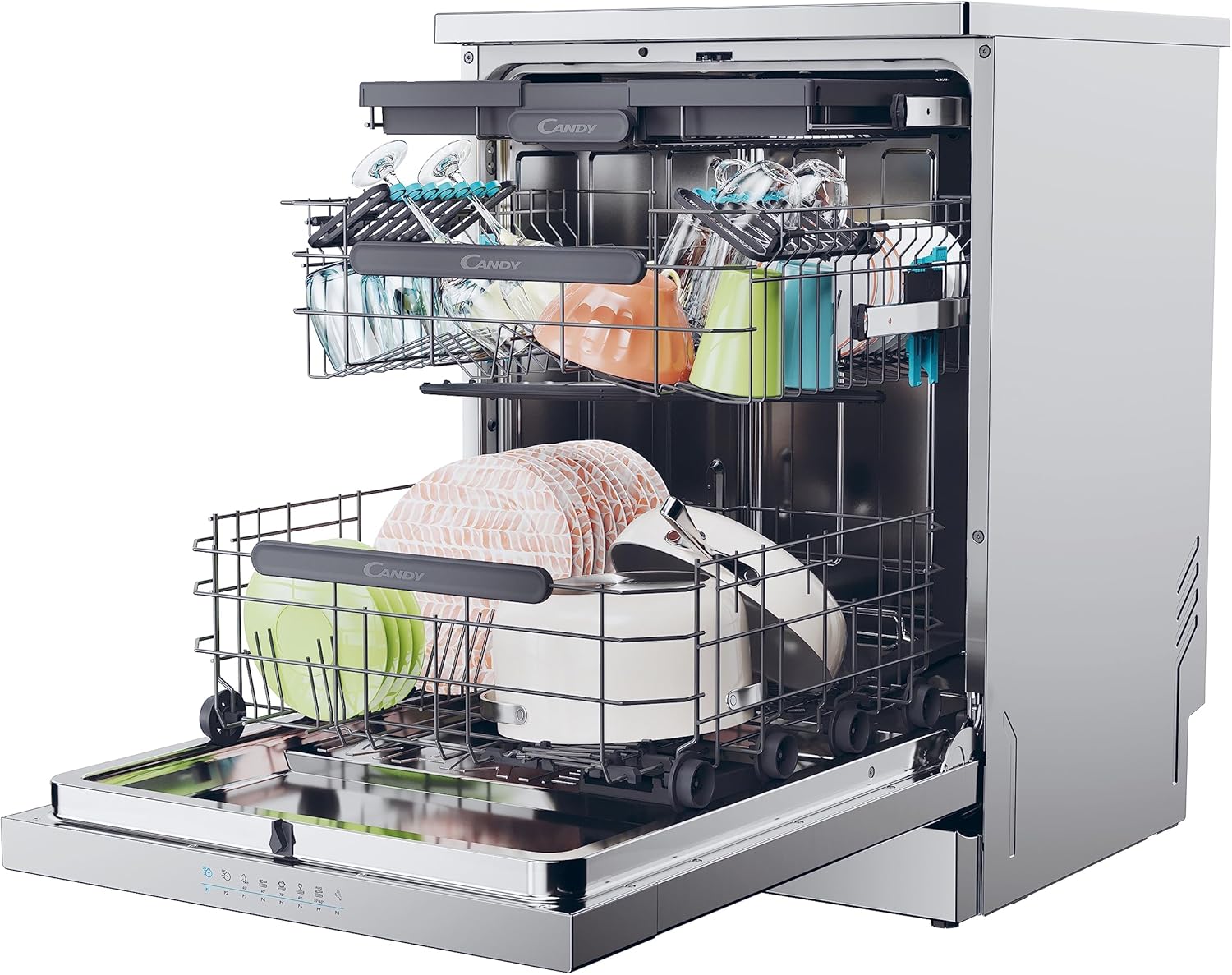
Image: Dishwasher interior showing dishes loaded in the upper and lower baskets, demonstrating capacity and organization.
Smart Basket System
The Smart Basket feature allows you to adjust the height of the baskets, providing flexibility for larger items in either the upper or lower rack. This helps accommodate various dish sizes, from tall glasses to large pots.

Image: Close-up view of the upper basket, specifically designed to hold delicate items like wine glasses securely.

Image: The empty lower basket of the dishwasher, illustrating its structure and capacity for larger items.
Cutlery Tray
The dedicated cutlery tray provides an organized space for forks, knives, and spoons, ensuring thorough cleaning and preventing scratching.

Image: A top-down view of the cutlery tray, showing how utensils are neatly arranged for washing.

Image: A hand demonstrating the adjustment of the cutlery tray, highlighting its flexible design.
Adding Detergent and Rinse Aid
Fill the detergent dispenser with the appropriate amount of dishwasher detergent. Add rinse aid to its dispenser for improved drying and to prevent water spots.
Selecting a Program
Your dishwasher offers 8 programs, including Normal, Rinse, Delicate, and Intensive cycles. Use the touch controls to select the desired program based on the soil level and type of dishes.
- Wash&Dry 35': A quick program designed to wash and dry dishes in just 35 minutes.
- Delayed Start: Allows you to postpone the start of a wash cycle by up to 24 hours.
Starting the Cycle
Close the dishwasher door firmly and press the start button. The dishwasher will begin the selected program.
Smart Door Function
The Smart Door feature automatically opens the dishwasher door during the drying phase. This allows air to circulate, enhancing drying performance and reducing energy consumption.
Wi-Fi + BLE Connectivity
Your dishwasher can be connected to your home network via Wi-Fi and Bluetooth Low Energy (BLE). This allows for remote control, program selection, and monitoring through a compatible application on your smartphone.
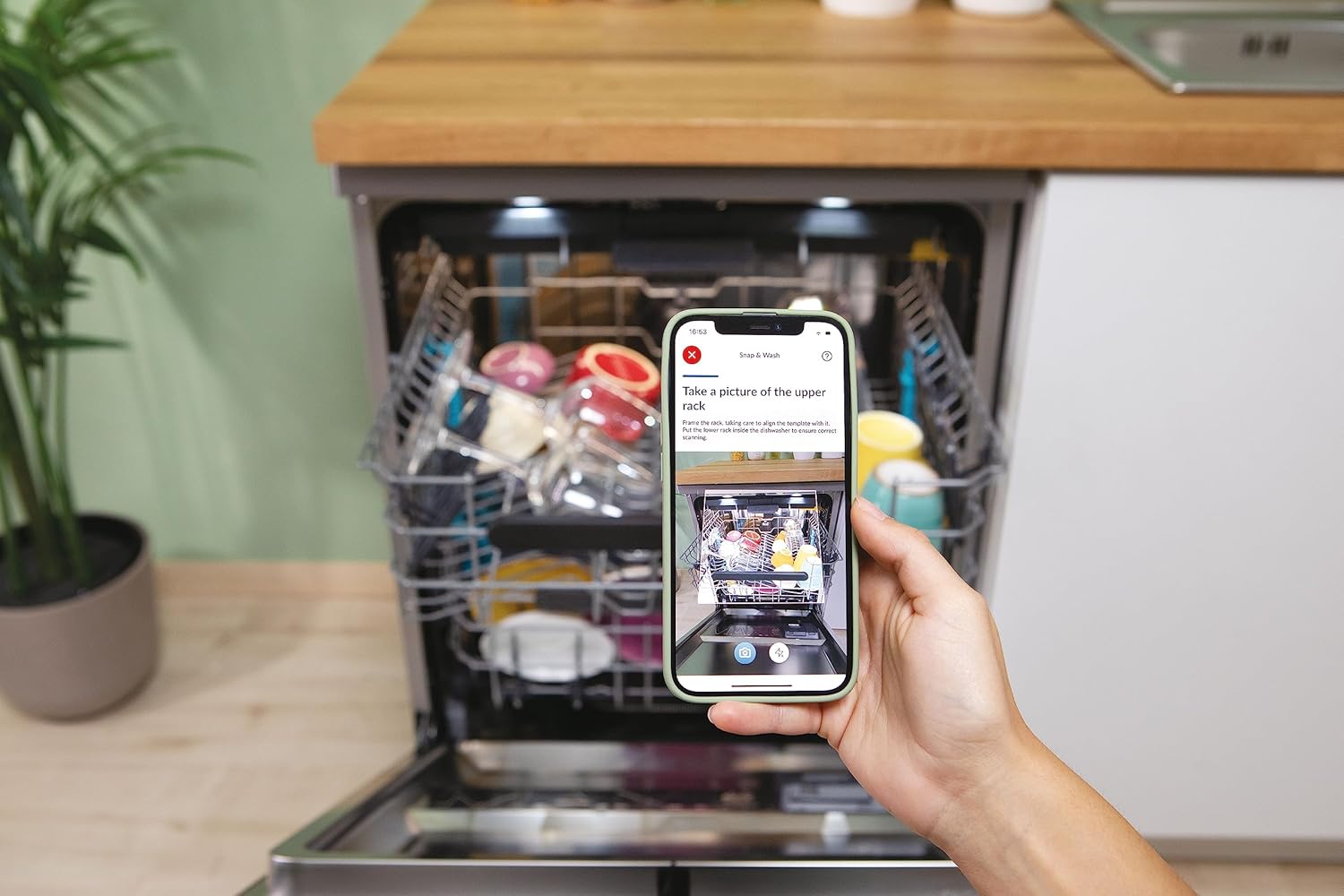
Image: A smartphone displaying the dishwasher's companion app, demonstrating smart control and loading guidance features.
Maintenance and Care
Regular maintenance ensures the longevity and efficiency of your dishwasher.
Cleaning the Filters
Periodically check and clean the dishwasher filters to prevent blockages and ensure effective washing. Refer to the full user manual for detailed instructions on filter removal and cleaning.
Cleaning the Interior and Exterior
- Wipe the interior with a damp cloth to remove any food residue.
- Clean the stainless steel exterior with a soft cloth and a non-abrasive cleaner suitable for stainless steel.
- Do not use harsh chemicals or abrasive materials that could damage the surface.
Salt and Rinse Aid Refill
Monitor the salt and rinse aid indicators and refill as necessary to maintain optimal washing and drying results.
Troubleshooting
If your dishwasher is not functioning correctly, consult the following common issues before contacting service.
| Problem | Possible Cause | Solution |
|---|---|---|
| Dishes are not clean | Improper loading, clogged spray arms, insufficient detergent, dirty filters. | Reload dishes correctly, clean spray arm nozzles, ensure proper detergent dosage, clean filters. |
| Cloudy glasses | Lack of rinse aid, hard water, incorrect detergent. | Refill rinse aid dispenser, adjust water softener settings (if applicable), use appropriate detergent. |
| Dishwasher does not start | Door not closed properly, power supply issue, program not selected. | Ensure door is latched, check power connection and circuit breaker, select a wash program. |
| Unusual noise | Dishes interfering with spray arms, foreign object in pump. | Rearrange dishes, inspect and remove any foreign objects. |
For more complex issues or if troubleshooting steps do not resolve the problem, refer to the comprehensive troubleshooting guide in your full user manual or contact Candy customer support.
Specifications
| Feature | Detail |
|---|---|
| Brand | Candy |
| Model Number | 32002507 |
| Product Dimensions (DxWxH) | 59.8 x 59.7 x 82 cm |
| Weight | 50.65 Kilograms |
| Capacity | 16 Place Settings |
| Energy Efficiency Class | C |
| Noise Level | 44 Decibels |
| Voltage | 230 Volts |
| Number of Programs | 8 |
| Control Type | Touch |
| Material | Stainless Steel |
| Installation Type | Free-standing |
| Special Features | Portable (refers to free-standing nature), Wi-Fi + BLE, Smart Basket, Smart Door |
Warranty and Support
For detailed information regarding the product warranty, please refer to the warranty card included with your appliance or visit the official Candy website. The warranty typically covers manufacturing defects for a specified period from the date of purchase.
If you require technical assistance, spare parts, or have questions not covered in this manual, please contact Candy customer support. Have your model number (CF 6C4F1X) and serial number ready when contacting support.


