
Shahoo SH-HAD22-0162-120BK
Shahoo Electric Standing Desk with Monitor Shelf (Model SH-HAD22-0162-120BK) User Manual
Model: SH-HAD22-0162-120BK | Brand: Shahoo
1. Introduction
Thank you for choosing the Shahoo Electric Standing Desk with Monitor Shelf. This manual provides essential information for the safe assembly, operation, and maintenance of your new desk. Please read it thoroughly before use and retain it for future reference.
This electric standing desk is designed to offer a versatile and ergonomic workspace, allowing you to easily switch between sitting and standing positions. It features a sturdy steel lift system, dual electric motors for smooth height adjustments, and an integrated monitor shelf to enhance your productivity and comfort.
2. Safety Information
Important Safety Precautions:
- The maximum weight recommendation for this desk is 140 pounds (63.5 kg). Exceeding this weight limit can damage the desk or cause instability, leading to potential injury.
- Ensure the desk is stable and not overloaded before and during operation.
- Keep children and pets away from the desk during height adjustments.
- Ensure no obstacles are in the path of the desk's movement (up or down).
- Do not sit or stand on the desk.
- Unplug the power cord before cleaning or performing any maintenance.
- Use only the provided power adapter and components.
3. Package Contents
Before beginning assembly, please verify that all components are present and undamaged. If any parts are missing or damaged, contact customer support immediately.
- Electric Standing Desk components (desktop, legs, motor, control panel)
- Monitor Shelf
- Cup Holder
- Headphone Hook
- Tool Kit for assembly
- Installation and Usage Manual (this document)

Figure 3.1: Exploded view of desk components and overall dimensions. The desk measures 47 inches wide by 24 inches deep, with a monitor shelf measuring 27.5 inches wide by 8.6 inches deep. The height is adjustable from 28.3 inches to 48 inches.
4. Assembly and Setup
Assembly is required. All necessary tools are included in the package. Follow the steps below carefully.
- Unpack Components: Carefully remove all parts from the packaging and lay them out on a clean, soft surface to prevent scratches.
- Assemble Desk Frame: Attach the desk legs to the crossbar and then to the desktop according to the provided diagrams. Ensure all screws are tightened securely.
- Install Monitor Shelf: Secure the monitor shelf to the designated area on the desktop.
- Attach Accessories: Install the cup holder and headphone hook to your preferred locations on the desk. These are customizable.
- Connect Electronics: Connect the motor and control panel cables as instructed. Ensure all connections are firm.
- Power On: Plug the power cord into a standard electrical outlet.
- Initial Test: Press the Up and Down buttons on the control panel to test the height adjustment mechanism.
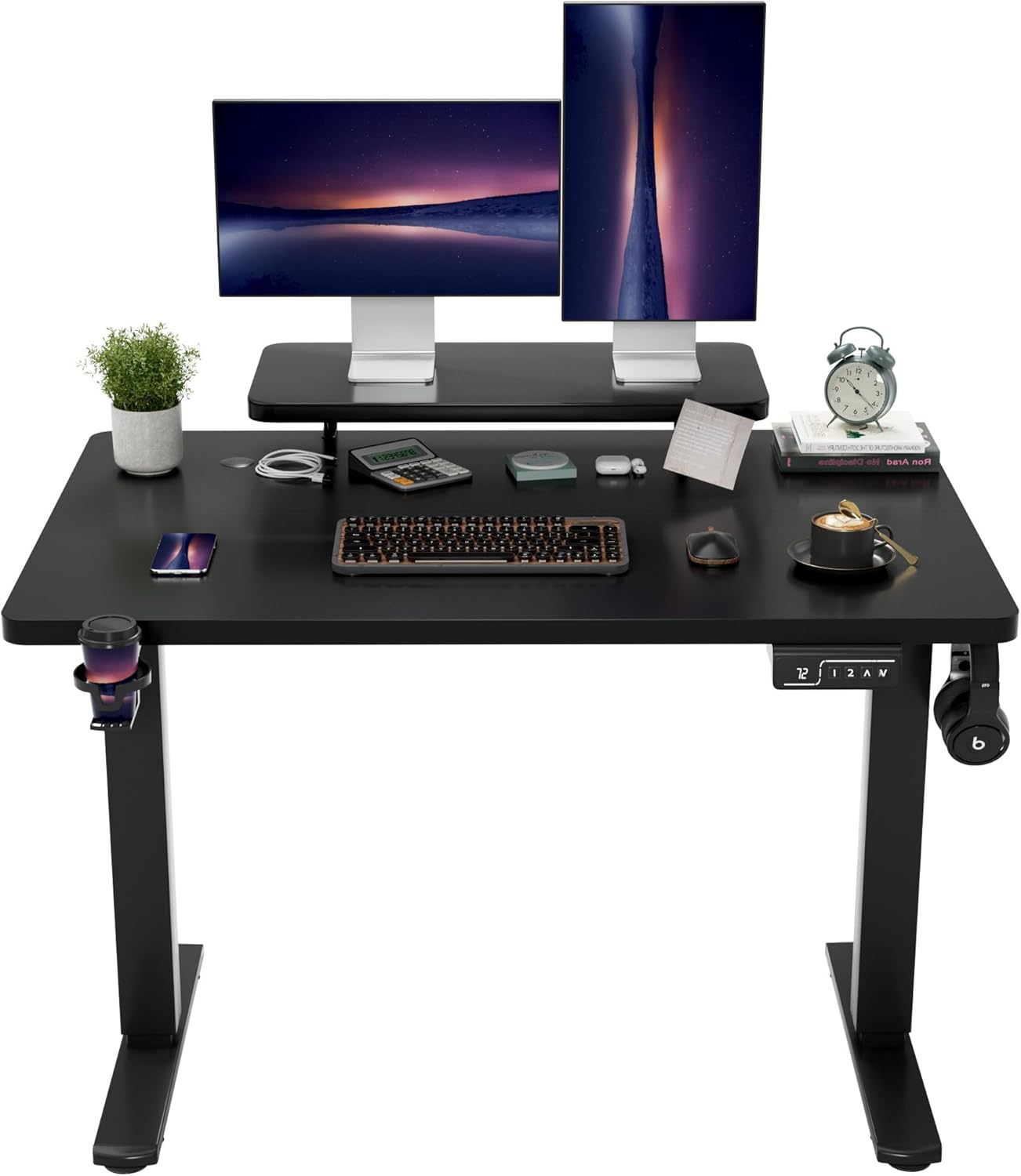
Figure 4.1: The Shahoo Electric Standing Desk fully assembled, showcasing the monitor shelf, cup holder, and headphone hook. The desk is black and features a control panel for height adjustment.
5. Operating Instructions
The Shahoo Electric Standing Desk offers easy and precise height adjustments for optimal ergonomic positioning.
5.1. Height Adjustment
- Up/Down Buttons (^ / v): Press and hold the Up (^) or Down (v) button to raise or lower the desk to your desired height. The desk will move smoothly and quietly.
- The desk's height can be adjusted from 28.7 inches (72.9 cm) to 46.4 inches (117.9 cm).

Figure 5.1: The control panel features a digital display showing the current height, memory preset buttons (1, 2), and Up/Down adjustment buttons.
5.2. Memory Presets
The desk allows you to save two preferred height settings for quick adjustments.
- Set a Memory Position: Adjust the desk to your desired height using the Up/Down buttons. Press the 'M' button (if present, or hold a number button) followed by '1' or '2' to save the current height to that preset. The display may flash to confirm.
- Recall a Memory Position: Press the '1' or '2' button to automatically move the desk to the saved height.

Figure 5.2: The desk's height adjustment range allows for comfortable sitting and standing positions, accommodating various user preferences and tasks.
6. Maintenance
Regular maintenance ensures the longevity and optimal performance of your Shahoo Electric Standing Desk.
- Cleaning: Wipe the desk surface and frame with a soft, damp cloth. Avoid abrasive cleaners or harsh chemicals that could damage the finish. Ensure the desk is unplugged before cleaning.
- Cable Management: Periodically check and organize cables to prevent tangles and ensure smooth operation during height adjustments.
- Inspection: Regularly inspect all screws and connections to ensure they remain tight. Retighten if necessary.
- Weight Limit: Always adhere to the maximum weight capacity of 140 pounds (63.5 kg) to prevent strain on the motor and frame.
7. Troubleshooting
If you encounter issues with your desk, refer to the following common problems and solutions.
| Problem | Possible Cause | Solution |
|---|---|---|
| Desk does not move. | Power cord unplugged, loose connection, motor error. | Check power connection. Ensure all cables are securely plugged in. Unplug and replug the desk after 10 seconds to reset. |
| Desk moves unevenly or makes unusual noises. | Uneven load, loose screws, obstruction. | Distribute weight evenly on the desktop. Check and tighten all assembly screws. Ensure no objects are obstructing the legs. |
| Height adjustment stops mid-movement. | Overload protection activated, thermal protection. | Reduce weight on the desk. Allow the motor to cool down for 20 minutes before attempting adjustment again. |
| Control panel display shows an error code. | Specific system error. | Refer to the specific error code in the full manual (if available) or contact customer support with the code. Often, a power cycle (unplug, wait 10s, replug) can resolve minor errors. |
If the problem persists after attempting these solutions, please contact Shahoo customer support.
8. Specifications
| Model Number | SH-HAD22-0162-120BK |
| Brand | Shahoo |
| Product Dimensions (D x W x H) | 24"D x 47"W x 50.1"H (overall, including monitor shelf) |
| Desktop Dimensions (W x D) | 47"W x 24"D |
| Monitor Shelf Dimensions (W x D) | 27.5"W x 8.6"D |
| Height Adjustment Range | 28.7" (72.9 cm) to 46.4" (117.9 cm) |
| Maximum Weight Capacity | 140 lbs (63.5 kg) |
| Material | Wood (desktop), Alloy Steel (frame/legs) |
| Color | Black |
| Motor Type | Dual Electric Motors |
| Noise Level | Less than 45dB during operation |
| Included Components | Desk, Monitor Shelf, Cup Holder, Headphone Hook, Tool Kit |
9. Warranty and Support
For warranty information, product support, or to order replacement parts, please contact Shahoo customer service. Details regarding specific warranty periods and terms are typically provided with your purchase documentation or can be found on the official Shahoo website.
When contacting support, please have your model number (SH-HAD22-0162-120BK) and purchase date available.
Online Resources: You may find additional information and FAQs by visiting the Shahoo Brand Store on Amazon.
Ask a question about this manual
Ask about setup, troubleshooting, compatibility, parts, safety, or missing instructions. Manuals+ will review the question and use this page’s manual context to help answer it.