
1. Important Safety Information
Please read this entire instruction manual carefully before using your iDOO Space Heater. Failure to follow these instructions may result in fire, electric shock, injury, or property damage. Keep this manual for future reference.
- Always place the heater on a firm, level surface.
- Maintain a minimum clearance of 3 feet (1 meter) from walls, furniture, curtains, and other combustible materials.
- Do not use the heater in wet or damp locations, such as bathrooms or laundry areas.
- Do not cover the heater or block the air inlets/outlets.
- Unplug the heater when not in use or before cleaning.
- This appliance is not intended for use by persons (including children) with reduced physical, sensory or mental capabilities, or lack of experience and knowledge, unless they have been given supervision or instruction concerning use of the appliance by a person responsible for their safety.
- The heater is equipped with tip-over and overheat protection for your safety. If the heater tips over or overheats, it will automatically shut off.
- Ensure the power outlet matches the heater's voltage requirements.
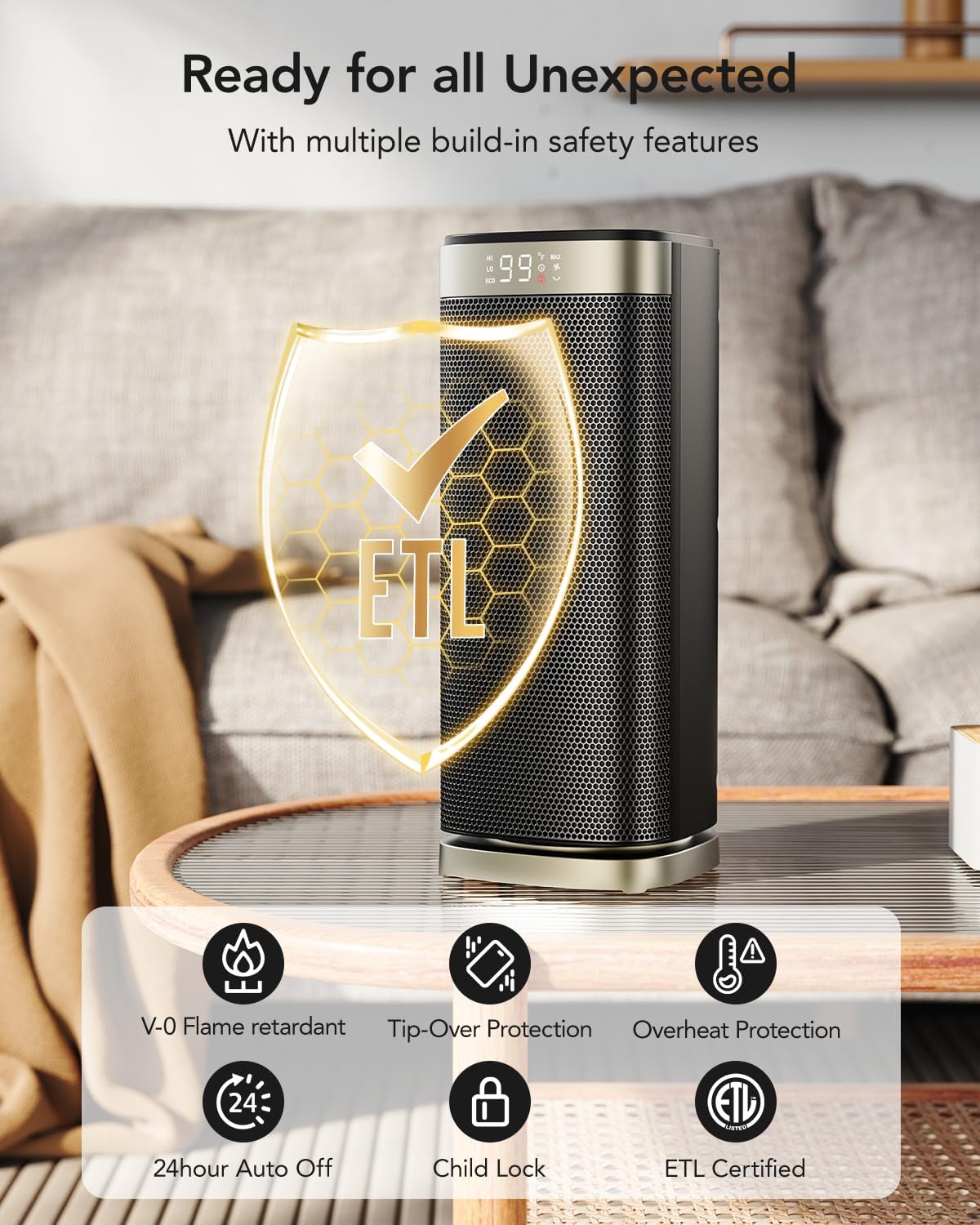
Image 1.1: The iDOO heater highlighting its ETL certification and various safety features like V0 flame-retardant materials, tip-over protection, overheat protection, 24-hour auto off, and child lock.
2. Product Overview
The iDOO 1500W Portable Electric Space Heater is designed to provide efficient and comfortable heating for indoor spaces. It features PTC ceramic heating technology, 70° oscillation, a 24-hour timer, and multiple safety protections.
Package Contents:
- iDOO Space Heater Unit
- Remote Control
- Instruction Manual
Key Features:
- 1500W PTC Ceramic Heating: Provides rapid heat generation within 2 seconds.
- 70° Oscillation: Distributes warmth evenly across a wider area.
- Adjustable Thermostat: Set desired temperature from 40°F to 99°F (4°C to 37°C) in 1°F increments.
- 5 Operating Modes: Low (H1), High (H2), MAX (Continuous Heat), ECO, and Fan Only.
- 24-Hour Timer: Program automatic shut-off.
- Child Lock: Prevents accidental changes to settings.
- Safety Protections: Tip-over switch, overheat protection, V0 flame-retardant materials, 24-hour auto power off, ETL Certified.
- Quiet Operation: Operates at approximately 40 dB.
- Portable Design: Compact with a hidden handle for easy relocation.

Image 2.1: The iDOO 1500W Portable Electric Space Heater with its remote control, showcasing its sleek design and digital display.
3. Setup
- Unpack the Heater: Carefully remove the heater and all accessories from the packaging. Retain packaging for storage if desired.
- Placement: Place the heater on a stable, flat, and heat-resistant surface. Ensure there is at least 3 feet (1 meter) of clear space around the heater from any walls, furniture, or flammable materials. Do not place it directly under a power outlet.
- Power Connection: Plug the power cord into a grounded 120V AC, 60Hz electrical outlet. Ensure the outlet is in good condition and not overloaded with other appliances.
4. Operating Instructions
Control Panel and Remote Control:
The heater can be operated using the touch control panel on the top of the unit or the included remote control. The functions are identical.

Image 4.1: Top view of the heater showing the touch control panel and the remote control with various function buttons.
Basic Operation:
- Power On/Off: Press the Power Button to turn the heater on or off. The heater will display the current room temperature when powered on. When turning off, the heater will enter a 15-second cool-down period before fully shutting down.
- Mode Selection: Press the Mode Button to cycle through the available modes: H1 (Low Heat), H2 (High Heat), MAX (Continuous Heat), ECO, and Fan Only.
- Temperature Adjustment: In H1, H2, MAX, or ECO modes, press the + or - buttons to set your desired temperature between 40°F and 99°F. The heater will automatically adjust its heating output to maintain the set temperature.
- Oscillation Function: Press the Oscillation Button to activate or deactivate the 70° oscillation feature. This helps distribute heat more widely.
- Timer Setting: Press the Timer Button to set the automatic shut-off timer from 1 to 24 hours. Each press increases the timer by one hour. The display will show the remaining time.
- ECO Mode: In ECO mode, the heater automatically adjusts its power consumption (between 900W and 1500W) to maintain the set temperature, optimizing energy efficiency.
- Child Lock: To activate the Child Lock, press and hold the Oscillation Button for 3 seconds. The display will show a lock icon. To deactivate, press and hold the Oscillation Button again for 3 seconds.
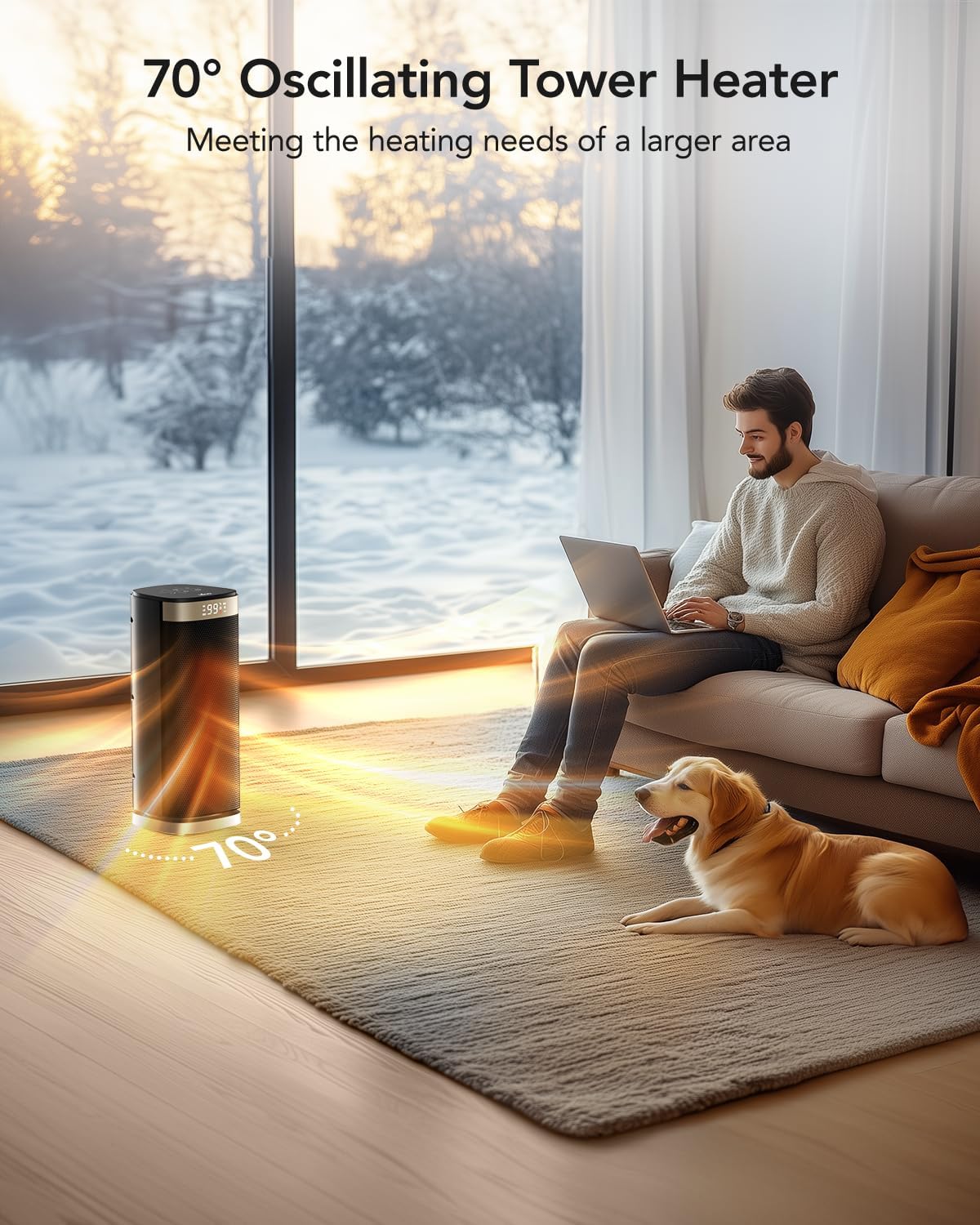
Image 4.2: The heater demonstrating its 70° oscillation feature, distributing warmth across a living space where a person and a dog are present.

Image 4.3: The heater operating quietly in a bedroom, highlighting its 24-hour timer and low noise level for undisturbed sleep.

Image 4.4: A hand using the remote control to operate the iDOO space heater from a distance.

Image 4.5: Close-up of the heater's control panel showing the child lock icon, indicating the feature is active.

Image 4.6: The iDOO heater illustrating its ECO mode, designed for energy efficiency by automatically adjusting heat output to save energy.
5. Maintenance
Regular cleaning and proper maintenance will ensure the longevity and efficient operation of your heater.
- Before Cleaning: Always unplug the heater from the power outlet and allow it to cool down completely before performing any maintenance.
- Exterior Cleaning: Wipe the exterior surfaces of the heater with a soft, damp cloth. Do not use abrasive cleaners or solvents, as these may damage the finish.
- Air Inlet/Outlet Cleaning: Use a vacuum cleaner with a brush attachment to gently remove dust and debris from the air inlet and outlet grilles. This helps maintain optimal airflow and heating performance.
- Storage: If storing the heater for an extended period, clean it thoroughly and place it back in its original packaging or a protective cover. Store in a cool, dry place.
6. Troubleshooting
If you encounter any issues with your iDOO Space Heater, please refer to the following troubleshooting guide:
| Problem | Possible Cause | Solution |
|---|---|---|
| Heater does not turn on. | No power supply. Tip-over switch activated. Overheat protection activated. | Ensure the power cord is securely plugged into a working outlet. Place the heater on a flat, stable surface. Unplug the heater, allow it to cool for 30 minutes, then plug it back in. Clear any obstructions from air inlets/outlets. |
| No heat output. | Temperature setting too low. Fan Only mode selected. | Increase the desired temperature setting. Select H1, H2, MAX, or ECO mode. |
| Oscillation not working. | Oscillation function deactivated. | Press the Oscillation Button to activate the feature. |
| Remote control not working. | Batteries depleted or incorrectly inserted. Obstruction between remote and heater. | Replace batteries with new ones, ensuring correct polarity. Remove any objects blocking the signal path. |
| Heater makes unusual noise. | Dust or debris in fan. | Unplug and clean the air inlets/outlets with a vacuum cleaner. If noise persists, contact customer support. |
If the problem persists after trying these solutions, please contact iDOO Customer Support.
7. Specifications
| Feature | Specification |
|---|---|
| Model | B0CCDTVRSD |
| Power Output | 1500W (Max) |
| Voltage | 120V AC, 60Hz |
| Heating Method | PTC Ceramic Convection |
| Oscillation Angle | 70° |
| Temperature Range | 40°F - 99°F (4°C - 37°C) |
| Timer | 1-24 Hours |
| Noise Level | Approximately 40 dB |
| Dimensions (D x W x H) | 15.2D x 14.5W x 36.3H Centimetres |
| Item Weight | 4.3 Pounds (1.95 kg) |
| Safety Features | Tip-Over Protection, Overheat Protection, Child Lock, V0 Flame-Retardant Materials, ETL Certified |
| Recommended Use | Indoor only |
8. Warranty and Customer Support
iDOO products are manufactured to high-quality standards. For any questions, concerns, or issues regarding your iDOO Space Heater, please contact iDOO Customer Support. Please have your model number (B0CCDTVRSD) and purchase information ready when contacting support.
For the most up-to-date warranty information and contact details, please refer to the official iDOO website or your purchase documentation.


