
1. Product Overview
The DUSKTEC E27 Bluetooth Smart LED Bulb offers CCT (Correlated Color Temperature) from 2700K to 6000K and is compatible with Alexa, requiring no additional hub. This intelligent 12W E27 screw base bulb is an ideal replacement for traditional 120W lamps, providing 1300 lumens of brightness. Control your lights conveniently via your smartphone by downloading the free BRmesh app (available on Google Store or via QR code in the manual). The smart LED bulb is compatible with Amazon Alexa, Echo, and Echo Dot, allowing for direct voice control. Customize dimming settings and color temperature, adjusting brightness from 1% to 100% and color temperature from 2700K (warm white) to 6000K (cool white). Suitable for various applications including kitchens, living rooms, hallways, bedrooms, and bathrooms, whether in floor lamps, pendant lights, or ceiling lights.

Figure 1.1: DUSKTEC E27 Smart LED Bulbs (Pack of 2) and retail packaging.
2. Key Features
- Works with Alexa and BRmesh APP: Connect the smart E27 bulb with stable and fast Bluetooth. These E27 LED bulbs are compatible with all Alexa speakers, easy to use, no router or gateway is needed. BRmesh offers many popular features not available on Alexa, such as fine-tuning color temperature and scenes.
- Excellent Performance: E27 LED bulb with large A60 base for 200-240V AC. Replace old 120W incandescent bulbs with our 12W E27 bulb for more brightness (1300 lumens). The milky white bulb cover makes the light softer and comfortable for your eyes. No glare, no flicker. Color rendering (CRI>85) provides vivid, natural colors and clear vision.
- Adjustable Color Temperature and Brightness: The dimmable E27 LED bulb's brightness can be adjusted from 1% to 100% via a phone. It can switch between warm white, neutral white, and cool white. Color temperature is adjustable from 2700K to 6000K (Note: not compatible with a dimmer switch).
- Remote and Group Control: For remote control, please use the Alexa app. Bluetooth Low Energy (BLE) Mesh 5.0 wireless technology allows you to control multiple rooms with connected smart bulbs and connect up to 125 smart LED bulbs. Group control by multiple users simultaneously is possible.
3. Technical Specifications
| Specification | Value |
|---|---|
| Brand | DUSKTEC |
| Model Number | BR18-SH4Q |
| Product Dimensions (L x W x H) | 6 x 6 x 12 cm |
| Item Weight | 140 grams |
| Number of Items | 2 |
| Color | White |
| Shape | Standard (A60) |
| Material | Plastic |
| Included Components | 2 E27 LED Bulbs, Quick Start Guide |
| Voltage | 200-240V AC |
| Bulb Type | LED |
| Energy Label | A++ (as per product details, though some reviews mention E) |
| Luminous Flux | 1300 lm |
| Wattage | 12 Watts |
| Incandescent Equivalent | 100 Watts |
| Color Temperature Range | 2700K - 6000K |
| Color Rendering Index (CRI) | >85 |
| Average Lifespan | 50,000 Hours |
| Beam Angle | 220 Degrees |
| Bulb Base | E27 (Large Screw Base) |
| Specific Uses | Decoration, Chandelier, Floor/Table Lamp, Ceiling/Wall Light |

Figure 3.1: Detailed dimensions and key technical specifications of the DUSKTEC E27 Smart LED Bulb.
4. Setup Guide
4.1. Installation
- Power Off: Before installation, ensure the power to the light fixture is turned off at the main switch to prevent electric shock.
- Screw In Bulb: Carefully screw the DUSKTEC E27 Smart LED Bulb into a standard E27 screw base socket. Ensure it is securely fastened but do not overtighten.
- Power On: Turn the power back on at the main switch. The bulb should light up.

Figure 4.1: Easy installation process of the DUSKTEC E27 Smart LED Bulb into a compatible fixture.
4.2. App Pairing (BRmesh App)
To unlock the full smart features of your DUSKTEC LED bulb, download and pair it with the BRmesh app.
- Download App: Scan the QR code provided in the physical manual or search for "BRmesh" in your smartphone's app store (Google Play Store for Android, Apple App Store for iOS).
- Register/Login: Open the BRmesh app and follow the on-screen instructions to register a new account or log in if you already have one.
- Add Device: Ensure Bluetooth is enabled on your smartphone. In the BRmesh app, tap on the "Add Device" or "+" icon. The app will automatically search for nearby DUSKTEC smart bulbs.
- Confirm Pairing: Select your bulb(s) from the discovered devices list to complete the pairing process. The bulb may flash to confirm successful connection.
5. Operating Instructions
5.1. Brightness and Color Temperature Adjustment
Once paired with the BRmesh app, you can easily adjust the light settings:
- Brightness: Use the brightness slider in the app to adjust the light intensity from 1% (dimmest) to 100% (brightest).
- Color Temperature: Select from preset options (Warm White 2700K, Neutral White 4000K, Cool White 6000K) or use the color temperature slider to fine-tune the white light from 2700K to 6000K.
- Note: These bulbs are not compatible with external dimmer switches. All dimming and color adjustments must be done via the app or voice control.

Figure 5.1: Adjusting color temperature from warm (2700K) to cool (6000K) white light.
5.2. Voice Control with Alexa
Integrate your DUSKTEC smart bulbs with Amazon Alexa for convenient voice control:
- Enable Skill: Open the Alexa app, go to "Skills & Games," and search for the "BRmesh" skill. Enable the skill and link your BRmesh account.
- Discover Devices: Say "Alexa, discover devices" or use the "Discover Devices" option in the Alexa app. Your DUSKTEC bulbs will be added.
- Control Lights: You can now use voice commands such as:
- "Alexa, turn on [Light Name]"
- "Alexa, turn off [Light Name]"
- "Alexa, set [Light Name] to 50 percent"
- "Alexa, set [Light Name] to warm white"
- "Alexa, change [Light Name] to cool white"
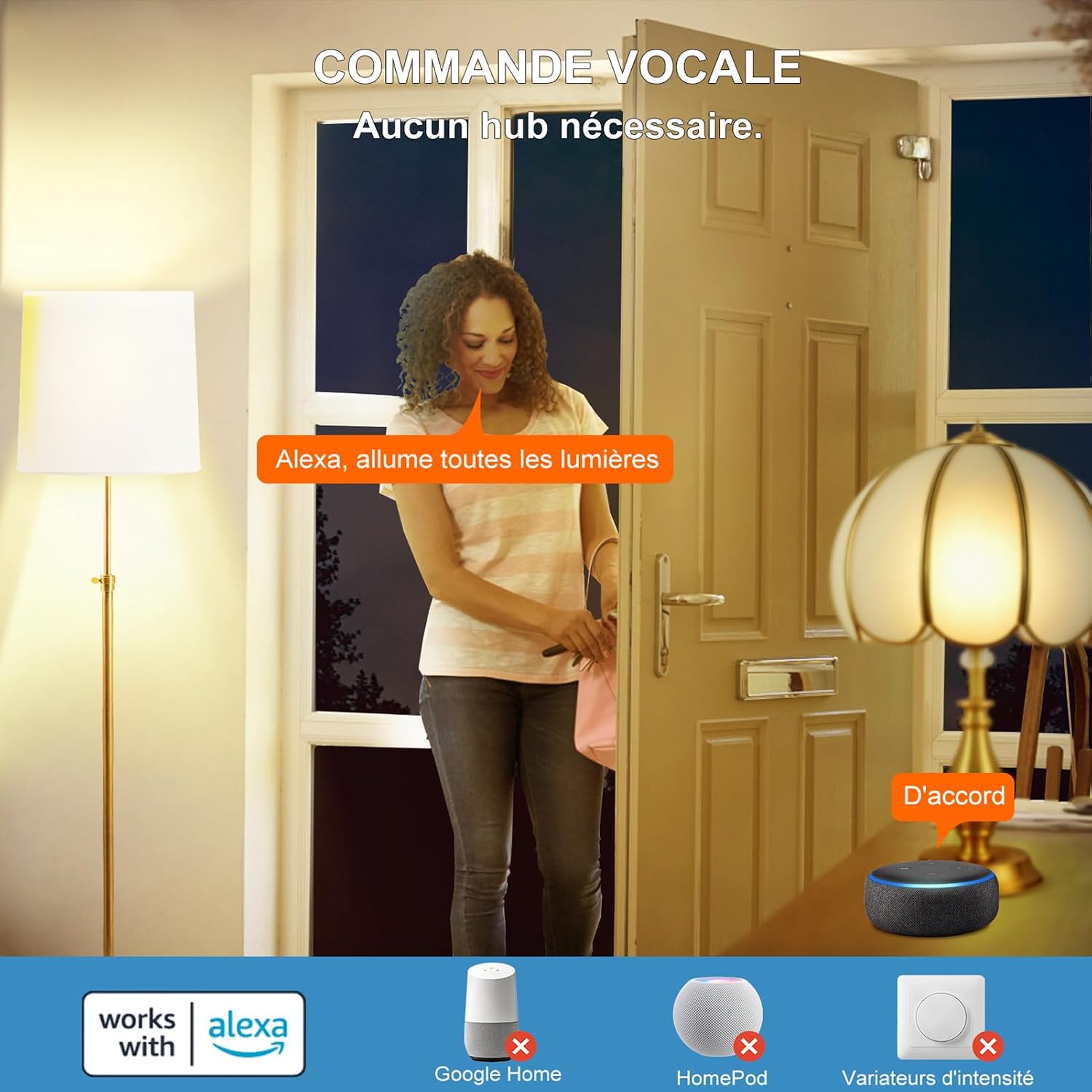
Figure 5.2: Example of using Alexa voice commands to control your DUSKTEC smart bulbs.
5.3. Remote and Group Control
Manage your lights from anywhere and control multiple bulbs simultaneously:
- Remote Control: Ensure your Alexa device or BRmesh app is connected to the internet. You can control your lights remotely via the Alexa app from anywhere.
- Group Control: In the BRmesh app or Alexa app, create groups (e.g., "Living Room Lights," "Bedroom Lights"). You can then control all bulbs within a group with a single command or tap. Bluetooth Low Energy (BLE) Mesh 5.0 technology supports connecting up to 125 smart LED bulbs for extensive home coverage.
- High Brightness & Energy Saving: These 12W bulbs provide 1300 lumens, equivalent to a 120W incandescent bulb, offering significant energy savings.

Figure 5.3: Controlling DUSKTEC smart bulbs remotely via the BRmesh or Alexa app.

Figure 5.4: The DUSKTEC smart bulb provides 1300 lumens of high brightness while saving 85% energy.
6. Maintenance
DUSKTEC Smart LED Bulbs are designed for long-lasting performance with minimal maintenance. Follow these guidelines to ensure optimal operation:
- Cleaning: Before cleaning, ensure the bulb is cool and the power is off. Wipe the bulb with a soft, dry cloth. Do not use liquid cleaners or abrasive materials, as they may damage the bulb's surface or internal components.
- Storage: If storing the bulbs for an extended period, keep them in their original packaging in a cool, dry place away from direct sunlight and extreme temperatures.
- Handling: Handle the bulbs by their base, not the glass or plastic dome, to avoid damage or smudges.
7. Troubleshooting
If you encounter issues with your DUSKTEC Smart LED Bulbs, refer to the following common problems and solutions:
| Problem | Possible Cause | Solution |
|---|---|---|
| Bulb does not light up. | No power; bulb not screwed in properly; bulb faulty. | Check power switch and circuit breaker. Ensure bulb is securely screwed into the socket. Test bulb in another working fixture. |
| Bulb not recognized by BRmesh app or Alexa. | Bluetooth off; app issue; bulb not in pairing mode; interference. | Ensure Bluetooth is on your phone. Restart the app. Turn the bulb off/on quickly 3-5 times to reset it to pairing mode. Move closer to the bulb. Check for Wi-Fi interference. |
| Cannot adjust brightness or color temperature. | Using an external dimmer; app not connected; bulb unresponsive. | These bulbs are not compatible with external dimmer switches. Ensure the app is connected to the bulb. Try resetting the bulb and re-pairing. |
| Voice commands not working. | Alexa skill not enabled; device not discovered; internet connectivity issue. | Ensure the "BRmesh" skill is enabled in the Alexa app. Ask Alexa to "discover devices." Check your internet connection and Alexa device status. |
8. Warranty and Support
DUSKTEC provides a 2-year warranty for these E27 Smart LED Bulbs from the date of purchase. This warranty covers manufacturing defects and issues arising from normal use.
If you experience any problems or have questions regarding your DUSKTEC smart bulbs, please do not hesitate to contact our customer support team for prompt assistance.
Contact Information:
- Email: support@dusktec.com (Example email, please refer to your product packaging or official website for exact contact details.)
- Website: www.dusktec.com (Example website, please refer to your product packaging or official website for exact contact details.)
Please have your purchase receipt and model number (BR18-SH4Q) ready when contacting support.
