
HOCO ES64_Green
HOCO Bluetooth Neck Band In-Ear Earphones User Manual
Model: ES64_Green | Brand: HOCO
1. Introduction
The HOCO Bluetooth Neck Band In-Ear Earphones (Model ES64_Green) are designed to provide a high-quality audio experience with extended playback time and convenient features. This manual provides essential information for setting up, operating, and maintaining your earphones.
Key features include:
- Bluetooth 5.3 connectivity for stable and efficient pairing.
- Up to 30 hours of continuous use on a single charge.
- Ergonomic neckband design for comfortable wear.
- Toggle switch button for convenient operation.
- Lightweight design at 26.5g.
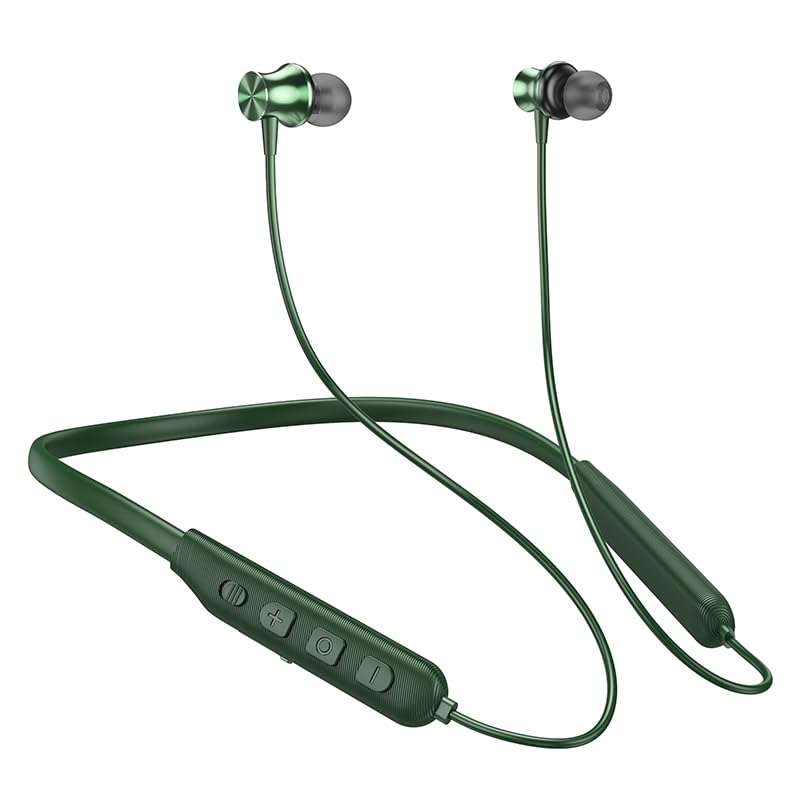
Image: The HOCO Bluetooth Neck Band in green, showcasing its in-ear design and flexible neckband.
2. Package Contents
Please check the package for the following items:
- HOCO Bluetooth Neck Band In-Ear Earphones (ES64_Green)
- Ear Cushions (additional sizes may be included)
- User Manual (this document)
- Charging Cable (not explicitly listed in "whats_in_the_box" but implied for charging)
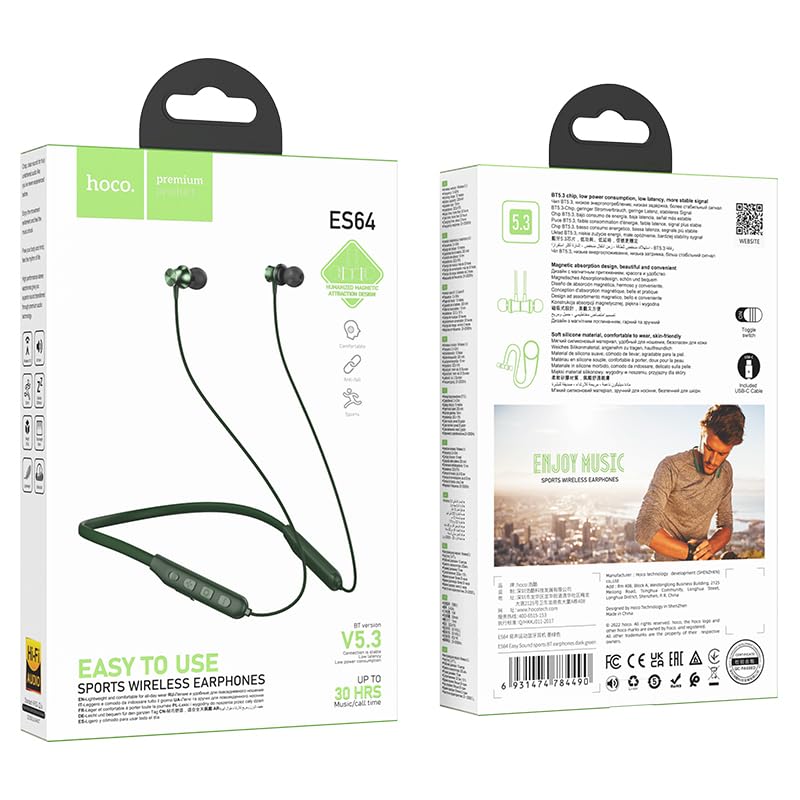
Image: Front and back view of the HOCO Bluetooth Neck Band product packaging, showing the earphones and key features.
3. Product Overview
Familiarize yourself with the components and controls of your HOCO Bluetooth Neck Band.
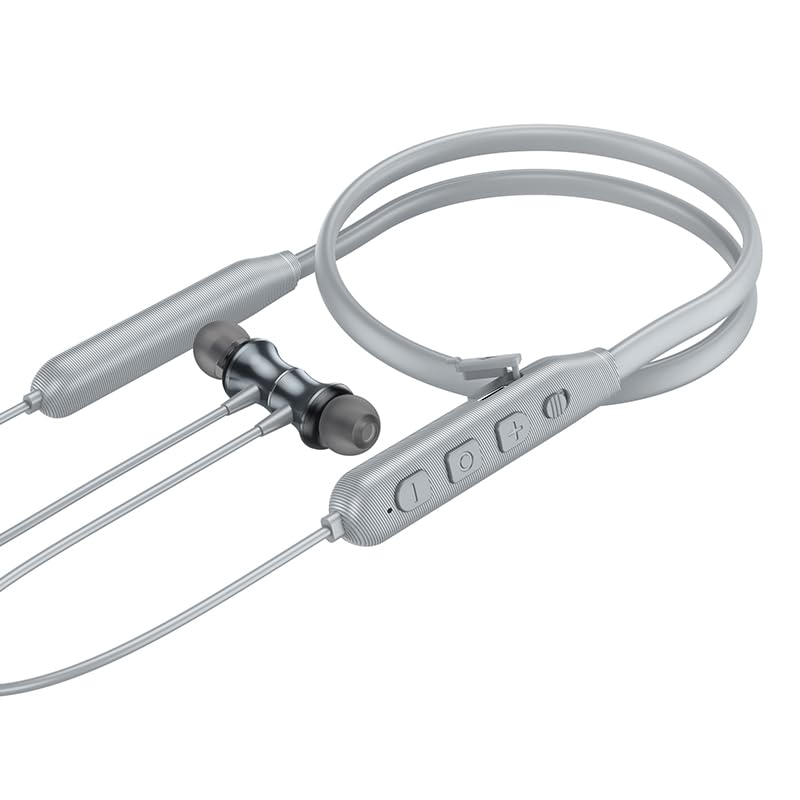
Image: Close-up view of the control panel on the HOCO Bluetooth Neck Band, showing the toggle switch, volume buttons, and multi-function button.
Controls:
- Multi-function Button (MFB): Power On/Off, Play/Pause, Answer/End Calls.
- Volume Up (+): Increase volume, Next track (long press).
- Volume Down (-): Decrease volume, Previous track (long press).
- Toggle Switch: For convenient power control.
- Charging Port: USB Type-C (implied by modern devices, though not specified as Type-C).
- LED Indicator: Shows power, pairing, and charging status.
4. Setup
4.1 Charging the Earphones
Before first use, fully charge your earphones. A full charge takes approximately 2 hours.
- Connect the charging cable to the charging port on the neckband.
- Connect the other end of the cable to a USB power adapter (not included) or a computer's USB port.
- The LED indicator will show the charging status (e.g., red while charging, blue when fully charged).
The ASAP Charge feature allows for quick charging to provide additional playtime with a short charge.
4.2 Pairing with a Bluetooth Device
Follow these steps to pair your HOCO Bluetooth Neck Band with your smartphone or other Bluetooth-enabled device:
- Ensure the earphones are fully charged and powered off.
- Slide the toggle switch to the "On" position or long-press the MFB until the LED indicator flashes rapidly (usually blue and red alternately), indicating pairing mode.
- On your device, enable Bluetooth and search for available devices.
- Select "HOCO ES64" (or similar name) from the list of found devices.
- Once connected, the LED indicator will typically show a slow blue flash or turn off, and you will hear an audible confirmation.
The earphones support Bluetooth v5.3 for stable connection and can connect to two devices simultaneously (specific instructions for dual pairing may vary by device, refer to your device's manual).
5. Operating Instructions
5.1 Power On/Off
- Power On: Slide the toggle switch to "On" or long-press the MFB until the LED indicator lights up.
- Power Off: Slide the toggle switch to "Off" or long-press the MFB until the LED indicator turns off.
5.2 Music Playback
- Play/Pause: Short press the MFB.
- Volume Up: Short press the "+" button.
- Volume Down: Short press the "-" button.
- Next Track: Long press the "+" button.
- Previous Track: Long press the "-" button.
5.3 Call Management
- Answer Call: Short press the MFB when an incoming call rings.
- End Call: Short press the MFB during a call.
- Reject Call: Long press the MFB when an incoming call rings.
- Redial Last Number: Double-press the MFB.

Image: A person wearing the HOCO Bluetooth Neck Band during a run, demonstrating its comfortable and secure fit for active use.
5.4 Video Demonstration
For a visual guide on the product's features and usage, please watch the official product video below:
Video: Official HOCO product video demonstrating the features and usage of the Bluetooth Neck Band, including its long playback time, ASAP Charge, and Bluetooth pairing capabilities.
6. Maintenance
Proper care will extend the lifespan of your earphones:
- Cleaning: Use a soft, dry cloth to clean the earphones. Do not use harsh chemicals or abrasive materials.
- Storage: Store the earphones in a cool, dry place away from direct sunlight and extreme temperatures.
- Water Resistance: The earphones are water resistant. Avoid submerging them in water or exposing them to heavy rain for prolonged periods. Dry them thoroughly if they get wet.
- Charging: Do not overcharge the battery. Disconnect the charger once the earphones are fully charged.
7. Troubleshooting
If you encounter issues with your HOCO Bluetooth Neck Band, try the following solutions:
| Problem | Possible Solution |
|---|---|
| Cannot power on | Ensure the battery is charged. Connect to a power source and try again. |
| Cannot pair with device |
|
| No sound or low volume |
|
| Intermittent connection |
|
8. Specifications
| Feature | Detail |
|---|---|
| Model Name | ES64_Green |
| Connectivity Technology | Wireless (Bluetooth) |
| Bluetooth Version | 5.3 (chip: JL AC7003) |
| Battery Capacity | 200mAh |
| Charging Time | About 2 hours |
| Use Time | 30 hours |
| Standby Time | 350 hours |
| Earphones Total Length | 85cm |
| Weight | 26.5g |
| Material | Plastic |
| Control Type | Physical Button, Toggle Switch |
| Water Resistance Level | Water Resistant |
| Includes Rechargeable Battery | Yes |
| Manufacturer | HOCO |
| Country of Origin | China |
9. Warranty and Support
Your HOCO Bluetooth Neck Band In-Ear Earphones come with a 1-Year Warranty from the date of purchase. This warranty covers manufacturing defects and ensures the product functions as intended under normal use.
For warranty claims, technical support, or any inquiries, please contact your retailer or the official HOCO customer service. Keep your purchase receipt as proof of purchase.
For more information, you may visit the official HOCO website (if available, a placeholder link would be here, but since none is provided, I will omit a specific URL).
Ask a question about this manual
Ask about setup, troubleshooting, compatibility, parts, safety, or missing instructions. Manuals+ will review the question and use this page’s manual context to help answer it.