1. Introduction
This manual provides essential information for the safe and efficient operation, installation, and maintenance of your WIPPRO 8KW 12V All-in-One Diesel Air Heater. Please read this manual thoroughly before using the product and retain it for future reference. This heater is designed to provide warmth in various environments such as campers, RVs, trucks, boats, and other outdoor or mobile settings.

Image: The WIPPRO Diesel Heater is suitable for various mobile applications, including RVs, providing warmth in diverse environments.
2. Safety Information
Always observe the following safety precautions to prevent injury or damage to the heater.
- Exhaust Pipe Placement: Ensure the exhaust pipe is always located outside the vehicle or enclosed space to prevent carbon monoxide buildup.
- Ventilation: Operate the heater in a well-ventilated area.
- Fuel Type: Use only diesel fuel. Do not use gasoline or other volatile fuels.
- Power Supply: Connect to a 12V DC power source only. Ensure correct polarity.
- Flammable Materials: Keep flammable materials at a safe distance from the heater's hot air outlet and exhaust.
- Children and Pets: Keep children and pets away from the operating heater.
- Maintenance: Disconnect power before performing any maintenance or cleaning.
- Installation: Professional installation is recommended for permanent setups. Ensure all connections are secure and leak-free.
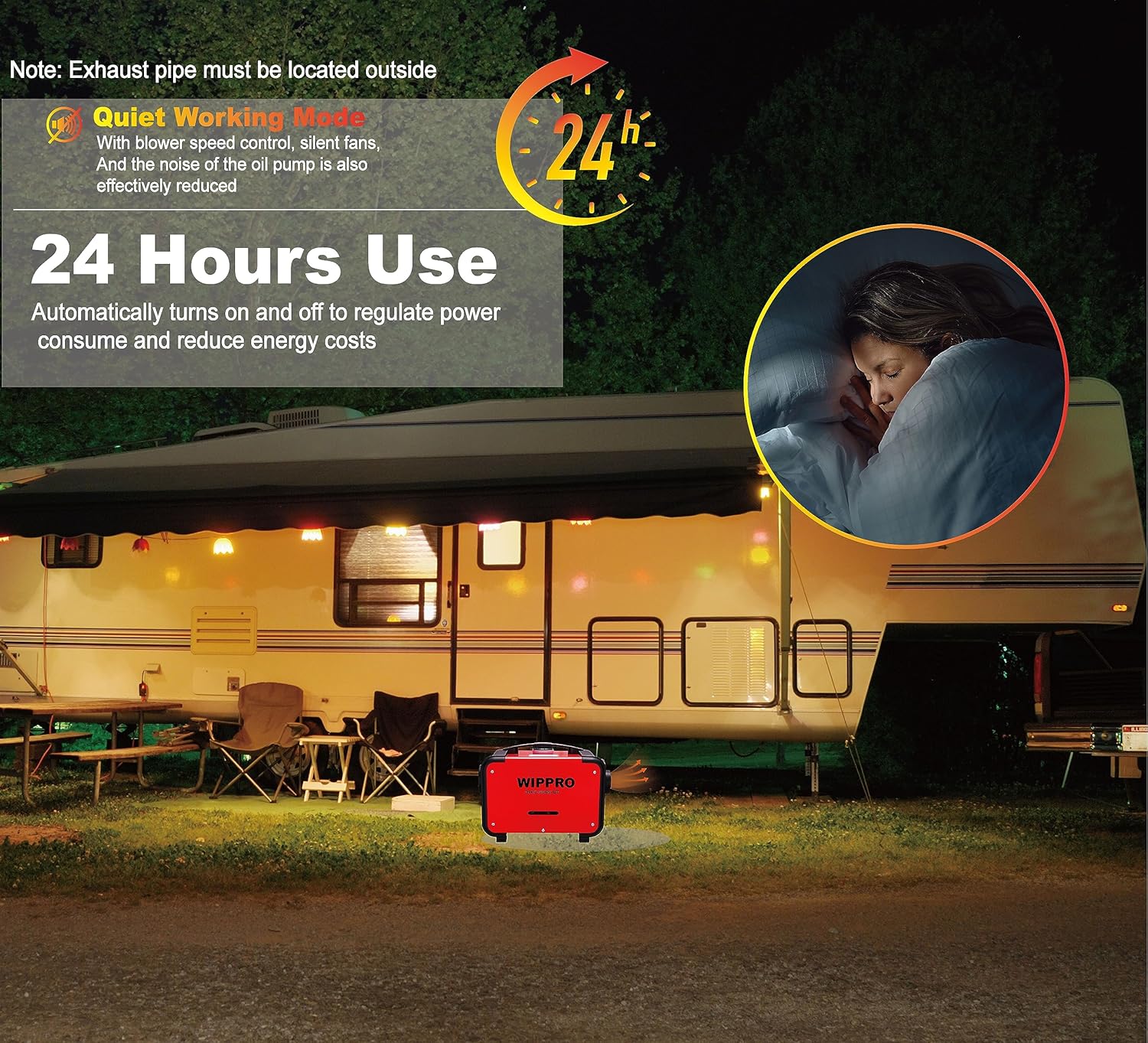
Image: The heater is designed for quiet operation, but the exhaust pipe must always be located outside to ensure safety.
3. Product Overview and Components
The WIPPRO 8KW 12V All-in-One Diesel Air Heater is a compact unit designed for portability and ease of use. It integrates the main heating unit, fuel tank, and control system into a single enclosure.
3.1 Main Components
- Main Heater Unit
- Integrated Fuel Tank
- LCD Control Panel
- Remote Control
- Air Intake Pipe
- Hot Air Outlet Pipe
- Exhaust Pipe
- Fuel Pump
- Fuel Filter

Image: The diagram illustrates the main heater unit with dimensions (approximately 16.2in/41cm length, 10in/25.4cm width, 11.8in/30cm height) and various accessories included in the box, such as the LCD controller, remote control, air filter, muffler, exhaust pipe, and clamps.
4. Setup
Follow these steps for initial setup and installation.
4.1 Unpacking
- Carefully remove all components from the packaging.
- Verify that all listed accessories are present.
- Inspect the heater for any signs of damage during transit.
4.2 Installation Location
Choose a stable, level surface for the heater. Ensure adequate clearance around the unit for proper airflow and heat dissipation. The exhaust pipe must be routed safely outside the heated area.

Image: Recommended installation locations for the heater in a truck, RV, and car, highlighting areas where the unit can be placed and exhaust routed.
4.3 Connecting Components
- Exhaust Pipe: Securely attach the exhaust pipe to the heater and route it outside, away from windows, doors, and flammable materials. Use clamps to ensure a tight seal.
- Air Intake Pipe: Connect the air intake pipe. Ensure it is clear of obstructions.
- Hot Air Outlet Pipe: Attach the hot air outlet pipe and direct it towards the area to be heated.
- Fuel: Fill the integrated fuel tank with clean diesel fuel. Do not overfill.
- Power: Connect the 12V DC power cable to a suitable power source, observing correct polarity (red to positive, black to negative).
5. Operating Instructions
Your WIPPRO Diesel Air Heater can be controlled via the integrated LCD panel or the remote control.
5.1 LCD Control Panel
The LCD panel displays the heater's status and allows for direct control.
- Power Button: Press to turn the heater ON/OFF.
- Setting Button: Access various settings such as temperature, fan speed, and timer.
- Up/Down Buttons: Adjust values (e.g., temperature, time) in the settings menu.
- OK Button: Confirm selections.
5.2 Remote Control
The remote control allows you to operate the heater from a distance.
- ON/OFF: Power the heater on or off.
- Setting: Access settings.
- Up/Down: Adjust temperature or other parameters.
- OK: Confirm selections.

Image: A detailed view of the LCD control panel and remote control, showing button functions and how to monitor the heater's working status.
5.3 Starting the Heater
- Ensure the fuel tank is adequately filled and all connections are secure.
- Press the Power button on the LCD panel or remote control.
- The heater will initiate a startup sequence, including pre-heating the glow plug.
- Once combustion begins, hot air will be emitted from the outlet.
5.4 Adjusting Temperature and Settings
Use the 'Setting' button to enter the menu and 'Up/Down' buttons to navigate and adjust the desired temperature or other operational parameters. Confirm with 'OK'. The heater features fast heating capabilities due to its ceramic ignition plug.

Image: A visual comparison demonstrating the fast heating capability of the WIPPRO heater, highlighting its efficient ceramic ignition plug.
6. Maintenance
Regular maintenance ensures optimal performance and longevity of your heater.
- Cleaning: Periodically clean the exterior of the heater with a damp cloth. Do not use abrasive cleaners or solvents.
- Air Filter: Check and clean the air filter regularly to ensure unrestricted airflow. Replace if heavily soiled or damaged.
- Fuel Filter: Inspect the fuel filter for contaminants and replace it as needed.
- Exhaust System: Ensure the exhaust pipe and muffler are free from blockages and damage.
- Electrical Connections: Verify that all electrical connections are secure and free from corrosion.
- Fuel Quality: Always use high-quality, clean diesel fuel to prevent fuel system issues.
7. Troubleshooting
If you encounter issues with your heater, refer to the table below for common problems and solutions.
| Problem | Possible Cause | Solution |
|---|---|---|
| Heater does not start | No power, low fuel, clogged fuel line, faulty glow plug | Check power connection, refill fuel, inspect fuel lines, consult service for glow plug replacement |
| No heat output | Clogged air intake/outlet, fuel supply issue, combustion failure | Clear obstructions, check fuel, ensure proper ignition |
| Excessive smoke | Poor fuel quality, incorrect fuel-air mixture, clogged exhaust | Use clean diesel, check air filter, clear exhaust |
| Unusual noise | Loose components, fan obstruction, fuel pump issue | Inspect for loose parts, clear fan, consult service |
8. Specifications
Technical specifications for the WIPPRO 8KW 12V All-in-One Diesel Air Heater.
- Brand: WIPPRO
- Model Number: WIP-9999
- Power Output: 8KW
- Voltage: 12 Volts (DC)
- Fuel Type: Diesel
- Burner Type: Radiant
- Special Features: Fast Heating, Portable, Remote Control
- Form Factor: Industrial
- Indoor/Outdoor Usage: Outdoor (with proper exhaust routing)
- Recommended Uses: Camping, Car, RV Truck, Tent, Boat
- Mounting Type: Floor Mount
- Product Dimensions: Approximately 16.2 x 10 x 11.8 inches (41 x 25.4 x 30 cm)
- Item Weight: Approximately 19.01 pounds
- UPC: 714432584846
9. Warranty and Support
For warranty information and technical support, please refer to the documentation provided with your purchase or contact WIPPRO customer service. Keep your proof of purchase for warranty claims.


