
MOMOHO B40
MOMOHO Portable Bluetooth Speaker B40 User Manual
Model: B40
Introduction
Thank you for choosing the MOMOHO Portable Bluetooth Speaker B40. This manual provides detailed instructions for the proper use, setup, and maintenance of your speaker. Please read this manual thoroughly before operating the device to ensure optimal performance and longevity.

Image: The MOMOHO Portable Bluetooth Speaker B40, showcasing its compact design with a time display and a convenient carrying handle.
The MOMOHO B40 speaker offers a versatile audio experience with features including:
- Immersive High-Fidelity Sound: Enjoy clear stereo sound with balanced bass and crisp highs.
- TWS Pairing: Wirelessly connect two B40 speakers for a true stereo sound experience.
- Multiple Playback Options: Supports Bluetooth 5.2, TF Card (up to 32GB, MP3 format), and AUX Input.
- LED Time Display: Features a built-in digital clock for convenience.
- Portable Design: Compact size with a durable leather handle for easy transport.
- Built-in Microphone: Enables hands-free calling.
Product Overview
Package Contents
Please check the package for the following items:
- MOMOHO Portable Bluetooth Speaker B40 x 1
- USB-C Charging Cable x 1
- 3.5mm Stereo Audio Cable x 1
- User Manual x 1

Image: The MOMOHO B40 speaker and its included accessories: USB-C charging cable, 3.5mm audio cable, and user manual, presented in its packaging.
Controls and Ports

Image: Front and rear view of the MOMOHO B40 speaker with labels for all buttons and ports.
| Button | Function |
|---|---|
| M (Mode Check) | Press to cycle through playback modes (Bluetooth, TF Card, AUX). |
| SET (Time Set) | Press and hold to enter time setting mode. Press briefly to confirm settings. |
| Power / Play/Pause | Press and hold to power on/off. Press briefly to play/pause music or answer/end calls. |
| - (Previous Track / Volume Down) | Press briefly for previous track. Press and hold to decrease volume. |
| + (Next Track / Volume Up) | Press briefly for next track. Press and hold to increase volume. |
| Port | Description |
|---|---|
| TF Card Slot | Insert a TF (MicroSD) card (up to 32GB, MP3 format) for direct music playback. |
| USB-C | Charging port for the speaker. Connect the provided USB-C cable to a power source. |
| AUX Jack | Connect external audio devices using the 3.5mm stereo audio cable. |
Setup
1. Initial Charging
Before first use, fully charge the speaker. Connect the provided USB-C charging cable to the speaker's USB-C port and the other end to a USB power adapter (not included) or a computer's USB port. The charging indicator light will show charging status (e.g., red for charging, off when fully charged). A full charge takes approximately 4 hours.
2. Power On/Off
Press and hold the Power / Play/Pause button for approximately 3 seconds to turn the speaker on or off. You will hear an audible prompt.
Operating Instructions
Bluetooth Pairing
- Ensure the speaker is powered on and in Bluetooth mode. If not, press the M button until you hear the Bluetooth mode prompt. The Bluetooth indicator light will flash, indicating it's ready for pairing.
- On your mobile device (smartphone, tablet, laptop), enable Bluetooth and search for available devices.
- Select "MOMOHO B40" from the list of devices.
- Once paired, you will hear a confirmation sound, and the Bluetooth indicator light will remain solid.
- The speaker will automatically reconnect to the last paired device when powered on, if the device is within range.

Image: The MOMOHO B40 speaker demonstrating wide compatibility, connected wirelessly to a laptop, tablet, and smartphone.
True Wireless Stereo (TWS) Pairing
To achieve a true stereo sound experience, you can pair two MOMOHO B40 speakers together.
- Ensure both B40 speakers are powered on and not connected to any Bluetooth device.
- On one of the speakers (this will be the primary speaker), press and hold the M button for approximately 3 seconds until you hear a TWS pairing prompt. The speaker will enter TWS pairing mode.
- The second speaker will automatically search for and connect to the primary speaker. Once connected, you will hear a confirmation sound, and both speakers will indicate TWS mode.
- Now, connect your mobile device to the primary speaker via Bluetooth as described in the "Bluetooth Pairing" section.
- Audio will now play in stereo through both speakers.

Image: Two MOMOHO B40 speakers placed on a coffee table, providing stereo sound for a person relaxing on a couch.
TF Card Playback
Insert a TF (MicroSD) card (up to 32GB, MP3 format) into the TF card slot on the rear of the speaker. The speaker will automatically switch to TF card mode and begin playing music from the card.
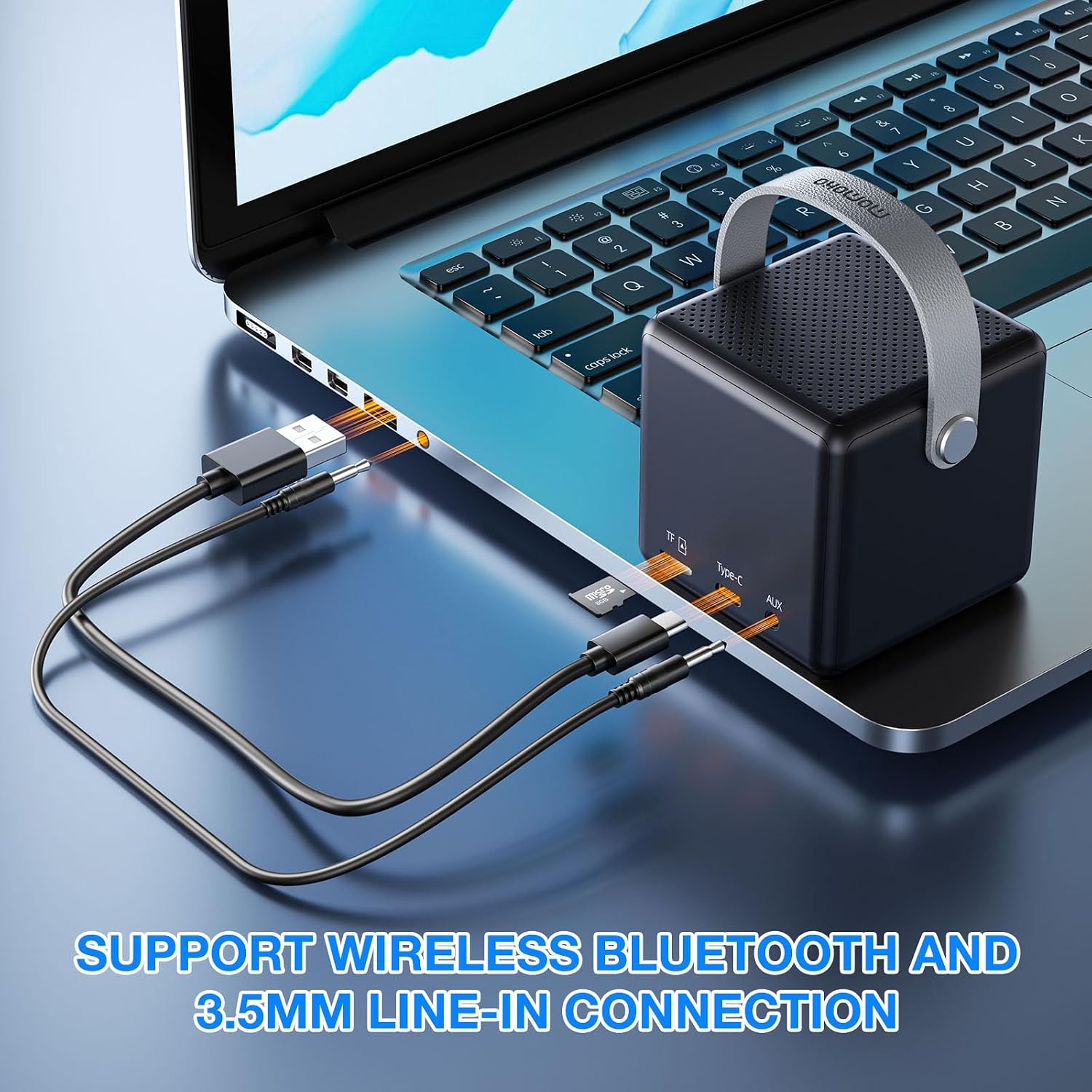
Image: The MOMOHO B40 speaker with its USB-C charging cable and 3.5mm AUX cable connected, illustrating its wired connectivity options.
AUX Input
Connect one end of the provided 3.5mm stereo audio cable to the AUX jack on the speaker and the other end to the audio output of your external device. The speaker will automatically switch to AUX mode. Use your external device to control playback.
Time Display and Setting
The speaker features an LED time display. To set the time:
- Press and hold the SET button until the hour digits start flashing.
- Use the - and + buttons to adjust the hour.
- Press the SET button briefly to move to the minute digits.
- Use the - and + buttons to adjust the minutes.
- Press the SET button briefly again to confirm and exit time setting mode.
Note: The speaker does not have an alarm function, despite some user reviews mentioning it. The time display is for informational purposes only.
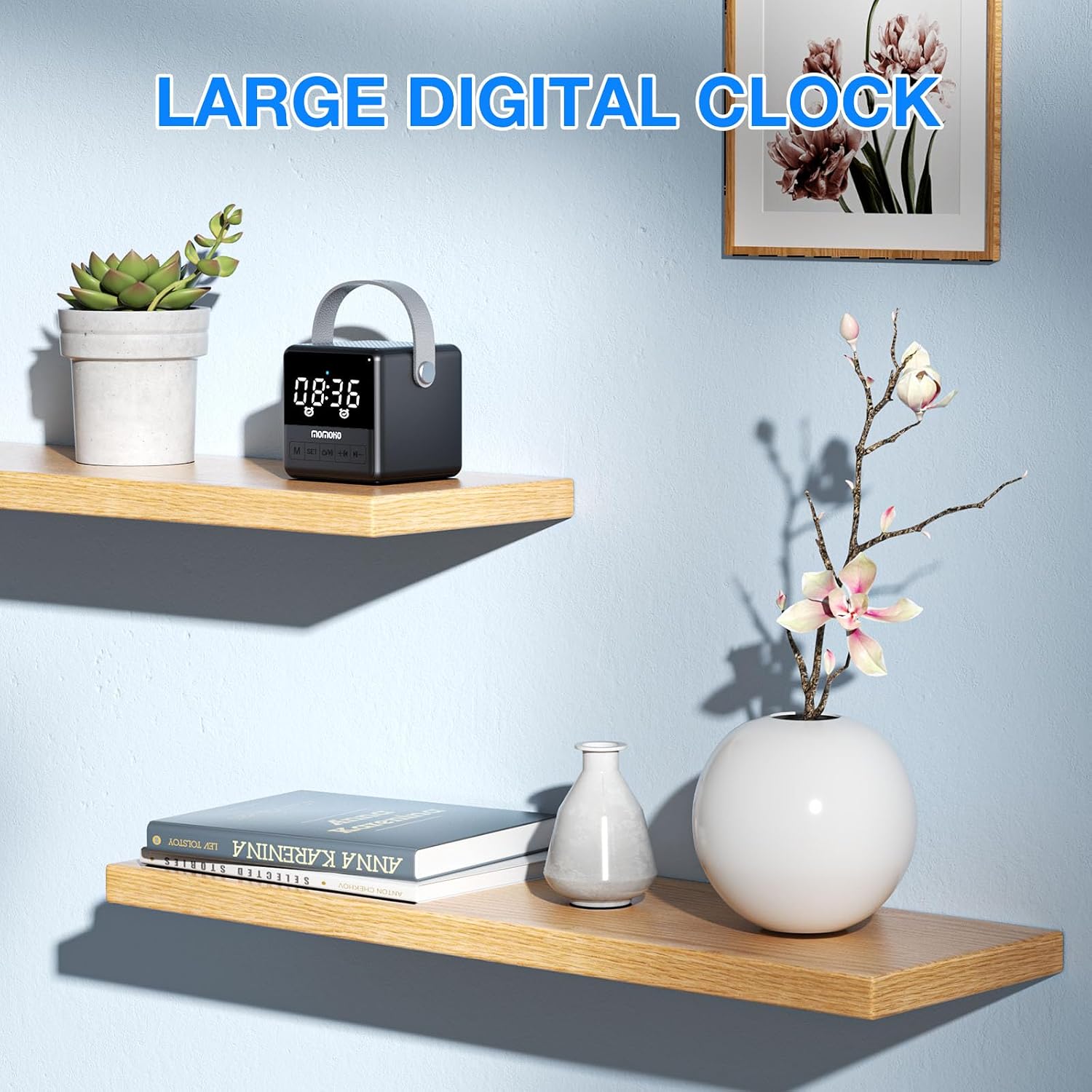
Image: The MOMOHO B40 speaker prominently displaying the time on its LED screen, positioned on a wooden shelf.
Hands-Free Calling
When connected to your smartphone via Bluetooth, the built-in microphone allows for hands-free calls.
- Answer Call: Press the Power / Play/Pause button briefly when an incoming call rings.
- End Call: Press the Power / Play/Pause button briefly during a call to hang up.
- Reject Call: Press and hold the Power / Play/Pause button for 2 seconds to reject an incoming call.

Image: A person outdoors holding the MOMOHO B40 speaker, illustrating its hands-free calling capability with icons for answering and hanging up calls.
Maintenance
- Clean the speaker with a soft, dry cloth. Do not use abrasive cleaners or solvents.
- Keep the speaker away from water, moisture, and extreme temperatures. This product is not waterproof.
- Store the speaker in a cool, dry place when not in use for extended periods.
- Avoid dropping or subjecting the speaker to strong impacts.
Troubleshooting
| Problem | Possible Cause | Solution |
|---|---|---|
| Speaker does not power on. | Low battery. | Charge the speaker fully using the provided USB-C cable. |
| Cannot pair via Bluetooth. | Bluetooth not enabled on device; speaker not in pairing mode; too far from device. | Ensure Bluetooth is on your device. Press 'M' button to enter Bluetooth pairing mode. Move device closer to speaker (within 50ft). Forget "MOMOHO B40" on your device and try pairing again. |
| No sound. | Volume too low; incorrect mode; device not playing. | Increase volume on both speaker and connected device. Ensure correct mode (Bluetooth, TF, AUX) is selected. Check if music is playing on the source device. |
| TWS pairing fails. | Speakers already connected to other devices; too far apart. | Ensure both speakers are disconnected from other Bluetooth devices. Place speakers close to each other during TWS pairing. Follow TWS pairing steps carefully. |
| Time display is incorrect. | Time not set or reset. | Follow the "Time Display and Setting" instructions to set the correct time. |
Specifications
| Feature | Detail |
|---|---|
| Model Name | B40 |
| Speaker Type | Portable Speaker |
| Brand | MOMOHO |
| Connectivity Technology | Bluetooth 5.2 |
| Wireless Range | Up to 50 feet (approx. 15 meters) |
| Audio Output Mode | Stereo (with TWS pairing) |
| Speaker Maximum Output Power | 5 Watts |
| Compatible Devices | Smartphones, Tablets, MP3 Players, Desktops, Laptops |
| Control Method | Touch buttons |
| Power Source | Battery Powered (1 A battery included) |
| Charging Time | Approximately 4 hours |
| Product Dimensions | 2.83"D x 2.83"W x 3.1"H (7.19cm D x 7.19cm W x 7.87cm H) |
| Item Weight | 15.5 ounces (0.44 Kilograms) |
| TF Card Support | Up to 32GB, MP3 format |
| Waterproof | No |
Warranty and Support
MOMOHO products are designed and manufactured to the highest quality standards. For warranty information and customer support, please refer to the contact details provided with your purchase or visit the official MOMOHO website. Please retain your proof of purchase for warranty claims.
For further assistance, please contact MOMOHO customer service.
Ask a question about this manual
Ask about setup, troubleshooting, compatibility, parts, safety, or missing instructions. Manuals+ will review the question and use this page’s manual context to help answer it.