
1. Introduction
Thank you for choosing the FEZIBO Electric Standing Desk. This manual provides essential information for the safe assembly, operation, and maintenance of your new L-shaped corner desk. Please read these instructions carefully before use and retain them for future reference.
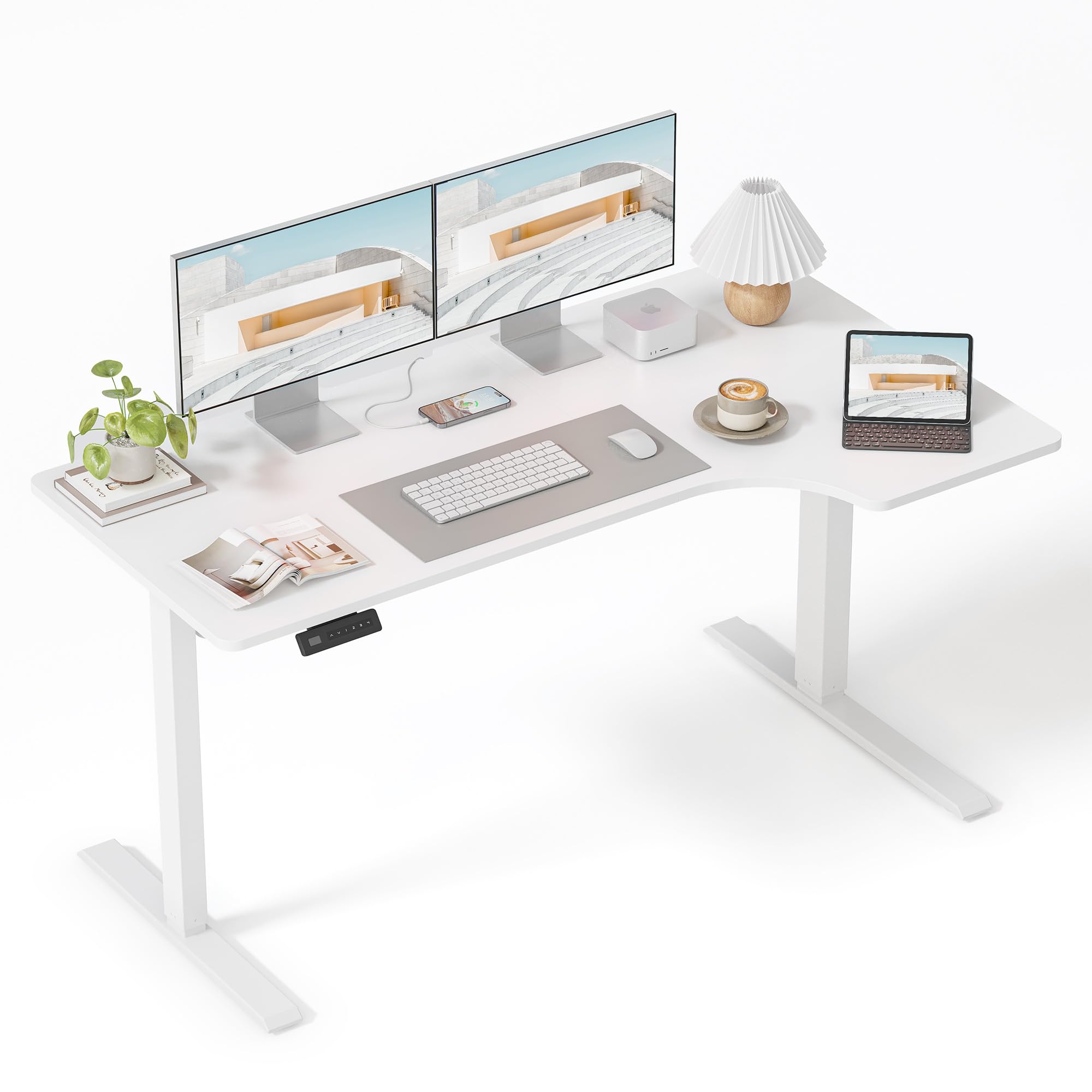
Image 1.1: The FEZIBO Electric Standing Desk in White, 55x32 inches.
2. Safety Information
To ensure safe operation and prevent injury or damage, please observe the following safety precautions:
- Keep children and pets away from the desk during operation.
- Ensure all cables are properly routed and secured to prevent entanglement or damage.
- Do not overload the desk beyond its maximum weight capacity of 176 lbs (80 kg).
- Avoid placing liquids directly on the control panel or near electrical components.
- Do not attempt to disassemble or repair the desk's electrical components yourself. Contact customer support for assistance.
- Ensure there are no obstructions in the desk's path when adjusting height to prevent collisions. The desk features anti-collision technology, but caution is still advised.
3. Package Contents
Verify that all components are present before beginning assembly. If any parts are missing or damaged, please contact customer support.
- Desktop (L-shaped, two sections)
- Desk Legs (2 units)
- Foot Pads (2 units)
- Control Panel
- Motor and Control Box
- Power Adapter and Cable
- Assembly Hardware (screws, Allen wrenches, cable ties)
- Instruction Manual
4. Setup and Assembly
Assembly of your FEZIBO Electric Standing Desk is designed to be straightforward. Follow the detailed instructions provided in the included assembly guide. It is recommended to have two people for certain steps to ensure stability and ease of assembly.
4.1 Assembly Overview
The desk features a robust industrial-grade steel frame and a splice board desktop. Ensure all connections are secure before use.

Image 4.1: Desk dimensions showing 55 inches (140cm) width, 31.5 inches (80cm) depth on one side, and 24 inches (60cm) depth on the other, with height adjustable from 28.3 inches (72cm) to 46.5 inches (118cm).
4.2 Connecting the Desktop Sections
The L-shaped desktop comes in two sections. Carefully align and secure them using the provided connectors and screws. Ensure the surface is flat and stable.

Image 4.2: An illustration of the desk's structural components and assembly points, highlighting the multi-purpose design.
4.3 Attaching Legs and Control Panel
Attach the desk legs to the desktop using the designated screw holes. Mount the control panel in an easily accessible location on the underside of the desk. Connect all motor and control box cables as per the assembly guide.
5. Operating Instructions
Your FEZIBO Electric Standing Desk features electric height adjustment and memory settings for convenience.
5.1 Control Panel Functions
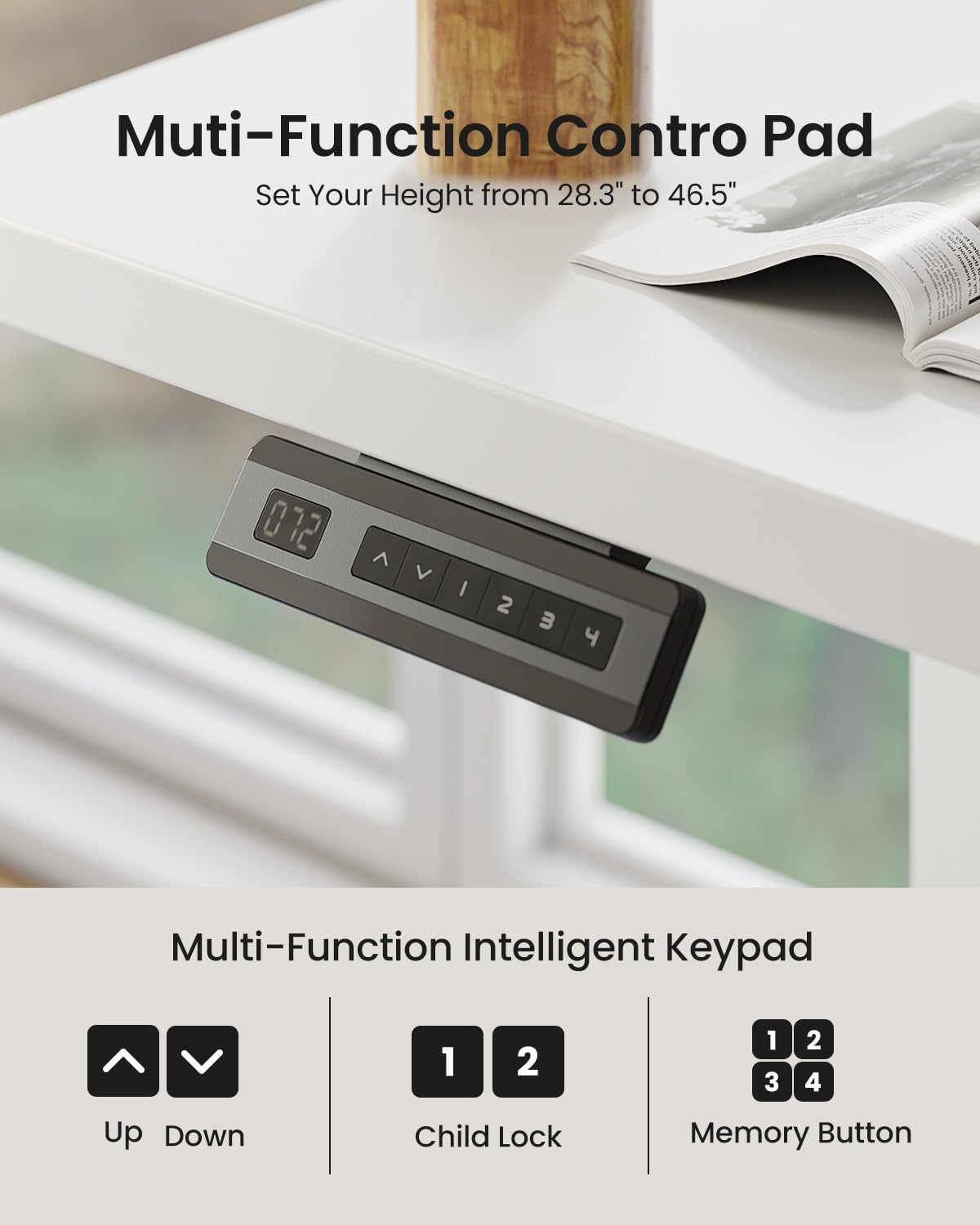
- Up/Down Arrows (▲ / ▼): Press and hold to adjust the desk height manually. Release to stop.
- Memory Buttons (1, 2, 3, 4): These buttons allow you to save and recall preferred desk heights.
- Child Lock: Press and hold buttons 1 and 2 simultaneously for 3 seconds to activate/deactivate the child lock. The display will show 'LOC' when locked.
The desk can be adjusted smoothly from 28.3 inches (72cm) to 46.5 inches (118cm).
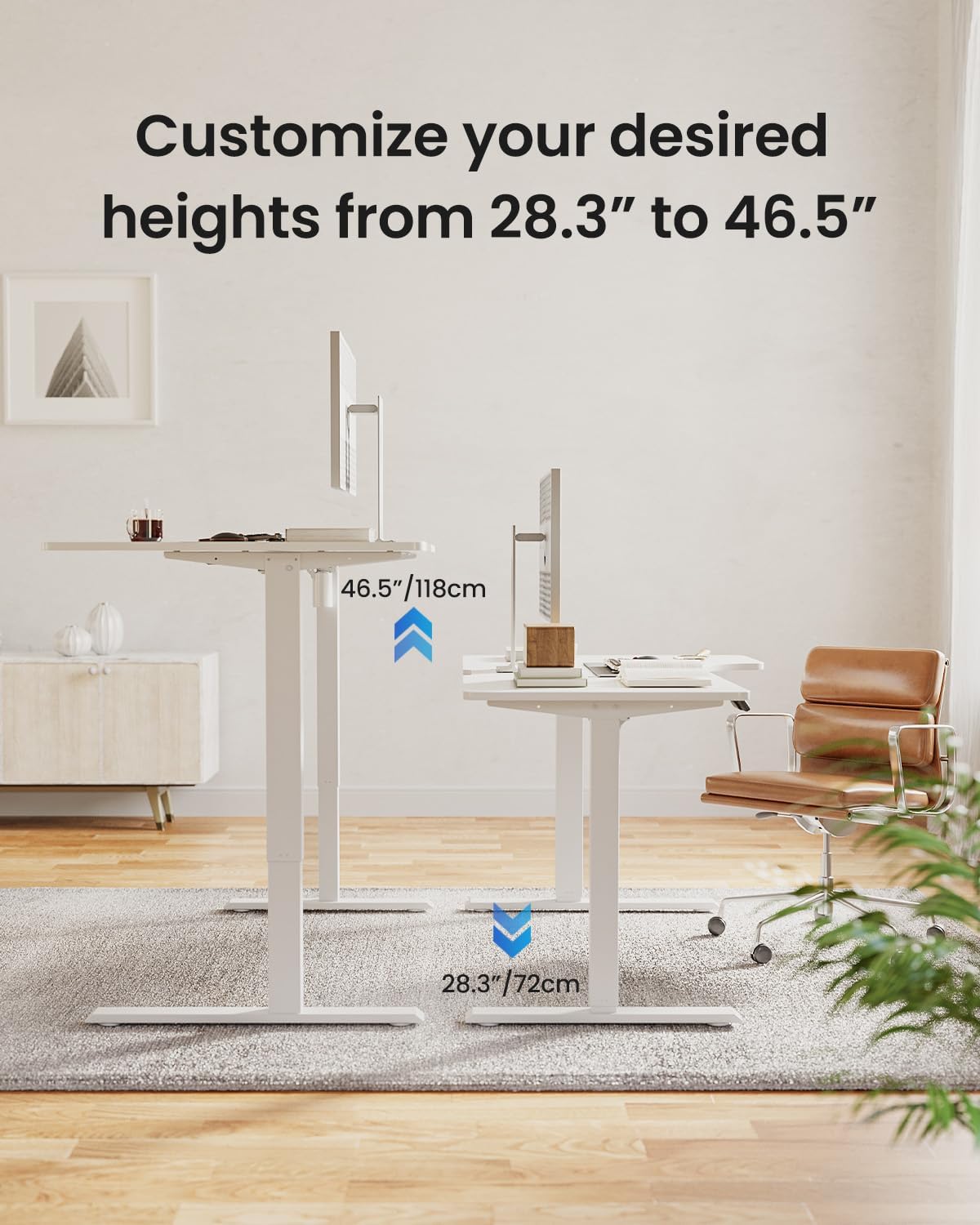
Image 5.1: Visual representation of the desk's adjustable height range, from 28.3 inches (sitting) to 46.5 inches (standing).
5.2 Setting Memory Heights
- Adjust the desk to your desired height using the Up/Down arrows.
- Press the 'M' button (if available, or a similar 'Set' button) followed by one of the number buttons (1, 2, 3, or 4) within 3 seconds. The display will show 'S-' followed by the number, indicating the height is saved.
- To recall a saved height, simply press the corresponding number button (1, 2, 3, or 4). The desk will automatically move to that preset height.
5.3 Anti-Collision Feature
The desk is equipped with an anti-collision system. If the desk encounters an obstruction during height adjustment, it will automatically retract within 0.2 seconds to prevent damage or injury.

Image 5.2: Illustration of the anti-collision technology, showing the desk retracting upon encountering an obstacle.
5.4 Quiet Operation
The desk's lift system operates quietly, with a noise level of ≤55db during no-load operation.
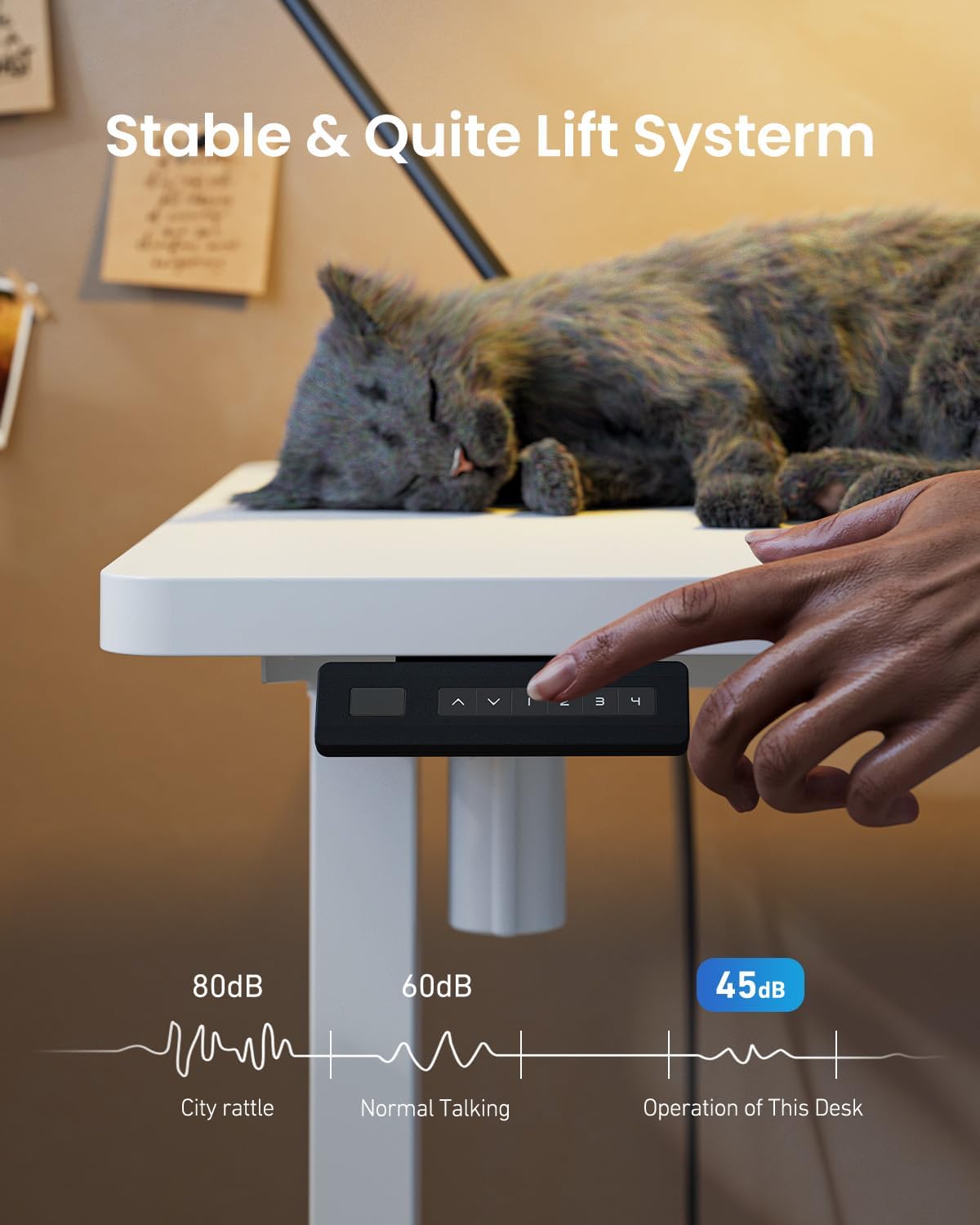
Image 5.3: A visual comparison of the desk's operating noise level (45dB) against common sounds like city rattle (80dB) and normal talking (60dB).
6. Maintenance
Regular maintenance helps prolong the life and performance of your desk.
- Cleaning: Wipe the desk surface with a soft, damp cloth. Avoid harsh chemicals or abrasive cleaners.
- Cable Management: Periodically check and reorganize cables to prevent tangles and ensure smooth operation.
- Inspection: Regularly inspect all screws and connections to ensure they are tight. Retighten if necessary.
- Lubrication: The lifting columns are generally maintenance-free. Do not apply lubricants unless specifically instructed by customer support.
7. Troubleshooting
If you encounter issues with your desk, refer to the following common problems and solutions:
| Problem | Possible Cause | Solution |
|---|---|---|
| Desk does not move | Power cable disconnected; Control panel cable loose; Overload; Motor error. | Check power connection. Ensure all cables are securely plugged in. Reduce weight on desk. Perform a reset (see manual for specific reset procedure). |
| Uneven lifting/lowering | Uneven weight distribution; Loose connections. | Distribute weight evenly on the desktop. Check and tighten all assembly screws. |
| Desk stops during adjustment | Anti-collision activated; Overheating. | Remove any obstructions. Allow the desk to cool down for 20 minutes if used continuously for an extended period. |
| Display shows an error code | Specific system fault. | Refer to the detailed error code list in the full assembly manual or contact customer support with the specific code. |
If these solutions do not resolve the issue, please contact FEZIBO customer support.
8. Specifications
| Feature | Detail |
|---|---|
| Brand | FEZIBO |
| Model | 55x32 inch L Shaped Corner Desk |
| Desk Design | Standing Desk |
| Product Dimensions (D x W x H) | 32"D x 55"W x 28"H (at lowest setting) |
| Adjustable Height Range | 28.3" to 46.5" (72cm to 118cm) |
| Color | White |
| Base Material | Alloy Steel |
| Top Material Type | Wood (Laminated finish) |
| Weight Capacity | Up to 176 lbs (80 kg) |
| Lifting Speed | 20mm/s (maximum) |
| Noise Level | ≤55db (no-load) |
| Special Features | 4 Memory Height Settings, Anti-Collision Technology |
| Required Assembly | Yes |
9. Warranty & Support
9.1 Product Warranty
The FEZIBO Electric Standing Desk comes with a 2-Year Warranty from the date of purchase. This warranty covers manufacturing defects and malfunctions under normal use. Please retain your proof of purchase for warranty claims.
9.2 Customer Support
For any questions, assistance with assembly, troubleshooting, or warranty claims, please contact FEZIBO customer service:
- Phone: +1 702-620-5156 (U.S. Customer Service)
- Hours: Monday - Friday, 24/5
- Online: Visit the FEZIBO Store on Amazon for additional resources and contact options.

Image 9.1: FEZIBO branding and contact details for customer support.
10. Product Video Overview
Watch this video for a general overview of the FEZIBO Electric Standing Desk, which may include assembly tips or operational demonstrations.
Video 10.1: A general product overview video for the FEZIBO Electric Standing Desk. This video may demonstrate assembly, features, or operation.


