
Monster Monster N-Lite 203
Monster N-Lite 203 AirLinks Wireless Earbuds User Manual
Model: Monster N-Lite 203 | Brand: Monster
Introduction
The Monster N-Lite 203 AirLinks Wireless Earbuds are designed to provide a high-fidelity audio experience with advanced features for daily use. This manual provides detailed instructions on how to set up, operate, and maintain your earbuds to ensure optimal performance and longevity.

Image: Monster N-Lite 203 AirLinks Wireless Earbuds and their charging case, showcasing the sleek black design.
Package Contents
Please verify that all items are present in your package:
- Monster N-Lite 203 AirLinks Wireless Earbuds (Left and Right)
- Charging Case
- USB Type-C Charging Cable
- Multiple Sizes of Ear Tips (S, M, L)
- User Manual (this document)
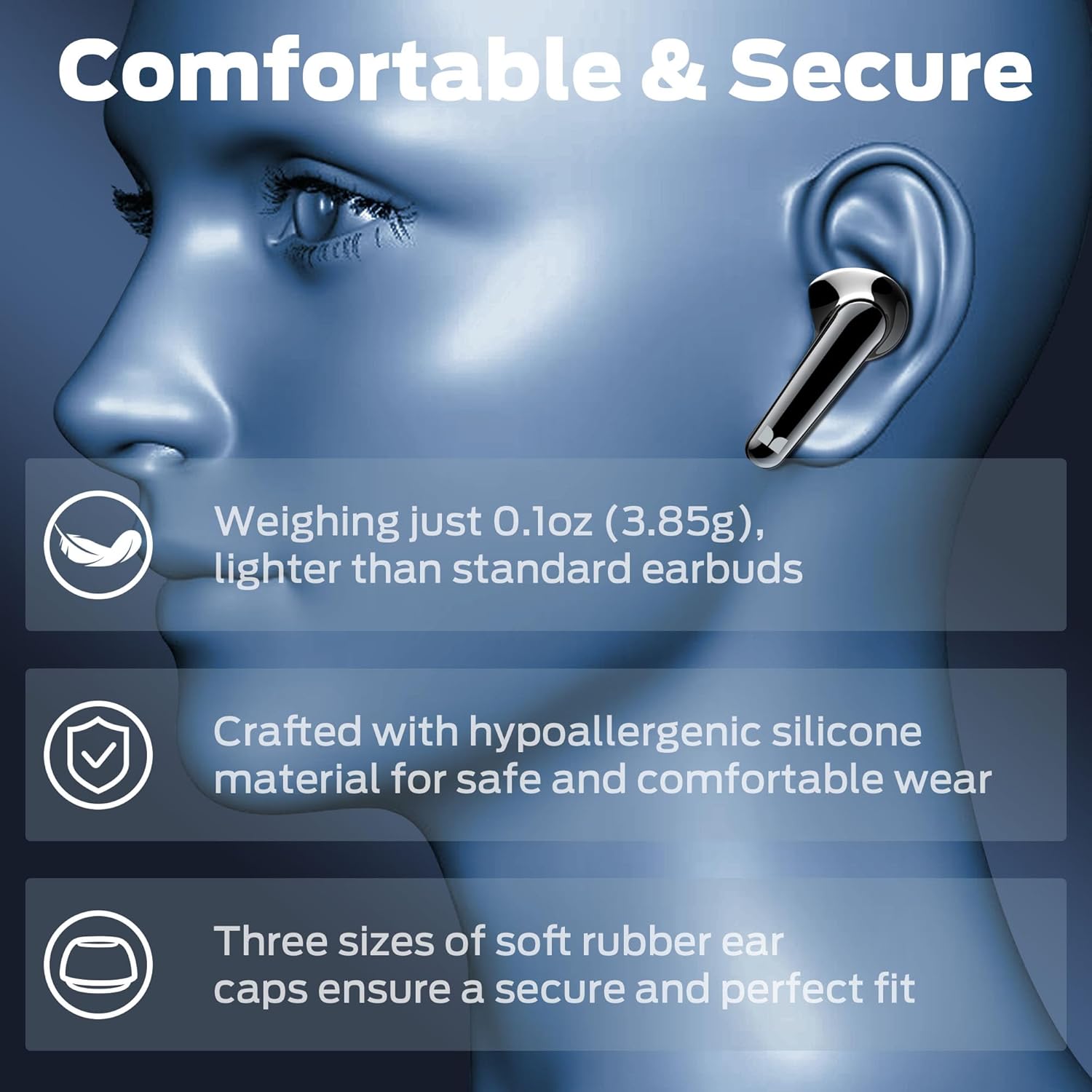
Image: An earbud shown with three different sizes of soft rubber ear caps (Small, Medium, Large) to ensure a secure and comfortable fit.
Product Overview
Familiarize yourself with the components of your Monster N-Lite 203 AirLinks Wireless Earbuds.
- Earbuds: Left and Right earbuds with integrated touch controls and microphones.
- Charging Case: Stores and charges the earbuds, with a USB Type-C port for external charging.
- LED Indicator: On the charging case, indicates charging status and battery level.
- Microphones: Built-in dual microphones for clear calls.
- Ear Tips: Silicone ear tips for comfortable and secure fit.

Image: A cutaway diagram of an earbud, highlighting its internal components such as the speaker and built-in MEMS microphone, designed for crystal-clear calls.
Setup
1. Charging the Earbuds and Case
Before first use, fully charge the earbuds and the charging case.
- Place the earbuds into the charging case. Ensure they are correctly seated in their respective slots.
- Connect the USB Type-C charging cable to the charging port on the case and the other end to a USB power source (e.g., wall adapter, computer USB port).
- The LED indicator on the charging case will show the charging status. A full charge typically takes approximately 2 hours for the case.
- Once fully charged, disconnect the charging cable. The earbuds will charge automatically when placed in the case.

Image: The Monster N-Lite 203 earbuds resting in their charging case, illustrating the 30-hour total playback time with the case, 8 hours on a single charge, and 2 hours charging time for the case.
2. Pairing with Your Device (One-Step Pairing)
The earbuds feature one-step pairing for quick and easy connection.
- Ensure your device's Bluetooth is turned on.
- Open the charging case. The earbuds will automatically enter pairing mode.
- On your device, search for Bluetooth devices and select "Monster N-Lite 203 AirLinks" from the list.
- Once connected, you will hear a confirmation tone, and the earbuds will be ready for use.
- After the initial pairing, the earbuds will automatically connect to the last paired device when the case is opened.

Image: An earbud with a transparent view revealing its internal Bluetooth 5.3 chip, alongside a smartphone screen displaying "Connection Successful" for the "Monster N-Lite 203 AirLinks" device, demonstrating the one-step pairing process.
Operating Instructions
The Monster N-Lite 203 AirLinks earbuds feature intuitive touch controls on each earbud.
Touch Control Functions:
| Action | Control |
|---|---|
| Play/Pause | Single tap either earbud (MFB) |
| Volume Up | Double tap the Right earbud (MFB) |
| Volume Down | Double tap the Left earbud (MFB) |
| Previous Track | Press and hold the Left earbud (MFB) for 2 seconds |
| Next Track | Press and hold the Right earbud (MFB) for 2 seconds |
| Answer/Hang Up Call | Single tap either earbud (MFB) |
| Reject Call | Press and hold either earbud (MFB) for 2 seconds |
| Activate Voice Assistant | Triple tap either earbud (MFB) |
| Auto Power On/Off | Take out/Place back the earbuds into the charging case |

Image: A visual guide detailing the various touch control functions on the earbuds, including play/pause, volume adjustment, track skipping, call management, and voice assistant activation.
Wearing the Earbuds:
For optimal sound quality and comfort, ensure the earbuds are properly seated in your ears.
- Select the ear tips that provide the best seal and comfort for your ears.
- Gently insert each earbud into its corresponding ear canal (L for left, R for right).
- Adjust the earbud until it feels secure and comfortable. A good seal is crucial for bass response and noise isolation.

Image: A woman wearing the Monster N-Lite 203 earbuds, demonstrating their ergonomic design and comfortable fit in the ear.
Maintenance
Proper maintenance ensures the longevity and performance of your earbuds.
- Cleaning: Regularly clean the earbuds and charging case with a soft, dry, lint-free cloth. Do not use harsh chemicals or abrasive materials.
- Ear Tips: Remove and clean the ear tips periodically with mild soap and water. Ensure they are completely dry before reattaching them to the earbuds.
- Charging Contacts: If charging issues occur, gently clean the charging contacts on both the earbuds and inside the case with a cotton swab.
- Storage: When not in use, always store the earbuds in their charging case to protect them and keep them charged.
- Water Resistance: The earbuds are IPX6 water-resistant, meaning they can withstand powerful water jets. However, they are not designed for submersion. Avoid exposing them to saltwater, chlorinated water, or other liquids. Ensure the charging port is dry before charging.

Image: A person wearing an earbud while being splashed with water, illustrating the IPX6 water-resistant rating, suitable for workouts and light rain.
Troubleshooting
If you encounter issues with your earbuds, refer to the following common solutions:
| Problem | Possible Solution |
|---|---|
| Earbuds not pairing/connecting |
|
| Only one earbud working |
|
| Low volume or poor sound quality |
|
| Charging case not charging |
|
Specifications
Detailed technical specifications for the Monster N-Lite 203 AirLinks Wireless Earbuds:
| Feature | Detail |
|---|---|
| Model Name | N-Lite 203 |
| Connectivity Technology | Wireless (Bluetooth 5.3) |
| Wireless Communication Technology | Bluetooth |
| Material | Plastic |
| Compatible Devices | Smartphones, Computers, TVs |
| Control Type | Touch Control, Volume Control |
| Item Weight | 3.85 Grams (per earbud) |
| Water Resistance Level | IPX6 (Waterproof) |
| Frequency Range | 20 Hz - 20,000 Hz |
| Battery Average Life (Earbuds) | Approx. 8 hours (single charge) |
| Total Playtime with Charging Case | Up to 30 hours |
| Microphone Format | Built-In |
| Microphone Technology | Bidirectional |
| Charging Port | USB Type-C |
| Ear Placement | In Ear |
| Form Factor | In Ear |
| Product Dimensions | 9 x 9 x 3 cm (case) |
Warranty and Support
Monster products are designed for reliability and performance. For warranty information and technical support, please refer to the official Monster website or contact their customer service directly.
- Official Website: www.monsterproducts.com
- Customer Service: Refer to the website for contact details specific to your region.
Please retain your proof of purchase for warranty claims.
Related documentsMonster N-Lite 203


Ask a question about this manual
Ask about setup, troubleshooting, compatibility, parts, safety, or missing instructions. Manuals+ will review the question and use this page’s manual context to help answer it.