1. Introduction
Thank you for choosing the UNIWEIGH Digital Kitchen Scale, Model K1705-B. This scale is designed to provide accurate measurements for your cooking, baking, and dietary needs, including an integrated nutritional calculator. Please read this manual thoroughly before use to ensure proper operation and to maximize the benefits of your new scale.
2. Safety Information
- Keep the scale away from water or other liquids. Do not immerse the scale in water.
- Place the scale on a hard, flat, and stable surface for accurate measurements. Avoid soft or uneven surfaces.
- Do not overload the scale beyond its maximum capacity of 3kg (6.6lb).
- Avoid exposing the scale to extreme temperatures or sudden temperature changes.
- Handle the scale with care. Do not drop or subject it to strong impacts.
- Keep batteries out of reach of children. If swallowed, seek immediate medical attention.
3. Package Contents
- 1x UNIWEIGH Digital Kitchen Scale (Model K1705-B)
- 3x AAA Batteries
- 1x User Manual
4. Product Features
- Nutritional Calculator: Integrated calculator with 999 food codes to display calorie, fat, protein, carbohydrate, salt, cholesterol, and fiber content.
- High Precision: Equipped with high-precision sensors for accurate measurements.
- Capacity: Maximum weighing capacity of 3kg (6.6lb).
- Multiple Units: Easily switch between 5 measurement units: grams (g), pounds:ounces (lb:oz), ounces (oz), milliliters (ml), and fluid ounces (fl.oz).
- Tare Function: Allows you to subtract the weight of a container for net weight measurement.
- LCD Display: Large, easy-to-read LCD display with backlight.
- Save and Recall: Store and retrieve nutritional information for frequently weighed foods.
- Compact Design: Small footprint for easy storage.

Image: Overview of the UNIWEIGH Digital Kitchen Scale's key features, including its nutritional database, tare function, and LCD display.
5. Setup
5.1 Battery Installation
- Locate the battery compartment on the underside of the scale.
- Open the battery compartment cover.
- Insert 3 AAA batteries, ensuring correct polarity (+/-).
- Close the battery compartment cover securely.
5.2 Initial Placement
Place the scale on a firm, level, and stable surface before use. Uneven surfaces can affect accuracy.
6. Operating Instructions
6.1 Power On/Off
- To turn on the scale, press the Power button (usually marked with a red circle and line).
- To turn off the scale, press and hold the Power button for a few seconds. The scale will also automatically shut off after a period of inactivity to conserve battery life.
6.2 Unit Conversion
The scale supports 5 different units of measurement. To change the unit:
- With the scale powered on, press the UNIT button.
- The display will cycle through the available units: g, lb:oz, oz, ml, fl.oz. Select your desired unit.
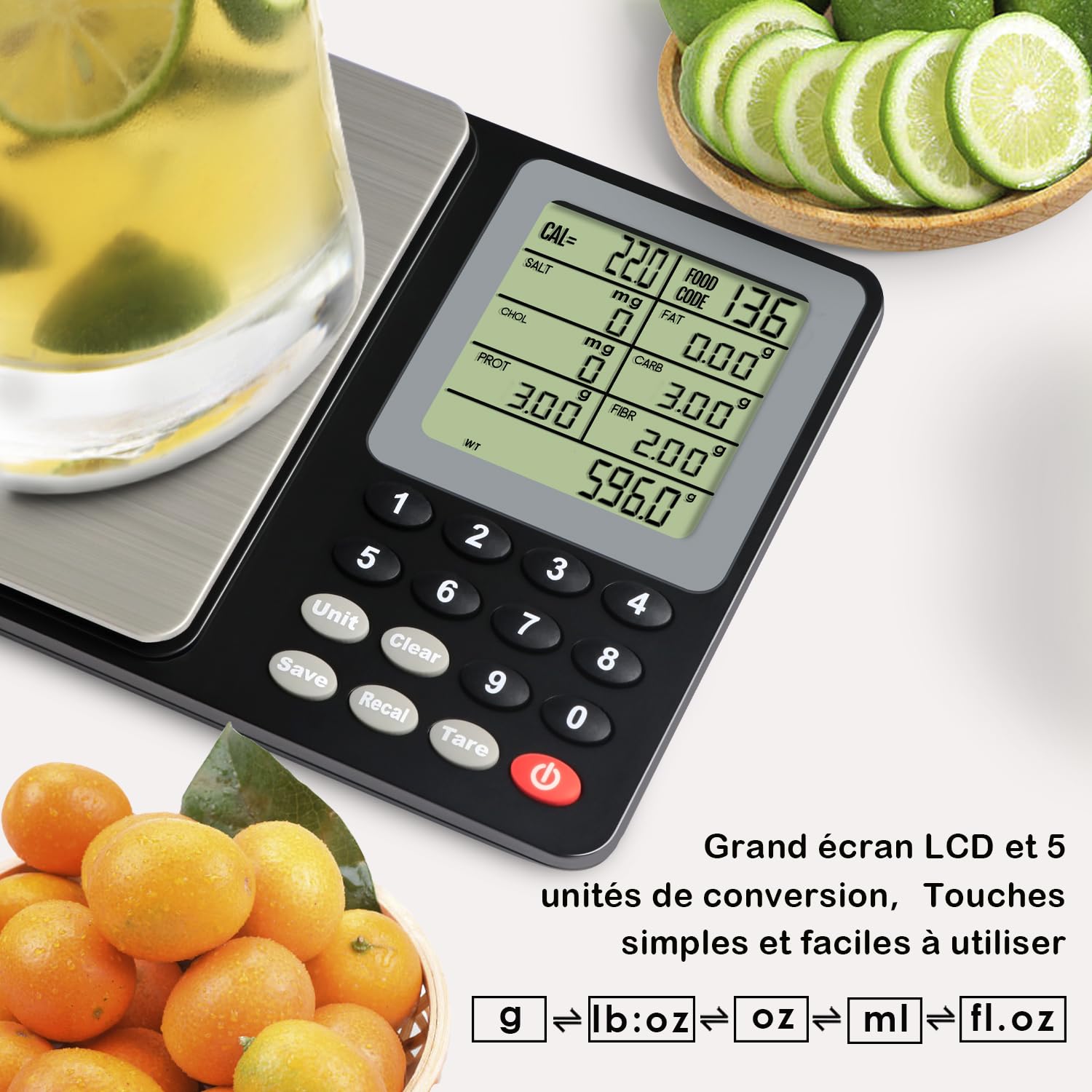
Image: The scale's display showing various unit options (g, lb:oz, oz, ml, fl.oz) and its clear LCD screen.
6.3 Tare Function
The Tare function allows you to weigh ingredients in a container by subtracting the container's weight.
- Turn on the scale and place an empty container on the weighing platform.
- Press the TARE button. The display will reset to zero.
- Add your ingredients to the container. The display will show only the net weight of the ingredients.

Image: Visual guide demonstrating the three steps of using the tare function to measure ingredients accurately.
6.4 Nutritional Calculator (Food Codes)
The scale features an integrated nutritional calculator that provides calorie and other nutritional data for various food items using specific food codes.
- Place the food item on the scale.
- Refer to the provided food code list (usually in a separate document or appendix) to find the code for your specific food.
- Enter the food code using the numeric keypad on the scale.
- The display will show the nutritional values (calories, fat, protein, etc.) for the weighed amount of that food.

Image: An avocado on the scale, with the display showing calculated nutritional values based on a food code.
6.5 Save and Recall Nutritional Data
This function allows you to accumulate and review nutritional data for multiple ingredients in a meal.
- Weigh your first ingredient and enter its food code as described above.
- Press the SAVE button to store the nutritional data for this item.
- Remove the first ingredient, then place the next ingredient on the scale. Repeat steps 1 and 2 for each ingredient.
- To view the accumulated nutritional data for all saved items, press the RECAL button.

Image: A meal being weighed on the scale, illustrating how to calculate the total nutritional value of a complete dish.
7. Maintenance and Care
- Clean the scale with a soft, damp cloth. Do not use abrasive cleaners or immerse the scale in water.
- If the scale is not used for an extended period, remove the batteries to prevent leakage.
- Store the scale in a cool, dry place.

Image: Demonstrating how to clean the scale's stainless steel platform for hygiene and longevity.
8. Troubleshooting
| Problem | Possible Cause | Solution |
|---|---|---|
| Scale does not turn on | Low or dead batteries; Incorrect battery installation | Replace batteries; Ensure batteries are inserted with correct polarity. |
| Inaccurate readings | Uneven surface; Overload; Interference | Place on a flat, stable surface; Do not exceed 3kg capacity; Avoid strong electromagnetic fields. |
| Display shows "Err" | Overload or internal error | Remove item from scale; If error persists, contact customer support. |
| Difficulty finding food codes | Food code list is extensive or hard to navigate | Refer to the dedicated food code manual or contact UNIWEIGH support for assistance with the food code database. |
9. Specifications
| Feature | Detail |
|---|---|
| Model Number | K1705-B |
| Brand | UNIWEIGH |
| Maximum Capacity | 3 Kilograms (6.6 lbs) |
| Measurement Units | g, lb:oz, oz, ml, fl.oz |
| Display Type | LCD with Backlight |
| Dimensions (L x W x H) | 18.5 x 15 x 3.72 cm (7.28 x 5.91 x 1.46 inches) |
| Item Weight | 320 Grams |
| Material | Acrylonitrile Butadiene Styrene (ABS), Alloy Steel |
| Power Source | 3x AAA Batteries (included) |
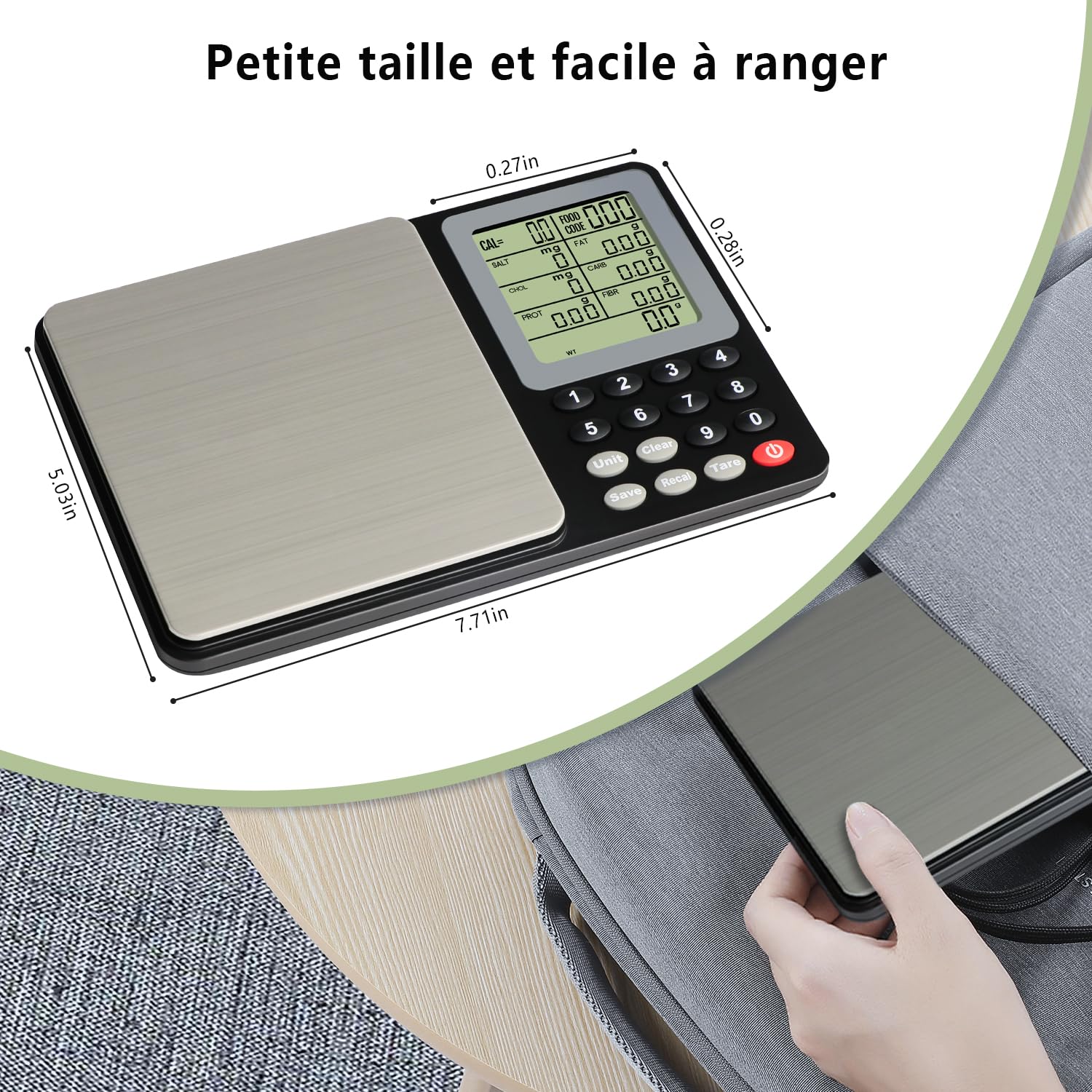
Image: The scale's dimensions are highlighted, demonstrating its compact size for easy storage.
10. Warranty and Support
UNIWEIGH is committed to customer satisfaction. While specific warranty details are not provided in this manual, please retain your proof of purchase. For any questions, technical support, or warranty claims, please contact UNIWEIGH customer service through the retailer where you purchased the product or visit the official UNIWEIGH website for contact information.


