1. Introduction
Thank you for choosing the DBSOARS VOCBOOM Wireless Bluetooth Speaker. This manual provides essential information for the safe and efficient operation of your speaker. Please read it thoroughly before use and retain it for future reference.

Image: The VOCBOOM Wireless Bluetooth Speaker in purple, showcasing its waterproof design with water droplets.
2. What's Included
Upon unboxing your DBSOARS VOCBOOM speaker, please ensure all the following items are present:
- VOCBOOM Wireless Bluetooth Speaker
- USB Charging Cable
- 3.5mm Audio Cable (Auxiliary Cable)
- User Guide (this manual)
3. Key Features
- Powerful Audio Output: Equipped with dual woofers and dual tweeters, delivering immersive surround sound with a peak output of 80 Watts.
- IPX7 Waterproof Rating: Designed to withstand rain and total water submersion, making it suitable for outdoor activities.
- Long Battery Life: Provides extended playtime for all-day outdoor use.
- True Wireless Stereo (TWS) Function: Pair two VOCBOOM speakers for an enhanced stereo sound experience.
- Built-in Microphone: Allows for hands-free calling when connected to a smartphone.
- USB Port for Charging: Functions as a power bank to charge other mobile devices.
- Portable Design: Features a convenient handle for easy transport.
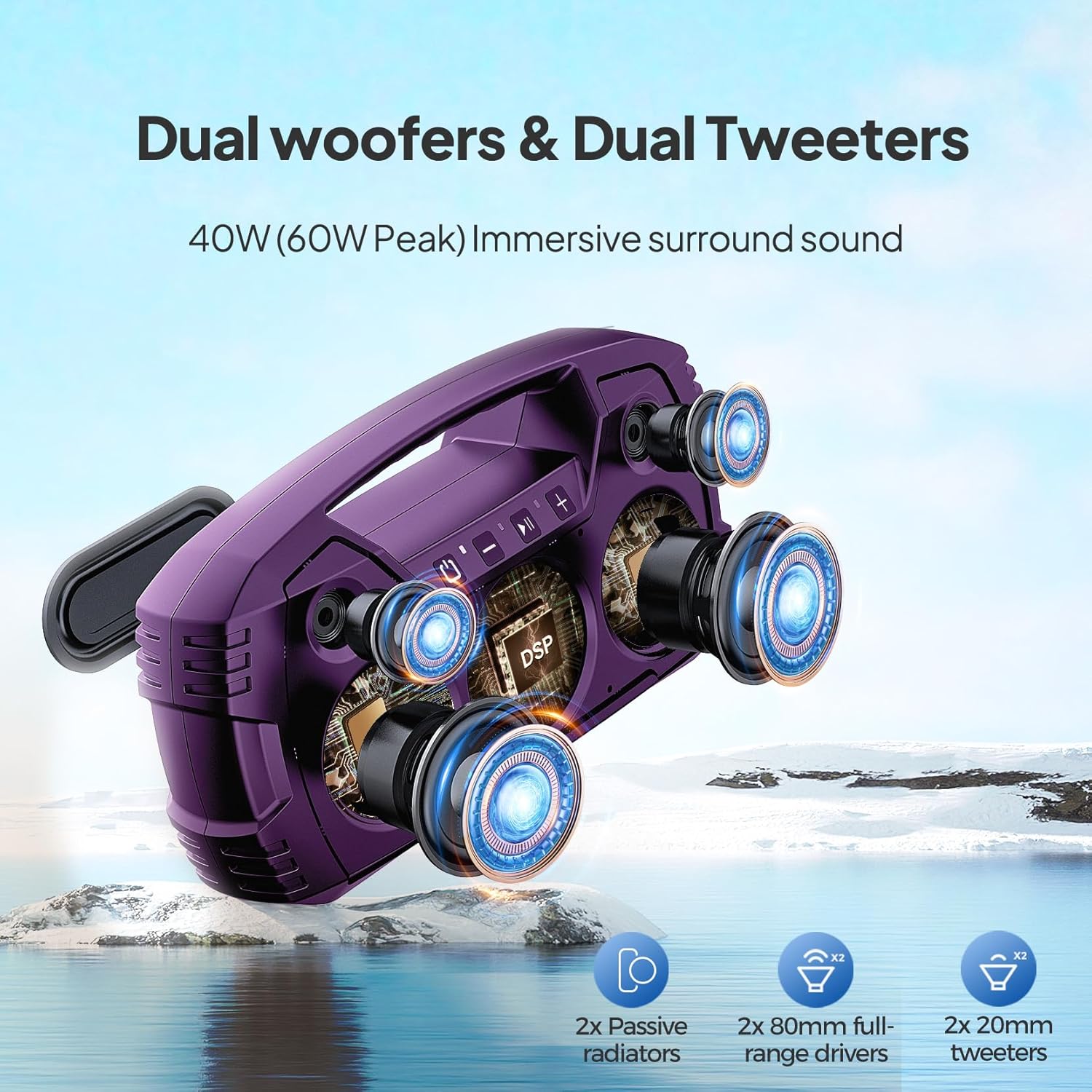
Image: An exploded view illustrating the internal dual woofers and tweeters for enhanced sound.
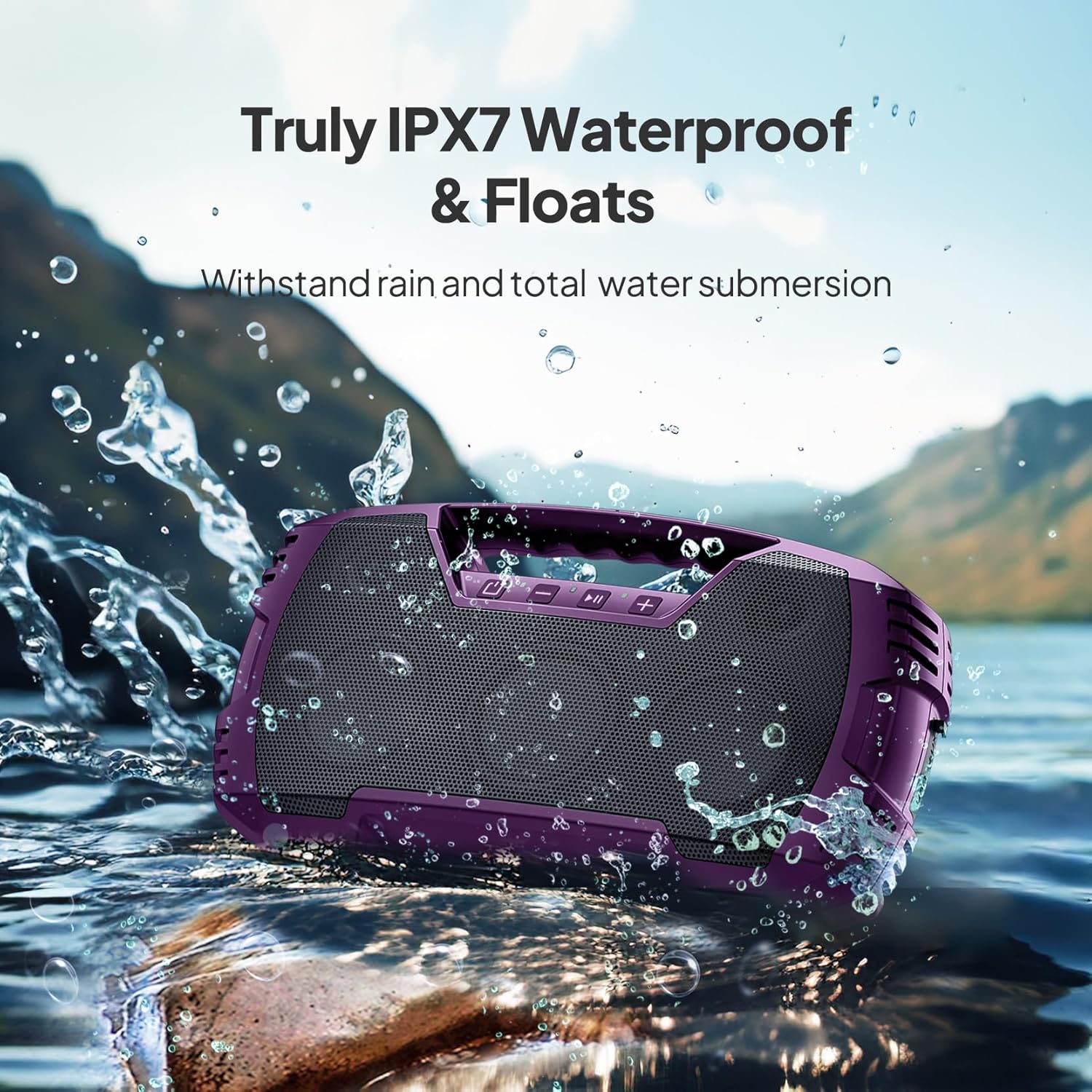
Image: The speaker floating in water, highlighting its IPX7 waterproof feature.

Image: The speaker placed on grass, connected to a smartphone for charging, illustrating its power bank function.

Image: Two speakers positioned to create a stereo sound field for outdoor entertainment.
4. Setup
4.1 Initial Charging
- Before first use, fully charge the speaker using the provided USB charging cable.
- Locate the charging port on the speaker, typically protected by a rubber flap. Lift the flap gently to expose the port.
- Connect the USB charging cable to the speaker and a compatible USB power adapter (not included).
- The charging indicator will illuminate. Once fully charged, the indicator may change or turn off.
- Ensure the rubber flap is securely closed after charging to maintain the speaker's waterproof rating.
4.2 Bluetooth Pairing
- Power on the speaker by pressing and holding the power button.
- The speaker will enter Bluetooth pairing mode, indicated by a flashing LED light (usually blue).
- On your mobile device (smartphone, tablet, laptop), go to Bluetooth settings and enable Bluetooth.
- Search for available devices. The speaker will appear as "VOCBOOM" (or similar).
- Select "VOCBOOM" to connect. Once paired, the LED indicator will typically turn solid blue or stop flashing, and you may hear an audible confirmation.
4.3 True Wireless Stereo (TWS) Pairing (Optional)
To enable TWS pairing for two speakers:
- Ensure both VOCBOOM speakers are powered on and not connected to any other Bluetooth device.
- On one speaker (this will be the primary speaker), long-press the Volume "+" and Volume "-" buttons simultaneously for 3 seconds.
- The speakers will attempt to pair with each other. Once successfully paired, you will hear an audible confirmation, and the LED indicators on both speakers will synchronize.
- Now, connect your mobile device to the primary speaker via Bluetooth as described in Section 4.2. Both speakers will play audio in stereo.
5. Operating Instructions
5.1 Button Functions
The speaker features intuitive control buttons on its top panel:
- Power Button (⏻): Press and hold to power on/off. Short press to check battery status (if applicable).
- Volume Down (-): Short press to decrease volume. Long press for previous track.
- Play/Pause (▶‖): Short press to play or pause music. Short press to answer/end calls. Long press to reject calls.
- Volume Up (+): Short press to increase volume. Long press for next track.
5.2 Hands-Free Calling
When your speaker is paired with a smartphone, you can use it for hands-free calls:
- Answer Call: Short press the Play/Pause button.
- End Call: Short press the Play/Pause button during a call.
- Reject Call: Long press the Play/Pause button when a call comes in.
5.3 Charging External Devices
The USB-A port on the side of the speaker can be used to charge other devices, effectively turning your speaker into a power bank:
- Open the rubber flap on the side of the speaker to expose the USB-A output port.
- Connect your device's charging cable to the USB-A port on the speaker.
- The speaker will begin charging your device.
- Remember to close the rubber flap securely after use to maintain waterproofing.
6. Maintenance & Care
- Cleaning: Use a soft, damp cloth to clean the speaker. Avoid harsh chemicals or abrasive cleaners.
- Waterproofing: Always ensure the rubber flap covering the ports is securely closed when near water or in wet conditions to maintain the IPX7 rating.
- Storage: Store the speaker in a cool, dry place away from direct sunlight and extreme temperatures.
- Battery Care: To prolong battery life, avoid fully discharging the speaker frequently. Charge it regularly, even if not in use for extended periods.
- Dust/Sand: While waterproof, the speaker is not explicitly rated for dust or sand. Exercise caution in sandy environments to prevent damage to ports or grilles.
7. Troubleshooting
| Problem | Possible Solution |
|---|---|
| Speaker does not power on. | Ensure the speaker is fully charged. Connect to a power source and try again. |
| Cannot pair via Bluetooth. | Make sure the speaker is in pairing mode (flashing LED). Turn off and on Bluetooth on your device. Ensure no other devices are connected to the speaker. Move closer to the speaker. |
| No sound or low volume. | Check volume levels on both the speaker and your connected device. Ensure the speaker is properly paired. If using Aux-in, ensure the cable is fully inserted and functional. |
| TWS pairing fails. | Ensure both speakers are not connected to any other Bluetooth device. Try repeating the TWS pairing steps. Make sure both speakers are the same model. |
| Audio lags during video playback. | This can sometimes occur with Bluetooth connections. Try moving your device closer to the speaker or disconnecting and reconnecting. |
8. Specifications
| Feature | Detail |
|---|---|
| Model Number | VOCBOOM |
| Brand | DBSOARS |
| Connectivity Technology | Bluetooth |
| Wireless Communication Technology | Bluetooth |
| Bluetooth Range | 10 Meters |
| Speaker Maximum Output Power | 80 Watts |
| Audio Output Mode | Stereo, Surround Sound |
| Waterproof Rating | IPX7 |
| Power Source | Battery Powered |
| Battery Life | Up to 32 hours (varies by usage) |
| Control Method | Touch |
| Material | ABS, metal grill |
| Product Dimensions | 3.7 x 14 x 7 inches |
| Item Weight | 4.69 pounds |
| Compatible Devices | Smartphone, Tablet, Laptop |

Image: A diagram illustrating the physical dimensions of the speaker.
9. Warranty & Support
The DBSOARS VOCBOOM Wireless Bluetooth Speaker comes with a limited warranty. Please refer to the warranty card included in your package for specific terms and conditions. For technical support, troubleshooting assistance, or warranty claims, please contact DBSOARS customer service through the contact information provided on the product packaging or the official DBSOARS website.
