
FOL Portable Bluetooth Speaker 8-inch
FOL Portable Bluetooth Speaker
User Manual
Introduction
Thank you for purchasing the FOL Portable Bluetooth Speaker. This device is designed to provide high-quality audio playback with versatile connectivity options, including Bluetooth, USB, SD card, and a microphone input for karaoke or public speaking. Its portable design makes it ideal for various indoor and outdoor activities. Please read this manual carefully to ensure proper use and maintenance of your speaker.
Safety Instructions
- Do not expose the speaker to water, moisture, or extreme temperatures.
- Avoid dropping or subjecting the speaker to strong impacts.
- Do not attempt to disassemble or repair the speaker yourself. Refer all servicing to qualified personnel.
- Keep the speaker away from heat sources such as radiators, heat registers, stoves, or other apparatus (including amplifiers) that produce heat.
- Use only attachments/accessories specified by the manufacturer.
- Clean only with a dry cloth.
Package Contents
Please check the package for the following items:
- FOL Portable Bluetooth Speaker
- Remote Control
- Microphone
- Charging Cable

Image: The FOL Portable Bluetooth Speaker shown alongside its included remote control and microphone, illustrating the complete package contents.
Product Features and Controls
Familiarize yourself with the various parts and controls of your speaker.

Image: The FOL Portable Bluetooth Speaker, remote, and microphone, highlighting its Bluetooth and karaoke capabilities.

Image: A diagram showing the physical dimensions of the speaker: 36cm height, 23cm width, and 19cm depth, along with its 8-inch speaker size and 10 Watts power output.
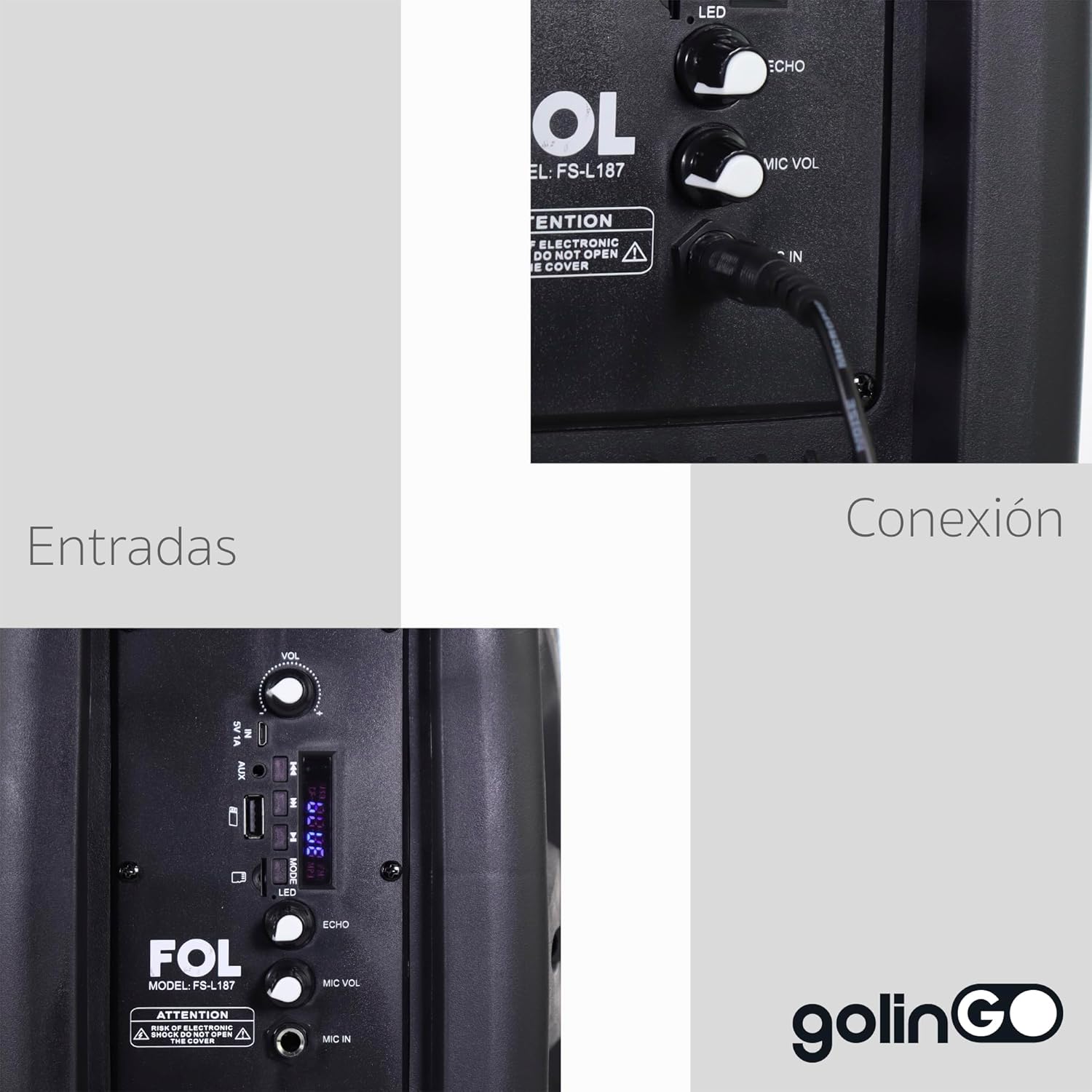
Image: A detailed view of the speaker's control panel, indicating various input ports and connection points, including microphone input and volume controls.
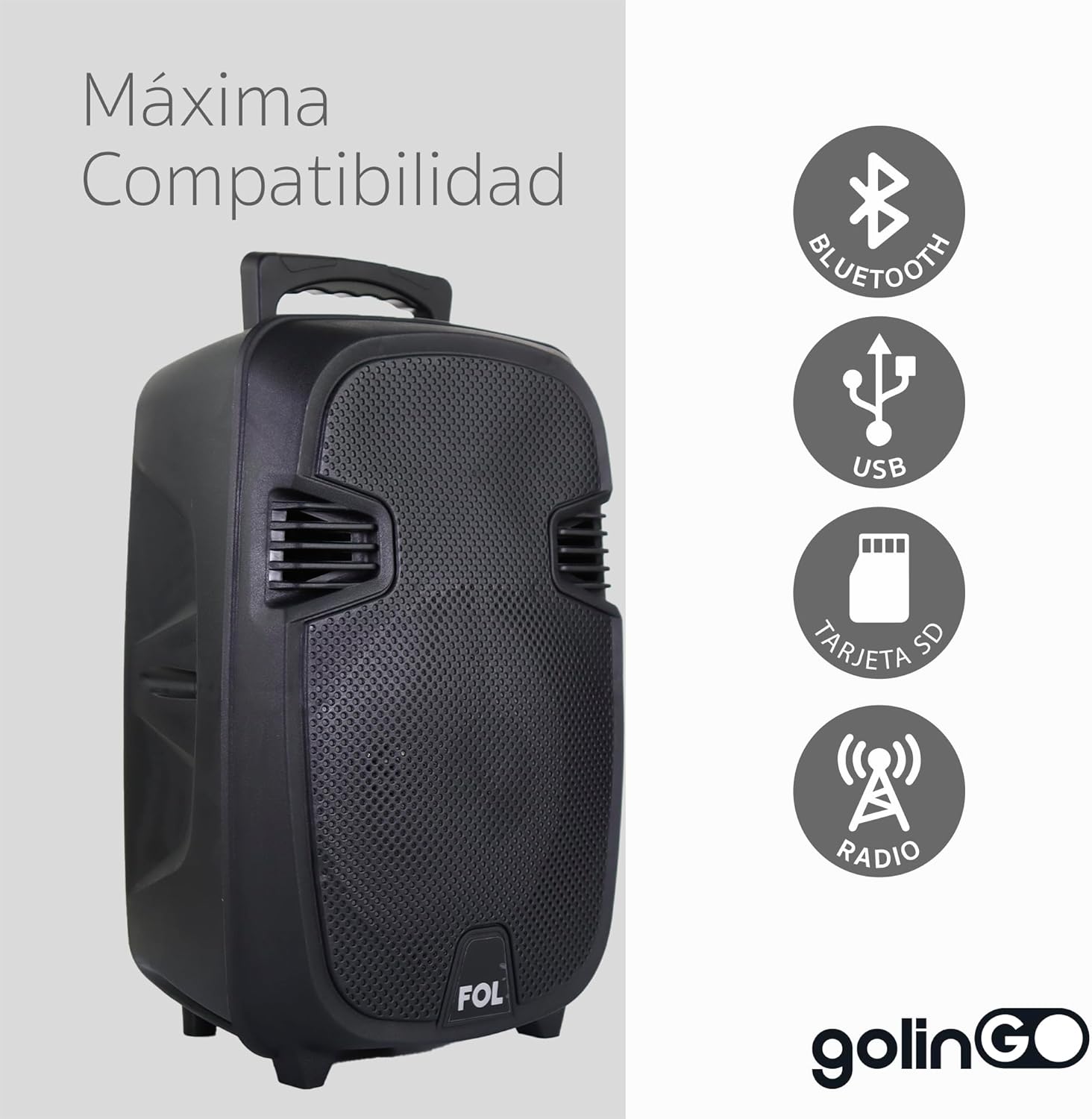
Image: Icons illustrating the speaker's broad compatibility, including Bluetooth, USB, SD card, and FM radio functionality.
Control Panel Overview:
- MODE Button: Switches between Bluetooth, USB, SD, AUX, and FM Radio modes.
- VOL Knob: Adjusts the main volume of the speaker.
- MIC VOL Knob: Adjusts the volume of the connected microphone.
- ECHO Knob: Adjusts the echo effect for the microphone.
- USB Port: For USB flash drives.
- SD Card Slot: For SD memory cards.
- MIC IN Port: Connects the wired microphone.
- AUX IN Port: For connecting external audio devices via a 3.5mm cable.
- LED Switch: Turns the speaker's LED lights on/off.
- Power Switch: Turns the speaker on/off.
Setup
Charging the Speaker:
- Connect the charging cable to the speaker's charging port.
- Plug the other end of the cable into a suitable power adapter (not included) or USB port.
- The charging indicator light will illuminate. It will typically change color or turn off when fully charged.
- For optimal battery life, fully charge the speaker before first use.
Initial Power On:
- Ensure the speaker is charged.
- Locate the Power Switch on the speaker and slide it to the "ON" position.
- The speaker will power on and typically enter Bluetooth pairing mode automatically.
Operating Instructions
Bluetooth Mode:
- Turn on the speaker. It should automatically enter Bluetooth pairing mode, indicated by a flashing LED or an audible prompt. If not, press the "MODE" button until "Bluetooth" mode is selected.
- Enable Bluetooth on your smartphone, tablet, or other Bluetooth-enabled device.
- Search for available Bluetooth devices. You should see "FOL Speaker" or a similar name appear in the list.
- Select the speaker from the list to pair. Once successfully paired, you will hear a confirmation sound, and the LED indicator will stop flashing.
- You can now play audio from your device through the speaker.
USB/SD Card Playback:
- Insert a USB flash drive or SD card (pre-loaded with MP3 audio files) into the respective port/slot on the speaker.
- The speaker should automatically switch to USB or SD card mode and begin playing the first track.
- If it does not switch automatically, press the "MODE" button until the correct mode is selected.
- Use the playback controls (Play/Pause, Next/Previous Track) on the speaker or remote control to manage your music.
Microphone Use (Karaoke/Public Speaking):
- Connect the included microphone to the "MIC IN" port on the speaker.
- Adjust the "MIC VOL" knob to control the microphone's volume.
- Adjust the "ECHO" knob to add or remove echo effect to your voice.
- Ensure the main "VOL" knob is set to a comfortable listening level.
FM Radio Mode:
- Press the "MODE" button repeatedly until "FM Radio" mode is selected.
- The speaker will automatically scan and save available radio stations.
- Use the Next/Previous Track buttons to navigate between saved stations.
- For better reception, extend any built-in antenna if available, or reposition the speaker.
Maintenance
- Cleaning: Use a soft, dry cloth to clean the exterior of the speaker. Do not use liquid cleaners or aerosols.
- Storage: When not in use for extended periods, store the speaker in a cool, dry place, away from direct sunlight and extreme temperatures.
- Battery Care: To prolong battery life, avoid fully discharging the battery frequently. Charge it regularly, even if not in use.
Troubleshooting
| Problem | Possible Cause | Solution |
|---|---|---|
| Speaker does not turn on. | Battery is low or dead. | Charge the speaker fully. |
| No sound from speaker. | Volume is too low; incorrect mode selected; device not connected. | Increase speaker volume; ensure correct mode (Bluetooth, USB, SD, AUX) is selected; re-pair Bluetooth device or check cable connection. |
| Bluetooth device cannot pair. | Speaker is not in pairing mode; device is too far; interference. | Ensure speaker is in Bluetooth pairing mode; move device closer to speaker (within 10 meters); turn off other Bluetooth devices nearby. |
| Microphone not working. | Microphone not properly connected; MIC VOL too low. | Ensure microphone is fully plugged into "MIC IN" port; increase "MIC VOL" knob. |
Specifications
- Brand: FOL
- Model: Portable Bluetooth Speaker (8-inch)
- Connectivity Technology: Bluetooth, USB
- Special Features: Portable, Bluetooth, MP3, SD, USB, Microphone Input, FM Radio
- Compatible Devices: Laptop, Tablet, Smartphone
- Power Source: Battery
- Audio Output Mode: Mono
- Speaker Type: Outdoor
- Mounting Type: Table Mount, Floor
- Color: Black
- Product Weight: 4 kg
- Included Components: Speaker, Remote Control, Microphone
Warranty and Support
For warranty information and technical support, please refer to the documentation provided with your purchase or contact the retailer where the product was acquired. Keep your purchase receipt as proof of purchase for any warranty claims.
For further assistance, you may also visit the official FOL website (if available) or contact their customer service department.
Related documentsPortable Bluetooth Speaker 8-inch


Ask a question about this manual
Ask about setup, troubleshooting, compatibility, parts, safety, or missing instructions. Manuals+ will review the question and use this page’s manual context to help answer it.